KE2040Instruction Manual Ver2.01,REV04.2003.6.25.pdf - 第364页
5 − 1 CHA PTER 5 VISION RECOGNITION 5.1 Outline 5.1.1 Position of components for vision recognition Using the VCS cam era, view the position of t he component pick ed up with the vision correction head t o obtain the bal…
4 – 253
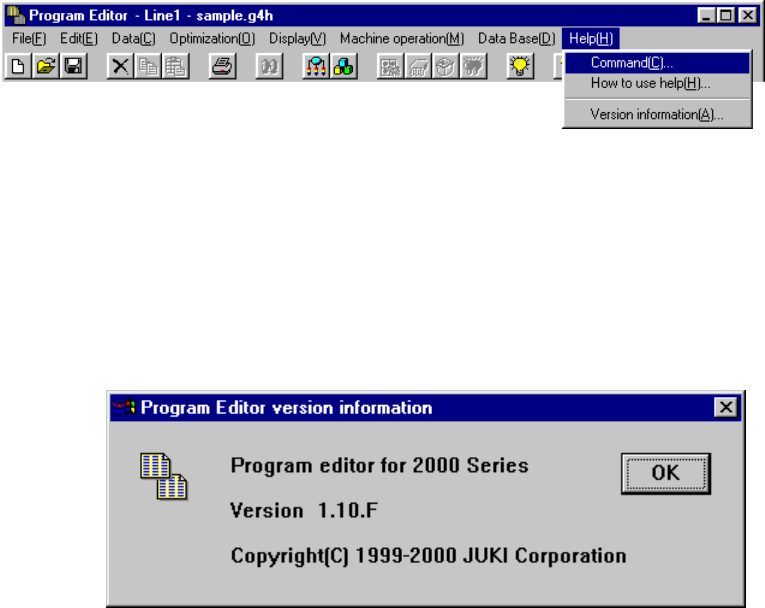
4.14 Help
This command invokes the online manual.
4.14.1 Version information
This command displays the information on this program (Program Editing utility).
The message shows a corresponding version number.
Example.
5 − 1
CHAPTER 5 VISION RECOGNITION
5.1 Outline
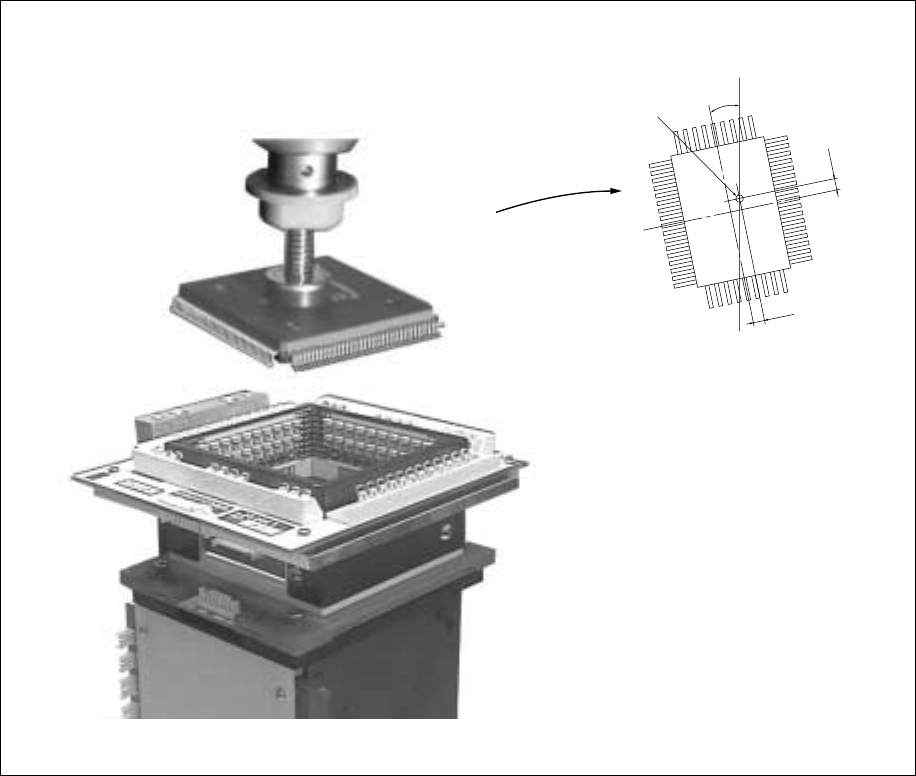
5.1.1 Position of components for vision recognition
Using the VCS camera, view the position of the component picked up with the vision
correction head to obtain the balance and angle offset of the component. At this
time, component’s bent leads are also checked as faulty. After moving to the PWB
placement point, the obtained balance and angle offsets are corrected for placement
at right balance and angle.
Figure 5.1.1.2
Center of the nozzle
θ
∆Y
∆X
5 − 2
5.2 Vision Data Input
Vision data is used to recognize the component using vision recognition function.
The vision data can be entered only for the component types shown below and which
have been selected for vision centering of the component data.
QFP, SOP, TSOP, TSOP2, PLCC (QFJ), BAG, SOJ, PQFP (BQFP) one-way lead
connector, J lead socket, gull wing socket, socket with bumper, aluminum electrolytic
capacitor, and GaAsFET, two-way lead connector, SOP (with a heat sink), FBGA, Z
style lead connector
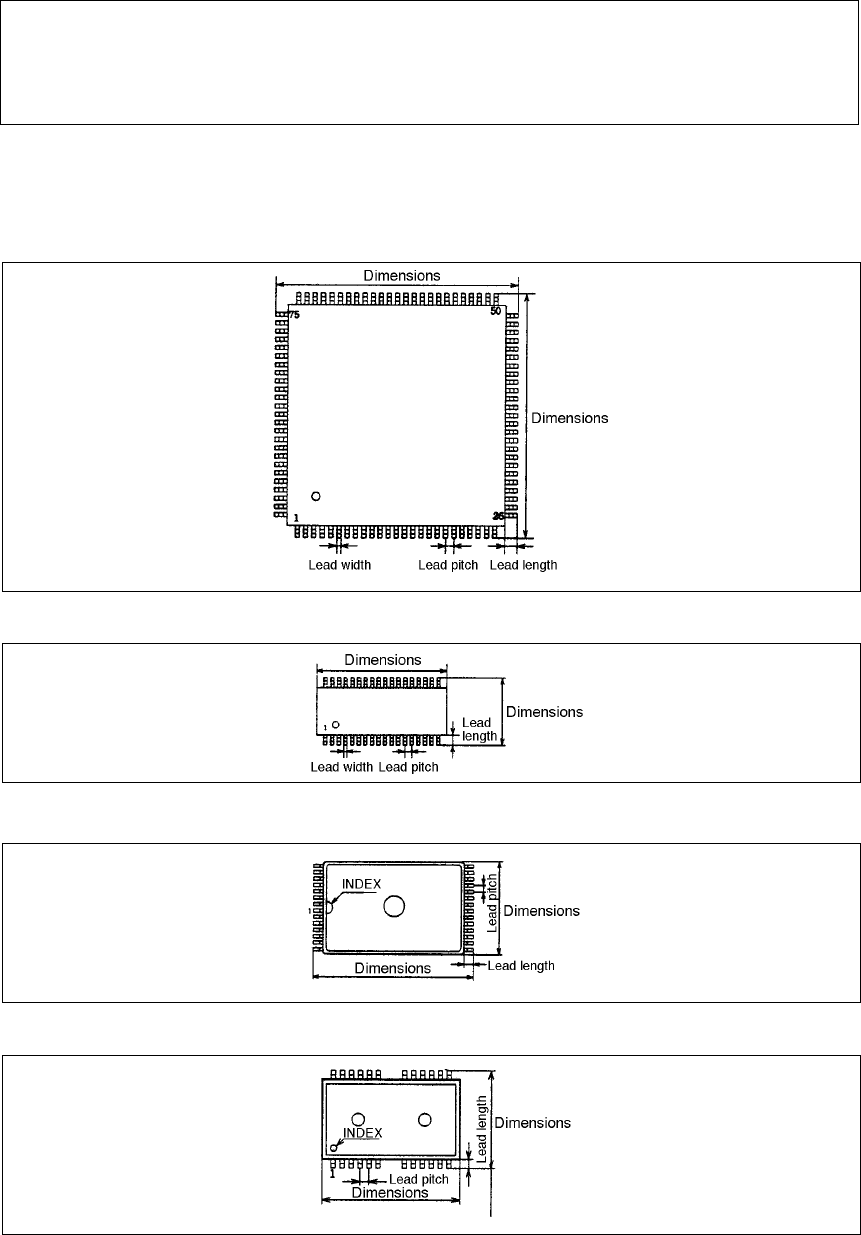
• The following shows the component types. For data setting, it is defined to 0° of
the components when the components are oriented as shown below.
① QFP (Top view)
② SOP (Top view)
③ TSOP (Top view)
④ TSOP2 (Top view)