KE2040Instruction Manual Ver2.01,REV04.2003.6.25.pdf - 第369页
5 − 6 ⑮ BQFP (PGFP) (T op vie w) ⑯ SOJ ( T op view) ⑰ Z lead connector (T op view)
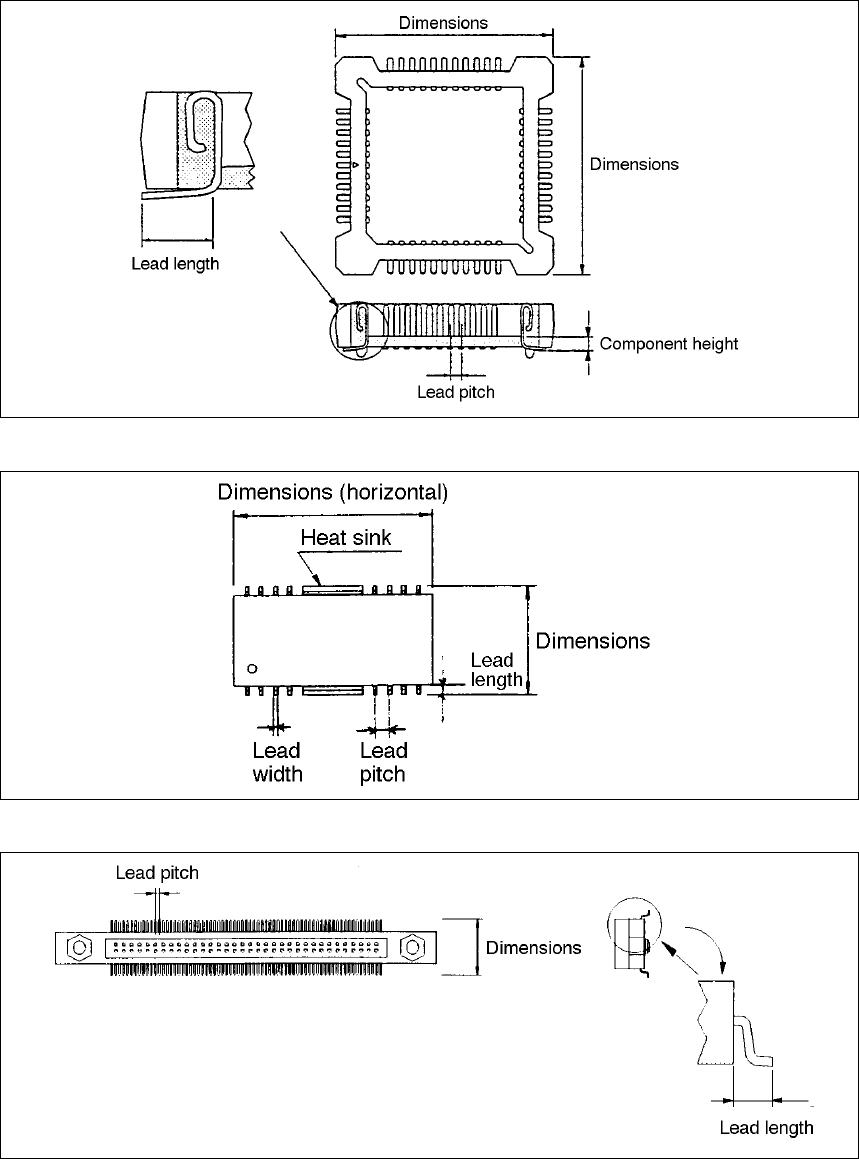
5 − 5
⑫ Socket with bumper (Top view)
⑬ SOP (with a heat sink) (Top view)
⑭ Two-way lead connector (Top view)
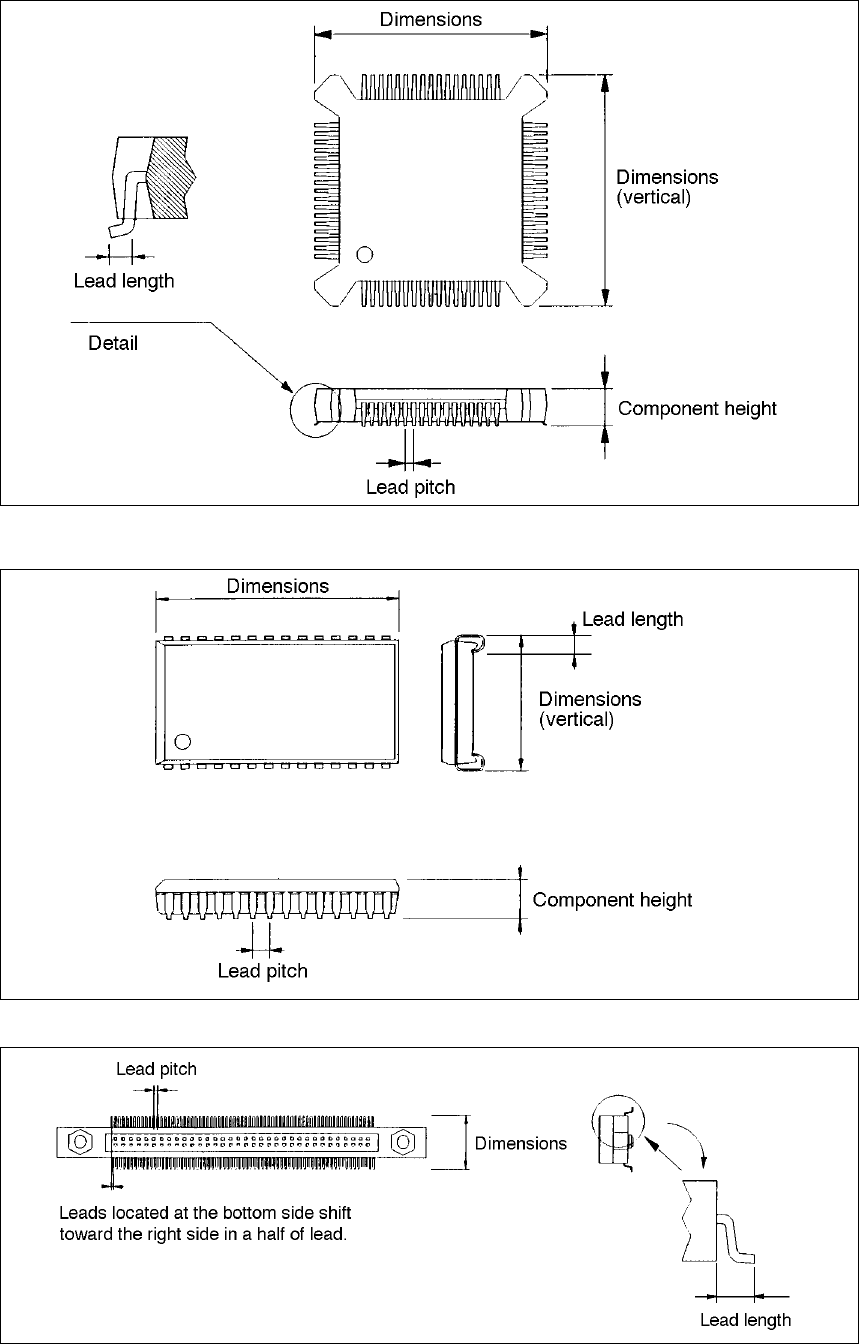
5 − 6
⑮ BQFP (PGFP) (Top view)
⑯ SOJ (Top view)
⑰ Z lead connector (Top view)

5 − 7
(1) Setting Items
Setting item Description
1 Pitch (lead pitch) Set the lead (ball) pitch (distance between two consecutive leads or balls).
2 Len (lead length) Set the lead length.
3 Wd (lead width) Set the lead width.
4 Bot., L, Top and R
(Number of leads/side:
bottom, left, top and right
sides)
Enter the number of leads located on each side.
5 Bend/Level
(Bent lead detection level)
Set the level for checking a bent lead with the ratio of a bent lead to the
lead pitch.
6 Missing Start/No
(Missing lead start position and
number of missing leads)
Set the first missing lead position and the number of missing leads.
7 Contrast Set the recognition pattern.
8 Base Style Set the BGA base style.
9 Ball Pattern Set the BGA recognition pattern.
10 NumLn (number of lines) Set the number of lines on which balls are located with being viewed from
the outside of a peripheral pattern.
11 Diameter/Level
(Diameter check level)
Set the level for checking the diameter of a ball.
12 Variant/Level
(Ball deformation check level)
Set the level for checking deformation of a ball.
13 View (Recognition field of view) Set the field of view range for recognizing divided images of a component.
(This item is provided for compatibility with KE-740/760 data. You cannot
set this item with any KE-2000 series of products. Set the field of view for
recognizing divided images with the setting item “Ctrl”.
14 View Field (leads to be
recognized and not recognize)
Set the range of leads to be recognized and not recognized when the
machine recognizes divided images of a component.
15 Corr. (Brightness correction) Set the threshold for recognizing an outline-recognized component.
16 Exp (Expansion) Set a general-purpose lead connector.
17 elem. (Element) Set a general-purpose vision component.
18 Ctrl (Control) Set the recognition control items.
19 Light Set the light control items.