KE2040Instruction Manual Ver2.01,REV04.2003.6.25.pdf - 第384页
5 − 21 ⑧ Bot, R, T op and L (bot tom, right , top and lef t) Ent er the number of leads on each side: bottom , right , top and lef t sides in this order . W hen an ast erisk mar k * appears in a cell, you do not have to …
5 − 20
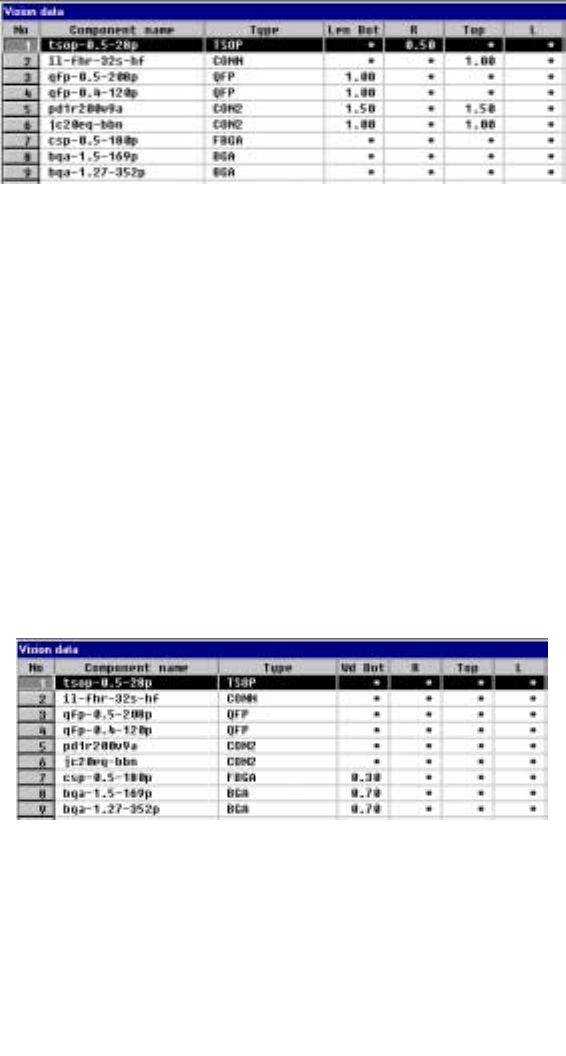
⑥ Len Bot, R, Top and L
Enter the length of a lead section that is in contact with a board from the
formula bar. When an asterisk mark * is displayed in a cell, you do not have
to enter any data to this cell.
- When a component has leads on its two or more sides, enter the length of
a lead on one side only if the length of leads on each side is the same as
each other.
- Data in the “Bot, R, Top and L” cells is based on the component feeding
angle with referring the final component feeding direction.
• The side whose lead length should be entered and the range of
the lead length vary depending on the setting of the “Type” item.
Figure 5.2.3.3 Entering the lead length from the formula bar
Figure 5.2.3.4 Range of the lead length
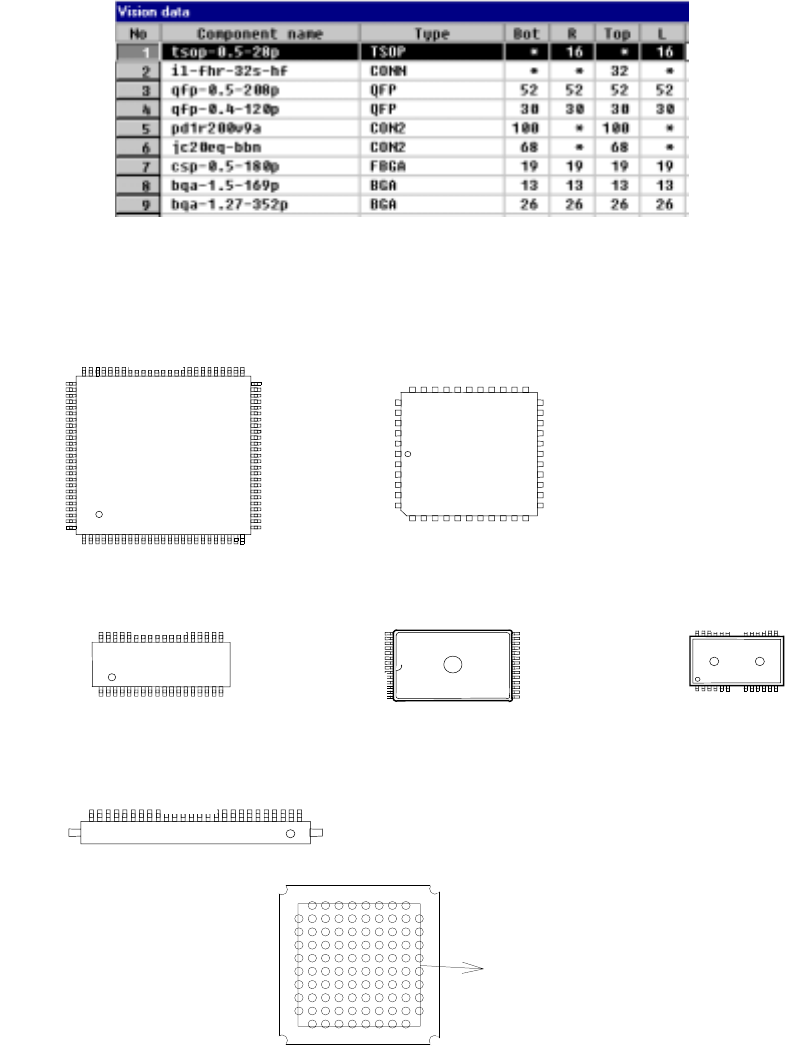
⑦ Wd Bot, R, Top, L (lead or ball width)
Set the width of leads on each side: bottom, right, top and left sides in this
order. The side whose lead width should be entered and the range of the
lead width vary depending on the setting of the “Type” item.
• For a ball component, enter the diameter of a ball.
Figure 5.2.3.5 Entering the lead (ball) width
Figure 5.2.3.6 Lead (ball) width
5 − 21
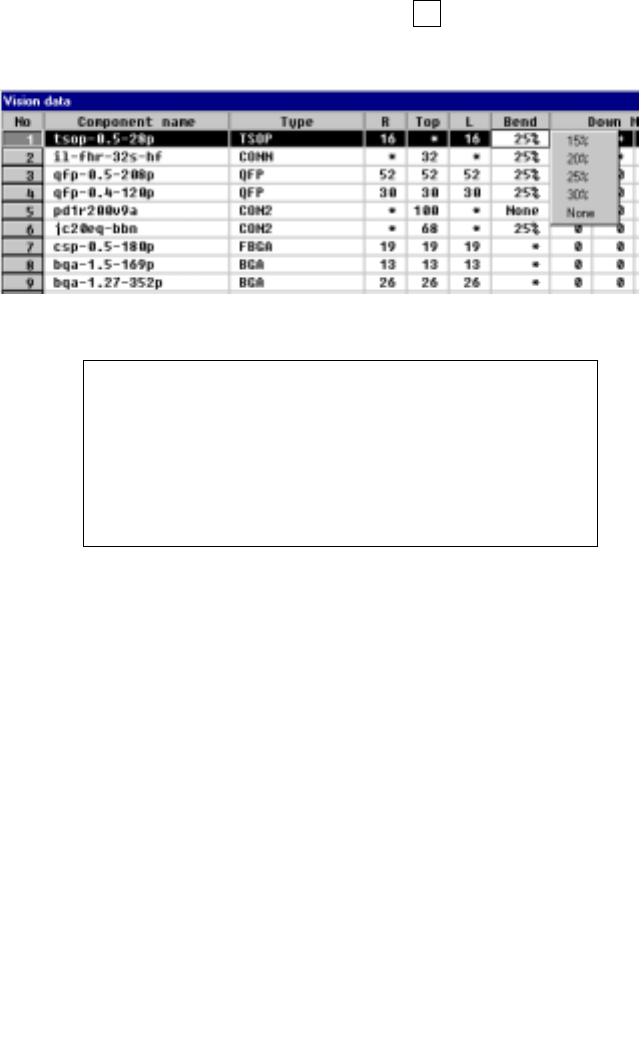
⑧ Bot, R, Top and L (bottom, right, top and left)
Enter the number of leads on each side: bottom, right, top and left sides in this
order. When an asterisk mark * appears in a cell, you do not have to enter
any data to the cell.
- The input range of the number of leads varies depending on the setting of
the “Type” setting item.
- For a ball component, enter the number of balls located on the outer frame.
If you do not set the same number of balls for all sides, the largest value is
regarded as valid.
Figure 5.2.3.7 Entering the number of leads on the top,
bottom, left and right sides.
外周のボール数
Figure 5.2.3.8 Explanation of the top, bottom, left
and right sides of each component type
上
下
左右
上
右
左
下
上
下
左右
上
下
上
Top
Right
Bottom
Left
1
Balls located on the outer frame
Top
Bottom
Top
Bottom
Right
Left
Top
Bottom
1
Top
Right
Left
5 − 22
⑨ Bend
When the machine detects a bent lead, it discards the component having a
bent lead onto the IC discard position as operation for an error. Enter the
level for detecting a bent lead here.
- When data is entered to the setting item “Type”, the default value is
automatically set here.
- To change the default value, press the F2 key, then select a value from the
displayed list.
Figure 5.2.3.9 Specifying the level for detecting a bent lead
Definition of the bent lead detecting level
⑩ Down Missing Start/No, Right Missing Start/No,
Top Missing Start/No, Left Missing Start/No
Specify the missing leads by setting the missing lead position and the number
of missing leads. The value to be set as the setting item “number of leads”
includes the missing leads.
- Up to three blocks of missing leads can be set per side.
- When a component has no missing leads, set 0/0.
- Set the first missing lead position obtained with counting it anti-clockwise as
shown below.
Figure 5.2.3.10.1 Lead counting direction on each side