KE2040Instruction Manual Ver2.01,REV04.2003.6.25.pdf - 第421页
5 − 77 ① Opening f rom the Vision Form scr een W hen a general vision component is displayed on the Vision Form screen, t he “Component Viewer” butt on is displayed on the Vision Form screen. Fig. 5.2.4. 6.1-1 [Viewer] B…
5 − 76
5.2.4.6 Operating Component Viewer
5.2.4.6.1 Opening “Component Viewer”
The “Component Viewer” dialog can be opened from the following 3 screens.
① Vision Form Screen
② Element Data Screen
③ Element Group Screen
The operating method and the contents of data to be displayed on “Component
Viewer” differ depending on the screen from which “Component Viewer” is started.
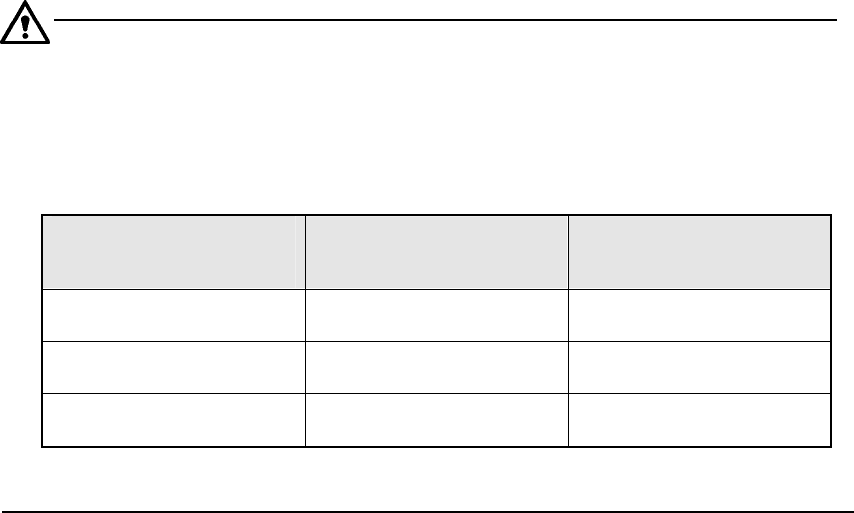
Table 5.2.4.6-1 Differences in Operating Method and Contents
of Display of “Component Viewer”
Screen from which
“Component Viewer” is
opened
For editing element data Contents of display
Opening from the Vision
Form screen
“Component Viewer” must
be closed.
All element groups are
displayed.
Opening from the Element
Data screen
“Component Viewer” does
not need to be closed.
All element groups are
displayed.
Opening from the Element
Group screen
“Component Viewer” does
not need to be closed.
Only the current element
group is displayed.
5 − 77
① Opening from the Vision Form screen
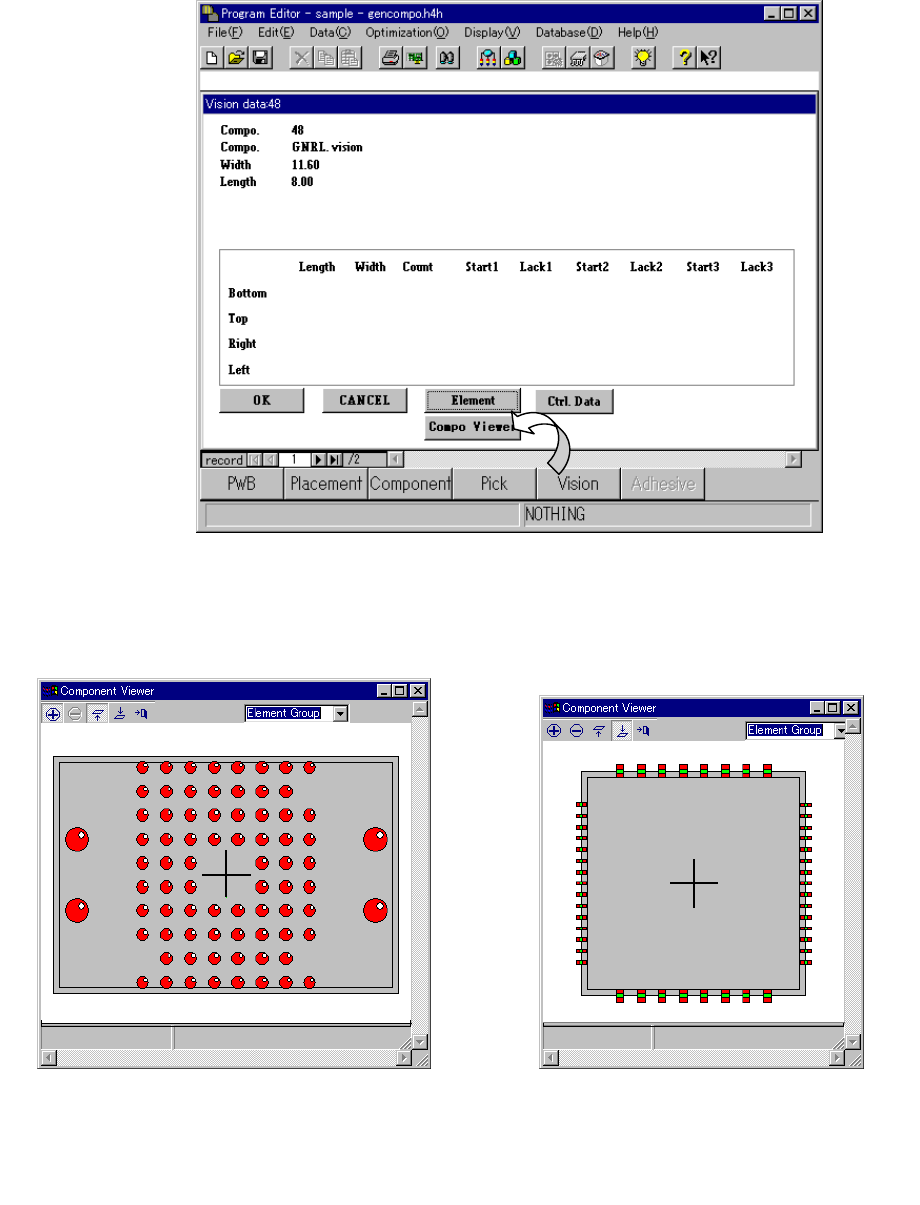
When a general vision component is displayed on the Vision Form screen, the
“Component Viewer” button is displayed on the Vision Form screen.
Fig. 5.2.4.6.1-1 [Viewer] Button of Vision Form
− Clicking the [Component Viewer] button displays the following dialog.
Fig. 6.7.3.6.1-2 Example of
Ball Component Screen Display
Fig. 6.7.3.6.1-3 Example of
Lead Component Screen Display
5 − 78
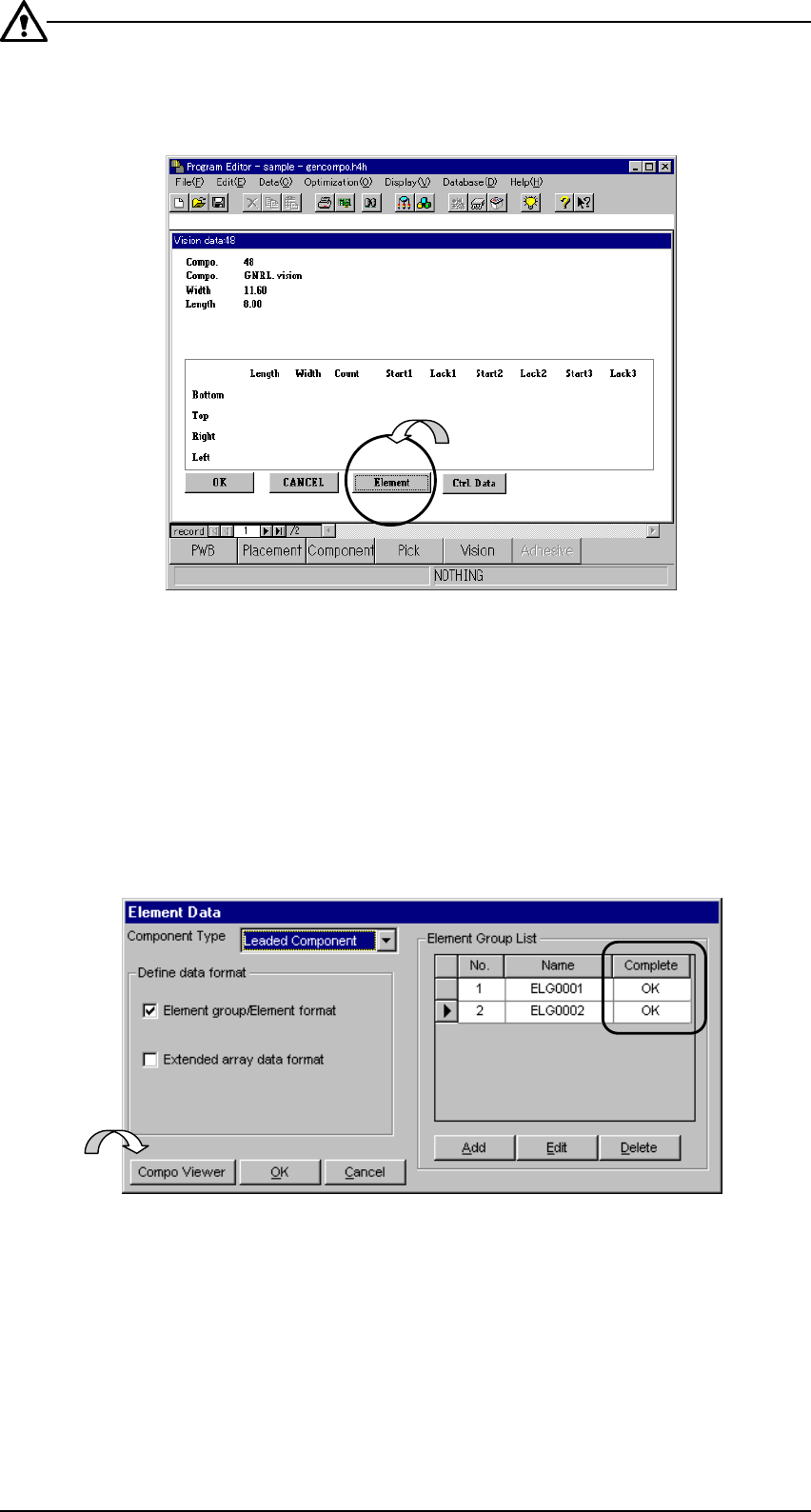
Unless “Element data is completed” in Fig. 5.2.4.6.1-1, the [Preview] button is not
displayed as shown below. Create data on the screens of ② Fig. 5.2.4.6.1-5 and
③ Fig. 5.2.4.6.1-6.
Fig. 5.2.4.6.1-4 [Element Data] Screen of Vision Form
− Clicking the [Element Data] button displays “② Element Data” screen.
② Opening from the Element Data screen
After making sure on the Element Data screen that element group data is
completed, click the “Component Viewer” button.
Fig. 5.2.4.6.1-5 “Component Viewer” Button of the Element Data Screen