KE2040Instruction Manual Ver2.01,REV04.2003.6.25.pdf - 第647页
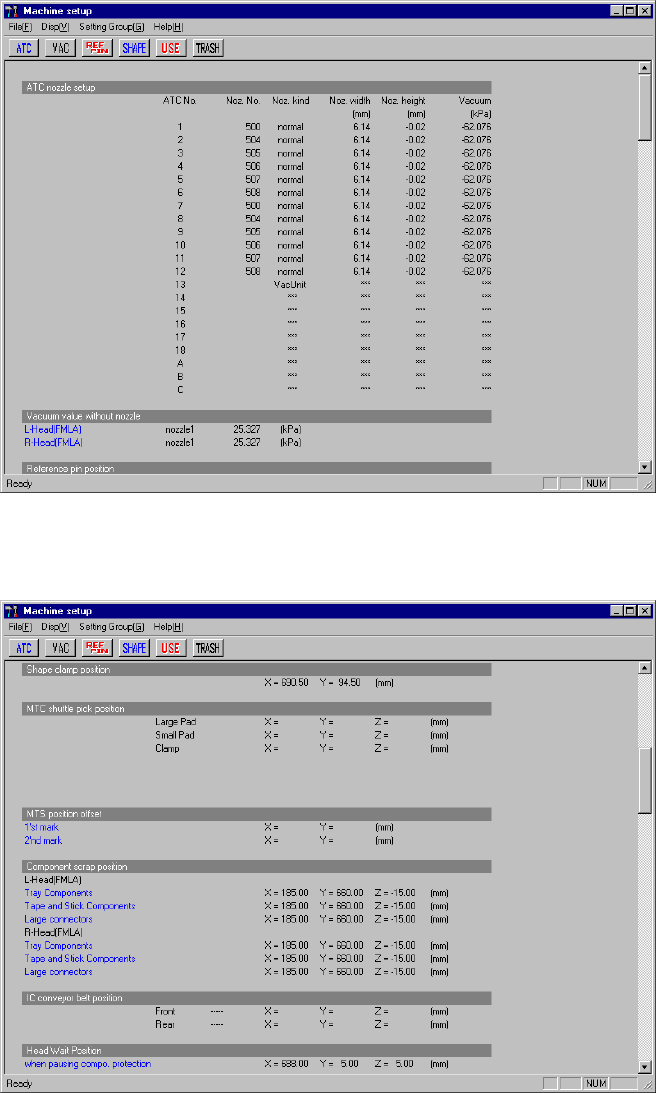
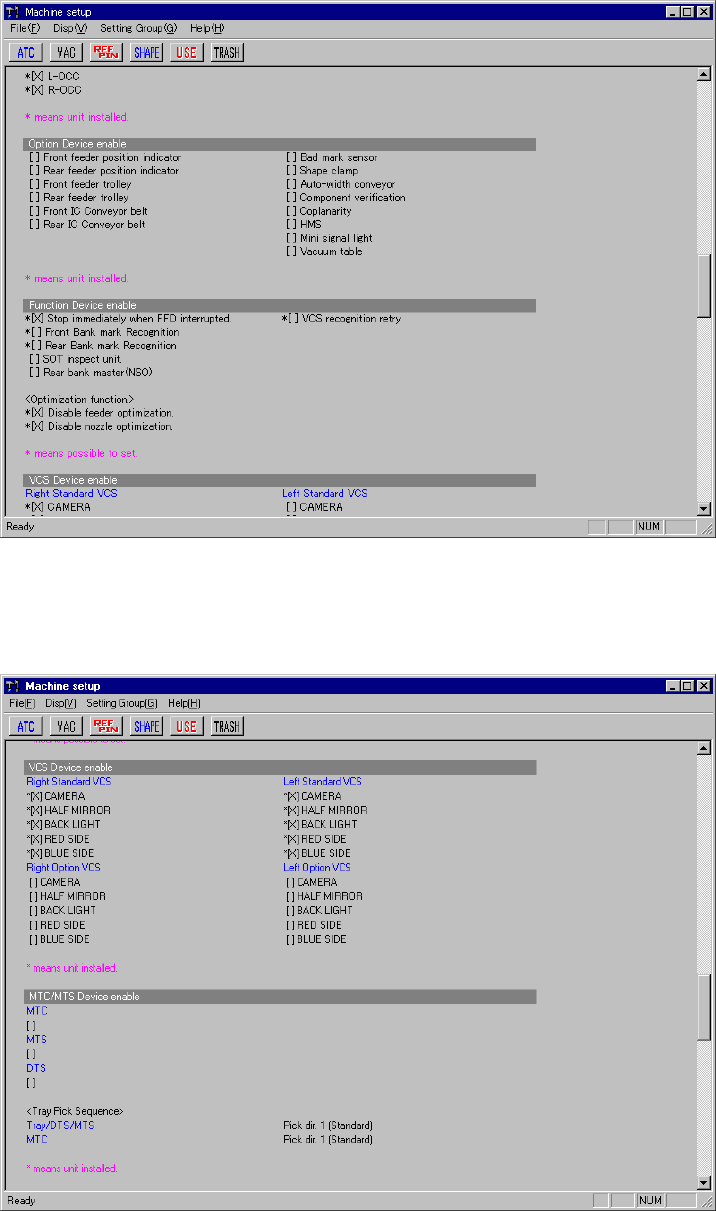
8 − 3 Current set tings of the m enu items "O ption Device enable" and "Function Device enable". Figure 8.1.1. 3 Machine setup initia l screen 3 Current set tings of the m enu items , " MTC/MTS D…
8 − 2
8.1.1 Immediately after start-up
The machine setup initial screen, as shown in Figures 8.1.1.1 through Figure 8.1.1.8,
appears when [Set up], then [Machine Setup] is selected from the menu bar.
The machine setup initial screen shows the values defined currently for the
parameters to be set. To scroll the screen, move the scroll bar up and down using
the cursor keys or page up and down keys.
Current settings of the menu item "ATC nozzle setup", "Vacuum value without
nozzle" , "Reference pin position",
Figure 8.1.1.1 Machine setup initial screen 1
Current settings of the menu items "MTC shuttle pick position", "MTS position offset",
"Component scrap position", "IC conveyor belt position", and "Head Wait Position"
Figure 8.1.1.2 Machine setup initial screen 2
8 − 3
Current settings of the menu items "Option Device enable" and "Function Device
enable".
Figure 8.1.1.3 Machine setup initial screen 3
Current settings of the menu items , "MTC/MTS Device enable" and "HLC
connection".
Figure 8.1.1.4 Machine setup initial screen 4
8 − 4
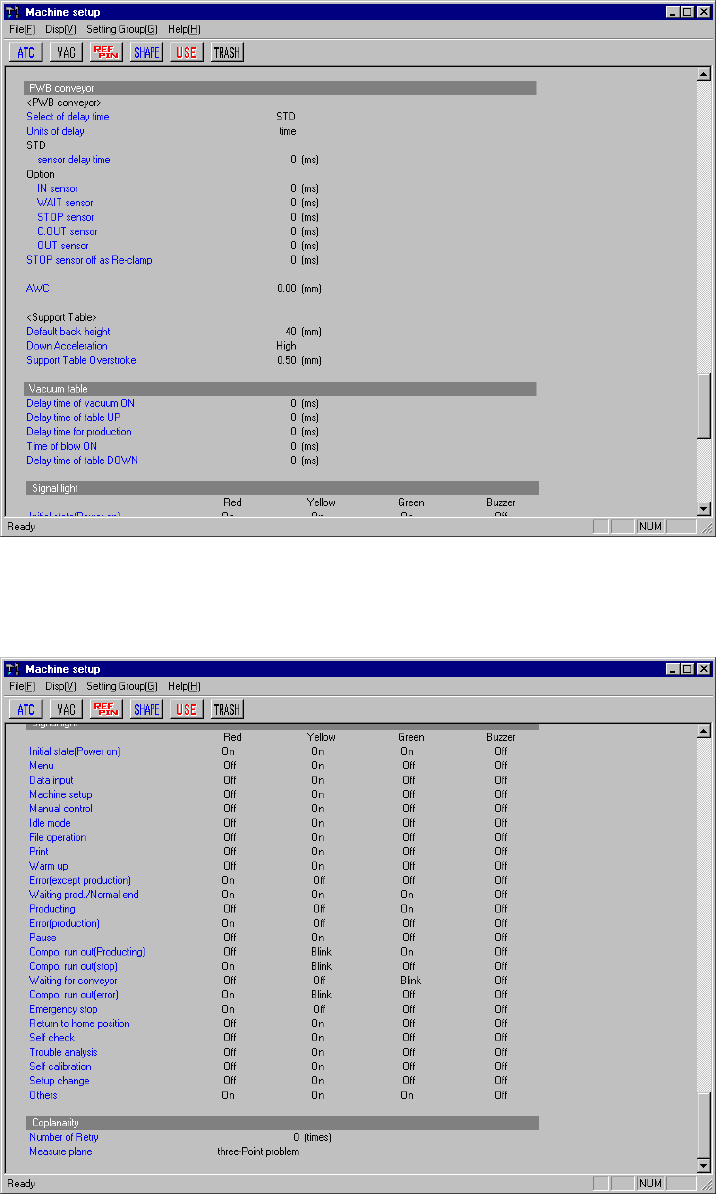
Current settings of the menu items "Vacuum table" and "Signal light".
Figure 8.1.1.5 Machine setup initial screen 5
Current settings of the menu items " Signal light " and "Coplanarity".
Figure 8.1.1.6 Machine setup initial screen 6
− To change the setting of each item select [Setting Group] of the menu bar.
− When you select an item on the Set up group menu, and set the appropriate
parameter, the Machine setup initial screen reappears.