KE2040Instruction Manual Ver2.01,REV04.2003.6.25.pdf - 第748页
9 − 51 (3) Contr ol button Each contr ol item can be executed with the contr ol button. The displayed contr ol buttons vary depending on t he control item you selected. 1) Tray This it em extends and/or st ores a tray . …
9 − 50
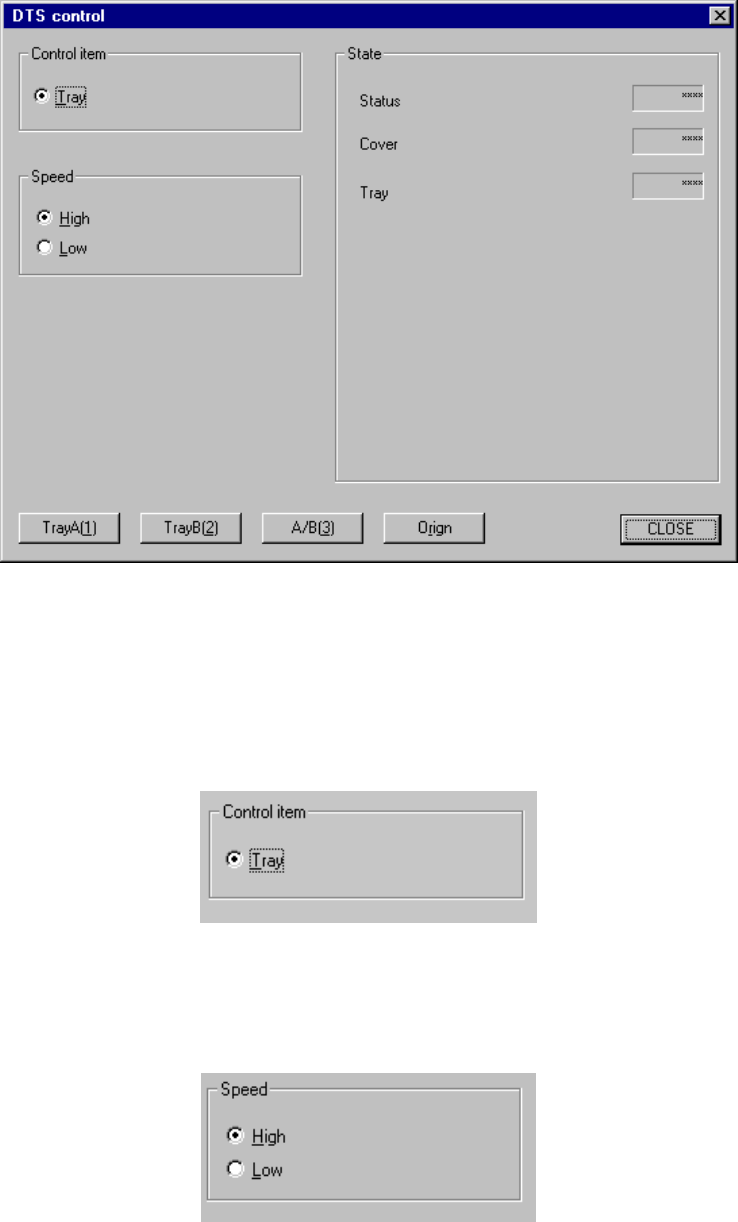
9.5.3 DTS control
When you select the [Feeder] command on the [Ctrl] menu, then [DTS control]
command, the following "DTS control" dialog box appears on the screen.
Figure 9.5.3 DTS control dialog box
(1) Control item
Select a control item with the corresponding radio button.
(2) Speed
Select the speed to be controlled with the corresponding radio button.

9 − 51
(3) Control button
Each control item can be executed with the control button.
The displayed control buttons vary depending on the control item you selected.
1) Tray
This item extends and/or stores a tray.
- When the control item "Tray" is checked, click the <TrayA>, <TrayB> or
<A/B> button or press the F3, F4 or F5 key to control a tray.
The state of a tray is updated when it is controlled completely.
(4) State display
Each unit state is displayed when it is controlled completely.
☞
9 − 52
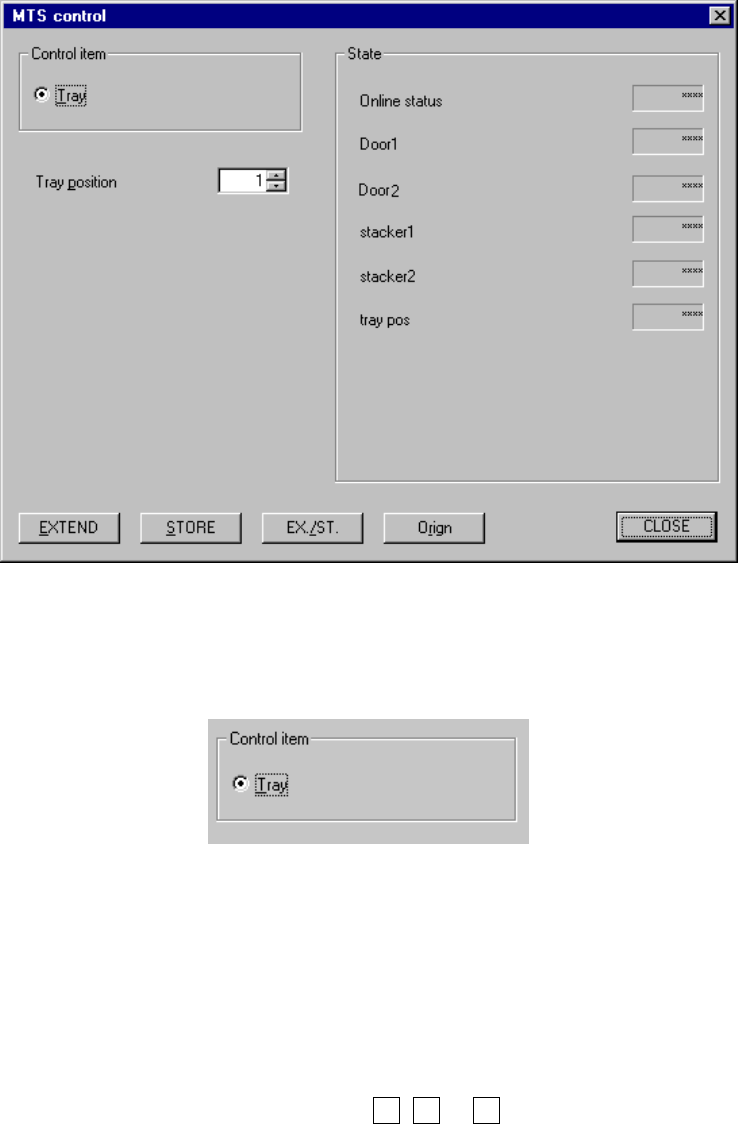
9.5.4 MTS control
When you select the [Feeder] command on the [Ctrl] menu, then [MTS control]
command, the following "MTS control" dialog box appears on the screen.
Figure 9.5.4 MTS control dialog box
(1) Control item
Select a control item with the corresponding radio button.
(2) Control button
Each control item can be executed with the control button.
The displayed control buttons vary depending on the control item you selected.
1) Tray
This item extends and/or stores a tray.
- When the control item "Tray" is checked, click the <EXTEND>, <STORE>
or <EX./ST.> button or press the F3, F4 or F5 key to control a tray.
The state of a tray is updated when it is controlled completely.
(3) State display
Each unit state is displayed when it is controlled completely.
☞