KE2040Instruction Manual Ver2.01,REV04.2003.6.25.pdf - 第783页
10 − 20 10.4.7 Resetting the operation information data 10.4.7.1 Resetting each screen of the operation i nformation W hen you select the [Tool] command on the m enu bar, t hen the [Reset] command on the Tool m enu while…
10 − 19
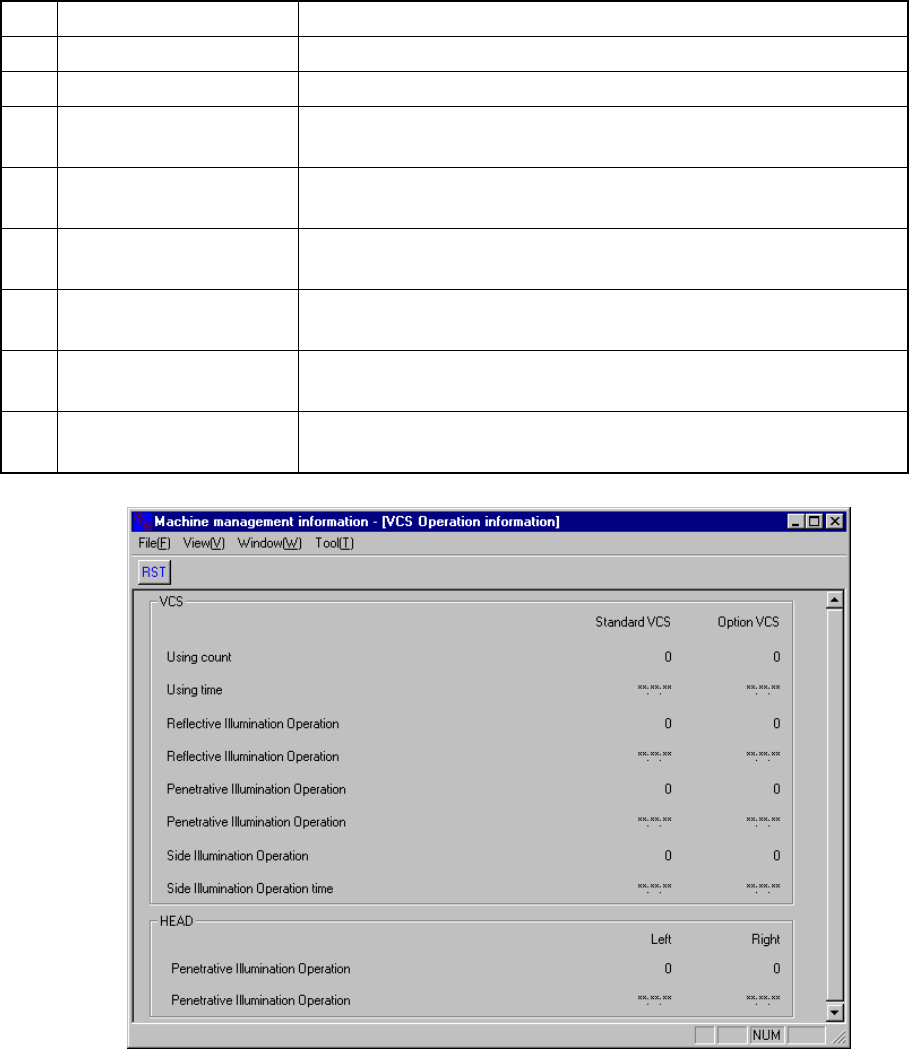
10.4.6 VCS operation information
10.4.6.1 VCS operation information
When you select the [Tool] command on the menu bar, then the [Reset] command
while the "Driver Operation Information" screen is being displayed, the dialog box
appears on the screen as shown in Figure 10.4.6.1.1.
No. Item Description
1 Using count Displays how many times the VCS was used.
2 Using time Displays how long the VCS was used.
3
Reflective Illumination
Operation counts
Displays how many times the reflective light was used.
4
Reflective Illumination
Operation time
Displays how long the reflective light was used.
5
Penetrative Illumination
Operation counts
Displays how many times the penetrative light was used.
6
Penetrative Illumination
Operation time
Displays how long the penetrative light was used.
7
Side Illumination
Operation counts
Displays how many times the side light was used.
8
Side Illumination
Operation time
Displays how long the side light was used.
Figure 10.4.6.1.1 Driver operation information reset dialog box
10 − 20
10.4.7 Resetting the operation information data
10.4.7.1 Resetting each screen of the operation information
When you select the [Tool] command on the menu bar, then the [Reset] command on
the Tool menu while the "Driver Operation Information" window is being displayed on
the screen, or when you click the <RST> button on the tool bar, the following dialog
box appears on the screen.
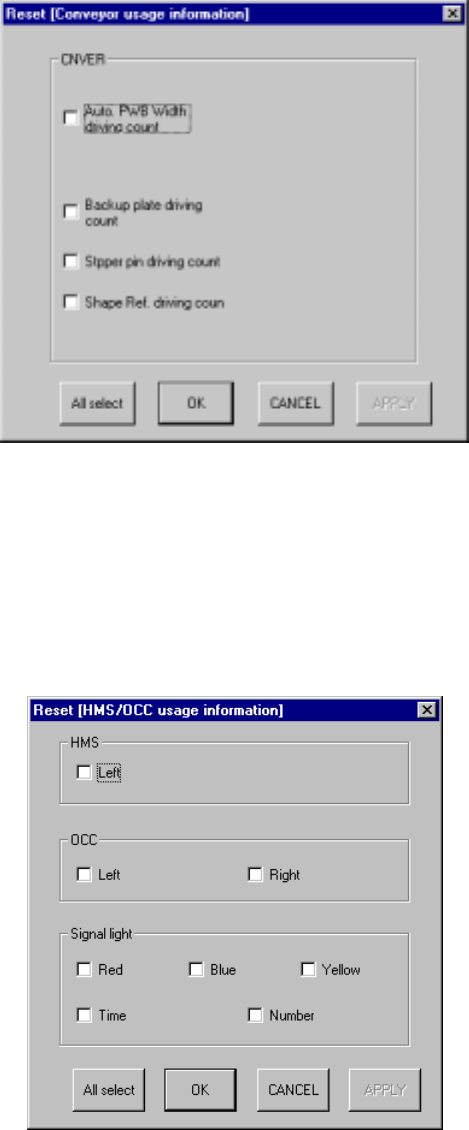
Figure 10.4.7.1.1 "Reset [Driver Operation Information] dialog box
When you select the [Tool] command on the menu bar, then the [Reset] command on
the Tool menu while the "Light Operation Information" window is being displayed on
the screen, or when you click the <RST> button on the tool bar, the following dialog
box appears on the screen.
Figure 10.4.7.1.2 "Reset [Light Operation Information] dialog box
10 − 21
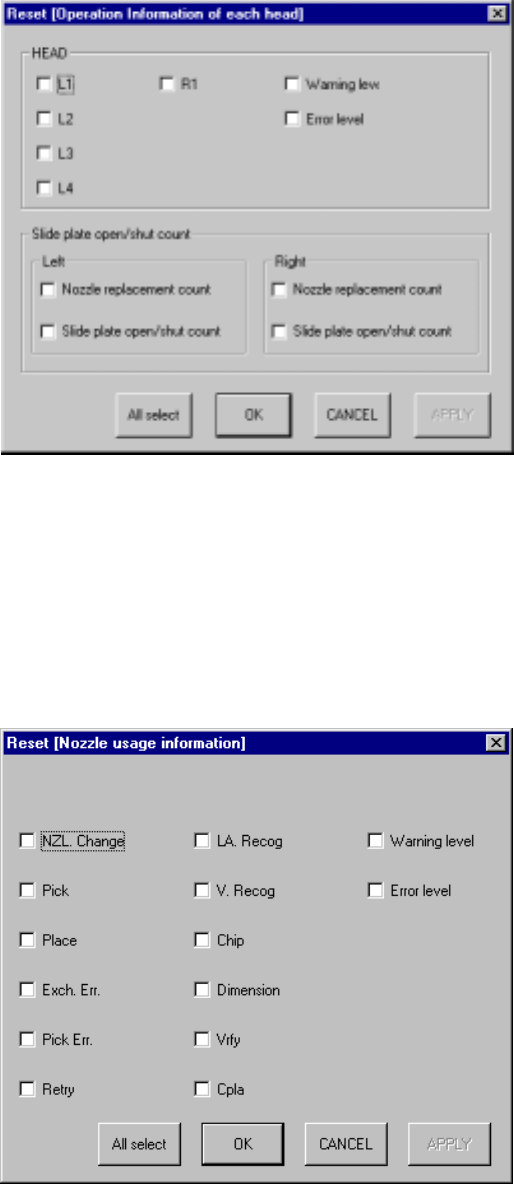
When you select the [Tool] command on the menu bar, then the [Reset] command on
the Tool menu while the "Operation Information of each head" window is being
displayed on the screen, or when you click the <RST> button on the tool bar, the
following dialog box appears on the screen.
Figure 10.4.7.1.3 "Reset [Operation Information of each head] dialog box
When you select the [Tool] command on the menu bar, then the [Reset] command on
the Tool menu while the "Operation Information of each nozzle" window is being
displayed on the screen, or when you click the <RST> button on the tool bar,the
following dialog box appears on the screen.
Figure 10.4.7.1.4 "Reset [Operation Information of each nozzle] dialog box