00196101-04_Serviceanleitung Vakuumtest 08-2018_D-E.pdf - 第120页
Service manual vacuum check with closed nozzles Page 120 fr om 136 4.3 On CPP heads Dam age or soiling o n the h olding cir cuit, the silicone h oses, the f ilter d isk or the nozzle c an lead to leak s or block ages, wh…
Service manual vacuum check with closed nozzles
Page
119 from 136
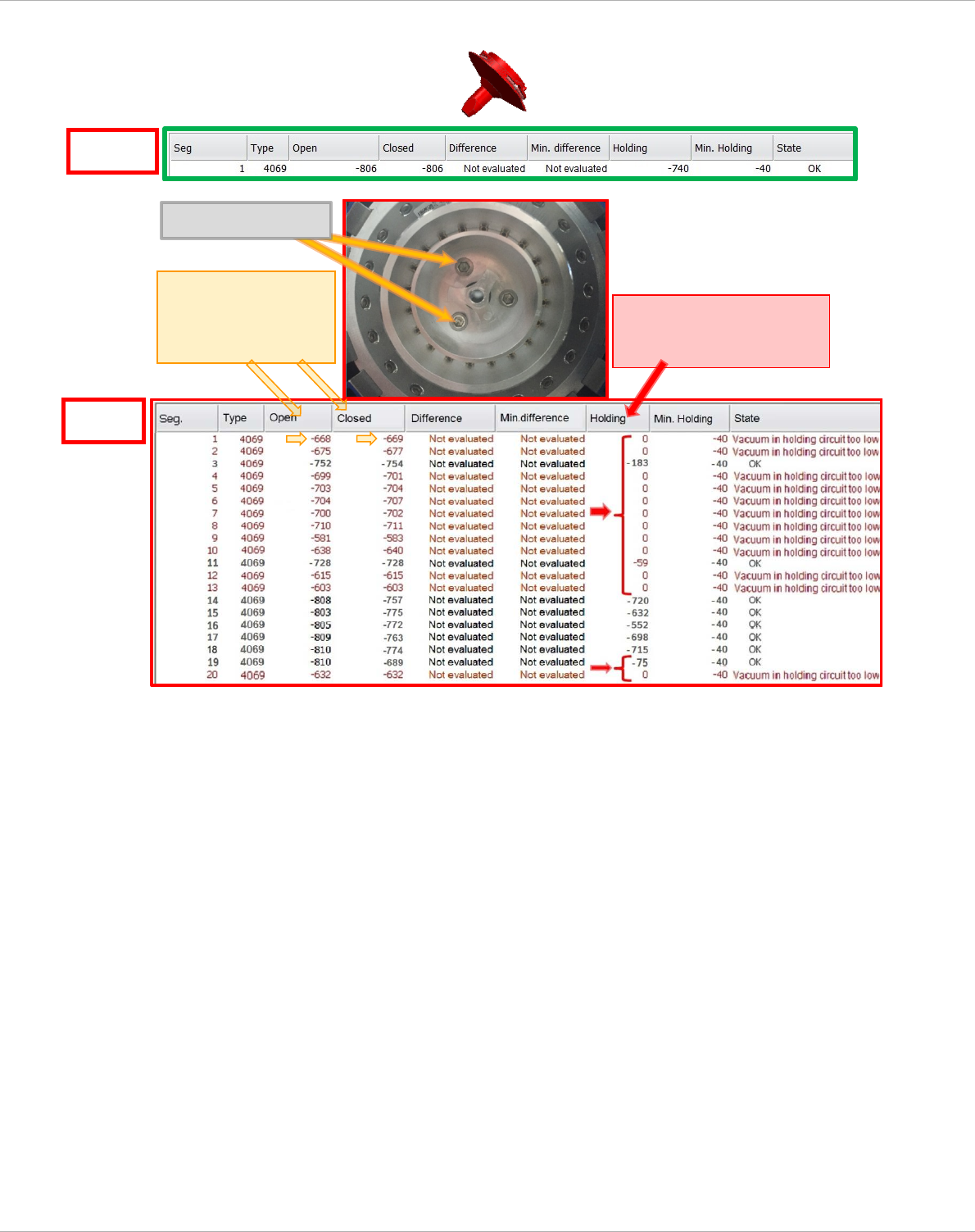
b.) With nozzles type 4069
NOM
ACT
in the vicinity of the
loose screws
open < nominal
closed < nominal
Loose Screws
in the vicinity of the loose
screws
Holding circuit < nominal
Service manual vacuum check with closed nozzles
Page
120 from 136
4.3 On CPP heads
Damage or soiling on the holding circuit, the silicone hoses, the filter disk or the nozzle can lead
to leaks or blockages, which can result in malfunctions in the placement process or reduce the
vacuum value in the holding circuit and the placement circuit.
Vacuum test with normal nozzle configuration
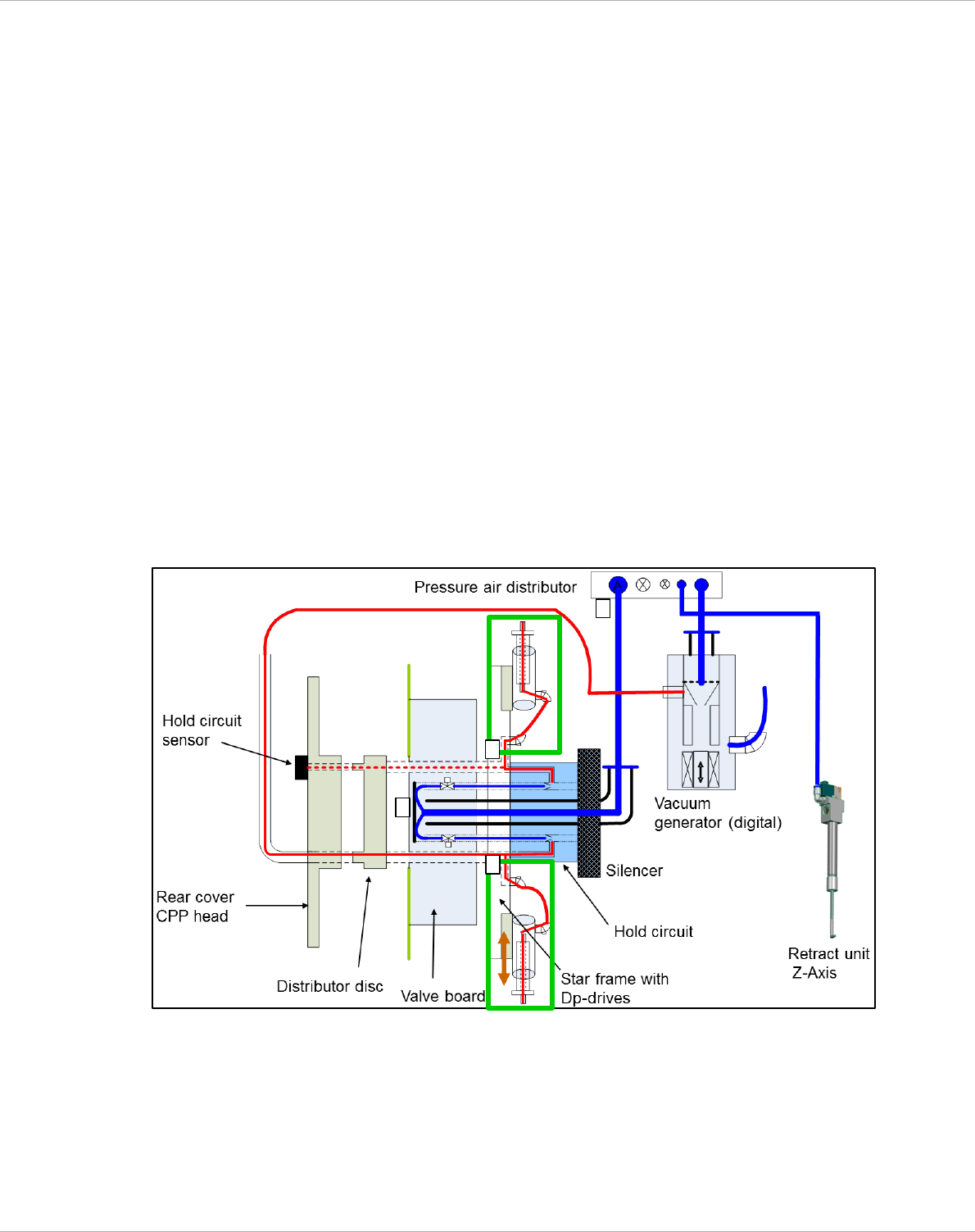
In the station software there are two vacuum measurements for the CPP head:
3. open / closed (Pos. B) - measurement is made from the nozzle tip to the pressure control valve.
Vacuum values = pressure control valve + holding circuit
4. holding circuit (Pos. C) - measurement is made from the nozzle tip to the holding circuit sensor.
Vacuum value = holding circuit
The area marked with a green rectangle below, from the holding circuit via the silicone hose into
the DP housing and up to the nozzle is not covered by the normal vacuum test.
Figure 4-10: Schematic illustration of the vacuum system CPP head:
C
A
B
A
Service manual vacuum check with closed nozzles
Page
121 from 136
4.3.1 Vacuum test with closed (red) nozzle
Nozzles with closed tips are required in order to test the entire vacuum circuit.
C&P - CPP:
"Nozzle type 2069 complete / vacuum test CPP" [03094135-01]
• Switch to Setup mode.
• Choose the head functions for the appropriate gantry.
• Place all the nozzles on the placement head in the nozzle changer.
• Replace a full magazine at one of the magazine positions with one (or two) nozzle
magazine(s) containing the test nozzles [03094135-01].
•
•
•
•
• Pick up the closed (red) nozzles on all segments.
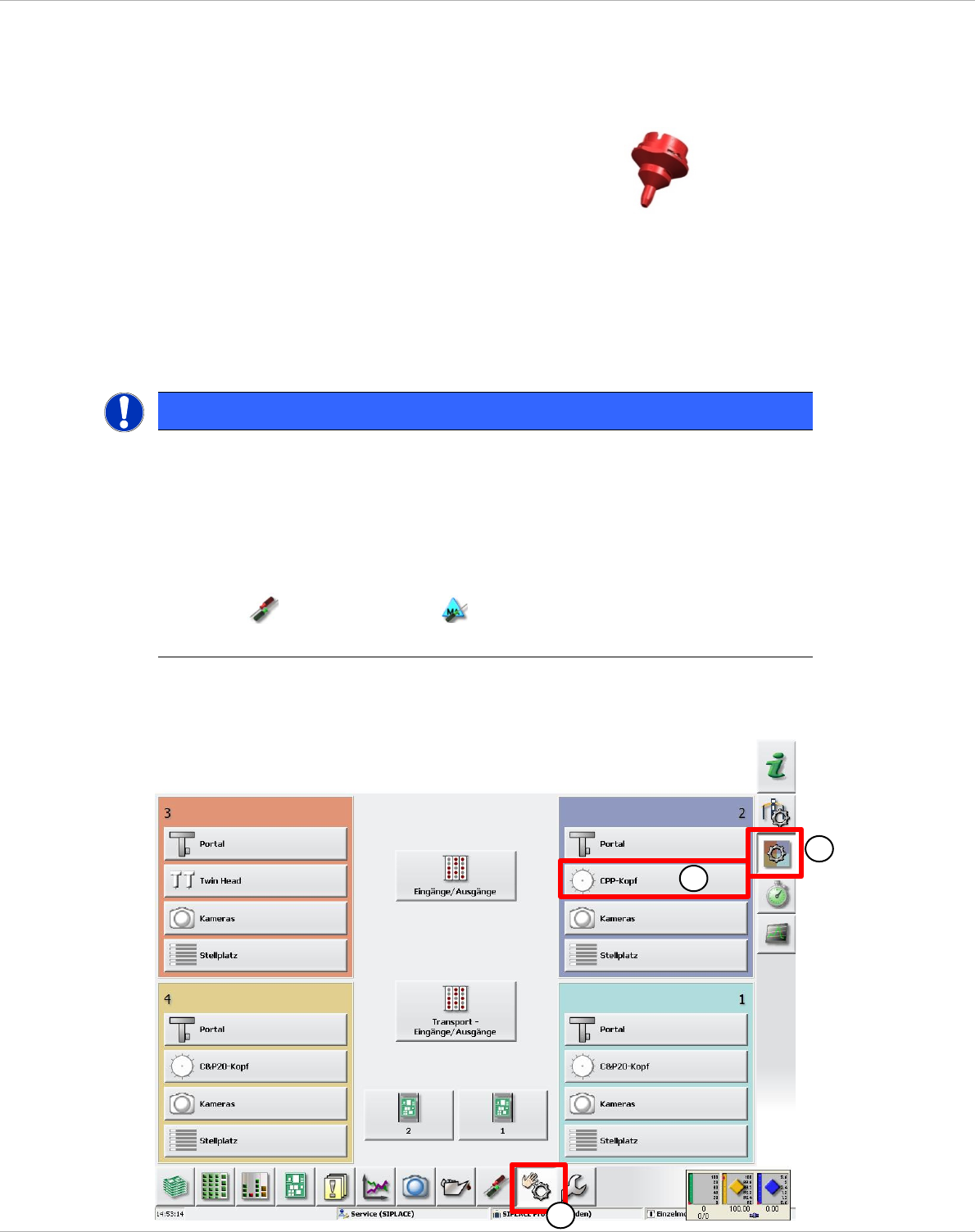
• Now switch to the Manual Operations (1) view => Subsystems (2)
• Choose the head functions (3) for the appropriate gantry (here gantry 2).
NOTE
Nozzle type 2069
Because nozzle type 2069 is not available for selection in the station software prior to Version
707.xx, you have to use a different nozzle type to pick up the nozzles from the nozzle changer.
Use nozzle type 2004 to do this.
Nozzle scanning mu
st be deactivated in order to be able to pick up the nozzles from the magazine.
Nozzle scanning must be deactivated in order to be able to pick up the nozzles from the magazine.
=> Settings => Machine options
The error message "Vacuum distance open closed too low" can be ignored here.
3
2
1