00196101-04_Serviceanleitung Vakuumtest 08-2018_D-E.pdf - 第78页
Service manual vacuum check with closed nozzles Page 78 fr om 136 The pictur es belo w show th e respecti ve vacuum s ystem bas ed on sectiona l views of the head in the 3D s ystem. Figure 4-8 : Cut - view v acuum system…
Service manual vacuum check with closed nozzles
Page
77 from 136
4.2.3 Vacuum test with normal nozzles (calibration nozzle)
The vacuum tests in the station software for CP 20 heads check the following:
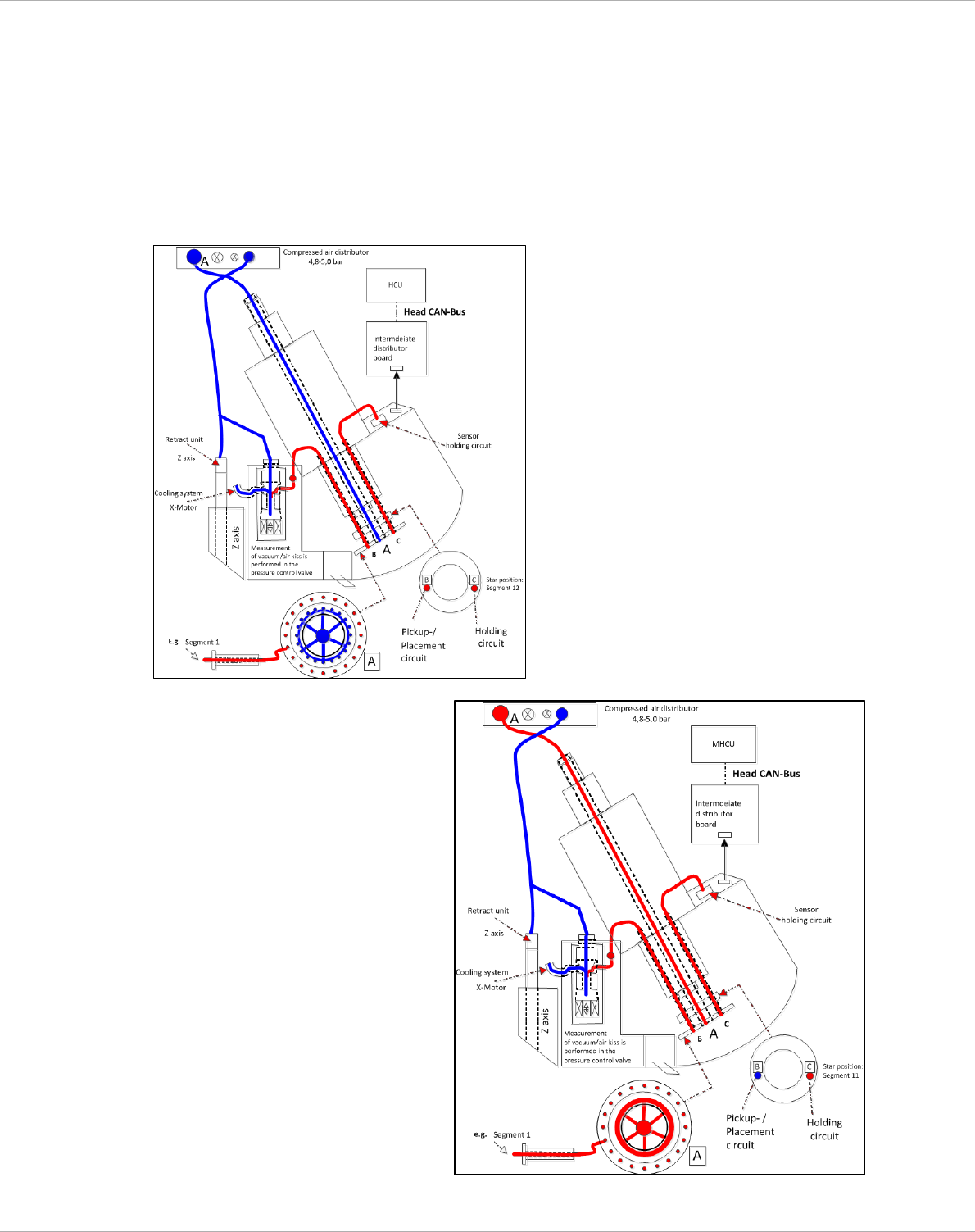
1. open / closed (Pos. B) - measurement is made from the nozzle tip to the pressure control valve.
Vacuum values = pressure control valve + holding circuit
2. holding circuit (Pos. C) - measurement is made from the nozzle tip to the holding circuit sensor.
Vacuum value = holding circuit
Figure 4-6
Figure 4-7
Schematic representation of the
Vacuum-/ air kiss principle, at the
example of a C&P20p - head with
vacuum pump operation. (pick up)
Schematic representation of the
vacuum-/ air kiss principle, at the
example of a C&P20a - head with
venturi-nozzle operation. (pick up)
Service manual vacuum check with closed nozzles
Page
78 from 136
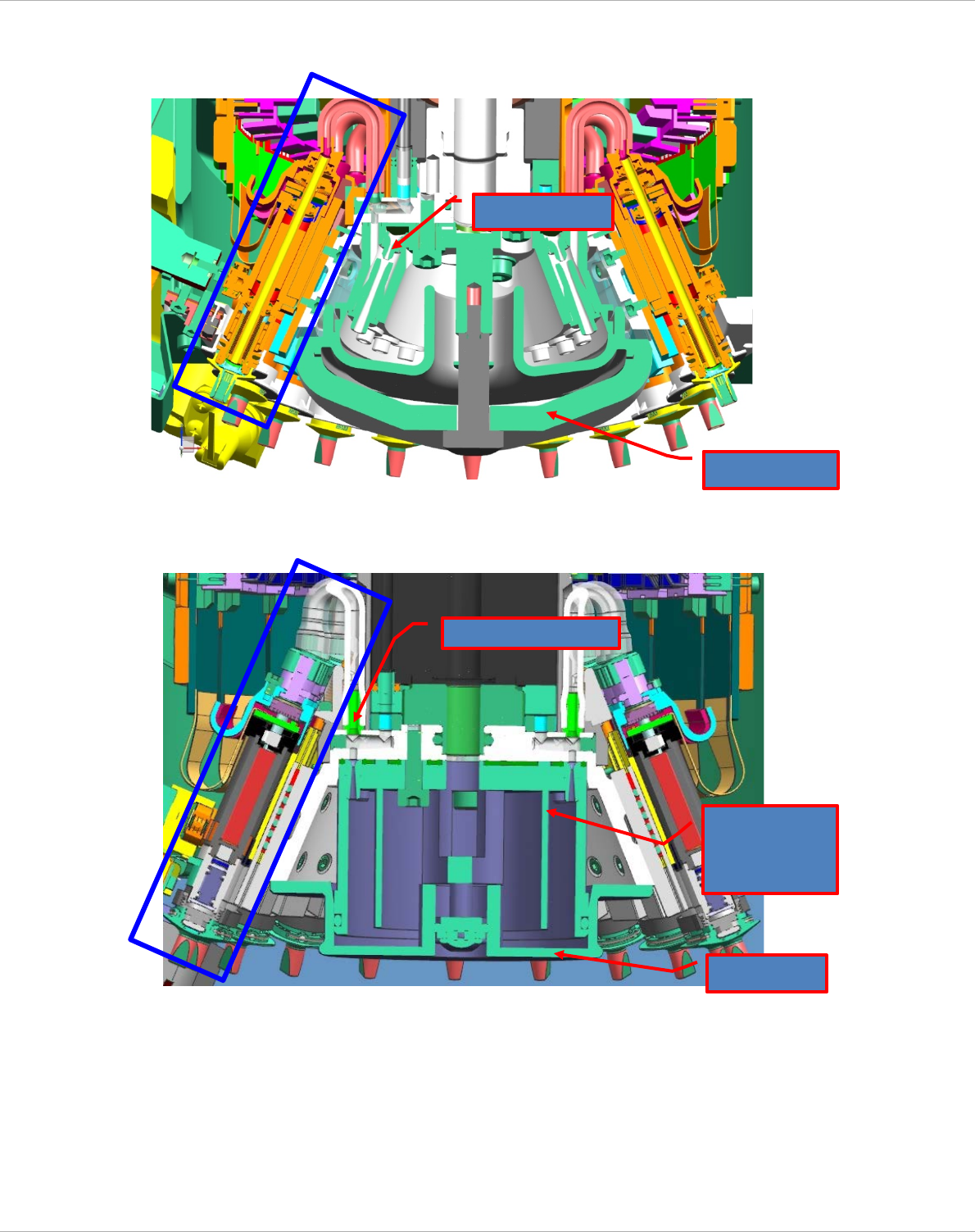
The pictures below show the respective vacuum system based on sectional views of the head in
the 3D system.
Figure 4-8: Cut-view vacuum system with venturi-nozzles operation (C&P20a)
Figure 4-9: Cut-view vacuum system with vacuum pump operation (C&P20p)
Venturi nozzle
Silencer
Cover
Vacuum connection
Reflecting ring
(vacuum
distributor)
Service manual vacuum check with closed nozzles
Page
79 from 136
4.2.4 Vacuum test with closed nozzle
Closed nozzles are required in order to test the entire vacuum circuit.
C&P - CP20 / CP20a / CP20m : C&P - CP20p / CP20M2 :
„Pipette Typ 1069 / Vakuumtest C+P20“ [03094112-01] „Pipette Typ 4069/6069 kpl. / Vakuumtest“ [03106244-01]
• Switch to Setup mode.
• Choose the head functions for the appropriate gantry.
• Place all the nozzles on the placement head in the nozzle changer.
• Replace a full magazine at one of the magazine positions with one (or two) nozzle
magazine(s) containing the closed (red) nozzles.
• Pick up the closed (red) nozzles on all segments.
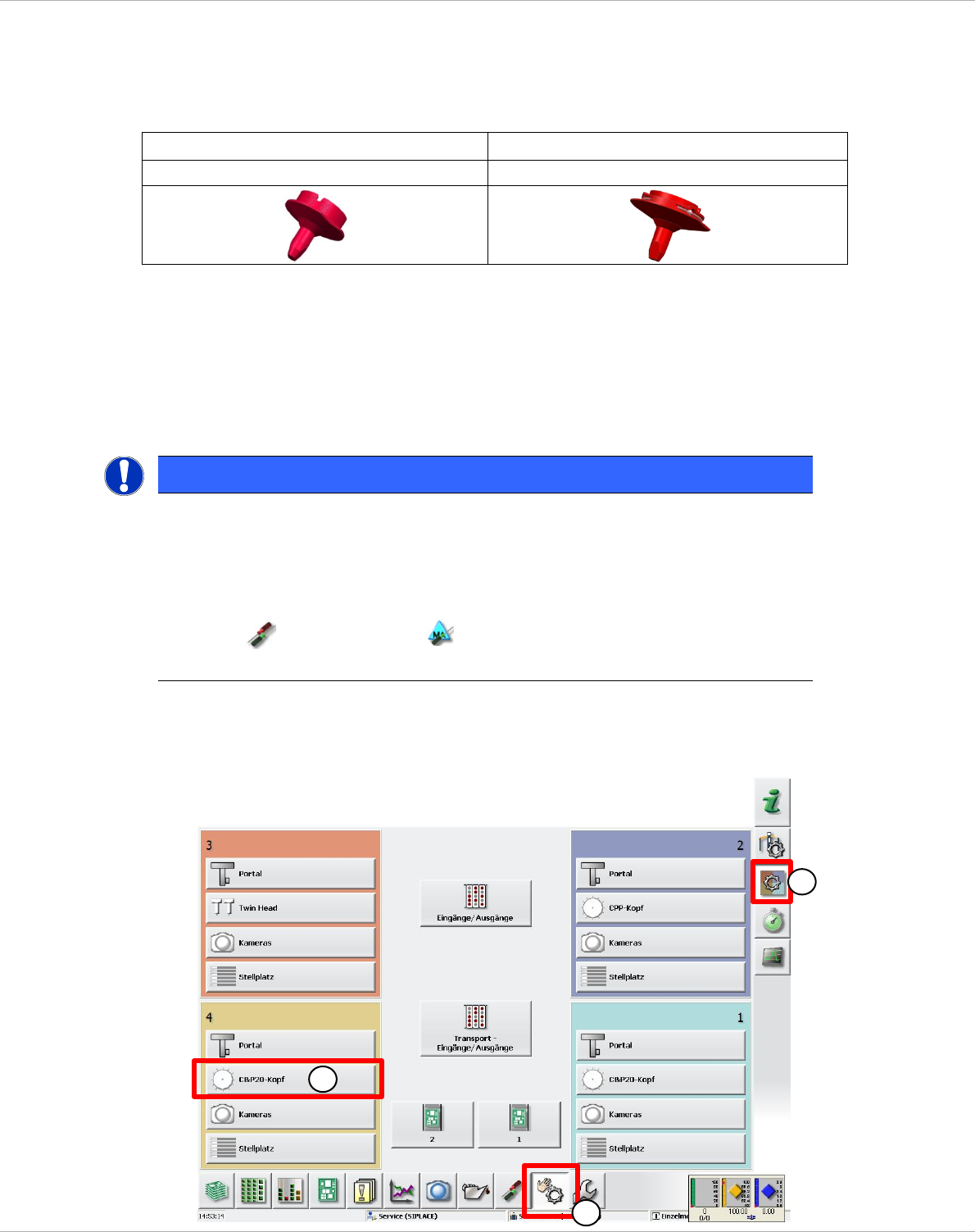
• Now switch to the view Manual Operations (1) => Subsystems (2).
• Choose the head functions for the appropriate gantry (3) (here gantry 4).
NOTE
Nozzle type 1069
Because nozzle type 1069 is not available for selection in the station software prior to Version
707.xx, you have to use a different nozzle type to pick up the nozzles from the nozzle changer.
Use nozzle type 2004 to do this.
Nozzle scanning must be deactivated in order to be able to pick up the nozzles from the magazine.
=> Settings => Machine options
The error message "Vacuum distance open closed too low" must be ignored here.
1
3
2