JUKI FX-3R MAINTENANCE GUIDE.pdf - 第112页
FX-3R Maintenance Guide 9-7 5) Open the cover of the terminal box and disconnect the cables e from the terminal block. e Figure 9-4-2 Disconnecting the Cables 6) Loosen the hexagon socket head cap bolts (M6 × L16) fixing…
FX-3R Maintenance Guide
9-6
9-4. Replacing the Vacuum Pump Parts
The reference replacement timing for the consumable parts listed below is one year after starting of
the operation. Replace or clean the consumable parts while referring to the procedure below. All
parts that need to be replaced are included in the consumable part set (part No. 40068178).
[List of Replacement Parts] (Consumable part set part No.: 40068178)
Table 9-4-1 Consumable Parts for Vacuum Pump
Inspection location Q’ty
Contents Method
Suction valve interference
prevention rubber
4
Check for deformation, wear, hardening, or
crack.
Visual check
Suction and exhaust
valves
12
Check for deformation, hardening, or
chipping.
Visual check
Exhaust valve backup 4 Check for unusual wear, hardening, or crack. Visual check
Cup packing 4 Check for unusual wear, hardening, or crack. Visual check
Gasket 4 Check for deformation, hardening, or crack. Visual check
Inside of
vacuum
pump
Suction valve backup 4 Check for unusual wear, hardening, or crack. Visual check
Nylon tube 4 Check for deformation Visual check
External
parts
Silencer 1 Check for deformation Visual check
<Preparations for replacement work>
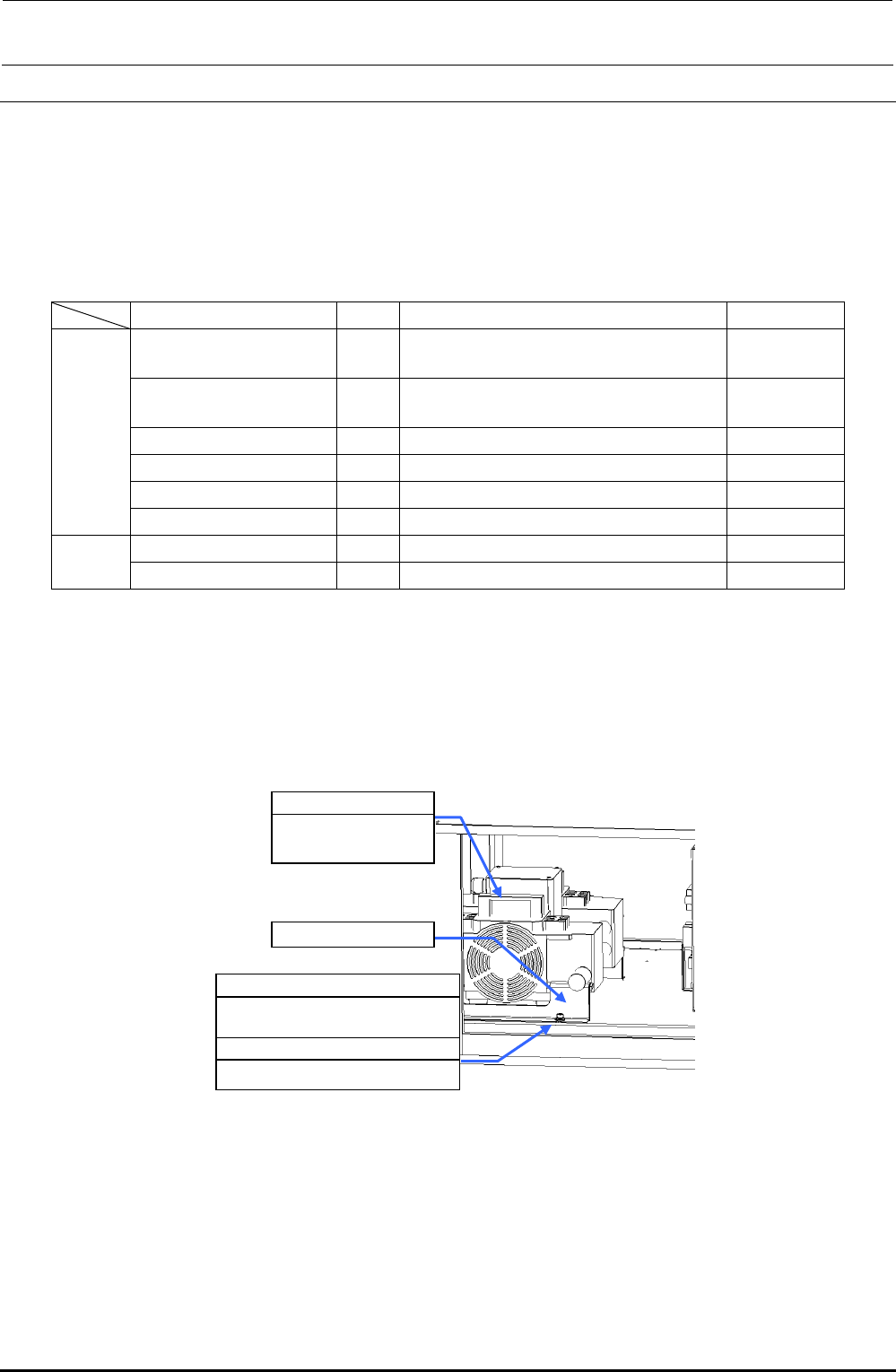
1) Make sure that the vacuum pump c is not operated.
(Great care should be taken since the vacuum pump is hot immediately after it has been
stopped.)
2) Open the cover of the electrical component unit.
SL6061292TN
SEMS cap bolt with washer
M6×12
WP0841601SC
Flat washer M8
c 40047064
Vacuum pump
assembly
d Pump support
Figure 9-4-1 Vacuum Pump
3) Disconnect the air tubes from the vacuum pump. Remove the pump support d with an Allen
wrench.
4) Pull out the vacuum pump from the main unit. (Pay special attention to the cables when pulling
out the vacuum pump.)
Rev. 1.00
FX-3R Maintenance Guide
9-7
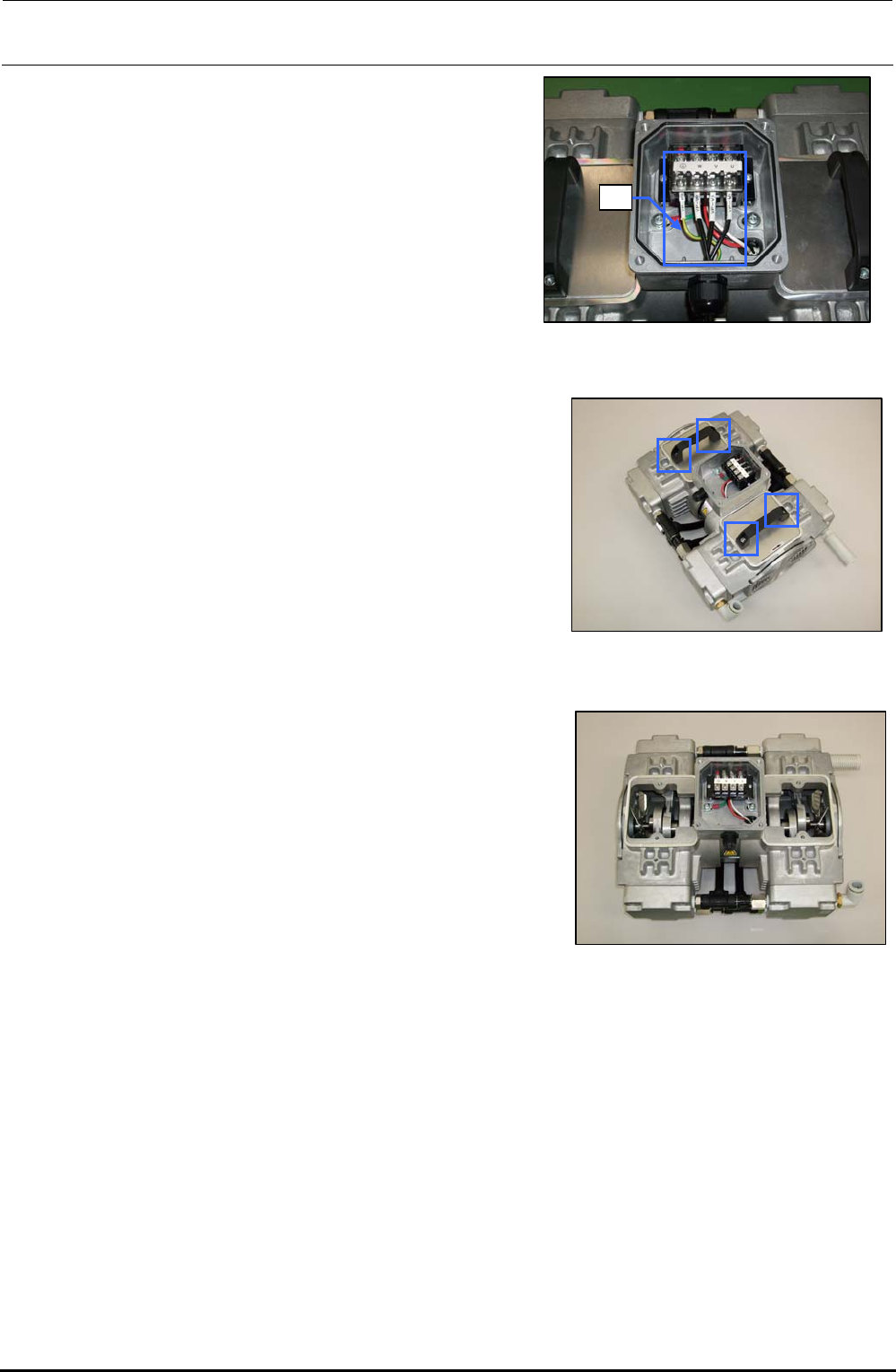
5) Open the cover of the terminal box and
disconnect the cables e from the terminal block.
e
Figure 9-4-2 Disconnecting the Cables
6) Loosen the hexagon socket head cap bolts (M6 × L16)
fixing the handle with an Allen wrench having a width
between across flats of 5 mm.
Figure 9-4-3 Removing the Bolts
7) Detach the handle and panel.
Figure 9-4-4 Detaching the
Handle and Panel
8) Place the pump vertically so that the head to be replaced is located at the top.
Rev. 1.00
FX-3R Maintenance Guide
9-8
<Detaching the head cover>
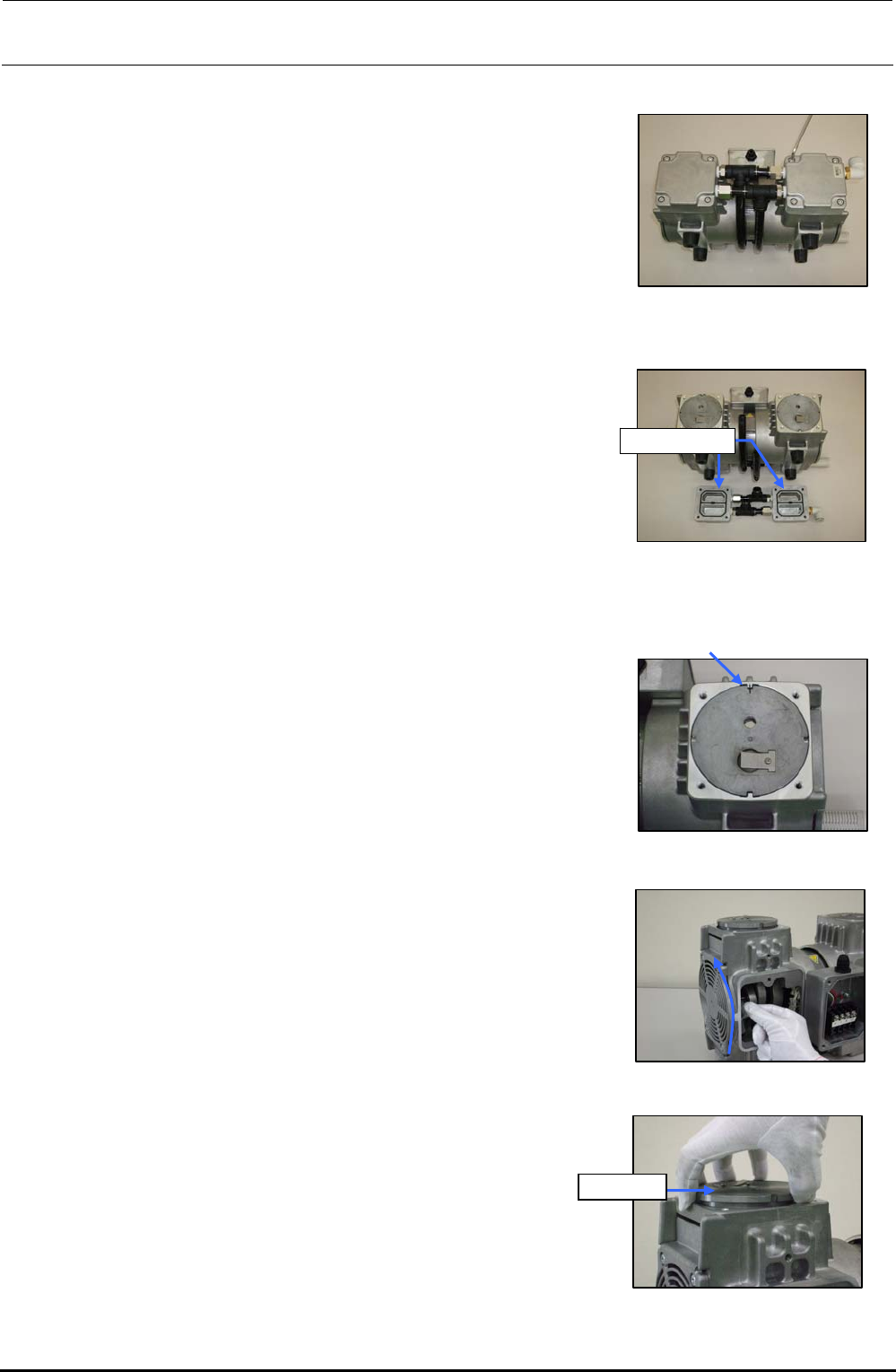
1) Loosen four hexagon socket head cap bolts (M6 × L30)
fixing the head cover with an Allen wrench, and then
remove the hexagon socket head cap bolts.
Figure 9-4-5 Removing the Head
Cover Set Screws
2) Detach the head cover.
Head cover
Figure 9-4-6 Detaching the Head
Cover
<Detaching the cylinder>
1) Before detaching the cylinder, put a mark on the casing
and cylinder with an oil felt pen.
Figure 9-4-7 Putting a Mark
2) Wear gloves and gradually turn the fan upward.
(At this time, always wear gloves.)
Rev. 1.00
Figure 9-4-8 Turning the Fan
3) Pull out the cylinder upward.
Cylinder
Figure 9-4-9 Pulling Out the
Cylinder