JUKI FX-3R MAINTENANCE GUIDE.pdf - 第118页
FX-3R Maintenance Guide 10-3 10-3. Replacing the Cover Open Switch 10-3-1. Switch Main Unit 1) Disconnect the connector of the switch c from the relay connector. 2) Cut the tie-up band and remove the set screws d (SL6042…
FX-3R Maintenance Guide
10-2
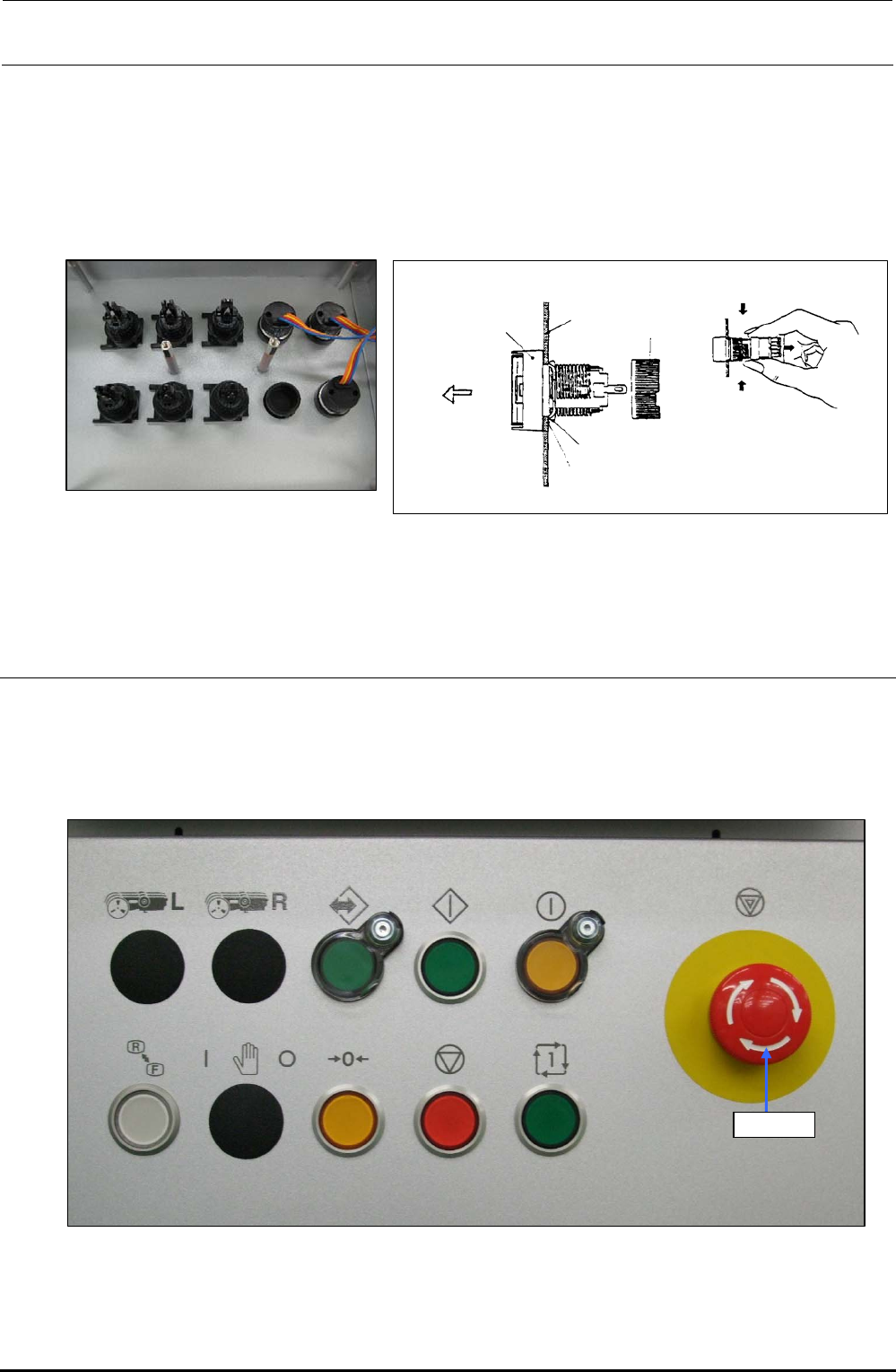
1) Detach the switch panels from the front and rear sides. (Front, screws at 2 locations, Inside of
cover, screws at 2 locations)
2) Detach the operation board.
3) To detach the switch, remove the root part (mounting nut) of the switch from the back of the
cover and pull out the case from the cover surface.
4) Reassemble the components in the reverse order of disassembly.
Turn.
Turn.
Mounting
nut
Edge
Stop metal fitting
Groove
Panel
Pull out.
Case
Figure 10-1-4 Back of Cover Figure 10-1-5 Detaching the Switch
∗ The list of replacement parts is described in section 13-9-3.
10-2. Replacing the EMERGENCY STOP Switch
1) Remove the knobs c on the front and rear to detach the EMERGENCY STOP switch from the
back of the cover.
2) Disconnect the cables from the rear of the switch with a screwdriver to replace the switch with a
new one.
Knob c
Figure 10-2-1 Operation Panel (Front Side)
∗ The list of replacement parts is described in section 13-9-3.
Rev. 1.00
FX-3R Maintenance Guide
10-3
10-3. Replacing the Cover Open Switch
10-3-1. Switch Main Unit
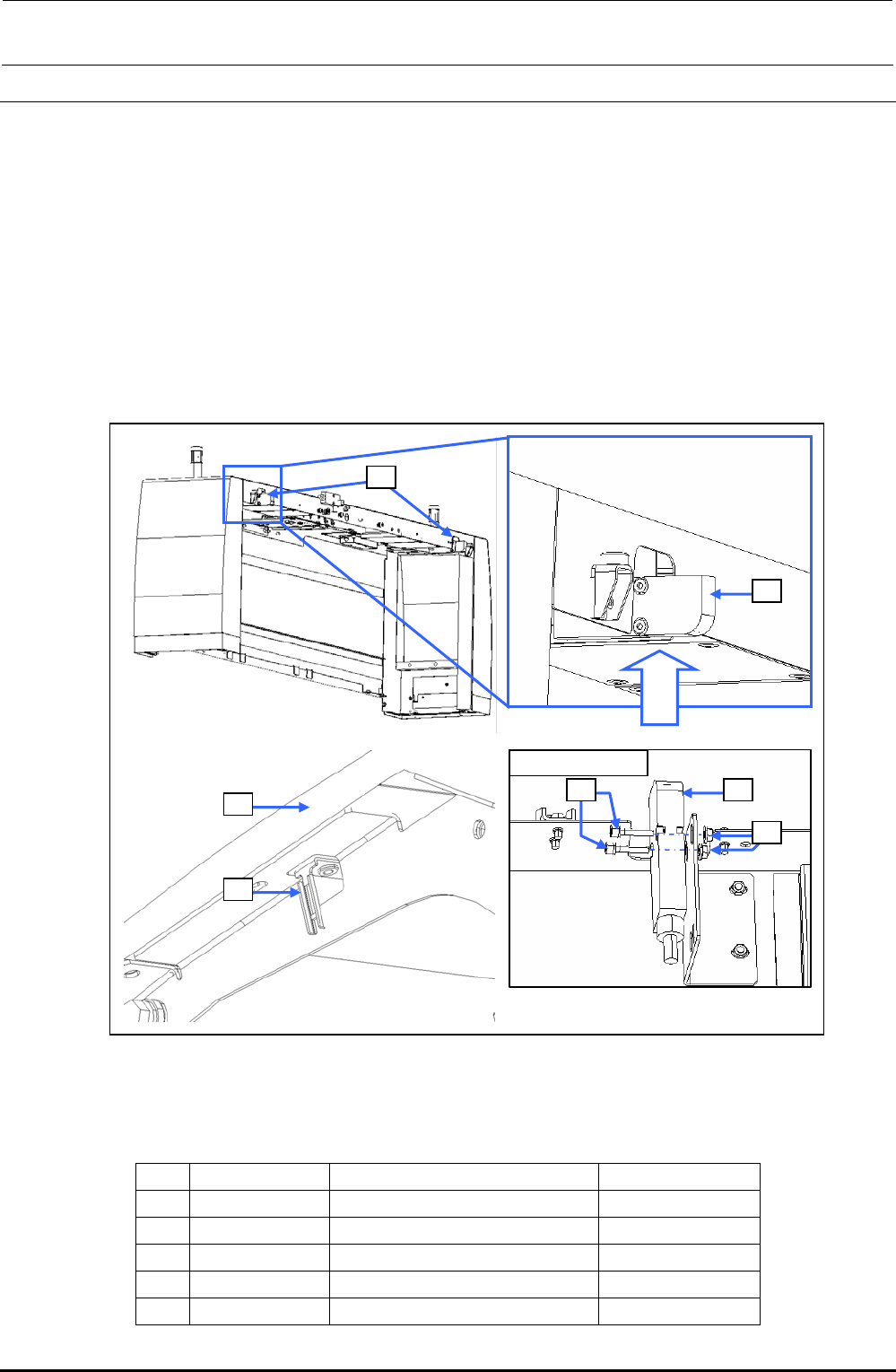
1) Disconnect the connector of the switch c from the relay connector.
2) Cut the tie-up band and remove the set screws d (SL6042042TN) to replace the switch c
main unit.
3) Reassemble the components in the reverse order of disassembly.
After assembling, check to make sure that the assembly has been fit in the safety cover f, and
the operation key can be inserted into the switch properly.
∗ After the new switch has been mounted, make sure that the safety cover f is mounted
correctly and that the operation key g is inserted into the switch correctly.
Rev. 1.00
Viewed from A
c
c
d c
e
f
g
Viewed
from A
Figure 10-3-1 Replacing the Switch Main Unit
[List of Replacement Parts]
Table 10-3-1 Replacement Parts for Cover Open Switch
No. Part No. Part name Q’ty per machine
c
40002254 COVER_OPEN_SW_CABLE_ASM 8
d
SL6042042TN SEMS cap bolt 16
e
NM3040520SF Nut 16
f
40063507 SAFETY_COVER_FRAME 4
g
HA005280010 SAFTY_SWITCH_KEY 8
FX-3R Maintenance Guide
10-4
10-3-2. Operation Key
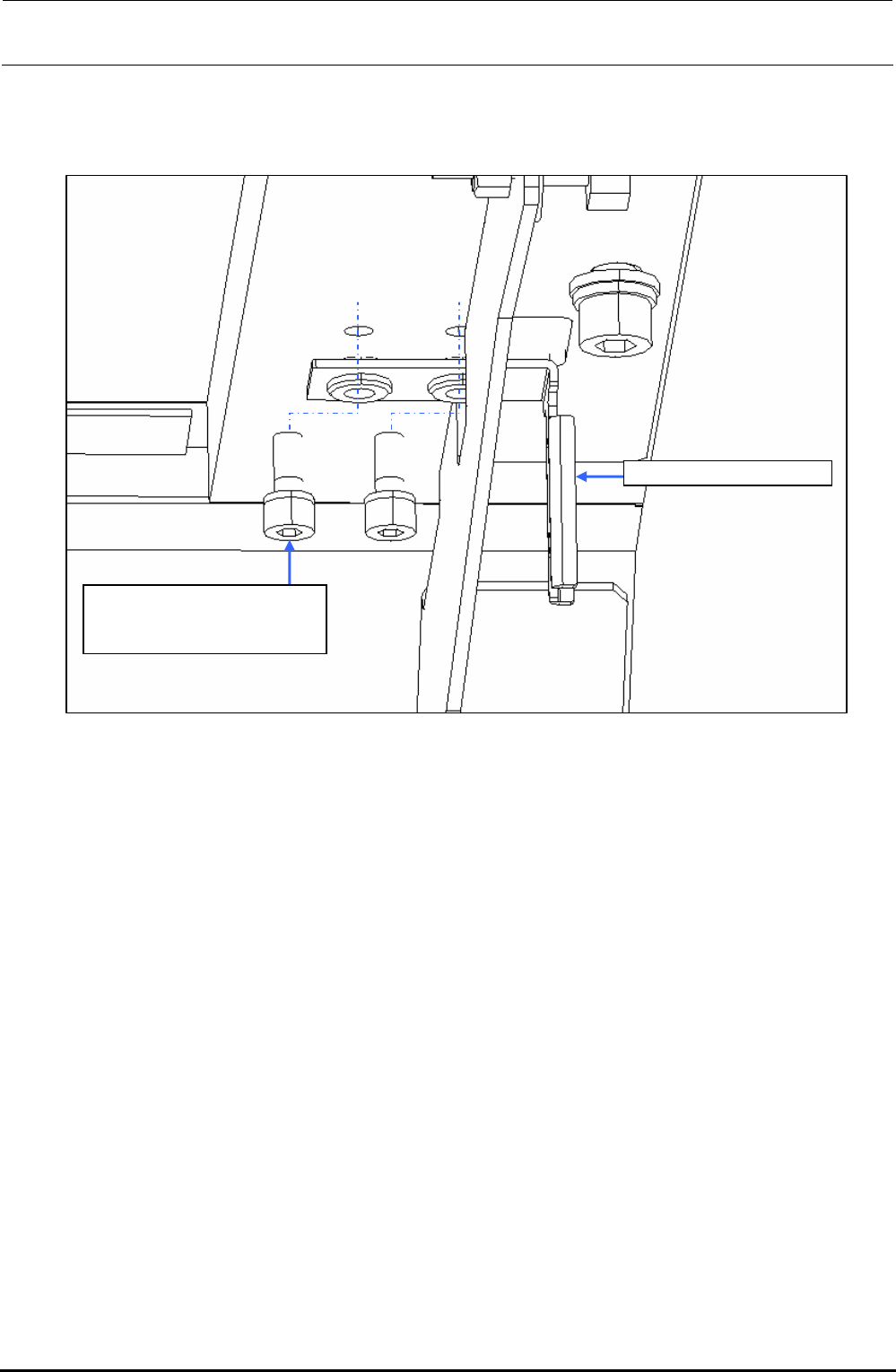
1) Remove two mounting screws c to replace the SAFETY_SWITCH_KEY d.
SL6041042TN
SEMS cap bolt with washer
M4×10
SAFETY_SWITCH_KEY
Figure 10-3-2-1 Operation Key
Rev. 1.00