JUKI FX-3R MAINTENANCE GUIDE.pdf - 第120页
FX-3R Maintenance Guide 10-5 10-4. Replacing the Push-Button Switch (CE Marking Machine) On-line switch Start switch Keyboard setting switch Origin return switch Stop switch Single cycle switch Maintenance key switch Fig…
FX-3R Maintenance Guide
10-4
10-3-2. Operation Key
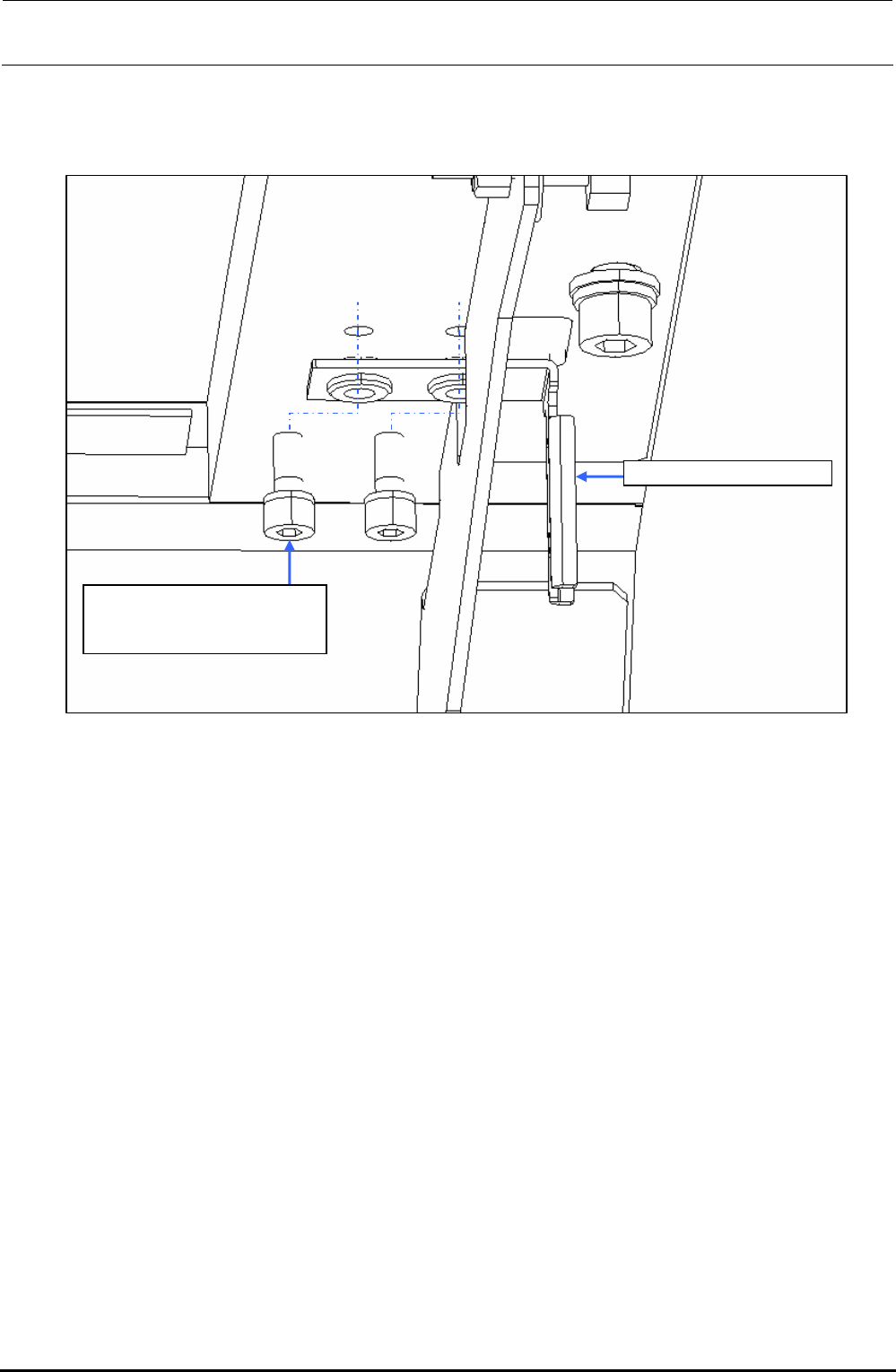
1) Remove two mounting screws c to replace the SAFETY_SWITCH_KEY d.
SL6041042TN
SEMS cap bolt with washer
M4×10
SAFETY_SWITCH_KEY
Figure 10-3-2-1 Operation Key
Rev. 1.00
FX-3R Maintenance Guide
10-5
10-4. Replacing the Push-Button Switch (CE Marking Machine)
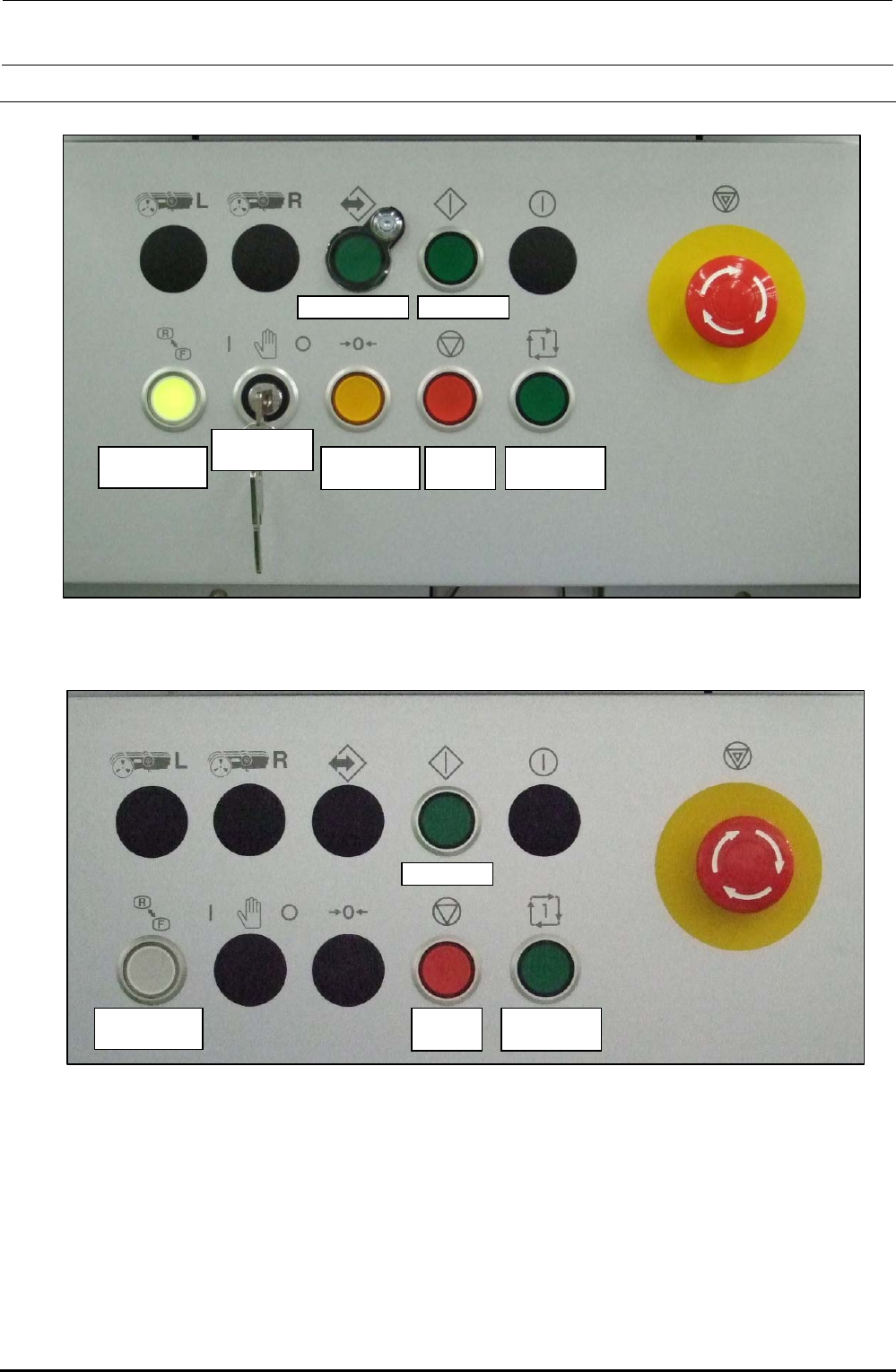
On-line switch Start switch
Keyboard
setting switch
Origin return
switch
Stop
switch
Single cycle
switch
Maintenance
key switch
Figure 10-4-1 Switch Names on Front Operation Panel
Start switch
Keyboard
setting switch
Stop
switch
Single cycle
switch
Figure 10-4-2 Switch Names on Rear Operation Panel
Rev. 1.00
FX-3R Maintenance Guide
10-6
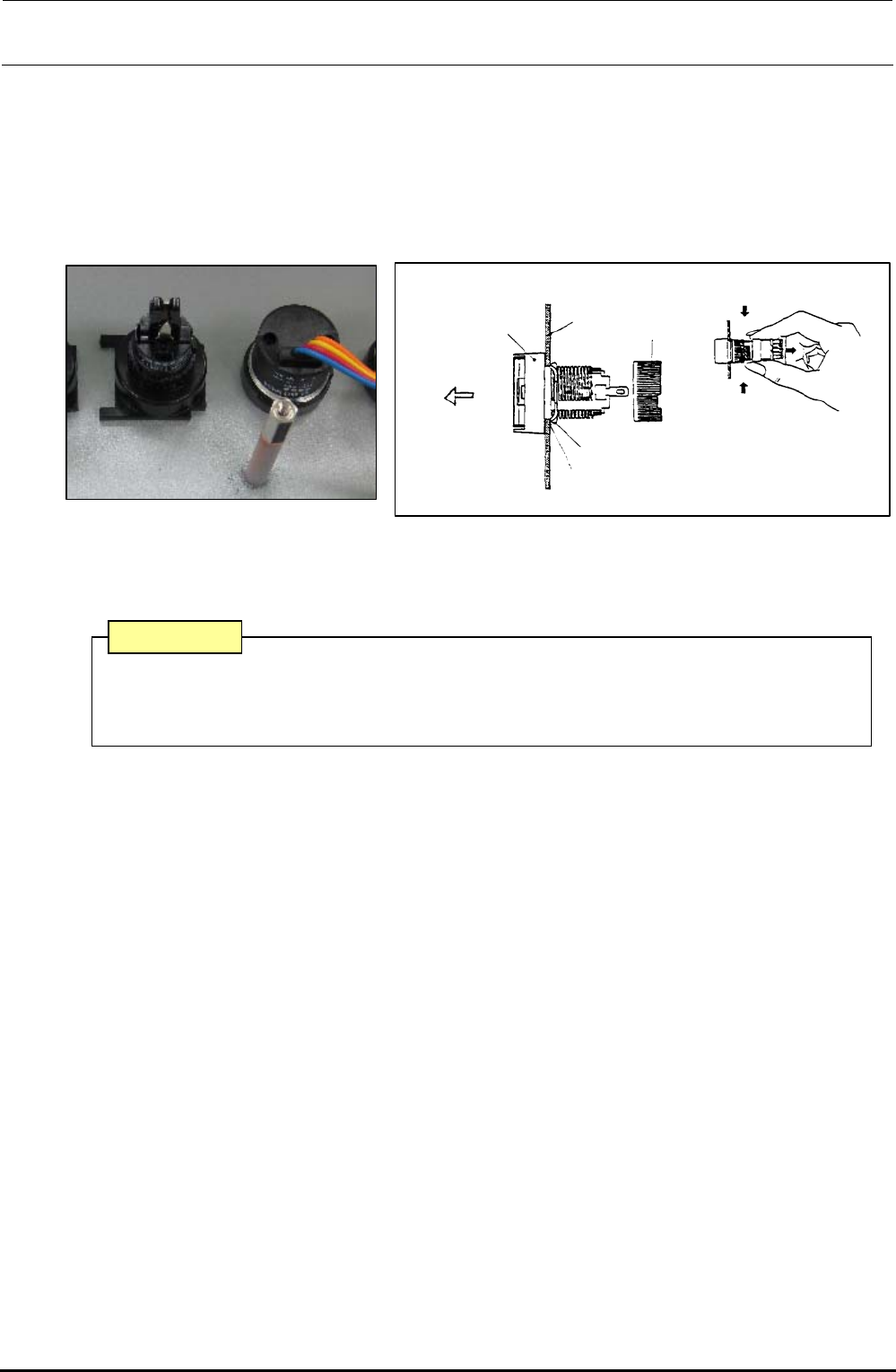
1) Detach the switch panels from the front and rear sides. (Front, screws at 2 locations, Inside of
cover, screws at 2 locations)
2) Detach the operation board.
3) To detach the switch, remove the root part (mounting nut) of the switch from the back of the
cover and pull out the case from the cover surface.
4) Reassemble the components in the reverse order of disassembly.
Turn.
Turn.
Mounting
nut
Edge
Panel
Case
Groove
Pull out.
Stop metal fitting
Figure 10-4-3 Back of Cover Figure 10-4-4 Detaching the Switch
∗ The list of replacement parts is described in section 13-9-3.
A combination of the switch connector and connector on the operation switch board has
a specified orientation. Always pay special attention to the orientation when mounting
the switch.
CAUTION
Rev. 1.00