JUKI FX-3R MAINTENANCE GUIDE.pdf - 第132页
FX-3R Maintenance Guide 12-3 4) Next, press the [MENU] button. [+] is shown at the lower right corner of the screen. Touch it s center portion. 5) [+] is shown at the lower left corner of the screen. Touch its center…
FX-3R Maintenance Guide
12-2
12-1-2. Setting Up the Touch Panel (TECNART, TM150-JDA03)
After the LCD monitor has been replaced, it is necessary to set up the touch panel.
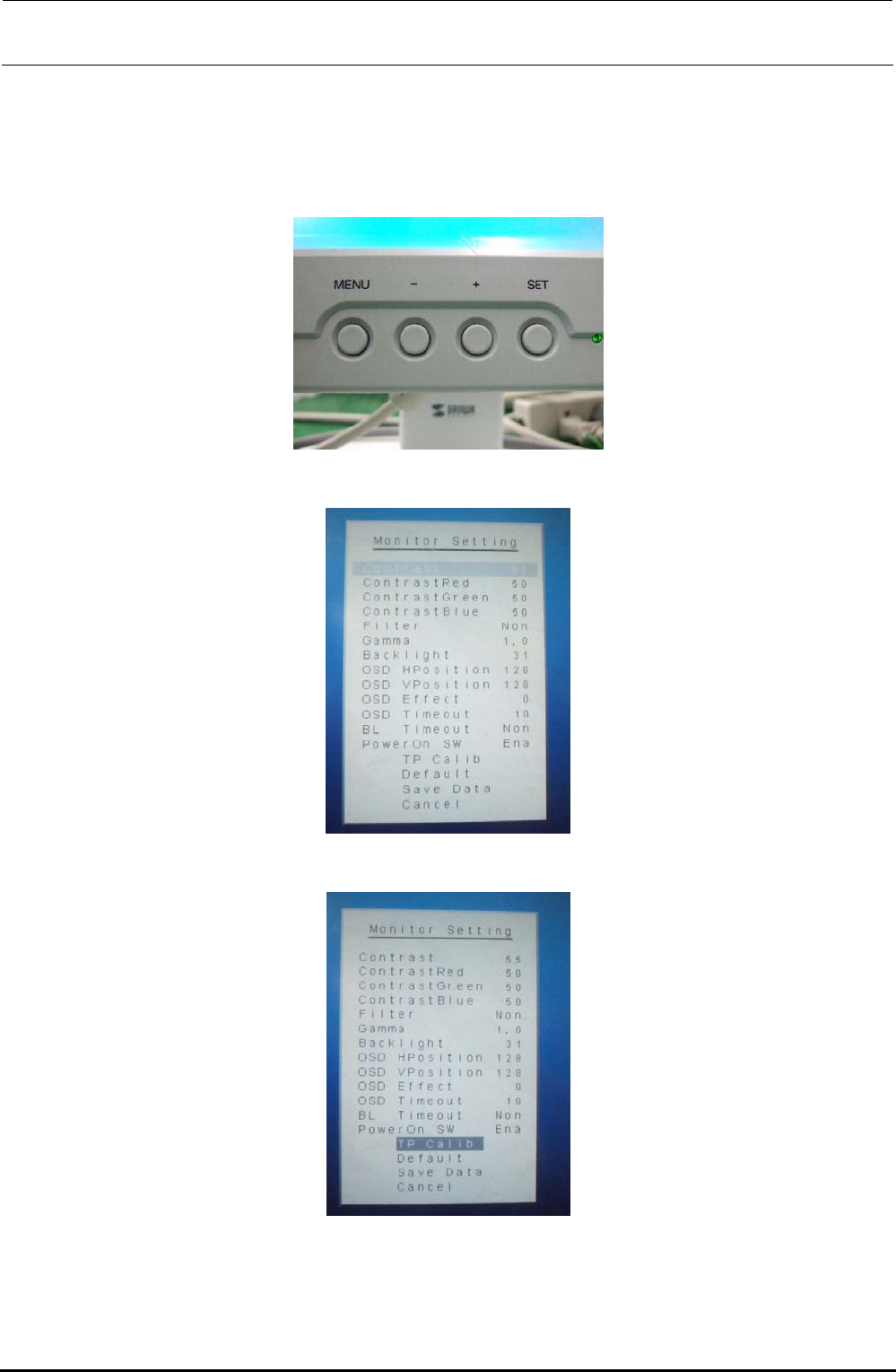
1) Check the [MENU] and [-] buttons on the front of the LCD monitor.
2) Press the [MENU] button to display the “Monitor Setting” screen.
3) Press the [-] button to select [TP Calib] on the “Monitor Setting” screen.
Rev. 1.00
FX-3R Maintenance Guide
12-3
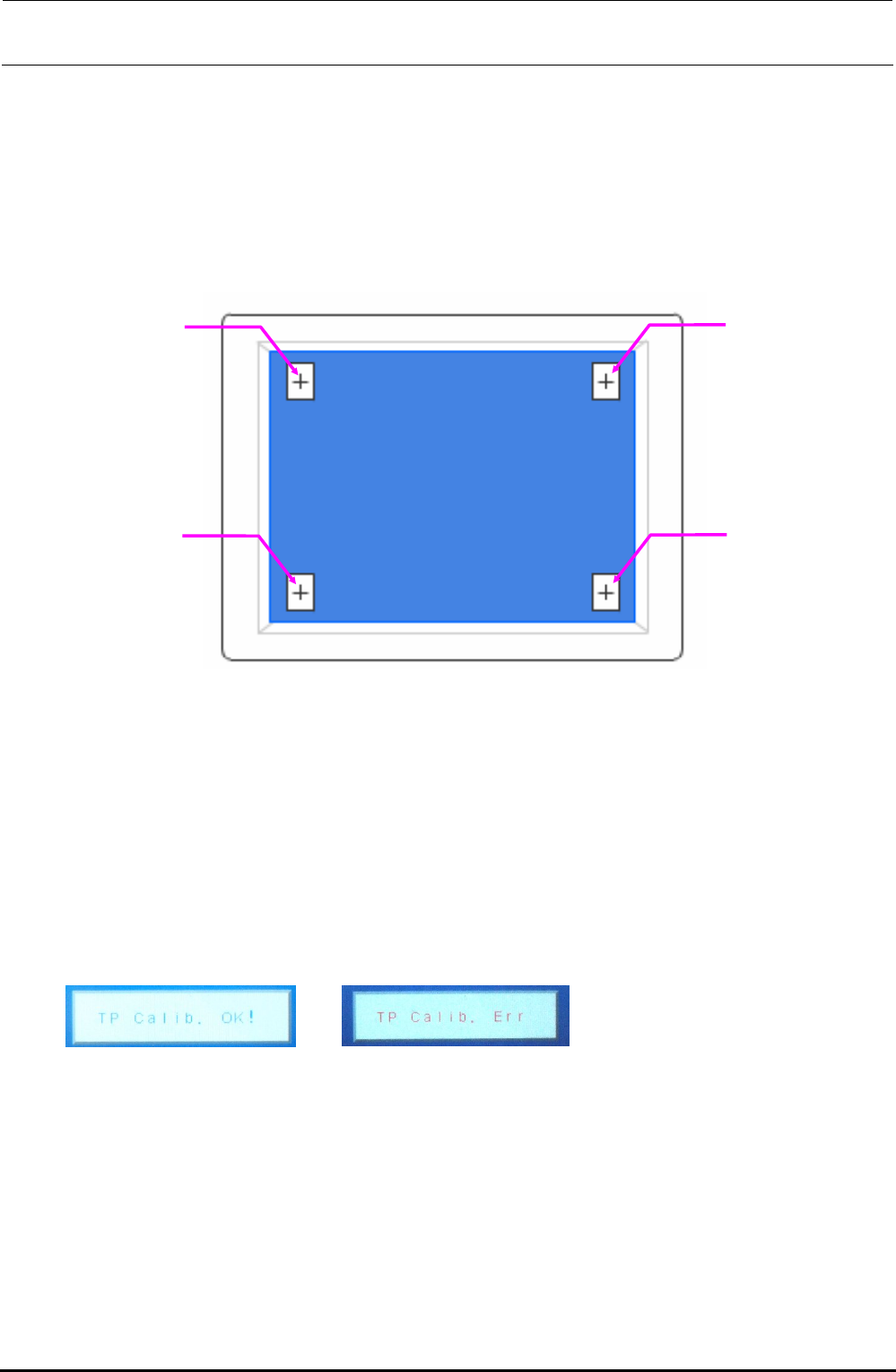
4) Next, press the [MENU] button. [+] is shown at the lower right corner of the screen. Touch its
center portion.
5) [+] is shown at the lower left corner of the screen. Touch its center portion.
6) [+] is shown at the upper right corner of the screen. Touch its center portion.
7) [+] is shown at the upper left corner of the screen. Touch its center portion.
Touch positions on monitor screen
CAUTION
To adjust the touch panel, use finger or touch pen with a round tip.
Do not use any propelling pencil or sharp object. Always press the center portion of the
calibration point. The target is 1 mm or less.
If a position other than the mark is pressed, ERR appears after approx. 5 sec. have elapsed. At
this time, restart the adjustment from work step No. 1.
8) Finally, when “TP Calib. OK!” is shown, this means that the setting has been completed
successfully.
Completed successfully. Err display
CAUTION
If “TP Calib. Err” appears during operation or at the end of the operation, restart the adjustment
from work step No. 1.
Rev. 1.00
FX-3R Maintenance Guide
12-4
Rev. 1.00
12-2. Replacing the System Disk
In the FX-3R, the system disk consists of one large capacity SSD and its inside is partitioned to C
drive and D drive. The C drive contains Windows or operating system, such as RTX. The D drive
contains the FX-3R system programs, parameters, and production program files.
12-2-1. Replacing the SSD
The SSD contains Windows or operating system, such as RTX necessary to operate the
FX-3R-series.
You must always follow the instructions described in this manual when replacing the SSD.
12-2-1-1. Required Components
ENVIROMENT SYSTEM 132 ASM (SSD)
FX-3R needs the ENVIRONMENT SYSTEM 132 ASM (SSD that contains the OS
environment including Windows and RTX necessary to operate the machine).
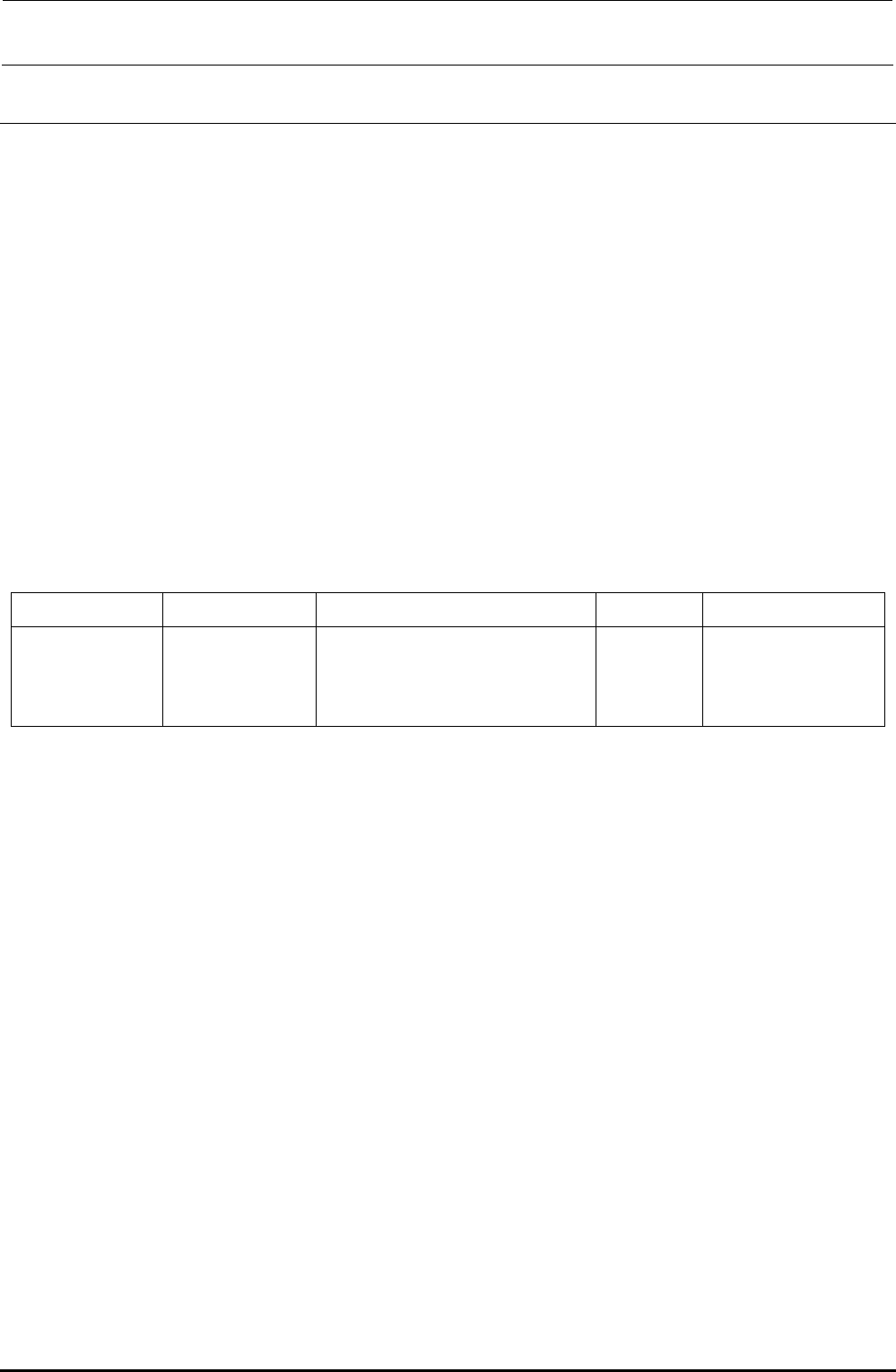
Table 12-2-1-1-1 SSD Part No.
Language OS Part name Part No. Remarks
Common
(Japanese, English,
and Chinese)
WindowsXP Emb ENVIROMENT SYSTEM 132 ASM 40109193
FX-3R system program installation disk
The system program installation disk contains the software designed for the FX-3R. All
system programs for the FX-3R are saved into this disk. When installing the system programs,
it is necessary to specify a model (only when installing the system programs newly).
Flexline DB installation disk: Component library database