JUKI FX-3R MAINTENANCE GUIDE.pdf - 第148页
FX-3R Maintenance Guide 12-19 6) Select the user account you set. 7) The screen that allows you to change the account settings appears on the screen. Select the item “ Create a password. ” Rev. 1.00
FX-3R Maintenance Guide
12-18
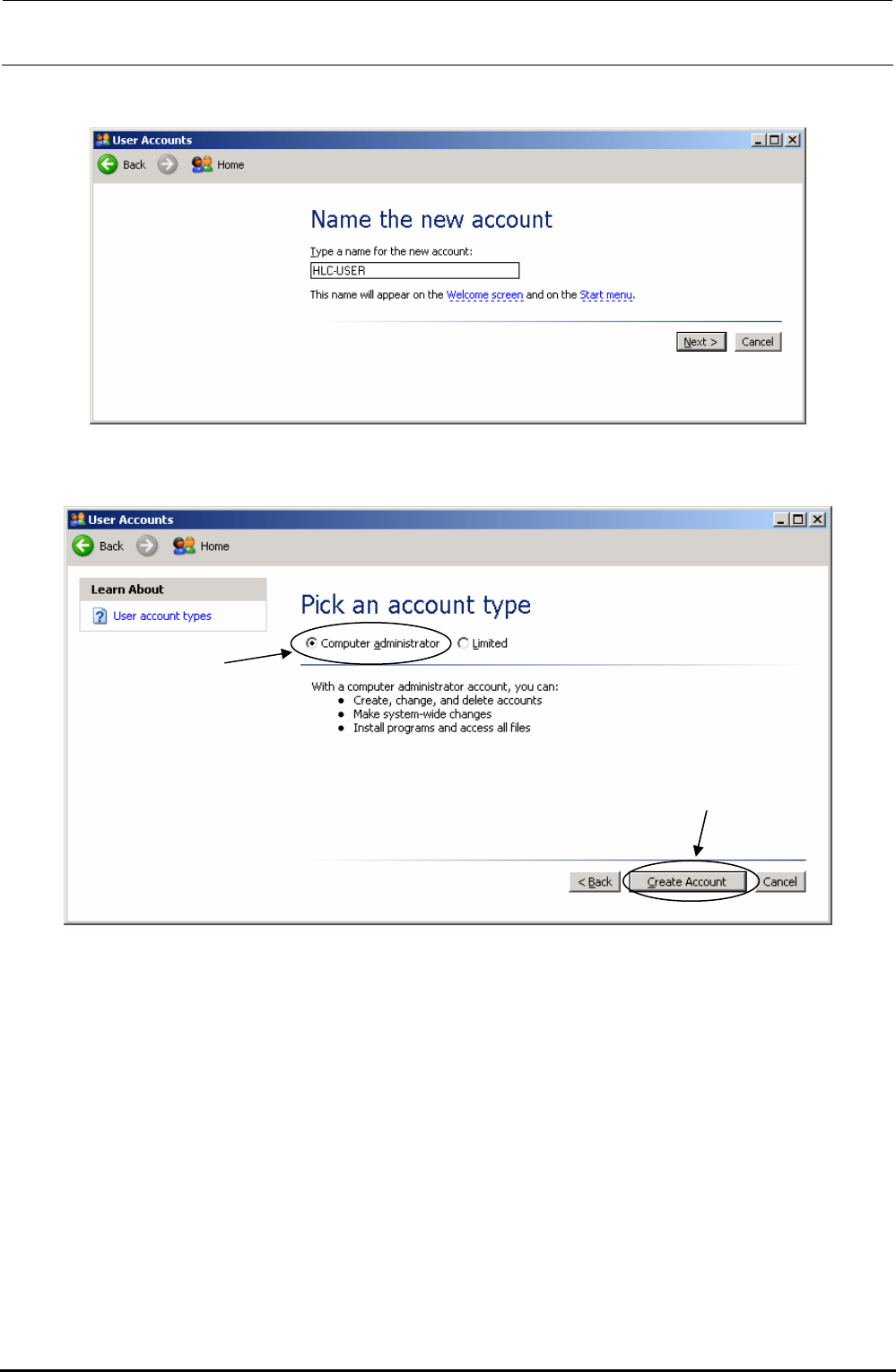
4) When you select “Create a new account,” the screen that allows you to set a user name
appears on the screen. Enter a user name, and click the [Next] button.
5) The screen that allows you to set the user type appears on the screen. Select the “Computer
administrator” radio button, and click the [Create account] button.
Rev. 1.00
FX-3R Maintenance Guide
12-19
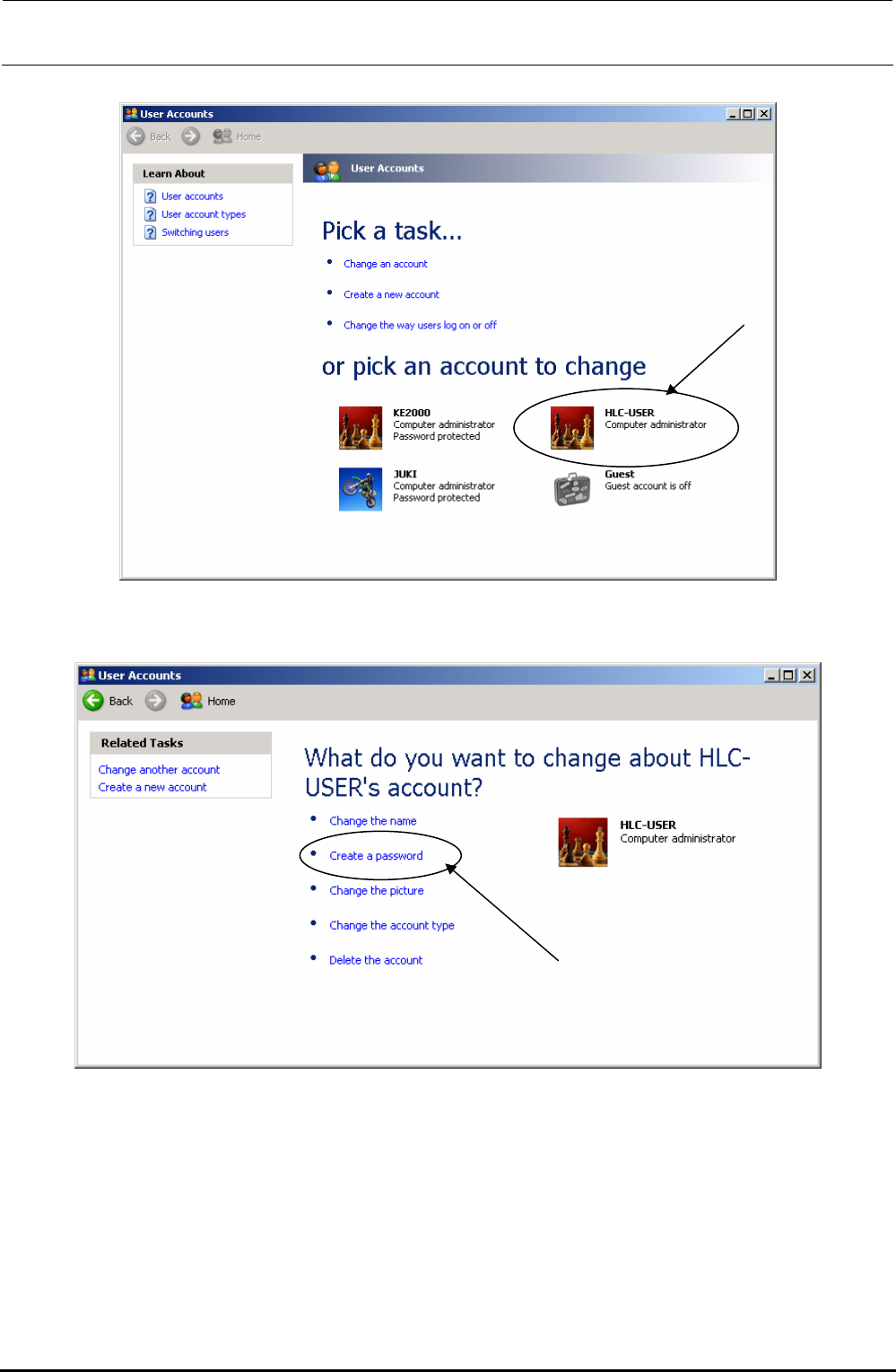
6) Select the user account you set.
7) The screen that allows you to change the account settings appears on the screen. Select the
item “Create a password.”
Rev. 1.00
FX-3R Maintenance Guide
12-20
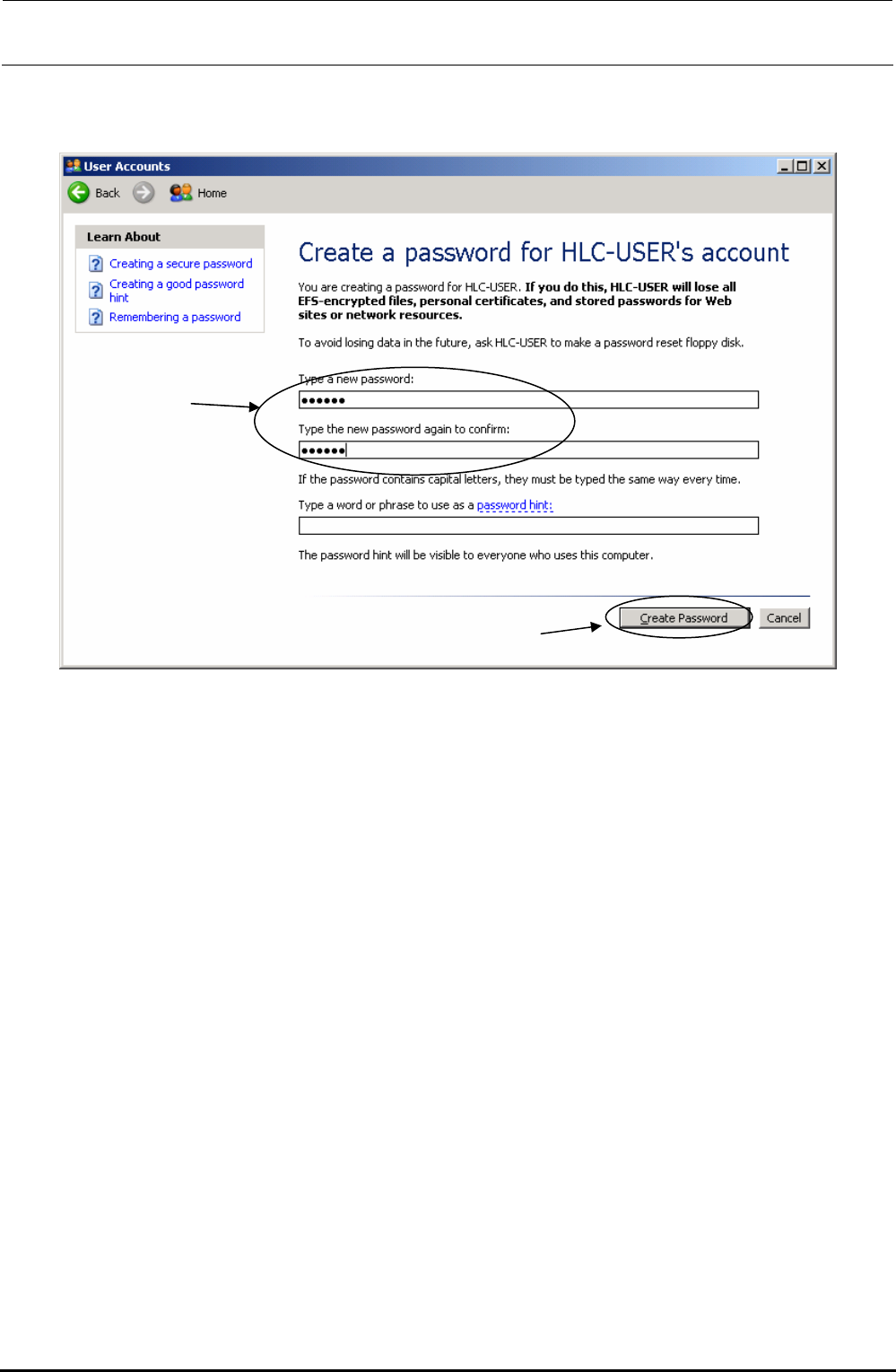
8) The password-creating screen appears. Be sure to enter the same password in both [Type
a new Password] and [Type the new Password again to confirm] fields, and click the [Create
password] button.
After you have finished all necessary settings, perform the update operation of the “C”-drive.
After that, restart the main unit.
Rev. 1.00