JUKI FX-3R MAINTENANCE GUIDE.pdf - 第152页
FX-3R Maintenance Guide 12-23 7) The “ START INSTALLATION ” confirmation dialog box will appear. Click the [Install] button to move to step 8). 8) The “ Setup Type ” selection screen will appear. Clicking the [OK] button…
FX-3R Maintenance Guide
12-22
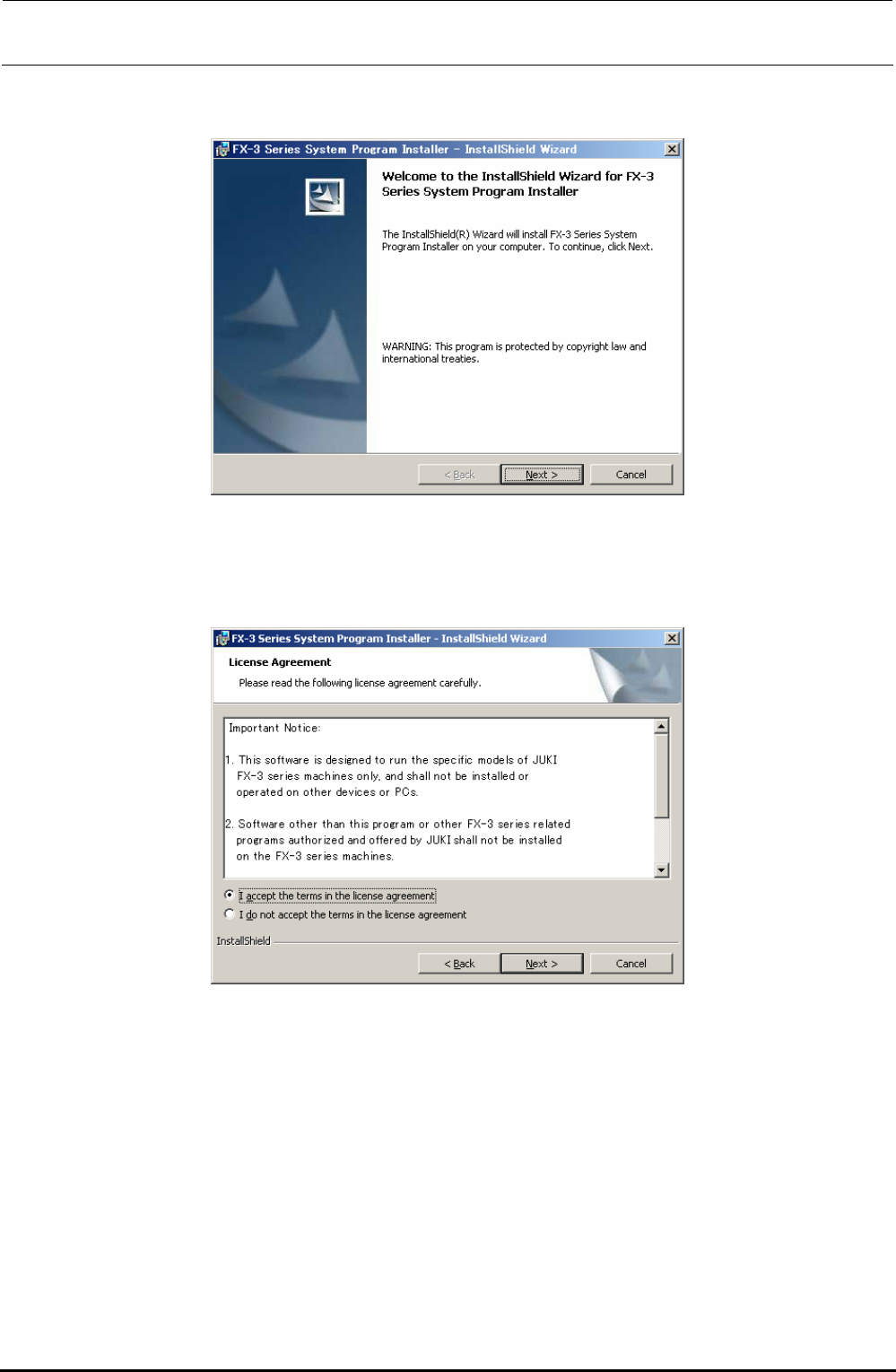
5) The “Welcome to the InstallShield Wizard” screen will appear.
Clicking the [Next] button will move to step 6).
6) The “Confirmation” screen for the License Agreement will appear.
Check on [I accept the terms in the license agreement] and click the [Next] button to move to
step 7). (If you do not agree with the license agreement, you cannot advance the operation
further.)
Rev. 1.00
FX-3R Maintenance Guide
12-23
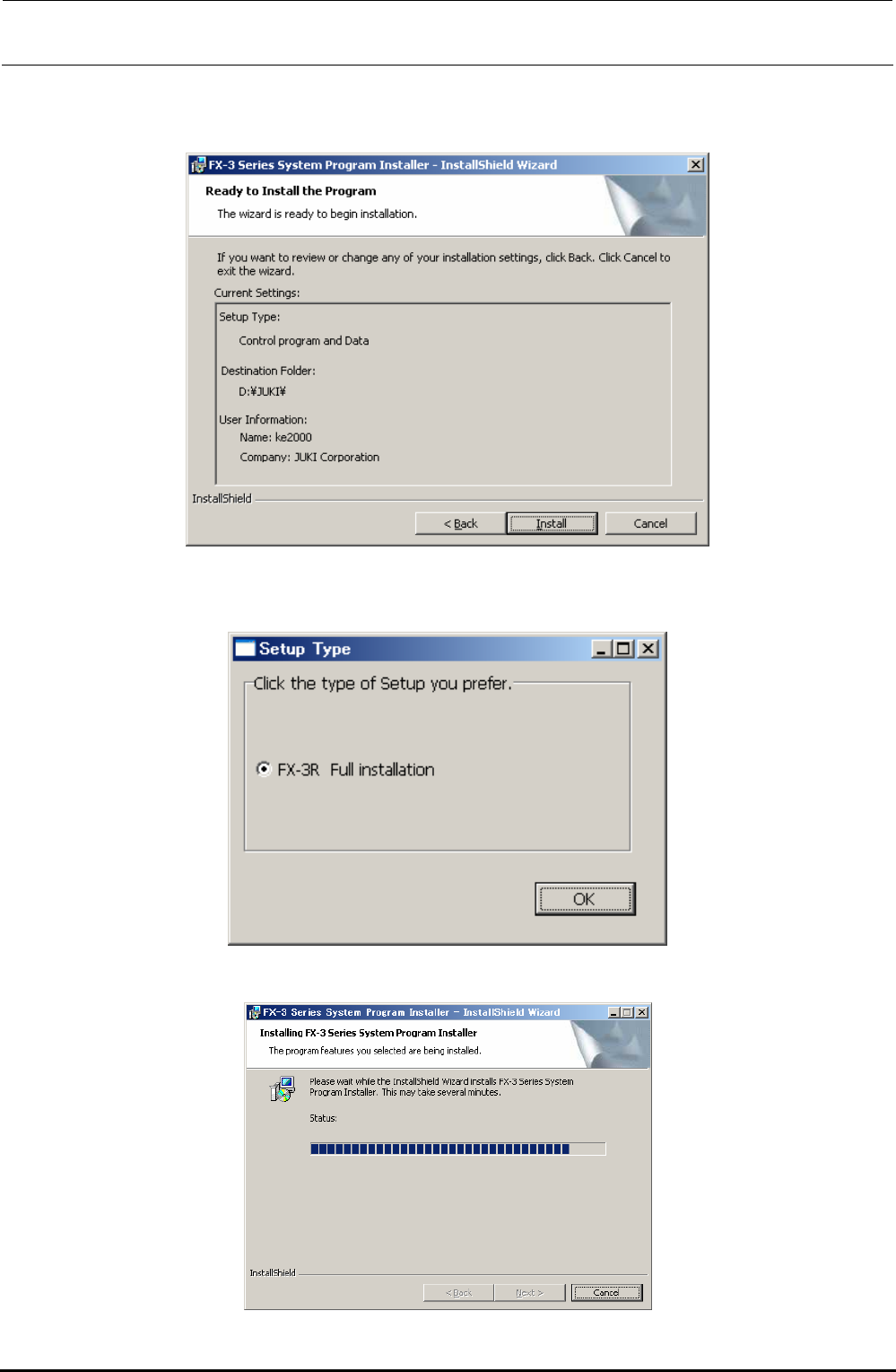
7) The “START INSTALLATION” confirmation dialog box will appear.
Click the [Install] button to move to step 8).
8) The “Setup Type” selection screen will appear.
Clicking the [OK] button will start the installation.
9) The progress status is shown using the progress bar during installation.
Rev. 1.00
FX-3R Maintenance Guide
12-24
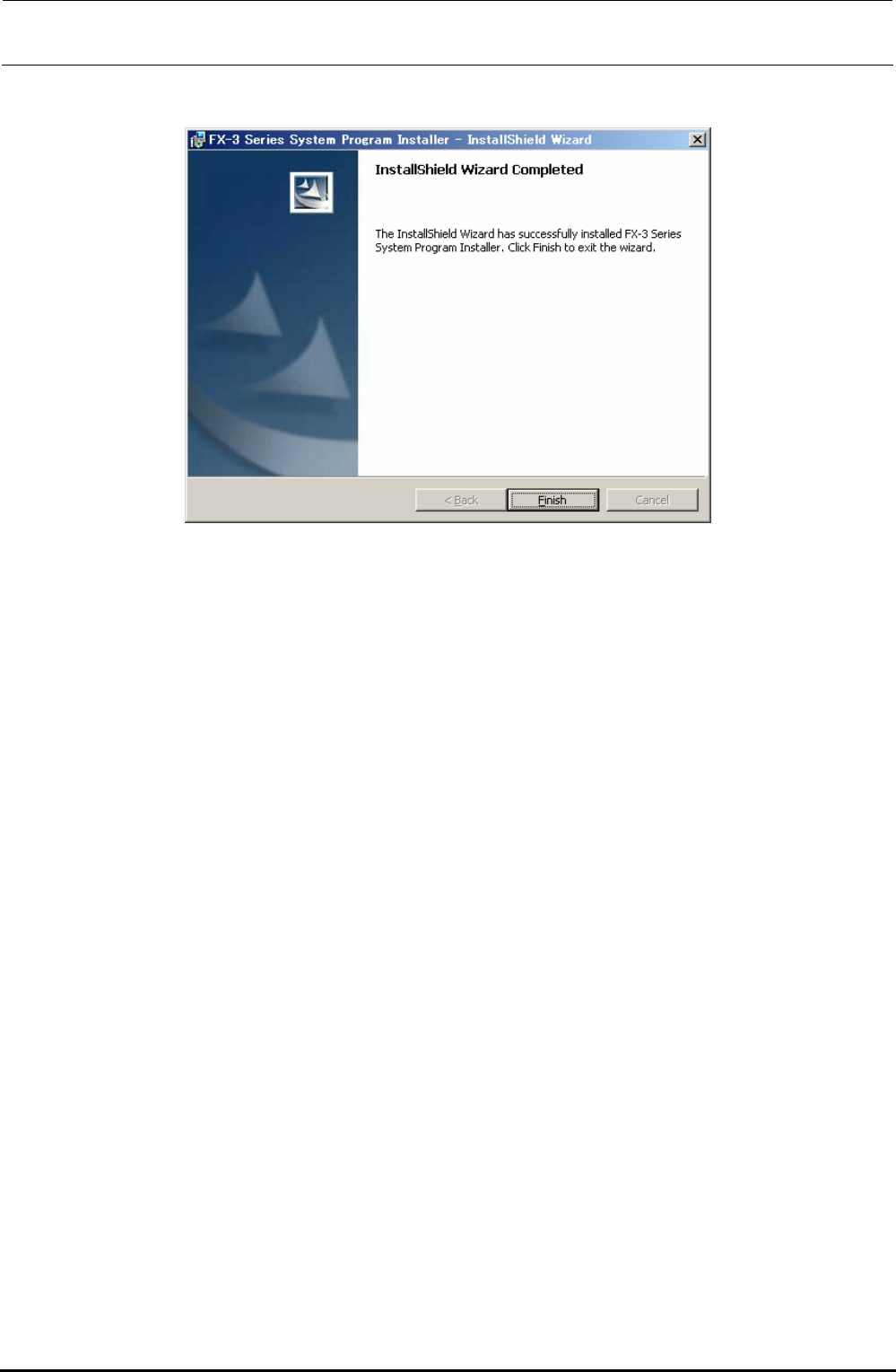
10) When the installation is completed, the “InstallShield Wizard Completed” screen will appear.
Click the [Finish] button to complete the installation.
Rev. 1.00