JUKI FX-3R MAINTENANCE GUIDE.pdf - 第156页
FX-3R Maintenance Guide 12-27 9) When the installation is completed, the “ Setup Complete ” screen will appear. Check on [No, I will restart my computer later.] and click the [Finish] button. (The system is restarted aft…
FX-3R Maintenance Guide
12-26
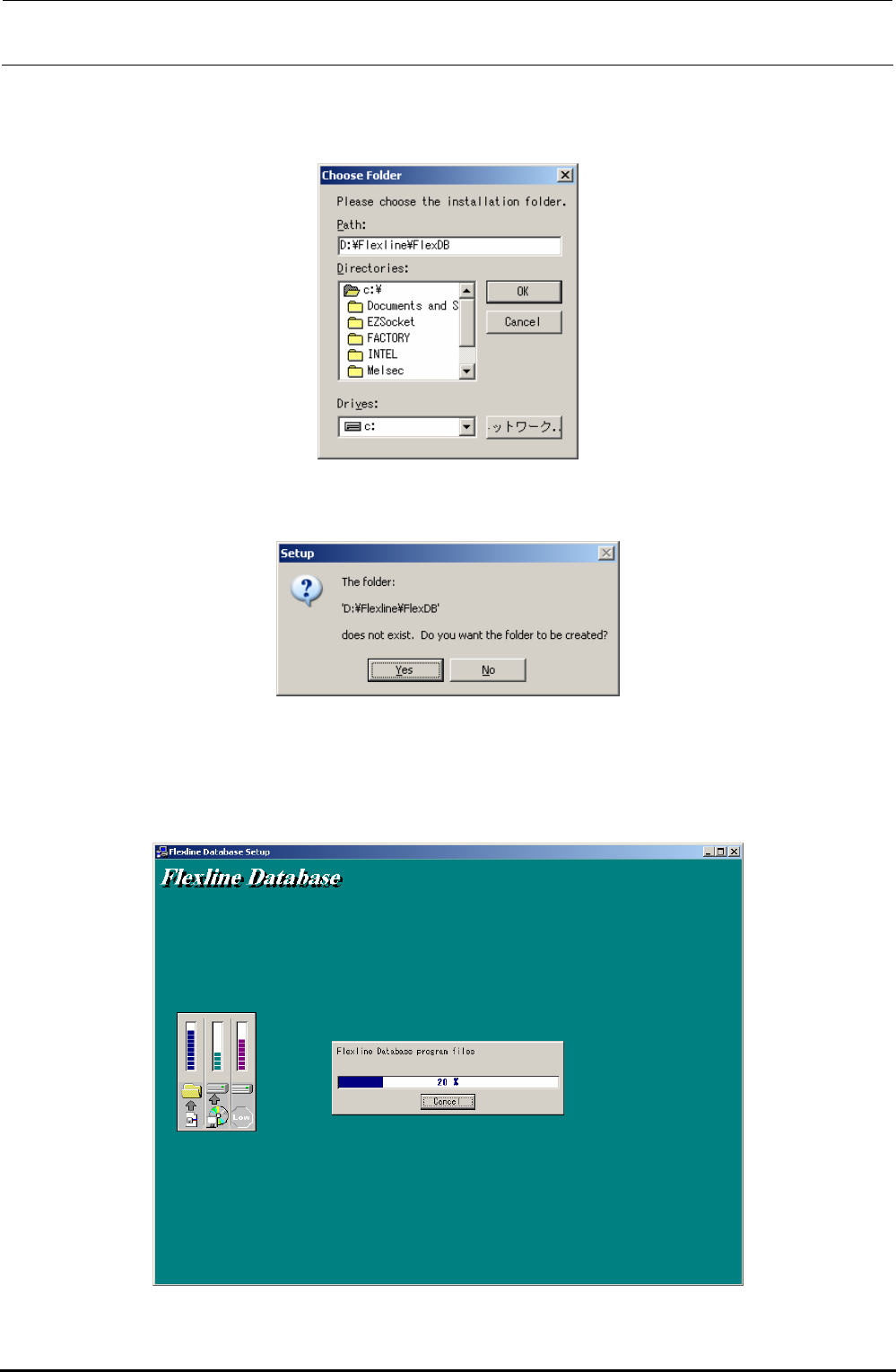
6) Since it is necessary to change the installation destination, click the [Browse...] button. The
“Choose Folder” screen will appear. Change the default installation destination path from
“C:¥Flexline¥FlexDB” to “D:¥Flexline¥FlexDB” and click the [OK] button.
7) If any installation destination directory does not exist, the “Setup” screen will appear, prompting
you to confirm the directory creation. Click the [Yes] button.
∗ CAUTION The button displays may vary depending on
the language specification of the OS.
8) When clicking the [Next] button on the screen stated in step 5) or when clicking the [Yes] button
on the screen stated in step 7), the installation is started and the following screen will appear.
Rev. 1.00
FX-3R Maintenance Guide
12-27
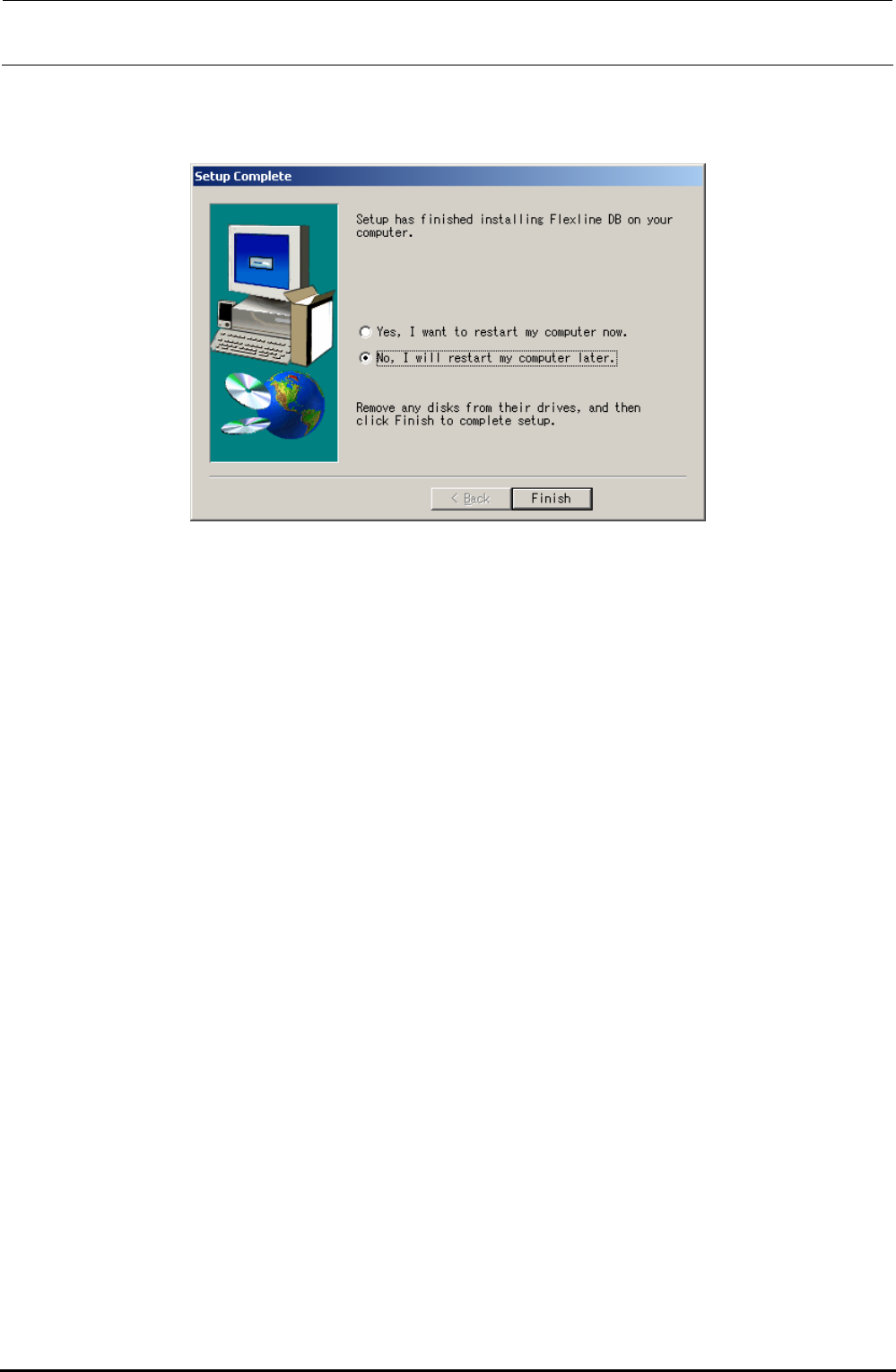
9) When the installation is completed, the “Setup Complete” screen will appear.
Check on [No, I will restart my computer later.] and click the [Finish] button.
(The system is restarted after the C-drive update operation has been completed.)
Rev. 1.00
FX-3R Maintenance Guide
12-28
12-2-4-3. Updating the C-drive
This system uses the C-drive write-protect function called “EWF”. If the system is installed or if the
setting, such as network setting is changed, it is necessary to update the C-drive.
1) Click the [Start] button of Windows and run Command Prompt from Programs in the Start
menu.
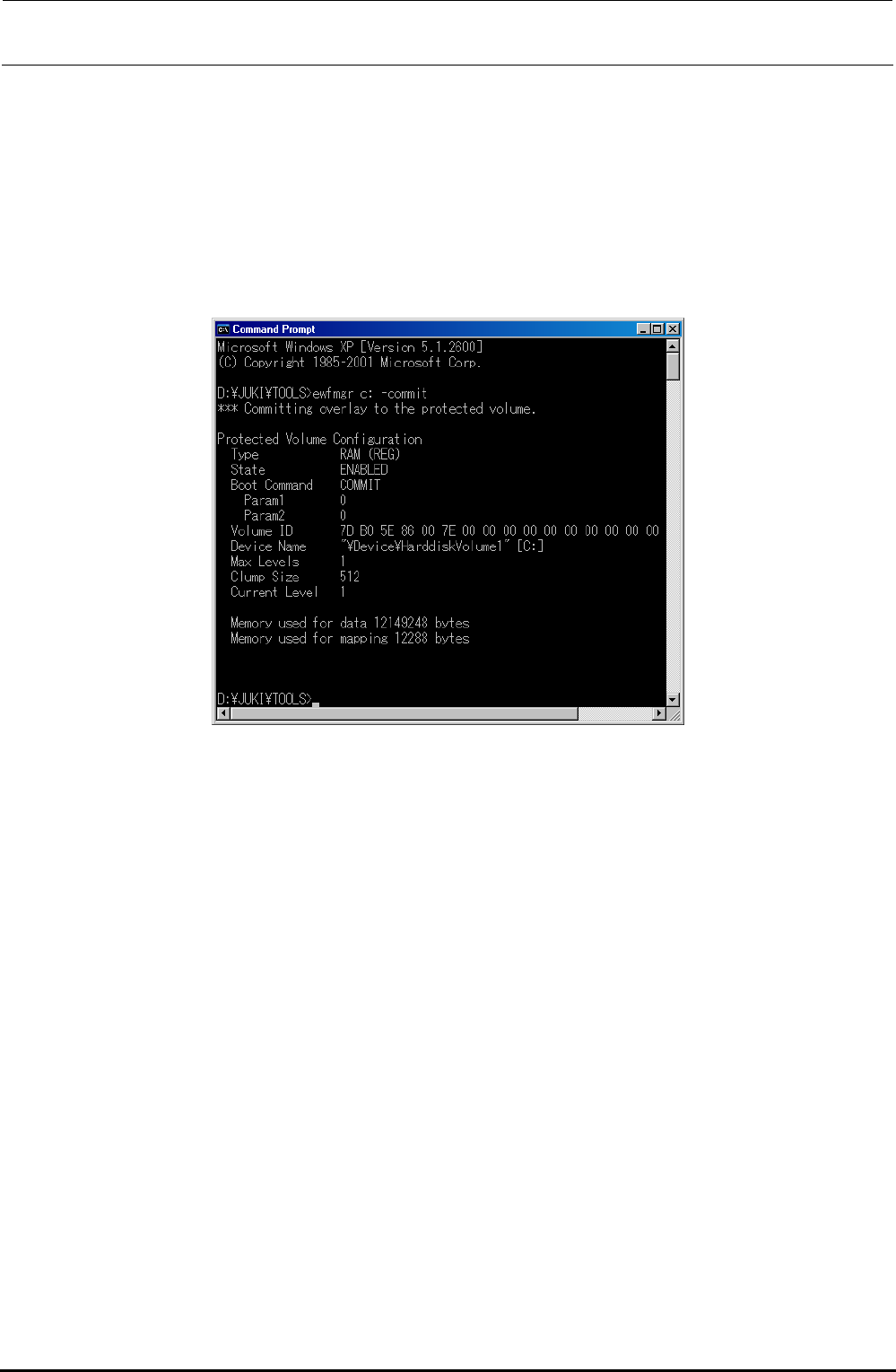
2) In the Console window (DOS screen), type “ewfmgr.exe c: -commit”.
The following screen will appear.
3) Select [Turn Off Computer] from the Start menu of Windows to restart the system.
The contents of the overlay are then overwritten into the C-drive.
∗ CAUTION
If the system is started up without updating of the C-drive, the installation information is cleared
from the C-drive due to C-drive protect function, causing the system not to be started up
correctly.
Rev. 1.00