JUKI FX-3R MAINTENANCE GUIDE.pdf - 第163页
FX-3R Maintenance Guide 12-34 7) The “ START INSTALLATION ” confirmation dialog box will appear. Click the [Install] button to move to step 8). 8) The “ Specification of an installation option ” screen will app ear, prom…
FX-3R Maintenance Guide
12-33
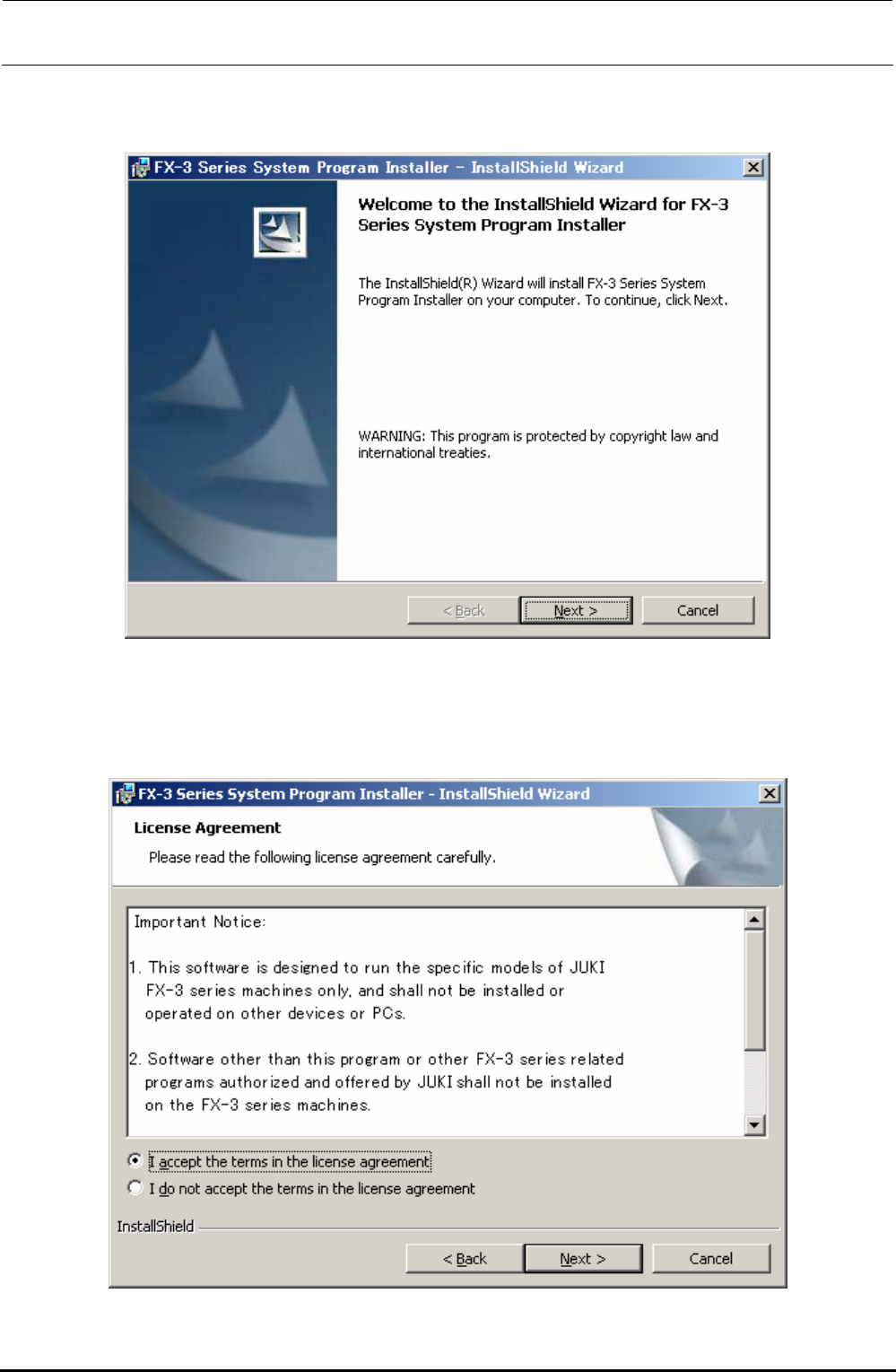
5) The “Welcome to the InstallShield Wizard” screen will appear.
Clicking the [Next] button will move to step 6).
6) The “Confirmation” screen for the License Agreement will appear.
Check on [I accept the terms in the license agreement] and click the [Next] button to move to
step 7). (If you do not agree with the license agreement, you cannot advance the operation
further.)
Rev. 1.00
FX-3R Maintenance Guide
12-34
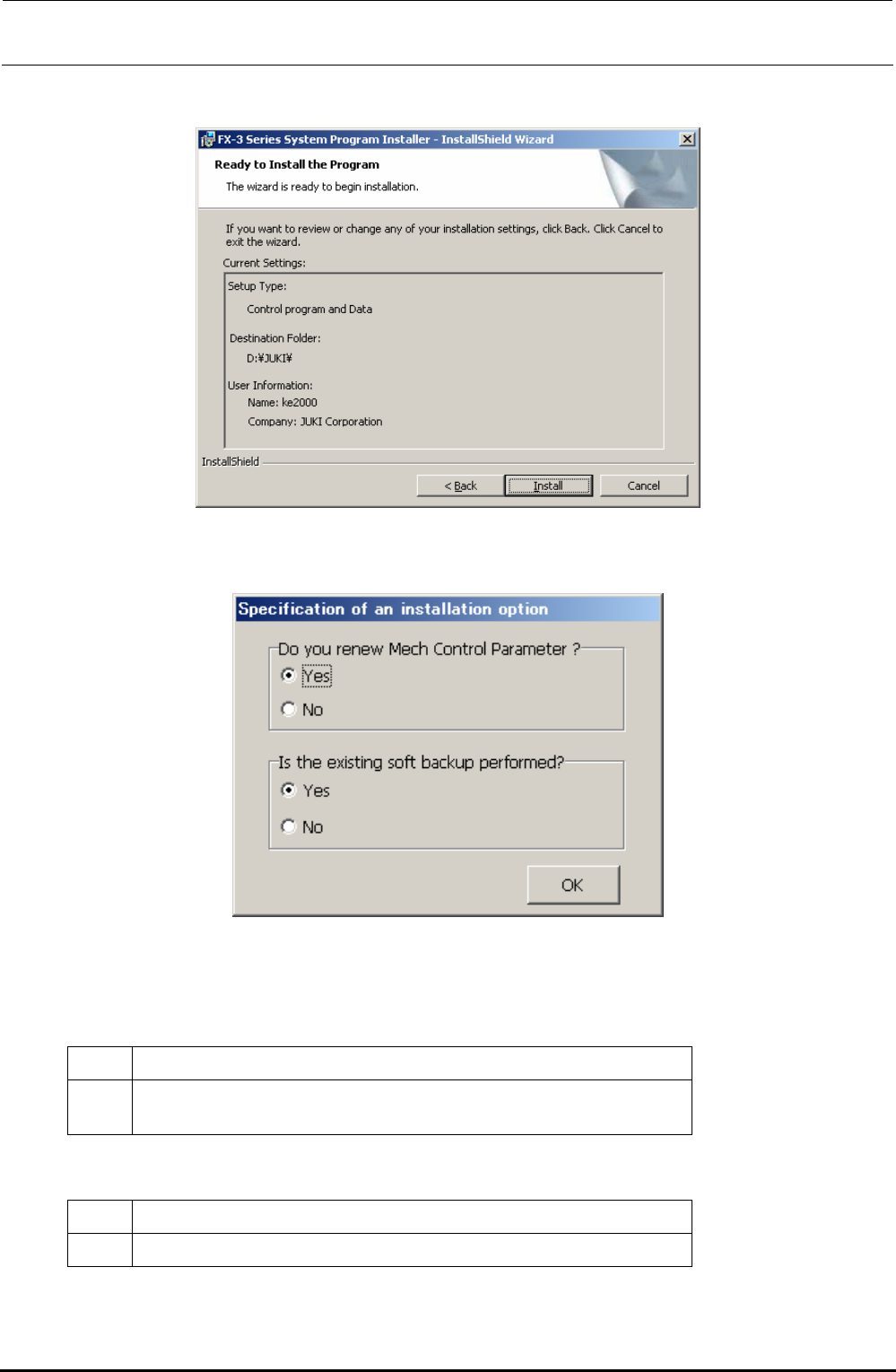
7) The “START INSTALLATION” confirmation dialog box will appear.
Click the [Install] button to move to step 8).
8) The “Specification of an installation option” screen will appear, prompting you to select whether
to initialize the Mech Control Parameters and whether to back up the existing software.
∗ CAUTION The button displays may vary depending on
the language specification of the OS.
<Do you renew Mech Control Parameter ?>
Yes Mechanical control parameters are initialized and the default values are set.
No
Currently set mechanical control parameters are succeeded to a new version.
When upgrading the program, newly required data becomes the default values.
<Is the existing soft backup performed ?>
Yes The exiting software is backed up.
No The backup process of the exiting software is skipped.
Check on [Yes] or [No] in each item. The installation will start.
Rev. 1.00
FX-3R Maintenance Guide
12-35
Appendix: About mechanical control parameters
The mechanical control parameters are an aggregate of
threshold value data.
The following shows the major setting data to .
Speed data for head operation
Speed data for X/Y-axis operation
Speed data for support table operation
R.P.M. of AWC/Center motor
Time data for ATC control
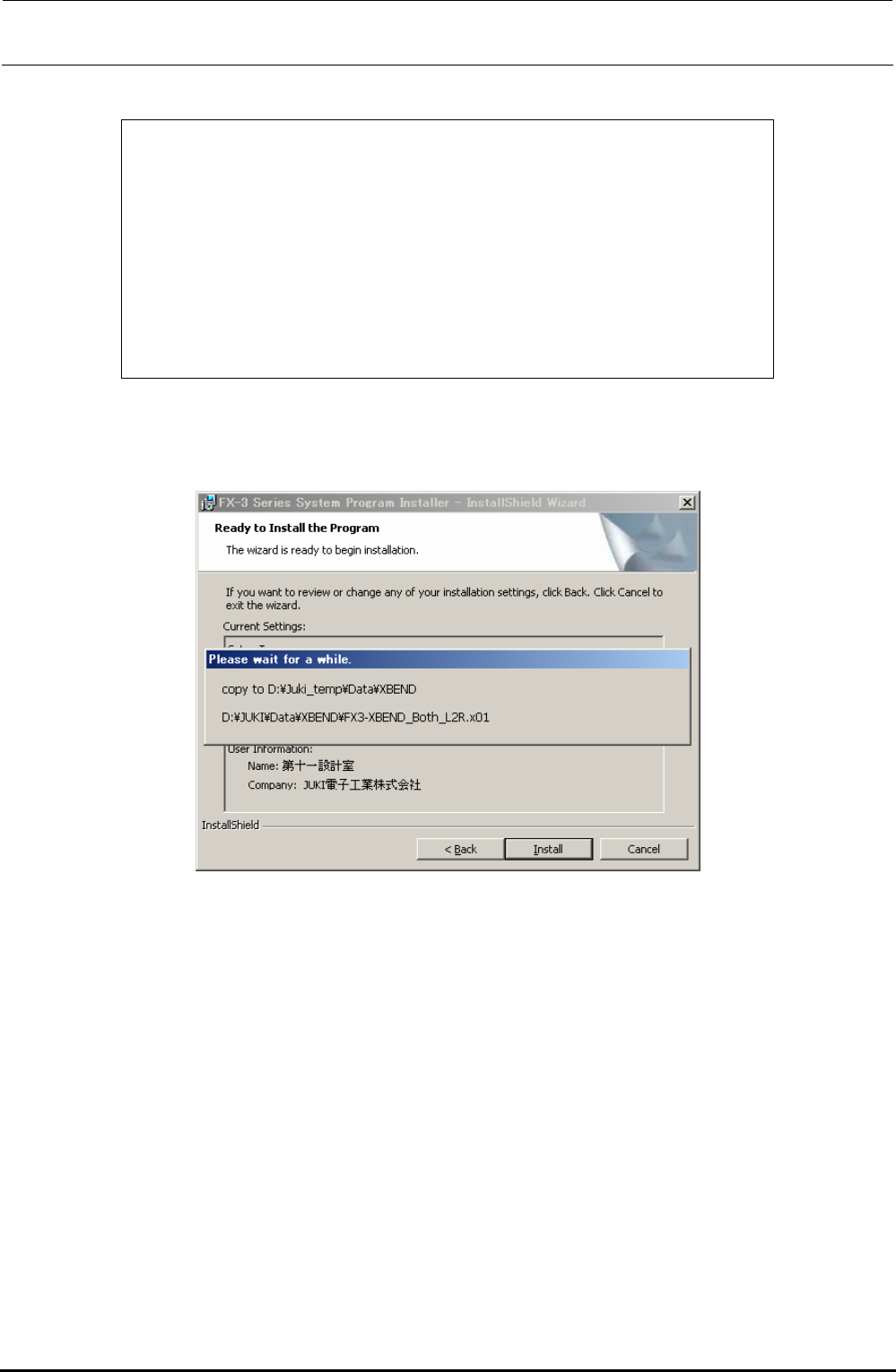
9) If you selected [Yes] in the “Is the existing soft backup performed?” area in step 8), the existing
soft backup progress screen will appear.
Rev. 1.00