JUKI FX-3R MAINTENANCE GUIDE.pdf - 第45页
FX-3R Maintenance Guide 4-1 DANGER To prevent any trouble caused by accidental machine start, always shut-down the power before starting the maintenance and adjustment work. [4] OCC ASSEMBL Y 4-1. Replacing the OCC Assem…
FX-3R Maintenance Guide
3-12
3-6. Replacing the ZT-Driver Board
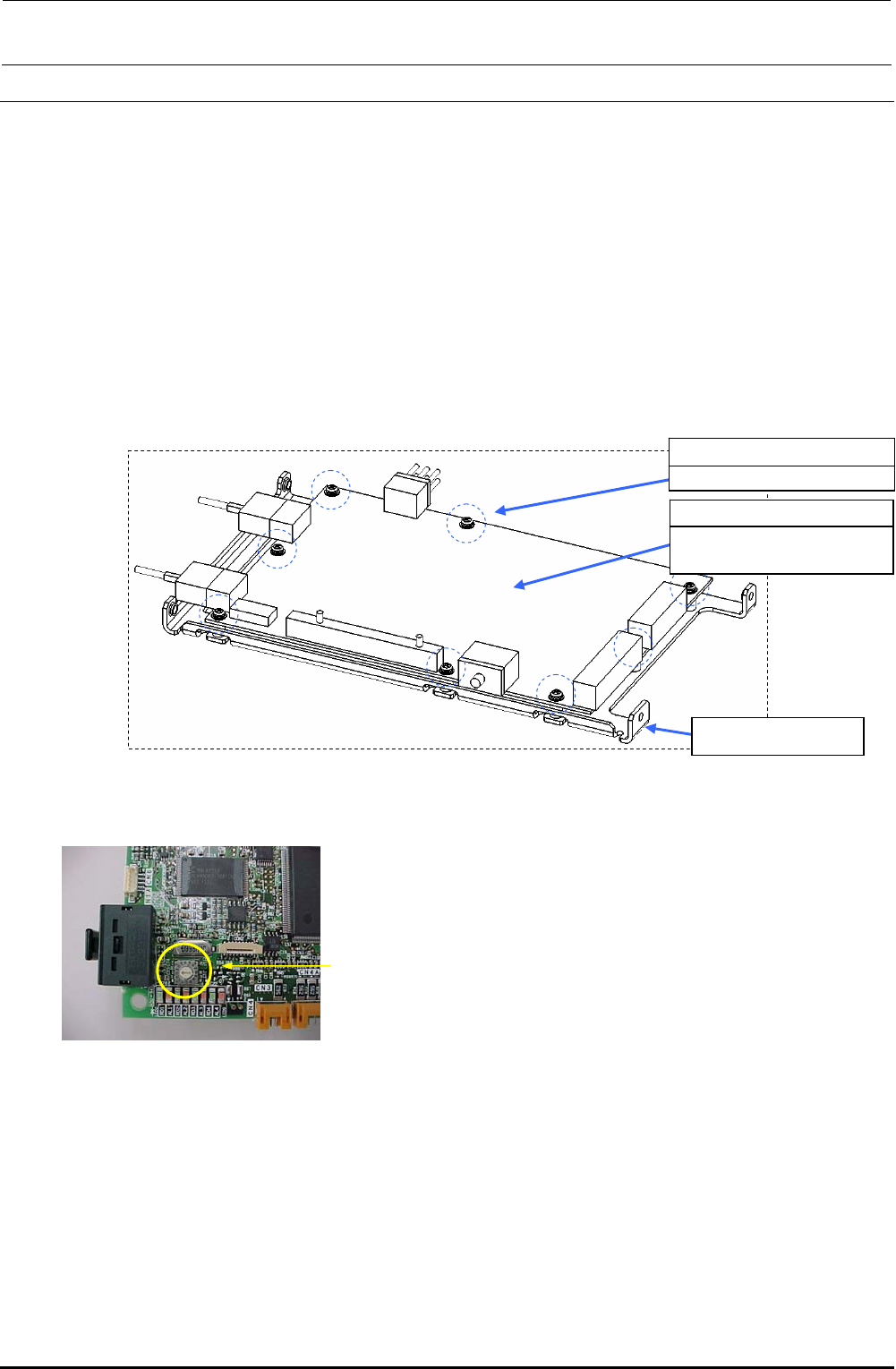
3-6-1. Replacing the ZT-Driver Board
1) Refer to section 2-1, “Replacing the Head Unit”, and steps 1) to 6), 14), and 16) in “Adjustment
after replacement” of Chapter 2.
2) Remove the SEMS cap bolts c (×8) from the ZT-driver support to detach the ZT-driver board.
∗ The trimmer on the ZT-driver board needs to be adjusted. Adjust the trimmer while
referring to section 13-6, Z-θ Unit
3) Reassemble the parts and components in the reverse order of disassembly.
c SL4030691SC
SEMS cap bolts M3×8
40044535
4-axis integrated type
servo amplifier
ZT-driver support
Figure 3-6-1-1 Replacing the Driver Board
Trimmer
Rev. 1.00
FX-3R Maintenance Guide
4-1
DANGER
To prevent any trouble caused by accidental machine start, always
shut-down the power before starting the maintenance and
adjustment work.
[4] OCC ASSEMBLY
4-1. Replacing the OCC Assembly
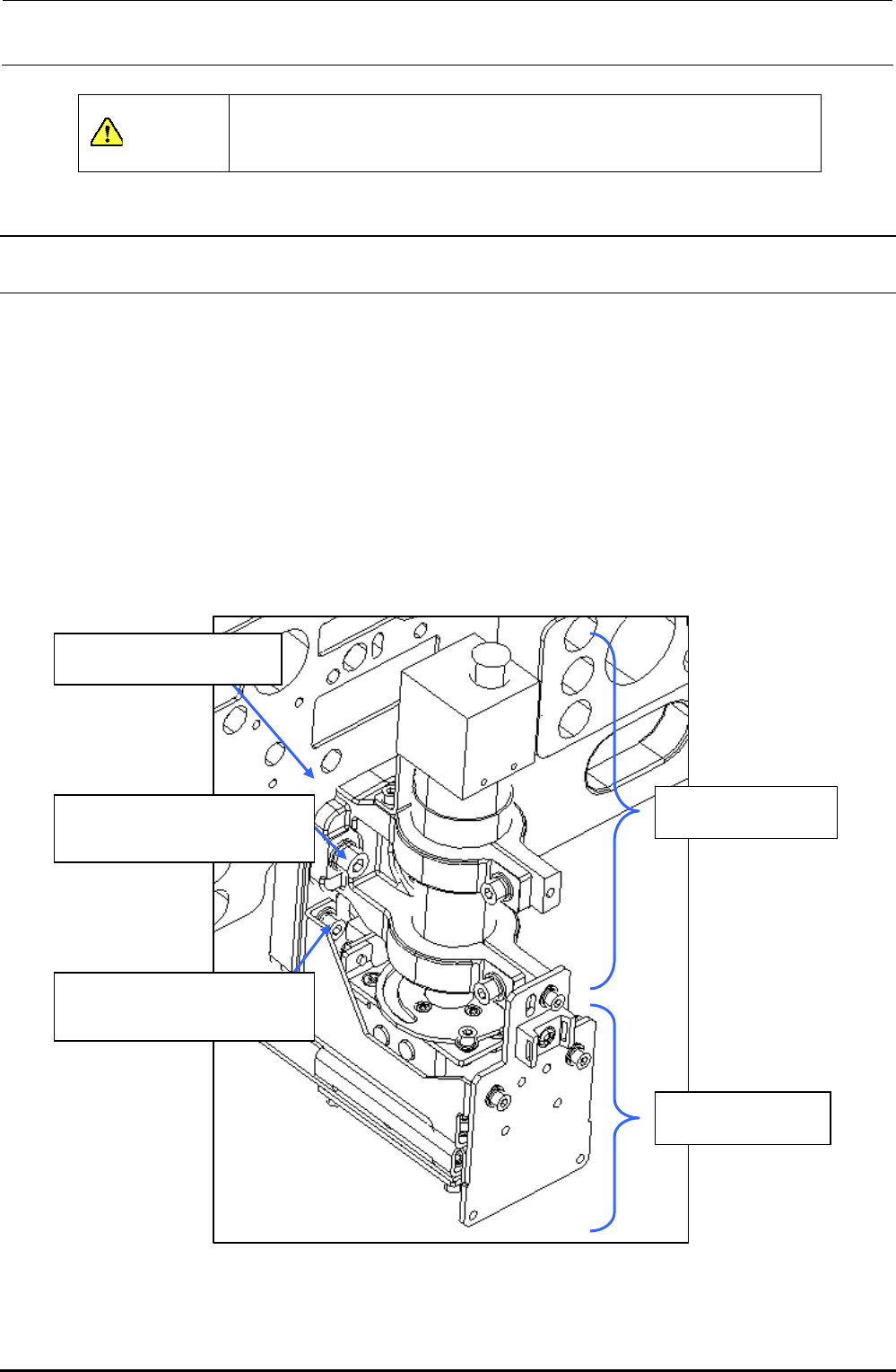
1) Remove the SEMS cap bolts c to detach the lens assembly.
2) The light assembly is secured with the SEMS cap bolts d. Disconnect the connectors and
remove relevant bolts to detach the camera and light assemblies.
3) Reassemble the components in the reverse order of disassembly. (At this time, apply Loctite
242 to the SEMS cap bolts c (×2) and M4-SEMS cap bolts (×2).)
4) After the lens assembly has been replaced, it is absolutely necessary to adjust the focus and
input the MS parameters. After the light assembly has been replaced, it is necessary to adjust
OCC light. (See 4-8, List of Readjustment Items after Replacement.)
LF/RR head: XM base A
LR/RF head: XM base B
40046815
OCC lens assembly
40046816
OCC light assembly
c SL6052092TN
SEMS cap bolt with washer
M5×20
d SL6041292TN
SEMS cap bolt with washer
M4×12
Figure 4-1-1 OCC Assembly
Rev. 1.00
FX-3R Maintenance Guide
4-2
4-2. Replacing the CCD Camera and Lens
1) Detach the lens assembly from the XM base A (B) using the procedure described in section
4-1, Replacing the OCC Assembly.
2) Remove the SEMS cap bolts c (×2) and SEMS cap bolts d (×2) securing the CCD camera and
lens to replace the CCD camera and lens assembly.
(At this time, apply ThreeBond 1401B to the screw thread parts of the lens assembly.)
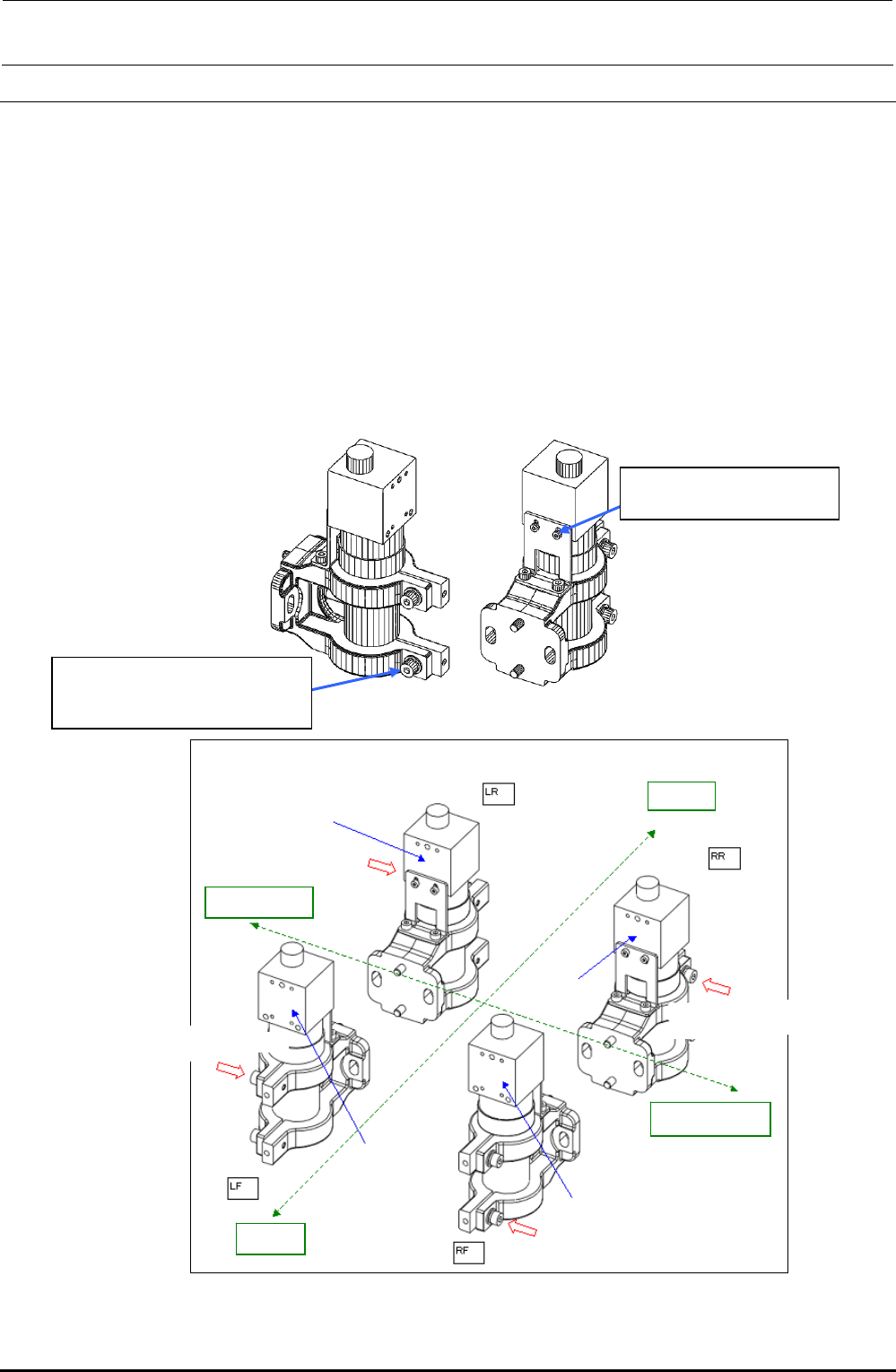
3) Reassemble the components in the reverse order of disassembly. The camera mounting
orientation may vary depending on the type of the head.
(Apply Loctite 242 to the SEMS cap bolts c (×2), and then fix them with a tightening torque of
1.0N⋅m.)
4) After the CCD camera and lens have been replaced, adjust the focus and input the MS
parameters. (See 4-8, List of Readjustment Items after Replacement.)
d SM6020302UZ
SEMS cap bolt M2×3
c SL6041292TN
SEMS cap bolt with washer
M4×12
Rev. 1.00
Camera securing orientation
Label surface
Screw mounting direction
Rea
r
Left station
Label surface
Label surface
Label surface
Screw mounting direction
Screw mounting direction
Screw mounting direction
Right station
Front
Figure 4-2-1 CCD Camera/Lens