KE2010.Instruction Manual.Ver.2.01,Rev.08.pdf - 第100页
3 − 27 3.6.8 Saving a control data file This command saves the basic cont rol data, which is used to control the machine, onto a f loppy disk. The dat a to be saved here is very important t o: operate the EPU ( External …
3 − 26
3.6.7.6 Operational Setting Data
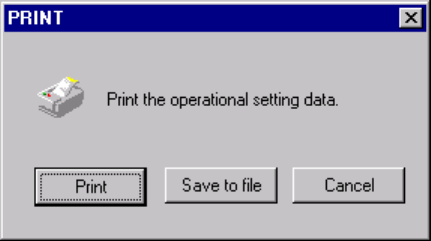
This command prints the operation options information.
When you select select the [File] command on the menu bar, select the [Print]
command on the displayed menu, then the [Operational Setting Data] command, the
dialog box appears on the screen as shown in the figure below.
When you click the <Print> button, the system starts printing the operation options
information.
When you select the output type, or data to be output, and click the <Save to file>
button, the dialog box for saving a file appears on the screen. Specify the path and
file name, then click the <Save> button. The specified file is output as a text file.
When you click the <Cancel> button, the system returns to the condition before you
clicked the [Print] command.
3 − 27
3.6.8 Saving a control data file
This command saves the basic control data, which is used to control the machine,
onto a floppy disk. The data to be saved here is very important to:
operate the EPU (External Program Editing Unit) according to the specifications of the
main unit, and
find out the conditions unique to the machine when a trouble occurs.
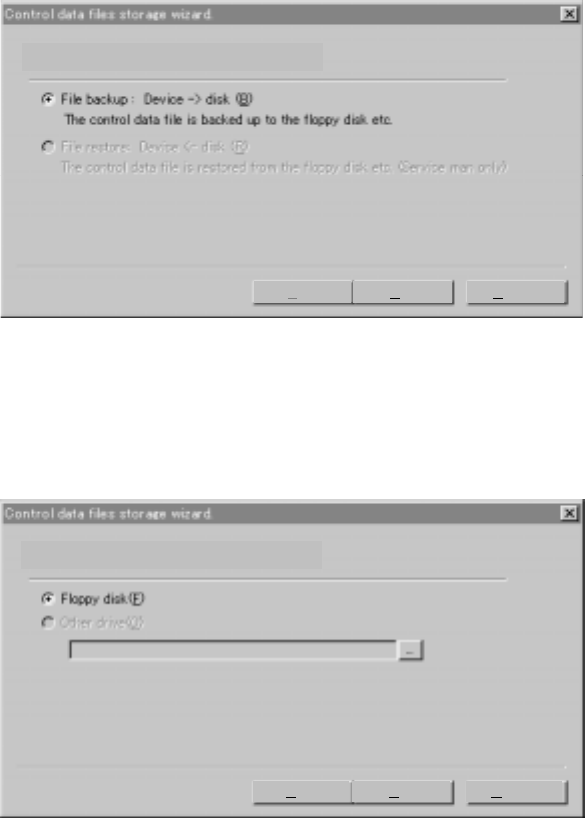
To save a control data file, use the Wizard as shown below. Follow the
instructions displayed on the screen.
3.6.8.1 Selecting a task
Normally, you can select the task “File backup” only.
To save the control data, click the <Next> button.
When you click the <Cancel> button, the system cancels the control data save
operation.
3.6.8.2 Selecting where to save the control data
Select the radio button “Floppy disk”.
)
Please select work.
Back Next Cancel
Please select the place of the backup.
Back Next Cancel
3 − 28
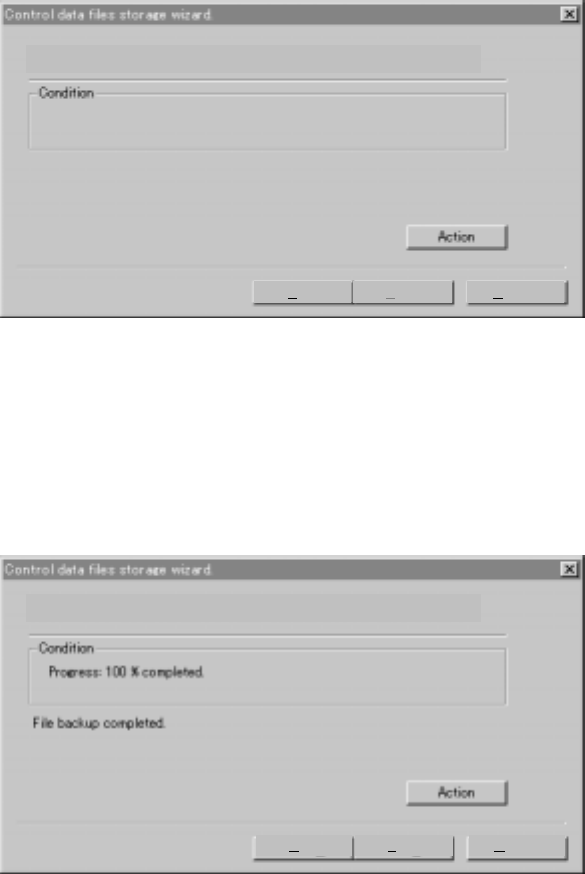
3.6.8.3 Starting the save operation
When you click the <Action> button, the system starts saving the control data on a
floppy disk.
3.6.8.4 Finishing the save operation
When the system finishes saving a control file, the following dialog box appears on
the screen. Click the <Finish> button, then eject the floppy disk and store it at a safe
place.
The backup is executed. Please push the action button when you can.
Back Finish Cancel
The backup is executed. Please push the action button when you can.
Back Finish Cancel