KE2010.Instruction Manual.Ver.2.01,Rev.08.pdf - 第123页
4 − 16 4.2.6.3 Product ion I nformation Select the [Pr int] comm and on the File menu, t hen click t he [Production Inf ormation] com mand. W hen y ou select t he [Production Inf or mation] com mand, the dialog box appea…
4 − 15
4.2.6.2 Nozzles setup
The permanent nozzle setup, the nozzle setup performed by optimization, and the
number of nozzles are printed out.
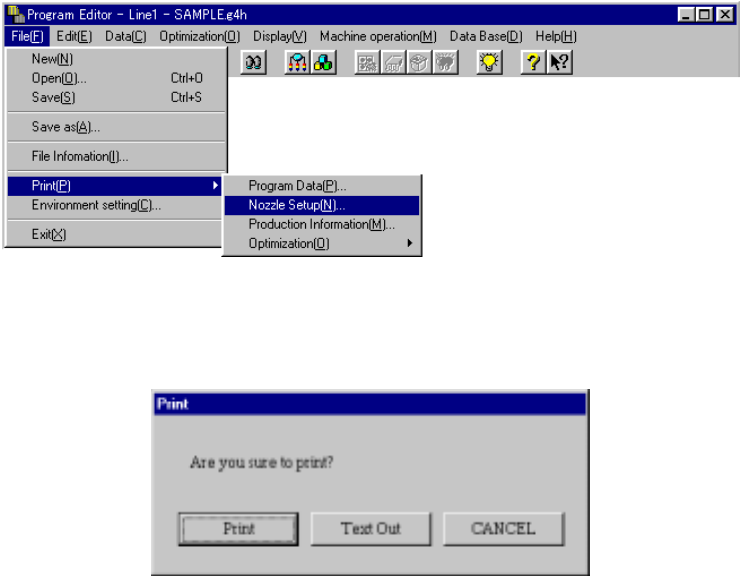
Select “Print (P)”, then “Nozzle Setup (N)” on the File menu as shown below.
When you select the [Nozzle Setup] command, the dialog box appears on the
screen as shown in the figure below.
<Print>: starts printing.
<Text Out>: displays the "Text Out" dialog box on the screen.
<CANCEL>: cancels printing.
When you click the <Print> or <Text Out> button, HLC prints data as shown below:
• Nozzle setup condition
The nozzle numbers and the number of nozzles assigned newly when you
execute optimization are to be printed.
The result varies depending on the setting of “Nozzle” on the “Arrangements”
tab of the “Optimization” dialog box.
• ATC permanent nozzle information
The permanent nozzle setup is to be printed.
• Nozzle setup with optimization
Nozzles newly assigned with optimization are to be printed.
The result varies depending on the setting “Nozzle” on the “Arrangements” tab
of the “Optimization” dialog box.
4 − 16
4.2.6.3 Production Information
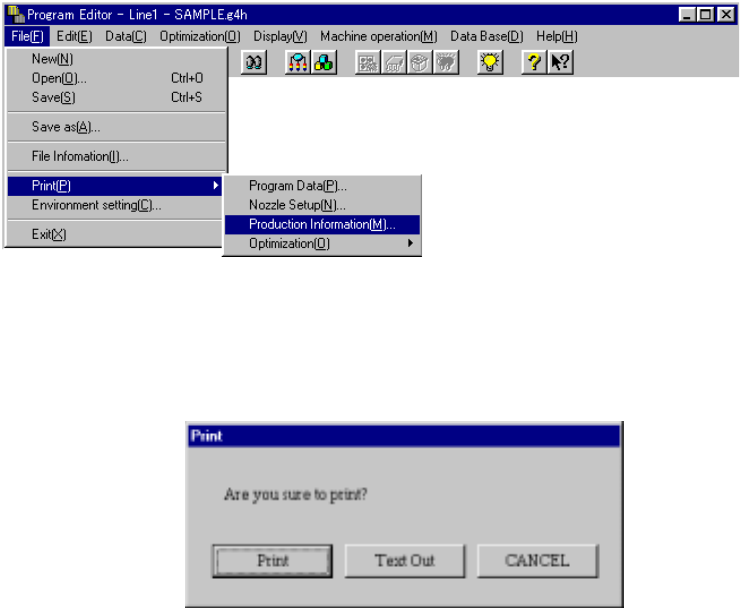
Select the [Print] command on the File menu, then click the [Production
Information] command.
When you select the [Production Information] command, the dialog box appears on
the screen as shown in the figure below.
<Print>: starts printing.
<Text Out>: displays the "Text Out" dialog box on the screen.
<CANCEL>: cancels printing.
4 − 17
4.2.6.4 Optimization
This command prints the current optimization option settings.
4.2.6.4.1 Option
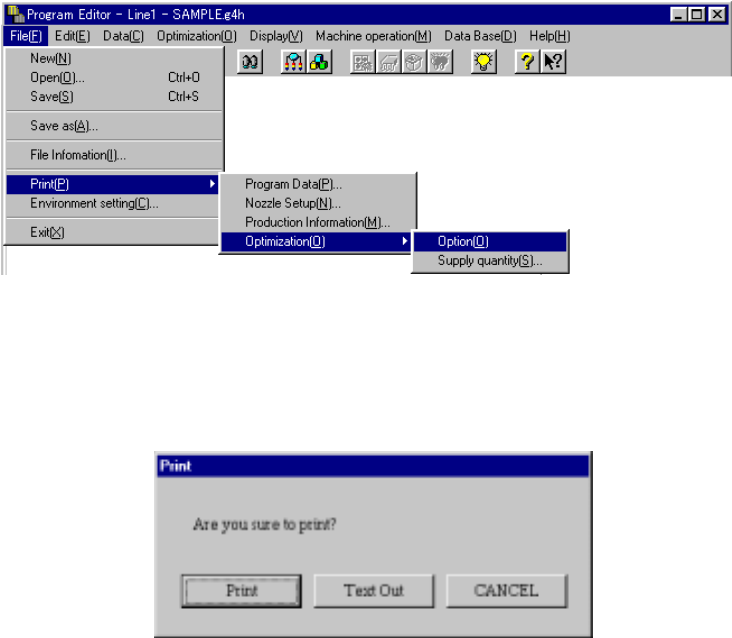
Select the [Print] command on the File menu, the [Optimization] command, then
the [Option] command in this order. The machine prints all option items.
When you select the [Option] command, the dialog box appears on the screen
as shown in the figure below.
<Print>: starts printing.
<Text Out>: displays the "Text Out" dialog box on the screen.
<CANCEL>: cancels printing.