KE2010.Instruction Manual.Ver.2.01,Rev.08.pdf - 第124页
4 − 17 4.2.6.4 O ptimizati on This comm and prints the cur rent opt imization option sett ings. 4.2.6.4. 1 Opti on Select the [Pr int] comm and on the File menu, t he [Opt imization] command, t hen the [Opt ion] command …
4 − 16
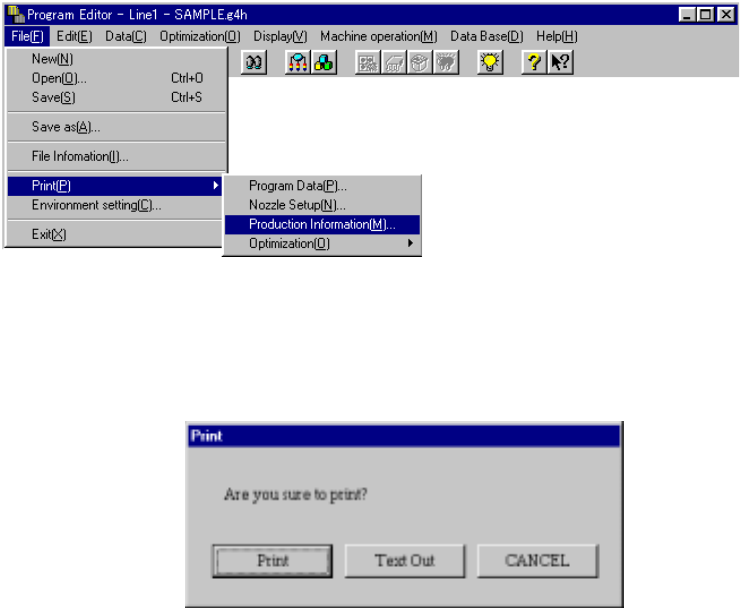
4.2.6.3 Production Information
Select the [Print] command on the File menu, then click the [Production
Information] command.
When you select the [Production Information] command, the dialog box appears on
the screen as shown in the figure below.
<Print>: starts printing.
<Text Out>: displays the "Text Out" dialog box on the screen.
<CANCEL>: cancels printing.
4 − 17
4.2.6.4 Optimization
This command prints the current optimization option settings.
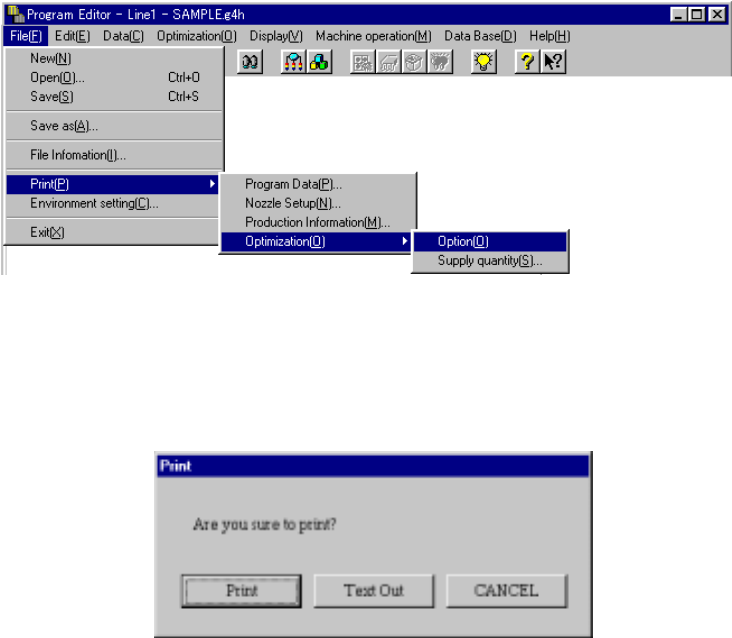
4.2.6.4.1 Option
Select the [Print] command on the File menu, the [Optimization] command, then
the [Option] command in this order. The machine prints all option items.
When you select the [Option] command, the dialog box appears on the screen
as shown in the figure below.
<Print>: starts printing.
<Text Out>: displays the "Text Out" dialog box on the screen.
<CANCEL>: cancels printing.
4 − 18
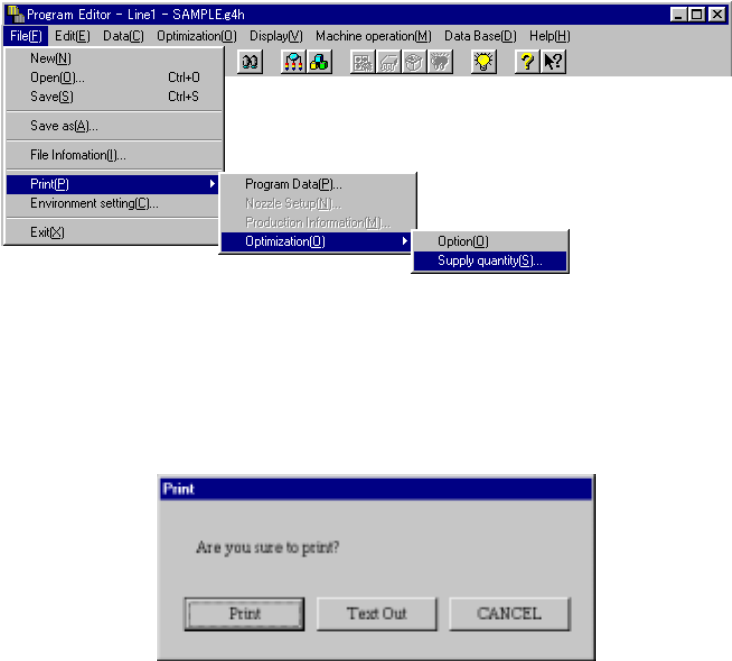
4.2.6.4.2 Supply quantity
Select the [Print] command on the File menu, the [Optimization] command, then
the [Supply quantity] command in this order.
When you select the [Supply quantity] command, the dialog box appears on the
screen as shown in the figure below.
<Print>: starts printing.
<Text Out>: displays the "Text Out" dialog box on the screen.
<CANCEL>: cancels printing.