KE2010.Instruction Manual.Ver.2.01,Rev.08.pdf - 第125页
4 − 18 4.2.6.4. 2 Supply quantity Select the [Pr int] comm and on the File menu, t he [Opt imization] command, t hen the [Supply quantit y] command in t his order . W hen y ou select t he [Supply quantity] com mand, the …
4 − 17
4.2.6.4 Optimization
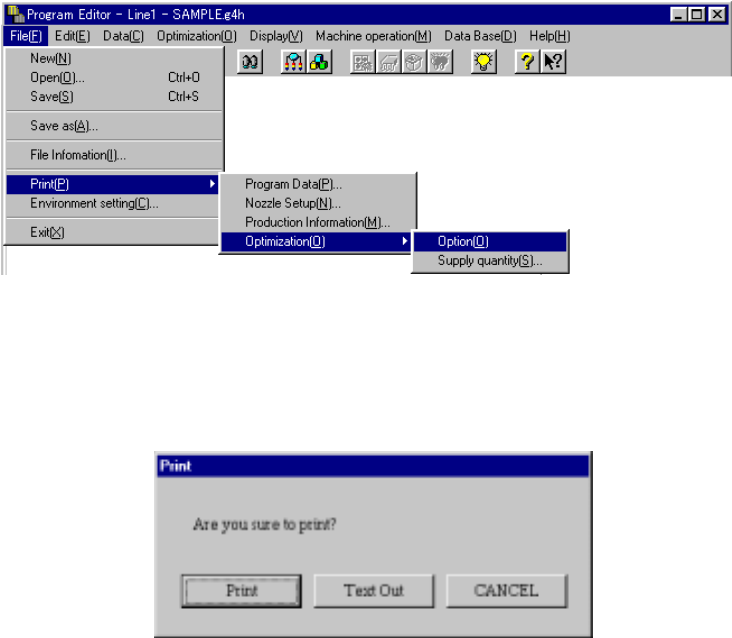
This command prints the current optimization option settings.
4.2.6.4.1 Option
Select the [Print] command on the File menu, the [Optimization] command, then
the [Option] command in this order. The machine prints all option items.
When you select the [Option] command, the dialog box appears on the screen
as shown in the figure below.
<Print>: starts printing.
<Text Out>: displays the "Text Out" dialog box on the screen.
<CANCEL>: cancels printing.
4 − 18
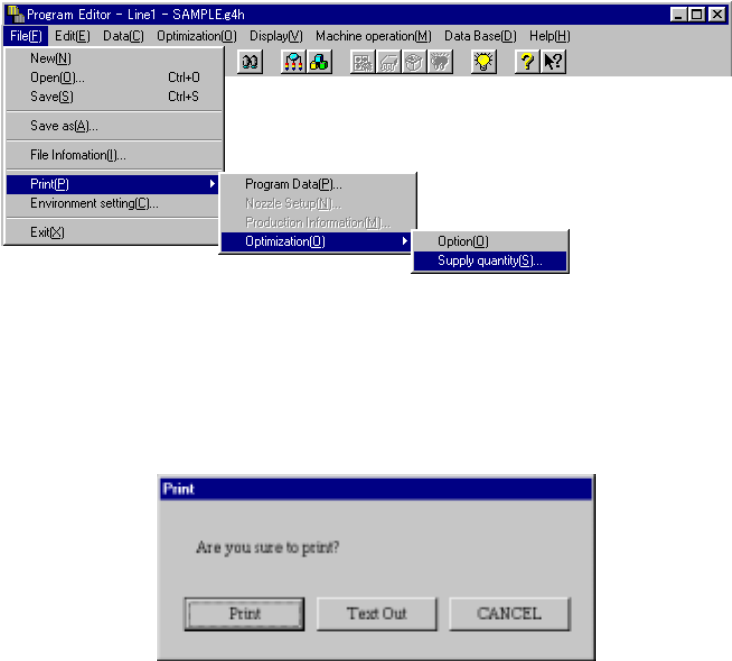
4.2.6.4.2 Supply quantity
Select the [Print] command on the File menu, the [Optimization] command, then
the [Supply quantity] command in this order.
When you select the [Supply quantity] command, the dialog box appears on the
screen as shown in the figure below.
<Print>: starts printing.
<Text Out>: displays the "Text Out" dialog box on the screen.
<CANCEL>: cancels printing.
4 − 19
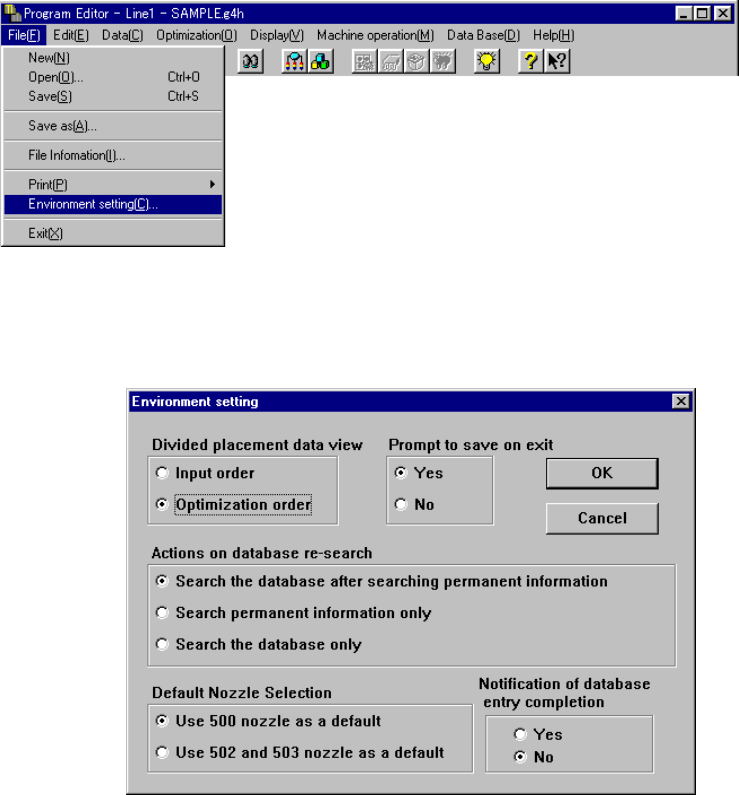
4.2.7 Environment setting
This command sets the environment for editing a program.
When you select the [Environment setting] command on the File menu, the following
dialog box appears on the screen.
Environment
This menu item specifies whether to save the environment set when you quit the
Program Editing utility.
• When you select “Yes”, the following items are reproduced at start up of the
Program Editing utility the next time:
1. Display/Not display of the tool bar
2. File name
3. Window size
• When you select “No”, a screen for a new file (Basic setup screen) appears
when the Program Editing utility starts for the first time after start-up of the
system (the name of the file used the last time cannot be automatically read into
the machine). When you start up the Program Editing utility for the second time
or later, the production program data you edited last time appears on the screen.
However, if another production program is read into the system with the [File]
command or [Production] command provided on the menu bar, it appears on
the screen.