KE2010.Instruction Manual.Ver.2.01,Rev.08.pdf - 第215页
4 – 108 (3) Selecting a com ponent (on the list of sear ched components) The components sear ched based on the conditions you enter on the scr een shown in Figure 4.7.10. 2 are displayed on this screen. Figure 4.7. 10.6 …
4 – 107
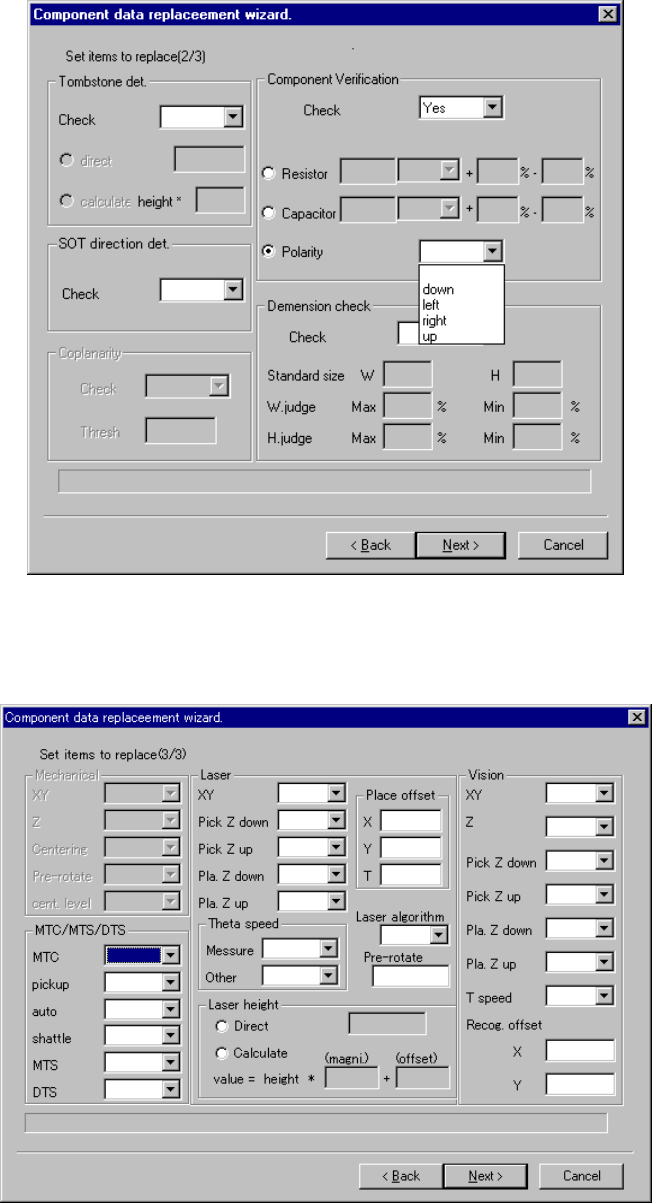
Figure 4.7.10.4 Screen for entering data to be replaced (2)
Figure 4.7.10.5 Screen for entering data to be replaced (3)
Enter data to the desired item(s), and click the <Next> button. The screen shown in
Figure 4.7.10.6 appears.
4 – 108
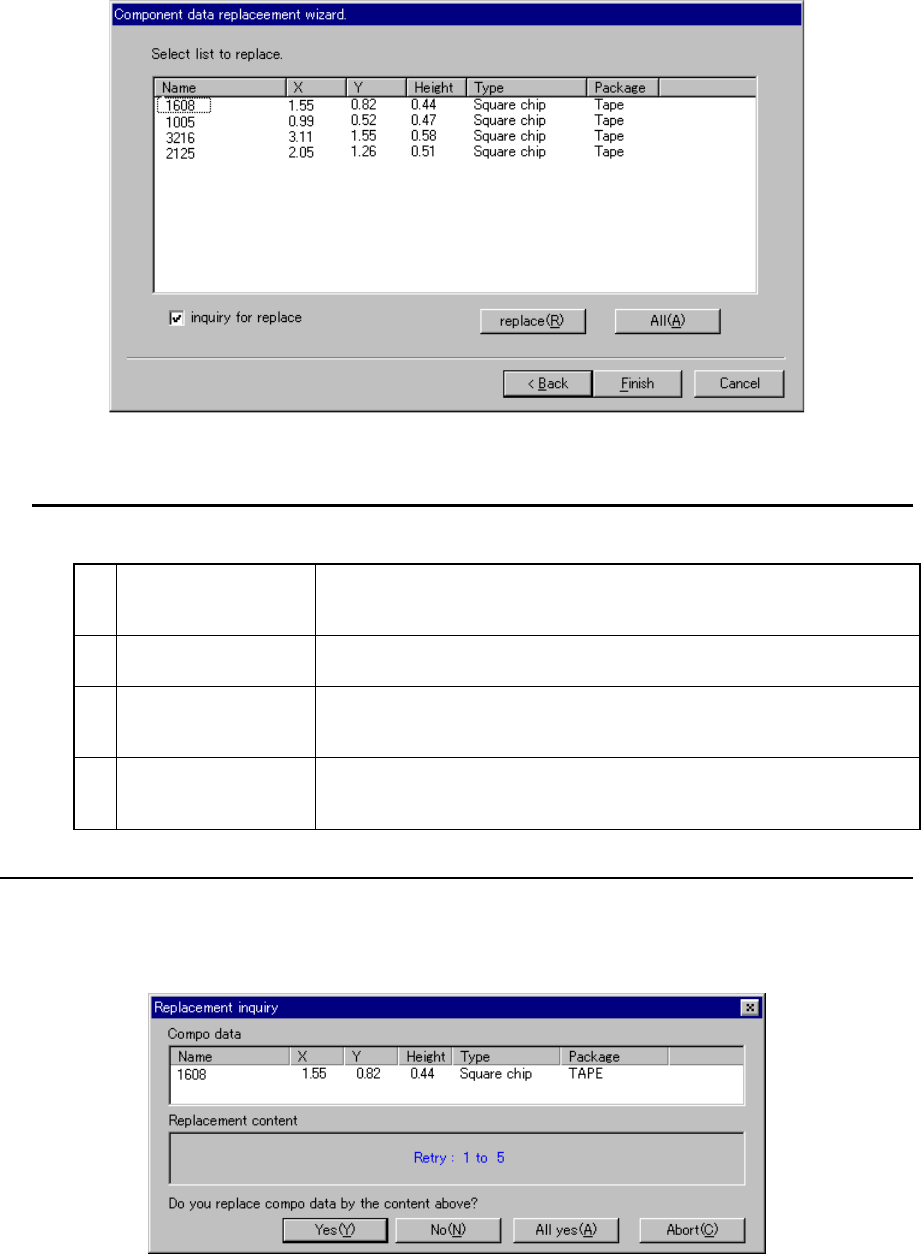
(3) Selecting a component (on the list of searched components)
The components searched based on the conditions you enter on the screen
shown in Figure 4.7.10.2 are displayed on this screen.
Figure 4.7.10.6 Component selection screen
You can perform the following operations on this screen:
1 Selection of a
component
Click the desired component displayed on the screen with a pointing
device or move the cursor to the desired component and press the
Space key. You can select the component or deselect it.
2
Replacement of
component data
When you click the <replace> button, only the data settings of the
selected components are replaced with those you entered.
3 Replacement of data
of all the selected
components
When you click the <All> button, the data settings of all components
displayed on the list are replaced with those you entered.
4
Display of the inquiry
message for
replacement
Specify whether to display the message asking you to replace the
displayed setting item data of a component with checking the check box
“inquiry for replace”.
− When you check this check box, the following dialog box appears on the screen
every time the machine replaces one data item of a component.
Figure 4.7.10.7 “Replacement inquiry” dialog box
4 – 109
When you click the <Yes> button, the machine replaces the data of the selected
component data item as specified, and then displays this dialog box for the next item.
No: The machine does not replace the data of the selected component
data item, and then displays the dialog box for the next item.
All yes: The machine replaces the data of all data items of the selected
component with those you entered, and displays the list of the
searched components again.
Abort: The machine displays the list of the searched components again
without replacing any data of the current item and the remaining
items.
Yes or All yes: The machine quits the wizard after replacing the data of all data
items you specified.