KE2010.Instruction Manual.Ver.2.01,Rev.08.pdf - 第221页
4 – 1 14 − Enter the " Sply" parameter with considering the number of t he occupied feeder mounting holes. If you w ant t o select two or more component s data records, then change them simult aneously , you ca…
4 – 113
4.8.2.1 Entering tape component data/bulk component data
When you select “Tape” or “Bulk” as the component package, the following items do
not require data entry:
− The "Packaging style" shows the setting of Component data.
You cannot change this setting, so if necessary, change the corresponding
Component data.
Tape/bulk feeder types and the number of occupied holes which are used for
mounting each tape/bulk feeder
Tape/bulk feeder type Number of occupied holes
8 mm 2
12 mm 3
16 mm 3
24 mm 4
32 mm 5
Bulk feeder 2
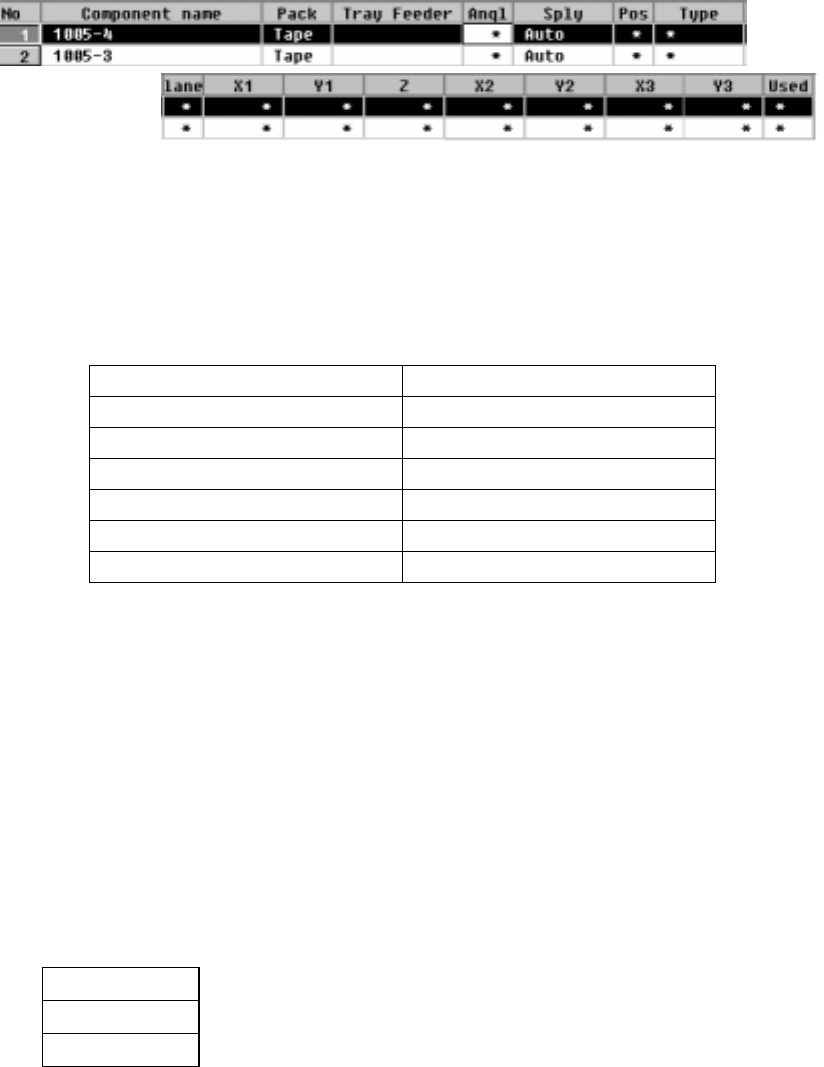
① Sply (Supply)
This parameter determines whether the tape feeders or bulk feeders are
mounted on the front or rear side of the machine. When you select “Auto”, the
Optimization utility automatically assigns the feeders to the machine, so you do
not have to enter any data to another items.
• When the Optimization utility is executed, the parameters at which an
asterisk mark is displayed (excluding the "Type" and "Lane" parameters) are
automatically set.
• When you select "Front" or "Rear", you can set the parameters at which an
asterisk mark is displayed (excluding the "Type" and "Lane" parameters).
AUTO
The Optimization utility assigns the feeders to the machine.
Front
The front side feeds components.
Rear
The rear side feeds components.
4 – 114
− Enter the "Sply" parameter with considering the number of the occupied
feeder mounting holes.
If you want to select two or more components data records, then change
them simultaneously, you can change them to “Auto” only.
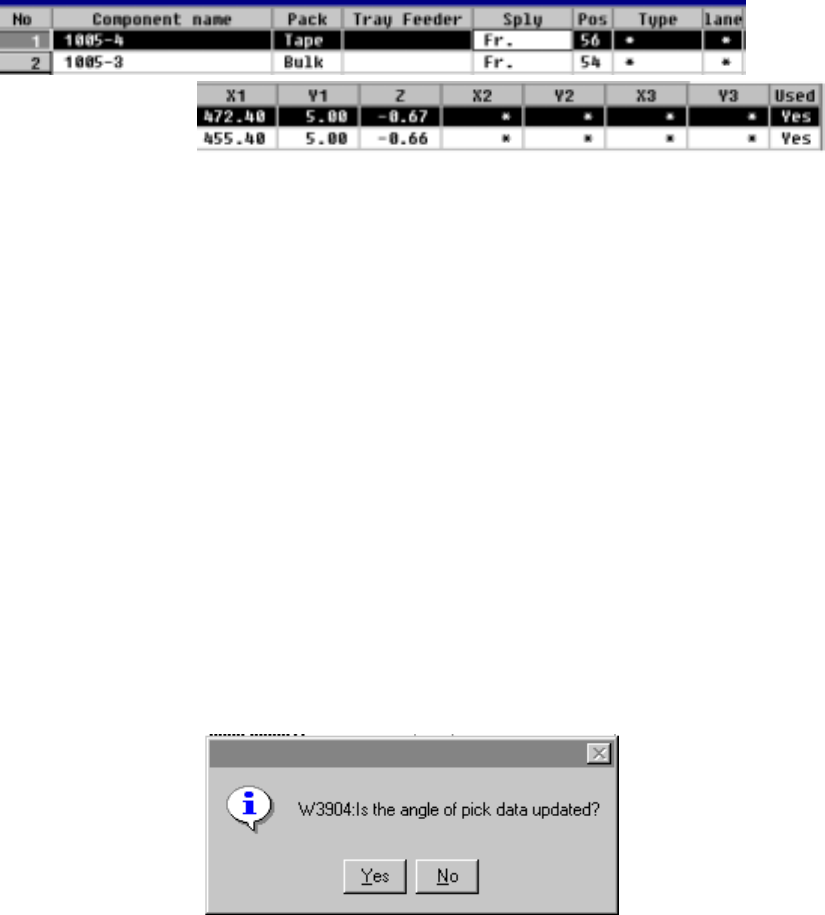
② Angl (Angle)
This parameter specifies the component pick-up angle.bar.
− The angle set in Component data appears here as the default setting.
To change it, move the input focus to this "Angle" parameter.
• When Pick data is created, the component feeding angle set in Component
data is set as the default setting.
• When you call Component data from the permanent information to create it,
the direction specified as the permanent information is set to Pick data also
as the default setting.
• When you call Component data from database to create it, the component
feeding angle set in Component data is set as the default setting when you
create Pick data.
• Even though you enter the angle to Pick data, each angle set in Component
data, permanent information and database will not be changed.
• When you are to change the angle of Component data only, the dialog box
shown below appears on the screen to ask you whether to change the angle
of Pick data also.
When you select "Yes" on this dialog box, the pick-up angle is updated.
• When you select "No", the angle set as Pick data is updated.
• When you select the [Call list] command, the system asks you if Pick data is
to be updated.
)
4 – 115
③ Pos
Enter the mounting position of the component feeder with the formula bar.
The tape feeder, stick feeder and bulk feeder are equipped with a fixing pin on
their end. This pin fits into the feeder mounting hole so that the feeder can be
placed in position. For this parameter, define the feeder mounting hole
number.
If a new value is entered to the “Sply” or “Pos” item the value is changed, X1,
Y1, and Z are automatically recalculated and the results are shown on the
screen. Note that the results vary depending on the model of the feeder to be
mounted.
As soon as a number is entered, overlap is checked for the existing tape
feeders, bulk feeder, and stick feeders. If the same number already exists, the
entry is rejected with an error message shown on the screen.
④ X1, Y1, Z
These parameters set the coordinates of the component pick position. They
are automatically calculated and shown after “Sply” and “Pos” items have been
defined.
Once a value is entered to each coordinate, you can change (teach also) it.
CAUTION
To avoid a risk of injury, do not place your hand in the machine, nor
move your face or head close to the machine while the machine is
performing teaching operation.
CAUTION
If the bank is never recognized (since the machine zeroes, or the bank
moves down then up), it may be recognized automatically before the
machine moves to the pick position. Since the head moves across the
feeder while the feeder bank is being recognized, do not place your
hand in the machine, nor move your face or head to the machine.
Especially, take care when the feeder bank is recognized not from the
menu but during teaching or tracking a pick position.
⑤ Used
This item specifies whether to use the feeder during production or not.
The default setting “Yes” (use) appears. To change the setting, press the F2
key to open a pop-up menu and select “No”.
During production, the feeder is used.
Yes
No
During production, the feeder is not used.