KE2010.Instruction Manual.Ver.2.01,Rev.08.pdf - 第291页
4 – 184 Figure 4.1 1.1.16 Feeder copy error message Note: I f you select a feeder lying ast ride the f ront and rear sides, t he system cannot copy i t. 7. Cop to left or right (This funct ion is availabl e only wi th a …
4 – 183
F-79
F-75
R-79
R-75
F-79
F-75
R-5
R-1
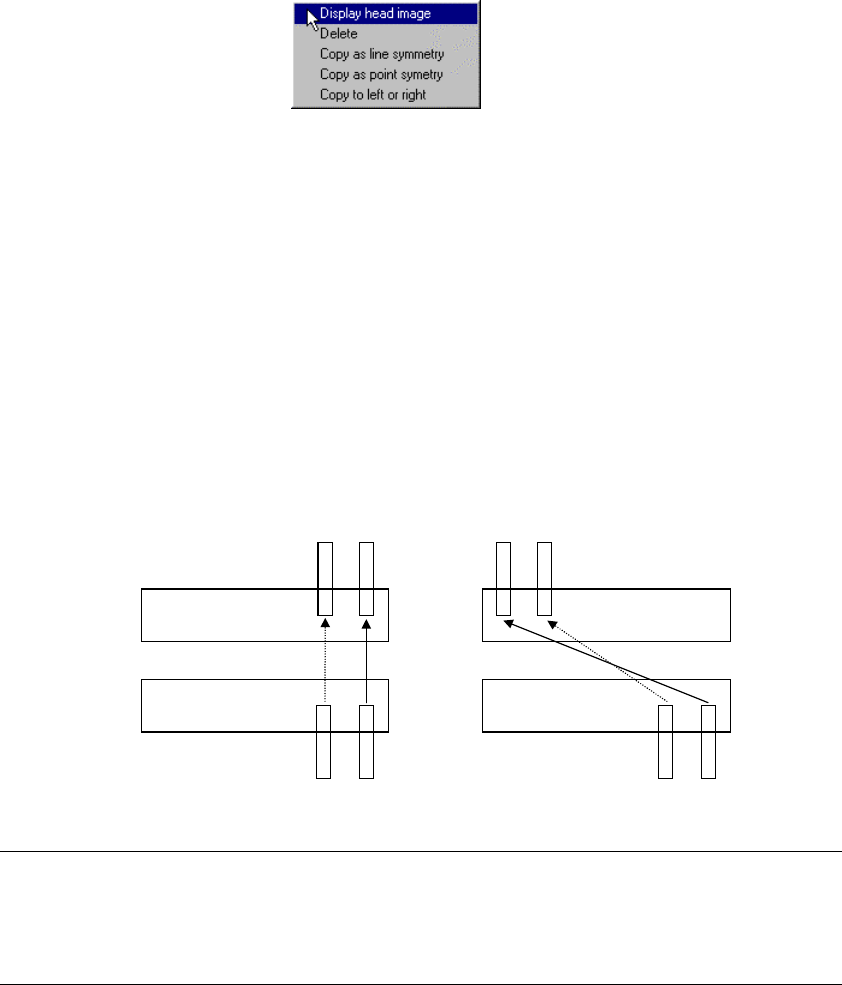
6. Copy as line symmetry or Copy as point symmetry
These commands copies the selected feeder symmetrically with respect to a
line or point.
While dragging the trackball to enclose the feeder which is to be copied to
highlight it, press the right button of the trackball. The pop-up menu appears
on the screen as shown below.
Select either of the commands [Copy as line symmetry] or [Copy as point
symmetry].
If you select the front feeder, it is copied to the rear side, while if you select the
rear feeder, it is copied to the front side.
Figure 4.11.1.15 Pop-up menu
(1) When you select the [Copy as line symmetry] command
The selected feeder is copied at the position where the copied feeder fixing hole
faces the original feeder fixing hole.
(2) When you select the [Copy as point symmetry] command
The selected feeder is copied at the opposite position so that a feeder on the
front can be replaced with one on the rear at a time or vice versa.
When a feeder is copied symmetrically
with respect to a line
When a feeder is copied symmetrically
with respect to a point
Notes:
•
A tray component cannot be copied.
•
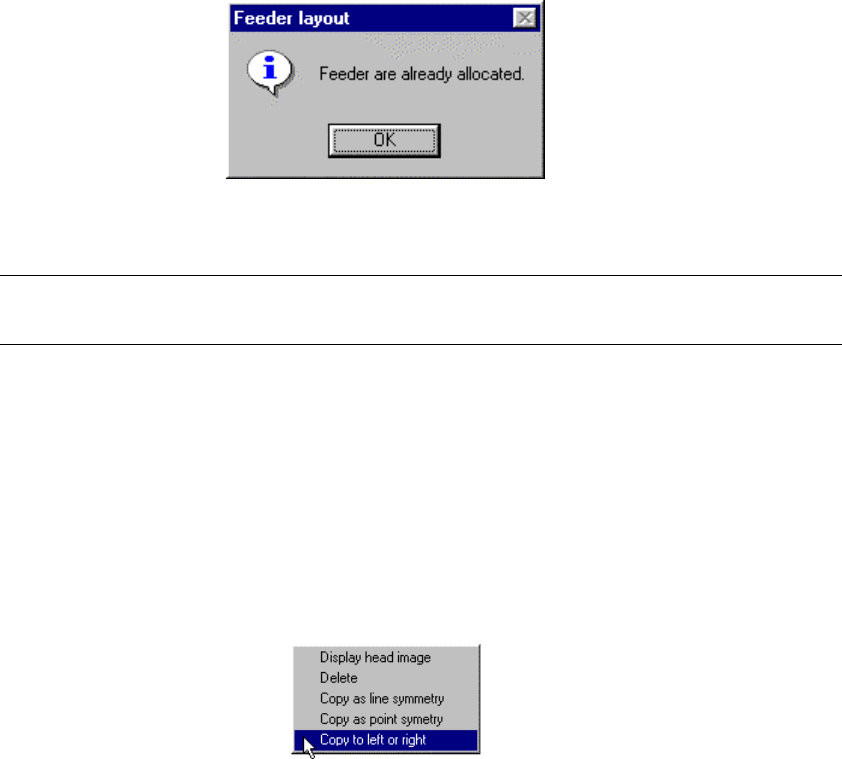
If any component was already assigned to the copy destination, the
following error message appears on the screen and any copy operation is
not performed.
4 – 184
Figure 4.11.1.16 Feeder copy error message
Note: If you select a feeder lying astride the front and rear sides, the system cannot
copy it.
7. Cop to left or right (This function is available only with a KE-2030 station.)
This command copies the selected feeder to the left station or right station
(This function is available only with a KE-2030 station.).
While dragging the trackball to enclose the feeder which is to be copied to
highlight it, press the right button of the trackball. The pop-up menu appears
on the screen. Select the [Copy to left or right] command.
Figure 4.11.1.17 Pop-up menu
4 – 185
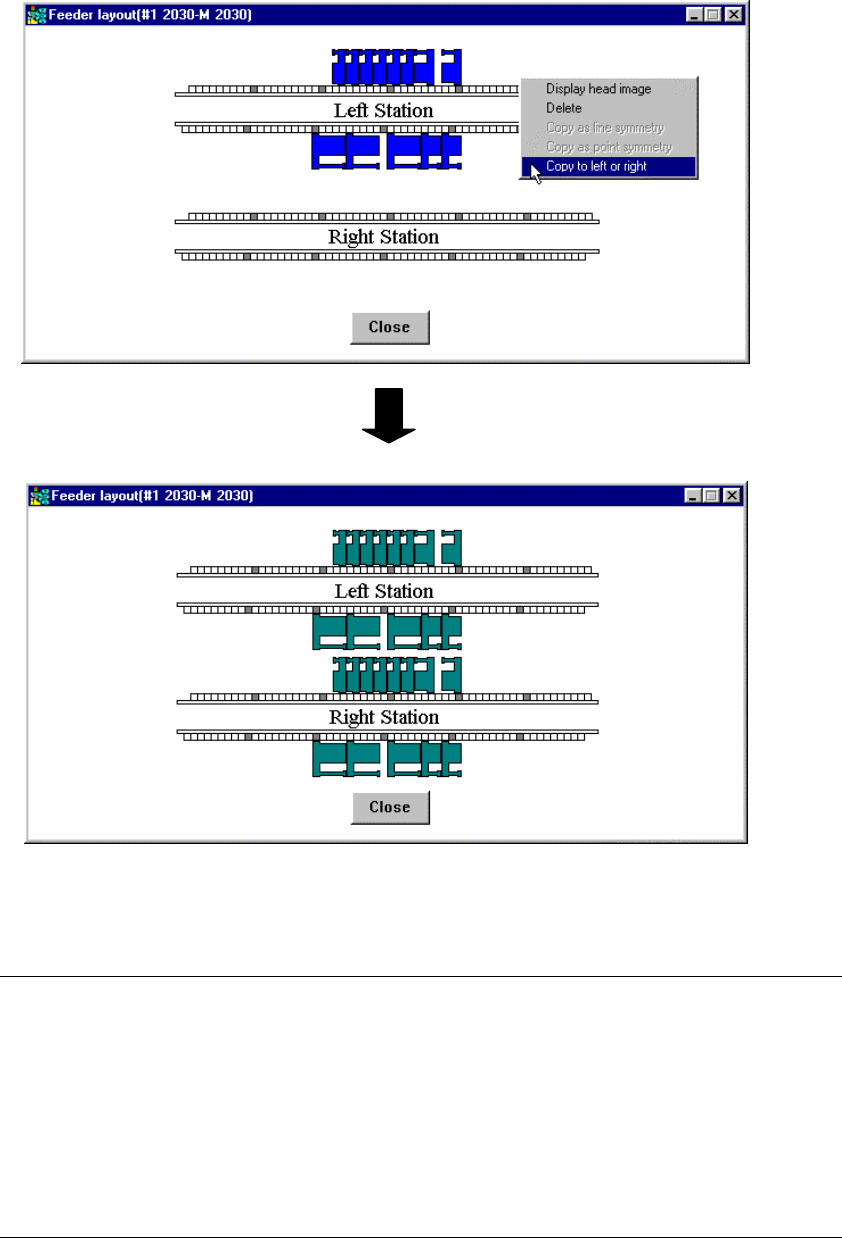
When you select a feeder on the left station, it is copied to the right station,
while when you select a feeder on the right station, it is copied to the left station.
In both cases, the selected feeder is copied onto the same hole position of the
opposite station.
[Copy to left or right] command is executed.
Figure 4.11.1.18 Copy operation with the [Copy to left or right] command
Notes:
•
When you use a station other than a KE-2030, this menu item is displayed
in gray and you cannot select it.
•
A permanent component or tray component cannot be copied.
•
If you select a feeder lying astride the left station and right station, the
system cannot copy it.
•
If any component was already assigned to the copy destination, the error
message shown in Figure 4.11.1.16 appears on the screen, and the system
does not copy the feeder.