KE2010.Instruction Manual.Ver.2.01,Rev.08.pdf - 第293页
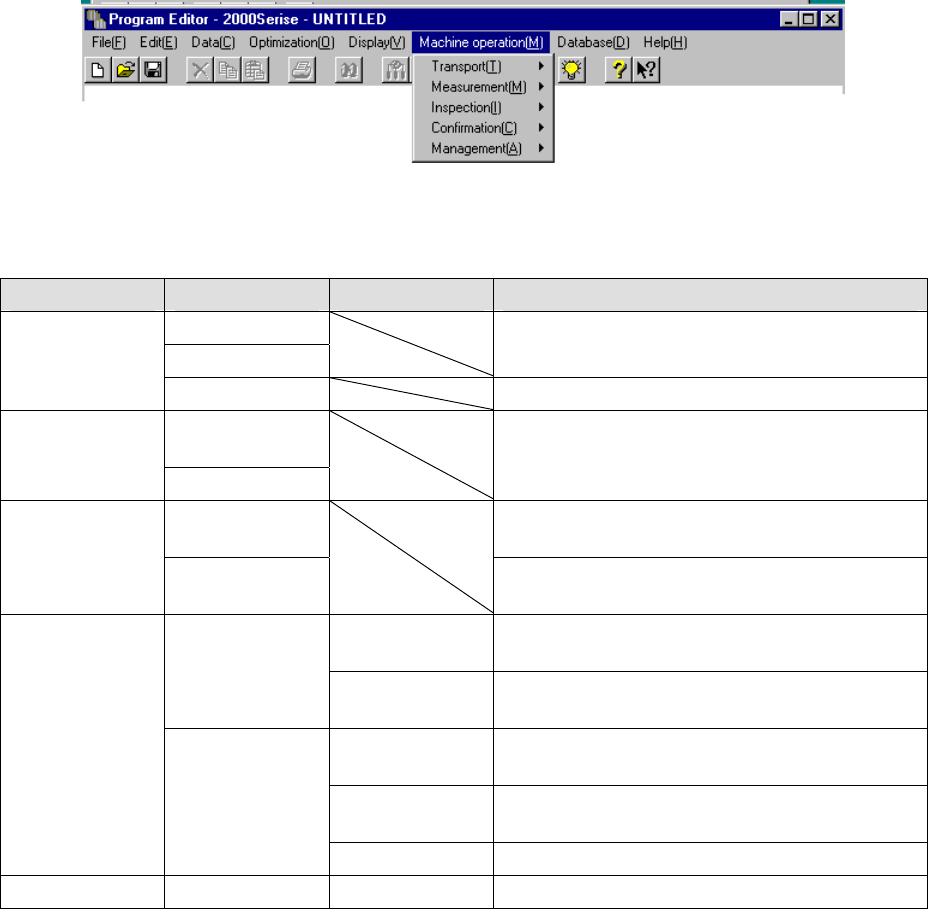
4 – 186 4.12 Machine Operation This command act ually operates the main unit to tak e various actions. T he Machine operation menu pr ovides menu items corresponding to each act ion. The table below describes the sub men…
4 – 185
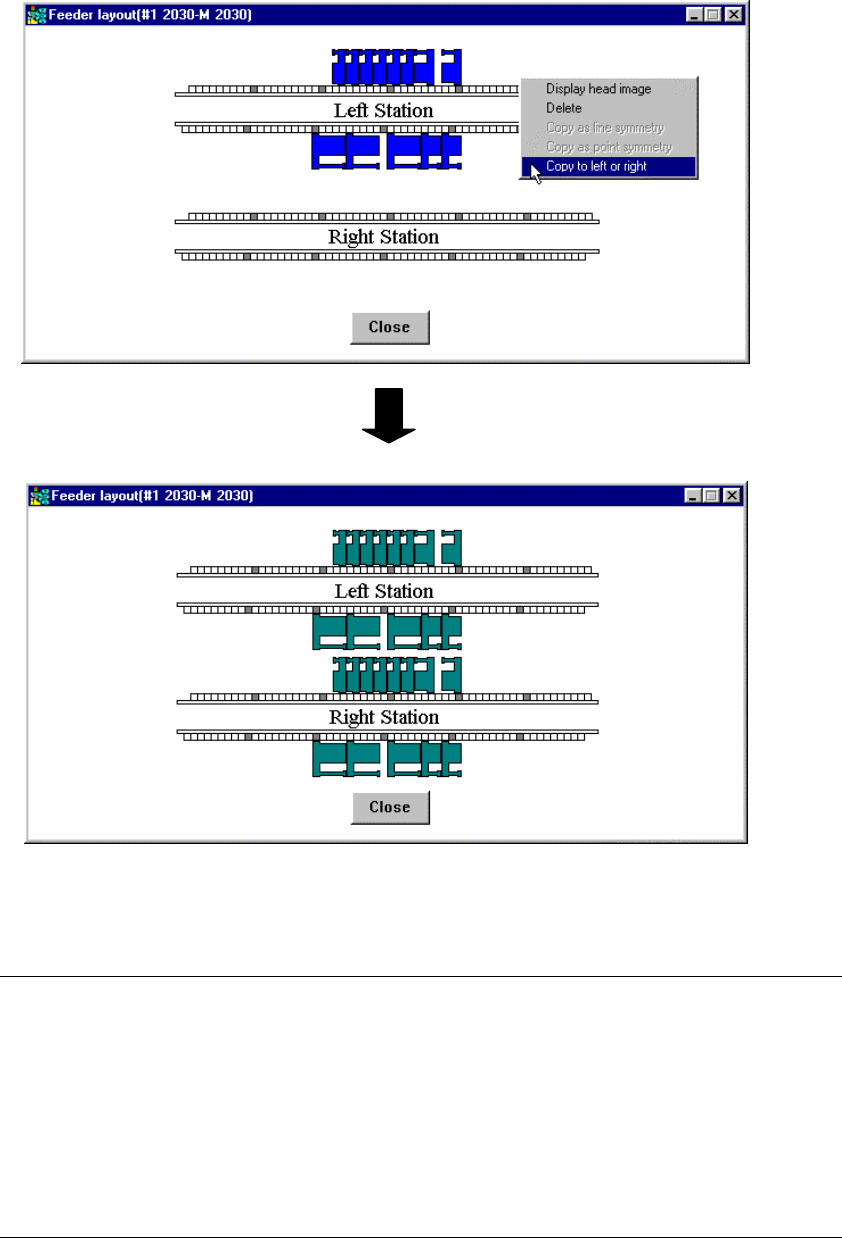
When you select a feeder on the left station, it is copied to the right station,
while when you select a feeder on the right station, it is copied to the left station.
In both cases, the selected feeder is copied onto the same hole position of the
opposite station.
[Copy to left or right] command is executed.
Figure 4.11.1.18 Copy operation with the [Copy to left or right] command
Notes:
•
When you use a station other than a KE-2030, this menu item is displayed
in gray and you cannot select it.
•
A permanent component or tray component cannot be copied.
•
If you select a feeder lying astride the left station and right station, the
system cannot copy it.
•
If any component was already assigned to the copy destination, the error
message shown in Figure 4.11.1.16 appears on the screen, and the system
does not copy the feeder.
4 – 186
4.12 Machine Operation
This command actually operates the main unit to take various actions. The Machine
operation menu provides menu items corresponding to each action.
The table below describes the sub menu corresponding to each menu item and
outlines its function.
Menu item Sub menu 1 Sub menu 2 Outline of function
PWB load
PWB eject
Loads or ejects a PWB into/from the main unit. Transport
Auto conveyor Adjusts the width of a PWB.
Current
component
Measurement
All component
Measures a component according to the settings of
Component data in details.
Vision
recognition
Inspects whether vision recognition is available. Inspection
Coplanarity
inspection
Performs a coplanarity check and obtains the
corresponding parameter.
BOC Confirms a BOC mark recognition operation and
saves the measured values.
Mark
Feeder Bank
(Front/Rear)
Confirms a bank mark recognition operation and
saves the measured values.
Place tracking Checks a position specified with each set of
coordinates of Placement data.
Pick tracking Checks a position specified with each set of
coordinates of Pick data.
Confirmation
Coordinate
Height tracking Checks each height specified in Pick data.
Management Management Mark Database Performs various operations of the mark database.
4 – 187
4.12.1 Transport
4.12.1.1 PWB load/PWB eject
These commands loads or ejects a PWB respectively.
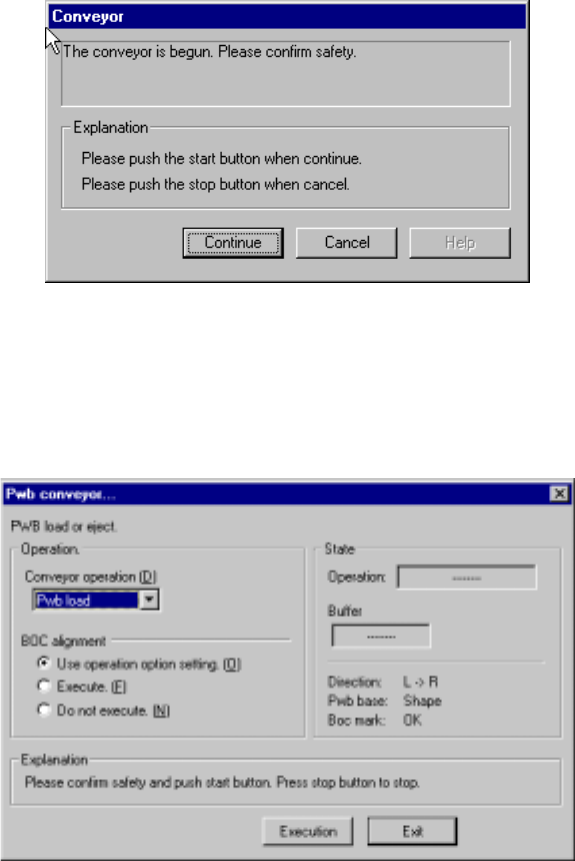
After you select either of these commands, the Conveyor dialog box, which moves
the axis to the safety position, appears on the screen if the safety cover opens.
Check the safety of the machine and yourself, then press the <Start> button.
Figure 4.12.1.1.1 Conveyor - safety confirmation dialog box
After the axis moves to the safety position, the following “Pwb conveyor” dialog box
appears on the screen.
Figure 4.12.1.1.2 PWB conveyor dialog box