KE2010.Instruction Manual.Ver.2.01,Rev.08.pdf - 第315页
4 – 208 (3) “Result of continuation m easurement” dialog box W hen t he system f inishes continuous measurem ent completely , the f ollowing “Result of continuation m easurement” dialog box appears on the screen. Figure …
4 – 207
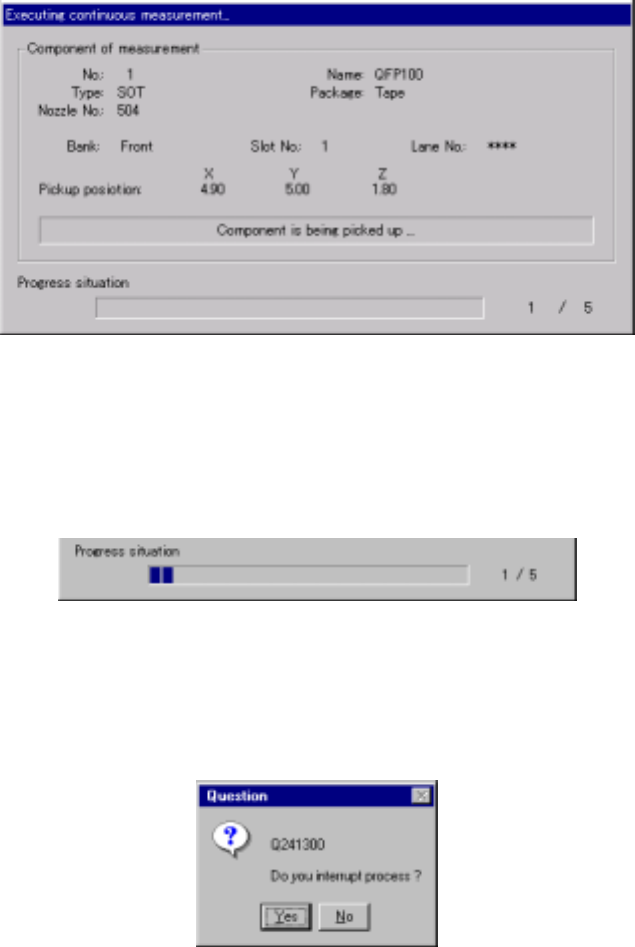
(2) “Executing continuous measurement” dialog box
While the system is executing continuous measurement operation, the following
dialog box appears on the screen. The description of a component being
measured and its pick-up position are displayed on this dialog box. The process
being executed is displayed also.
Figure 4.12.2.4.3.3 “Executing continuous measurement” dialog box
1) Progress situation
The progress bar indicates the current progress situation.
To forcibly abort the current continuous measurement operation, press the
<STOP> button. The following dialog box appears on the screen. Select
whether to abort the measurement operation or not.
Figure 4.12.2.4.3.4 “Question - to interrupt process” dialog box
4 – 208
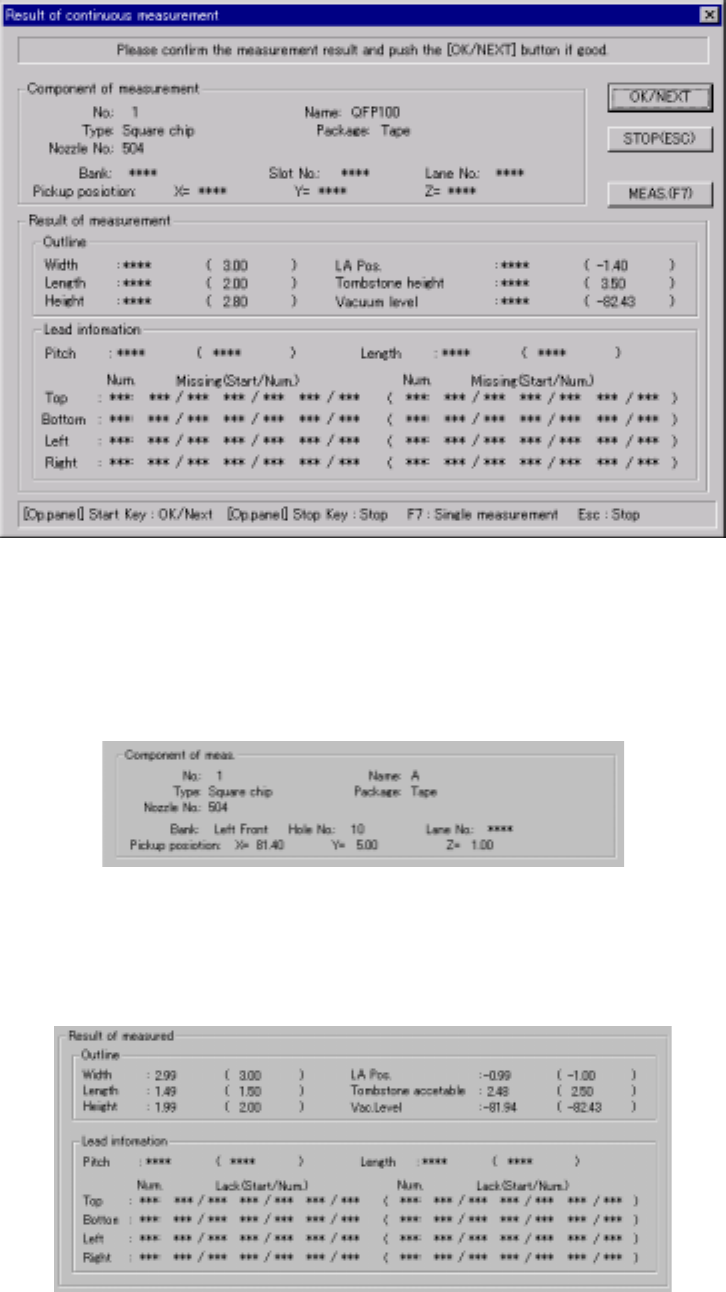
(3) “Result of continuation measurement” dialog box
When the system finishes continuous measurement completely, the following
“Result of continuation measurement” dialog box appears on the screen.
Figure 4.12.2.4.3.5 “Result of continuous measurement” dialog box
1) Component of meas. (Component of measurement)
The description of a measured component and its pick-up position are
displayed here.
2) Result of measured
The measured values are displayed here. Values specified in Component
data appear in parentheses. “***” appears in the item(s) which were not
measured.
4 – 209
3) <OK/NEXT> button (<START> button)
This button validates the result of measurement, then saves the measured
values into Component data. Then, the system starts measuring the next
component.
4) <STOP> button (ESC key)
This button cancels the result of measurement, then stops the current
continuous measurement operation to return to the previous “Continuation
measurement” dialog box.
5) <MEAS.> button (F7 key)
This button allows the system to enter Single Measurement mode.
6) Short-cut keys
On the “Result of continuation measurement” dialog box, the following
short-cut keys are provided.
Keyboard
key
Operation
panel key
HOD key Operation
START Validates the result, then measures the next
component.
ESC STOP Aborts the continuous measurement
operation.
F7 Enters Single Measurement mode.
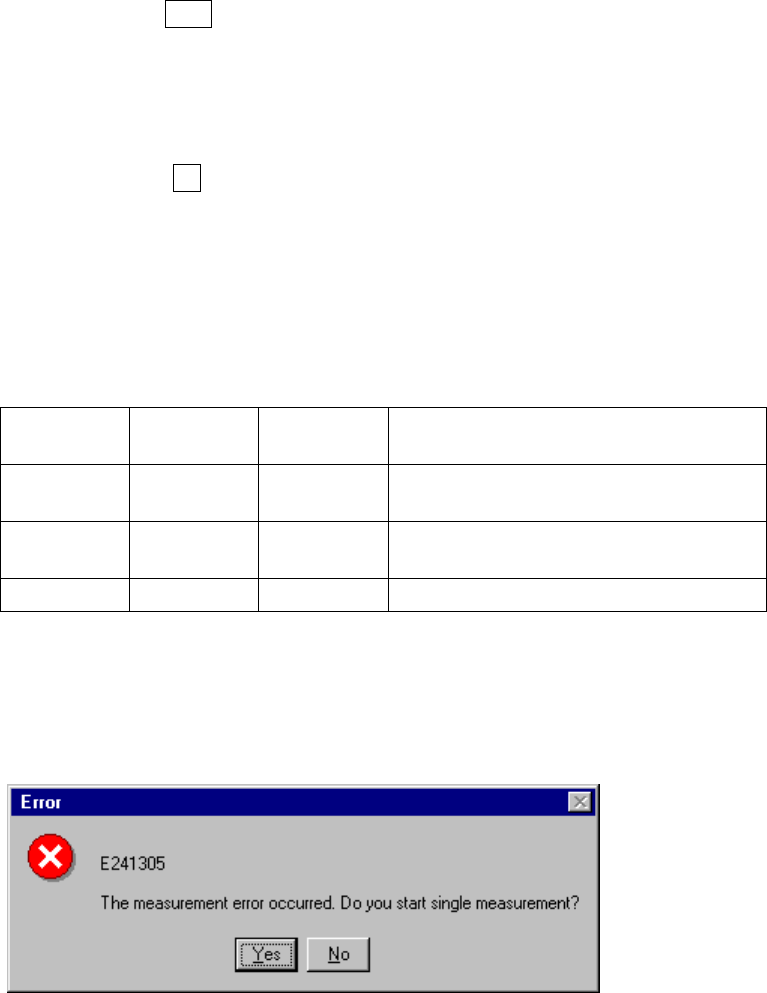
7) If a measurement error occurs
If a measurement error occurs for any reason, the following dialog box
appears on the screen to allow you to enter Single Measurement mode.
Figure 4.12.2.4.3.6 Continuous measurement error dialog box