KE2010.Instruction Manual.Ver.2.01,Rev.08.pdf - 第335页
4 – 228 (5) M onitor displa y ① During t rack ing, t he following inf ormat ion on each component pick -up position is displayed on the monitor . Display of t he center and f our corner s of a com ponent varies depending…
4 – 227
(4) Operation during tracking
While the system is tracking a component pick-up position, you can use the
following keys/switches to control the tracking operation.
Operation Keyboard Operation panel HOD
Start of tracking F1 Start button ENTER
Stop of tracking F2 Stop button PAUSE
Moving to the previous point F5 PREVIOUS
Moving to the next point F6 NEXT
End of tracking Pressing the ESC
key while the
machine is stopping
Pressing the Stop
button while the
machine is stopping.
Pressing the PAUSE
button while the
machine is stopping.
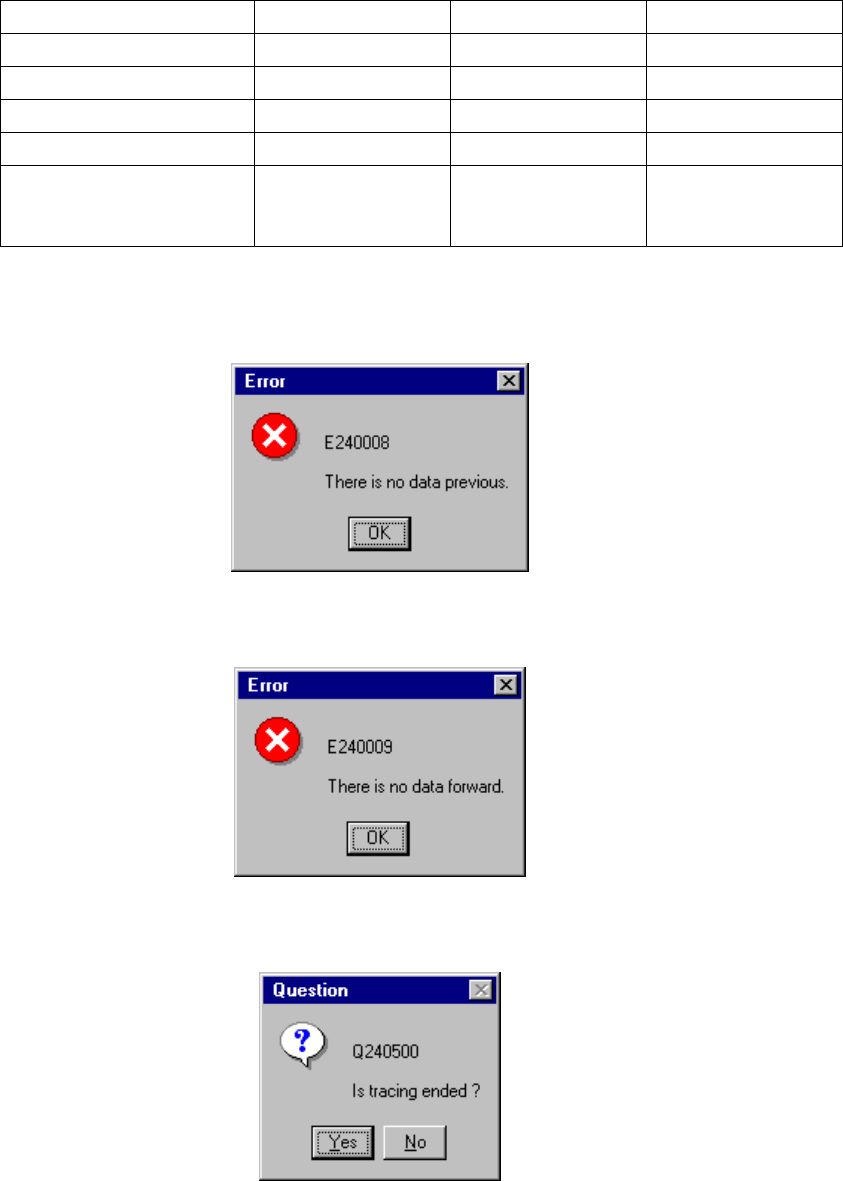
If there is no data when you try to move the camera or HMS to the previous point,
the following dialog box appears on the screen.
If there is no data when you try to move the camera or HMS to the next point, the
following dialog box appears on the screen.
If you finish the tracking operation due to either of the reasons above, the
following dialog box appears on the screen.
4 – 228
(5) Monitor display
①
During tracking, the following information on each component pick-up
position is displayed on the monitor.
Display of the center and four corners of a component varies depending on
the component size.
Four corners of a large component located on the front feeder may not be
displayed because the camera or HMS cannot always move to four corners.
(Front feeder)
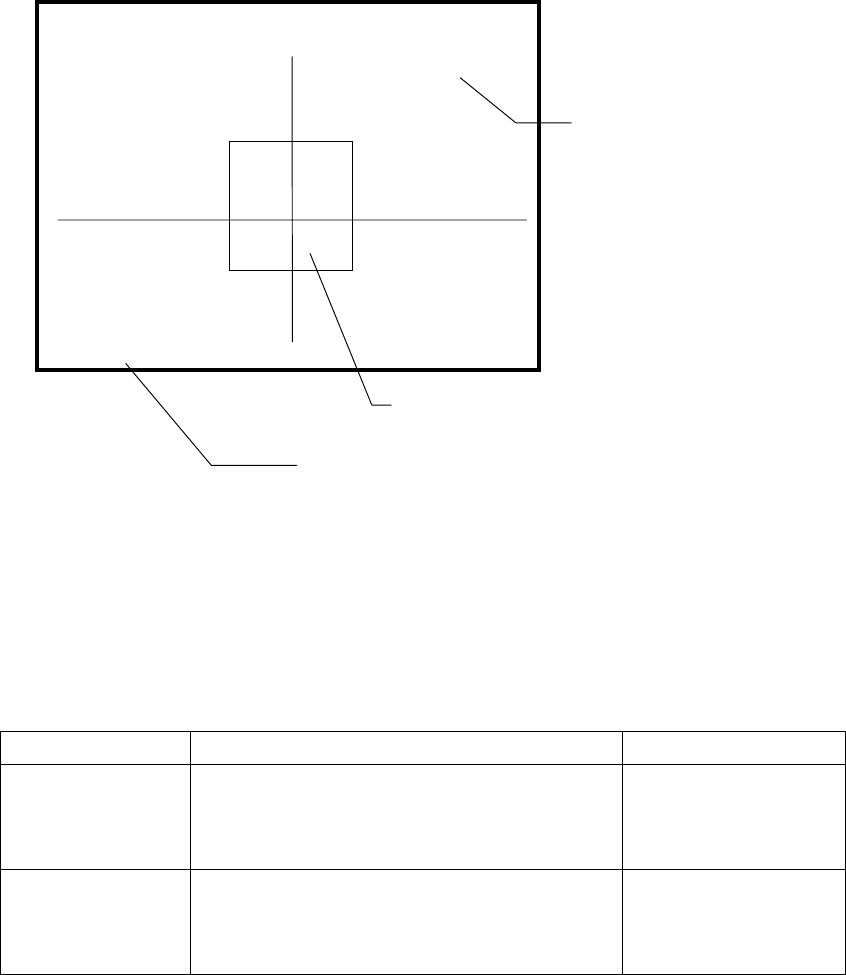
Component size Four corners of a component Center of a component
Component whose
shorter side is 4.5
mm or less
The window frame displayed on the monitor
indicates four corners of a component. A pick-up
point whose angle was set is displayed by rotating
the window frame itself.
Center of the point at
which lines are crossed.
Other components
(large components)
[CENTER] is displayed
on the monitor, then the
camera moves to the
center of a component.
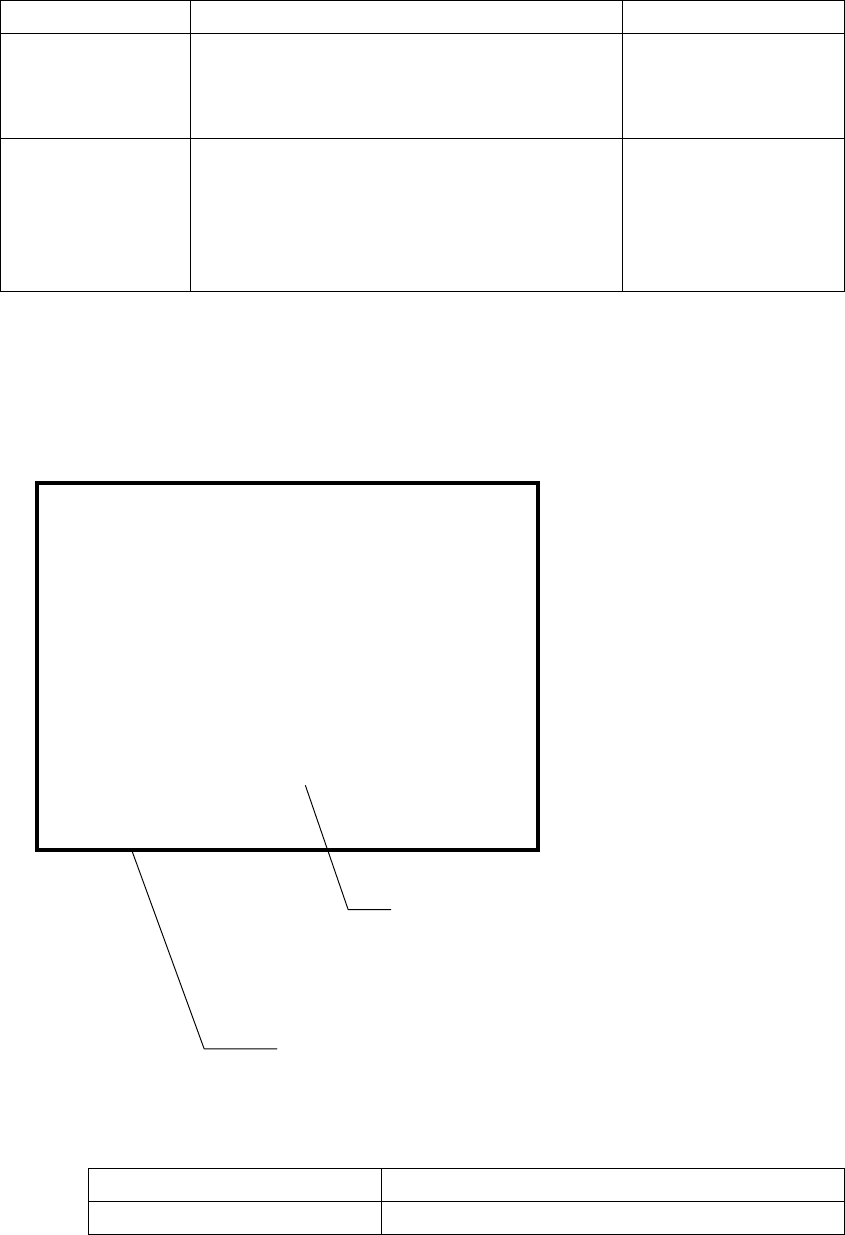
------- PICK XY TRACE -------
Station:L [CENTER]
Device:
Fdr No :
Compo:
Angle :
Pos X:
[CENTER]
indicates the center of a component.
[TOP-L] [TOP-R] [BTM-L] [BTM-R]
indicate four corners of a component
respectively: left on the top side,
right on the top side, left on the
bottom side and right on the bottom
side.
Indicates the coordinates viewed from the home position.
Indicates the center or four corners of a component.
4 – 229
(Rear feeder)
Component size Four corners of a component Center of a component
Component whose
shorter side is 4.5
mm or less
The window frame displayed on the monitor
indicates four corners of a component. A pick-up
point whose angle was set is displayed by rotating
the window frame itself.
Center of the point at
which lines are crossed.
Other components
(large components)
The camera moves to each set of coordinates of
four corners: [TOP-L], [TOP-R], [BTM-R] and
[BTM-L] in this order. For a component pick-up
point whose angle was set, the camera moves to
the coordinates obtained by rotating four corners.
After the camera moves
to all of four corners,
[CENTER] is displayed
on the monitor. The
camera moves to the
center of a component.
② Height tracking
While the HMS is tracking the component pick-up height, the following
information is displayed on the monitor.
The position measured with the HMS varies depending on the size of a
component as shown below.
Size of a component Component height measured position
All components Center of a component
------- PICK Z TRACE -------
Station:L
Device:
Fdr No :
Compo:
Angle :
Z :
Hms :
Pos
Indicates the coordinates viewed from the home position.
After the HMS stops at the center of a component, the
height specified in Pick data and that detected with the
HMS are displayed here.
If the HMS cannot detect the height, <*****> appears here.