KE2010.Instruction Manual.Ver.2.01,Rev.08.pdf - 第341页
4 – 234 4.12.4 Coplanarity inspection This comm and allows the machine to perf orm a coplanar ity check and obtain t he corresponding par ameter . 4.12.4.1 O peration Operation of the coplanar ity check is the sam e as t…
4 – 233
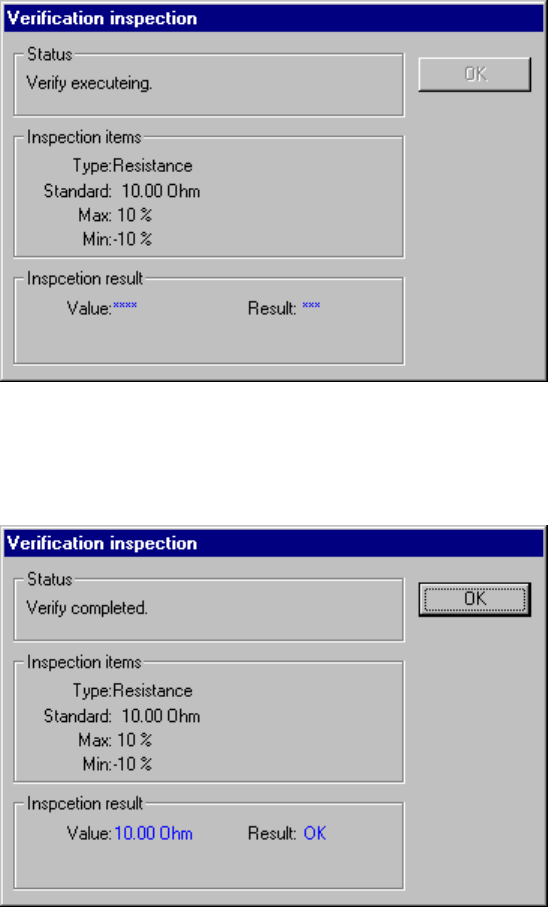
(9) Verification during tracking
The system can perform the verification check when the tracking operation
pauses.
The following screen appears when the system is performing the verification
check:
After the system finishes the verification check, it displays the result: “OK” or
“NG”.
4 – 234
4.12.4 Coplanarity inspection
This command allows the machine to perform a coplanarity check and obtain the
corresponding parameter.
4.12.4.1 Operation
Operation of the coplanarity check is the same as that described under Section
4.12.3 “Checking a component with vision recognition”.
To obtain the coplanarity parameters, enter the number of times you want to perform
a measurement operation in the edit box “Number of times” of the column “Copla
acquisition”, and click the <Acquire> button or press the F7 key.
To stop the coplanarity parameter obtaining operation, press the <STOP> key.
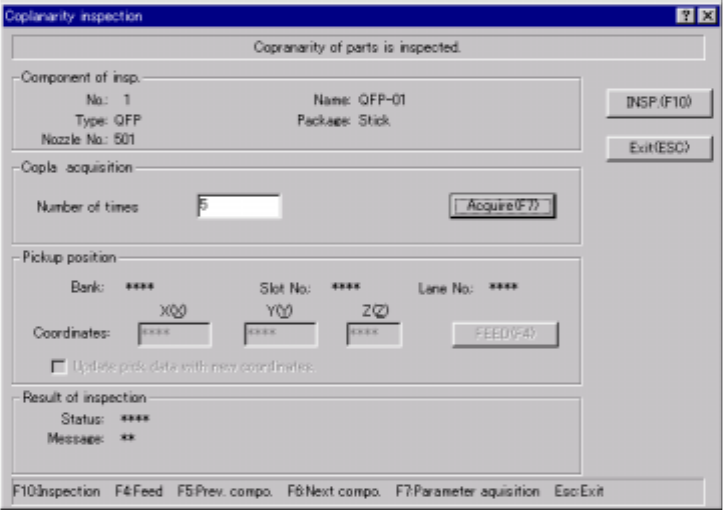
4.12.4.2 Coplanarity inspection dialog box
Select the [machine operation] command on the Program Editor screen, and the
[Inspection] command on the displayed “Machine operation” menu. Next, select
the [Coplanarity inspection] command. The following dialog box appears on the
screen.
When you click the <Exit (ESC)> button, the machine quits the coplanarity check.
Figure 4.12.4.1 “Coplanarity inspection” dialog box
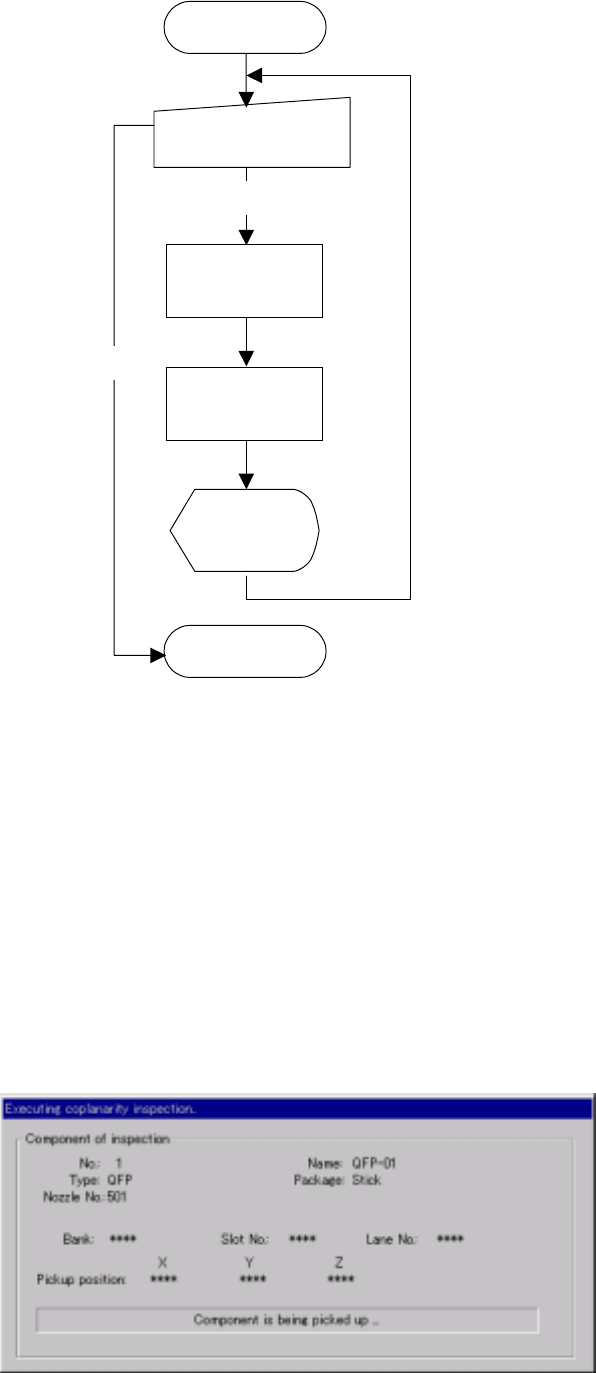
4.12.4.3 Overview of a coplanarity check
The operation flow for performing a coplanarity check is shown below.
4 – 235
Figure 4.12.4.2 Operation flow for performing a coplanarity check
4.12.4.4 Methods for checking coplanarity
The system exercises a series of controls over the vision centering function, and
then coplanarity check according to the settings of Component data, and checks to
see if no error occurs.
4.12.4.5 “Executing coplanarity inspection” dialog box
When you click the <INSP> button on the “Coplanarity inspection” dialog box, the
system executes a coplanarity check function, and the following dialog box appears
while the system is executing a coplanarity check function.
Figure 4.12.4.3 “Executing coplanarity inspection” dialog box
Execution of check
(on the dialog box)
Check
Check with vision
reco
g
nition
Display of the
result (on the
dialo
g
box
)
Start of
coplanarity check
Coplanarity check
End of
coplanarity check
End