KE2010.Instruction Manual.Ver.2.01,Rev.08.pdf - 第387页
6 − 11 (2) Compensat ion See Section 6.5 "Tr ial Run" to test -place components on one of the pr oduction PW B and check for t he deviations between elements and pads. W hen detecting any deviation, compensate …
6 − 10
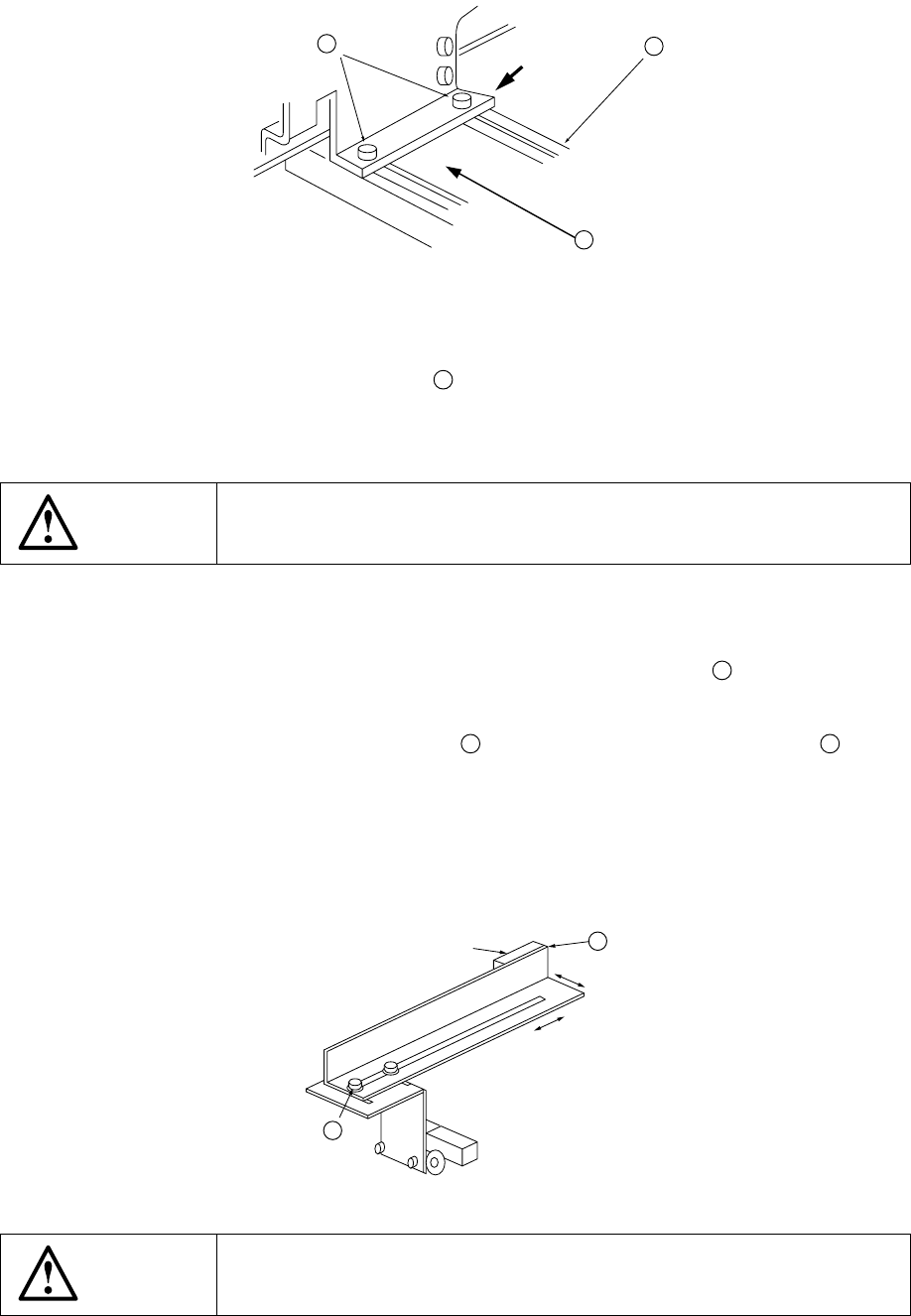
Figure 6.1.3.9
4) The STOP sensor ⑥ ⑲ and the C-OUT sensor ⑦ ⑳ are fixed with the
stopper assembly, and they move together with the stopper.
5) When the stopper assembly
39
has been moved, re-enter the position by
referring to "6.1.3.2- (6) Entering positions for the use of Board outline
reference".
WARNING
Before starting to work, turn off the power of the machine to avoid a risk
of injury caused by unpredictable activation of the machine.
c. Board sensor (Figure 6.1.3.10)
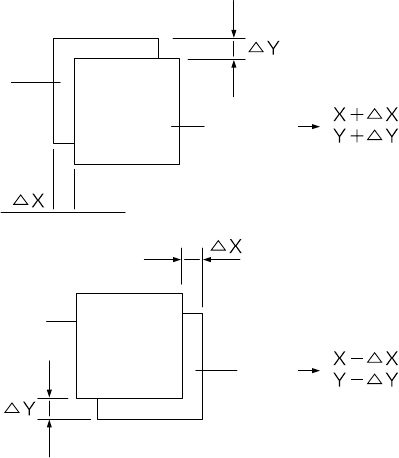
The sensing positions of the IN sensor ① and the OUT sensor ② can be
changed by changing the fixed position of the sensor bracket
42
.
1) Turn off the power of the machine.
2) Loosen also the M3 hexagonal bolt
43
used to fix the sensor bracket B
42
, and
move it backward and forward or to the left and right along the long hole.
3) After adjustment is complete, tighten the screws.
4) Check that setting to the board is performed in transportation system of manual
control or that of program edit.
Figure 6.1.3.10
WARNING
Before starting to work, turn off the power of the machine to avoid a risk
of injury caused by unpredictable activation of the machine.
39
41
40
Pushing
43
①
②
42
6 − 11
(2) Compensation
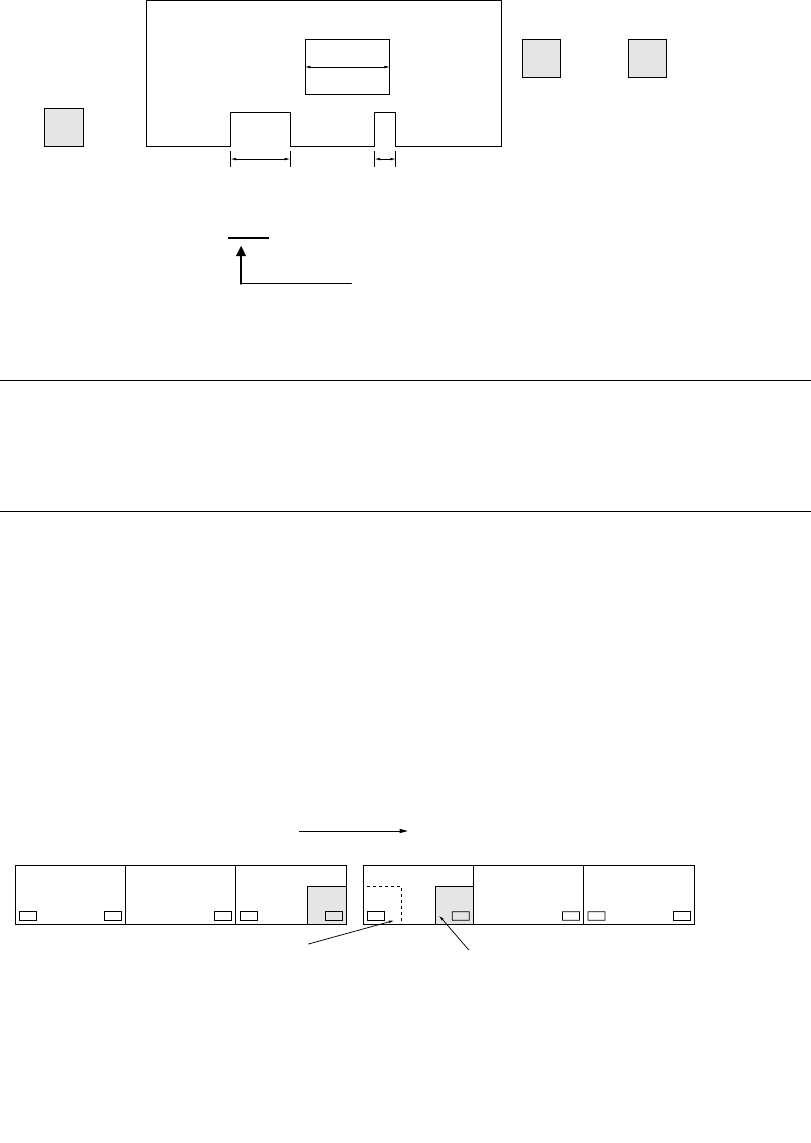
See Section 6.5 "Trial Run" to test-place components on one of the production
PWB and check for the deviations between elements and pads. When detecting
any deviation, compensate its X and Y coordinates in "Placement offset" in
Production mode.
Figure 6.1.3.11
(3) Notes on board transport
Note the following for board transport.
The three-motor conveyor uses the three buffers, so each operation (PWB
automatic transport, manual transport, and idle transport) is controlled according
these buffers.
Set PWBs above the IN sensor (Input buffer Entrance sensor), Stop sensor
(Centering buffer stop sensor) and OUT sensor (Output buffer Exit sensor)
respectively.
If a PWB is set between two sensors, various error occurs during board
transportation.
If a PWB is set above the C.OUT sensor, an error occurs also.
Pad
Pad
Element
Element
6 − 12
① Transport sensor delay time (See Section 7.2.2.8 "PWB conveyor" of Chapter
7 "MACHINE SETUP".)
IN
STOP C.OUT
W2
W1 W3
Cutouts length: W2 > W1 > W3
Set to W2 (Set to the longest one)
Example: Enter 10 mm or 20 mm.
Notes:
•
••
•
Do not set the delay of board transport sensor too long.
•
••
•
Especially be sure to set the value so that the sum of the PWB size (X
direction) and the delay setting should not exceed the maximum board
size (330 for the standard size, and 410 for the large size).
② When placing a board above the IN sensor, check that the red LED of the
sensor is lit.
③ When the machine stops operation because of an error of BOC mark
recognition, etc., recover it after stopping the machine on the previous stage
to enter it to the pause state.
④ <When the machine is connected to another machine>
NG
CENTER OUTIN
#1
CENTER OUTIN
#2
⑤ To produce boards with the connected machines, do not place a board in the
CENTER buffer nor OUT buffer.
(If a board is placed, it is fed to the next machine as the produced board.)
Transfer direction
If a board is located above the
OUT sensor of the machine #1
to be sent to the machine #2,
do not set a board above the IN
sensor of the machine #2
before production starts.
If a board is set above the
WAIT sensor, the board, which
is on the previous stage of the
machine #1, is set above the IN
buffer sensor after the board is
set above the Centering buffer
from the WAIT sensor.