KE2010.Instruction Manual.Ver.2.01,Rev.08.pdf - 第39页
1 − 22 1.2 Basic Configuration and Parts Identification 1.2.1 Entire sy stem views Figure 1.2.1. 1 Front View Figure 1.2.1. 2 Right Side View ① Vision monitor ⑤ Track ball ② LCD display ⑥ Signal tower ③ HOD unit ⑦ Main s…
1 − 21
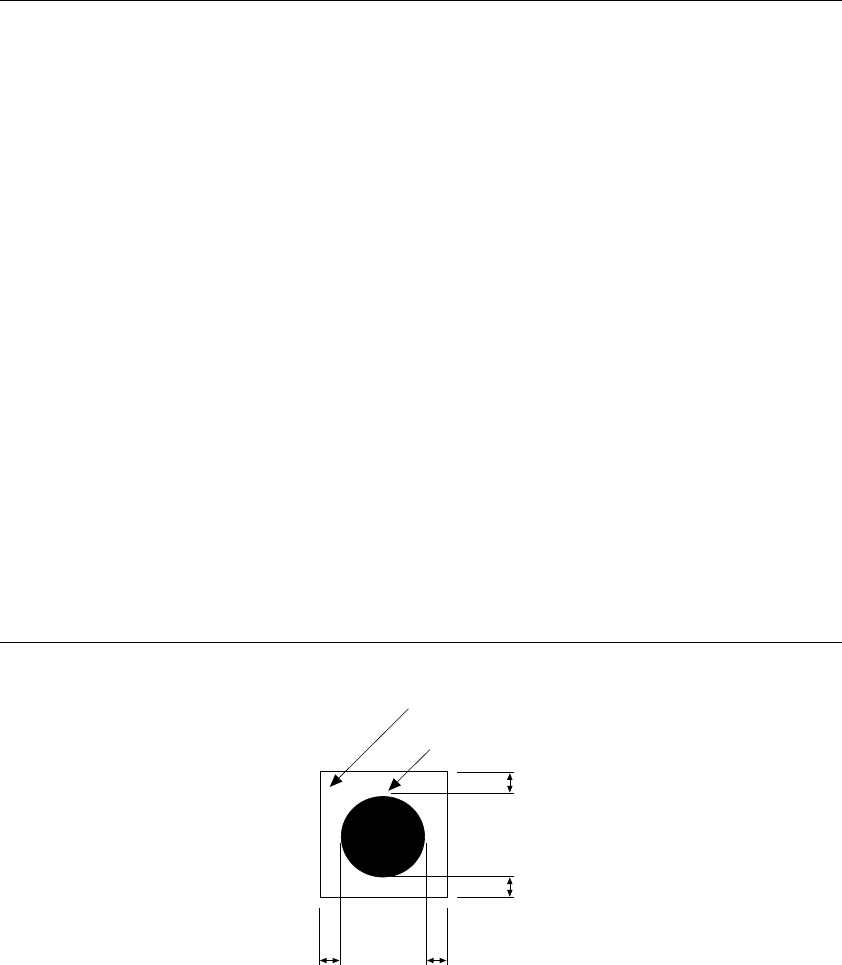
Notes: 1. When recognition, the mark shall be placed in the angle shown above.
However, if you specify "Use of each circuit mark" for a non-matrix PWB,
the mark can be recognized only when all marks of the reference circuit
are positioned in the angle described and the circuit is positioned at 90,
180, 270 or 360 degrees.
2. The fiducials of the same shape and same size is preferable within a
board.
3. When processing, copper foil or solder plating can be recognized.
4. Maximum number of marks which can be registered
Board mark: 1 set (2 marks or 3 marks)
IC mark: 50 sets (Pairs of 2 marks)
5. Items that can be registered
Mark number
Balance detection window
Normal/reverse rotation identification when detected
Mark shape
Outer dimensions
Effective value of projection
Matching
6. If there is no recognition mark on a board, register a user designated
template to allow the machine to recognize marks.
Figure 1.1.7.3
Clearance area
Recognition mark
0.5 mm or more mark
0.5 mm or more mark
0.5 mm or more mark
1 − 22
1.2 Basic Configuration and Parts Identification
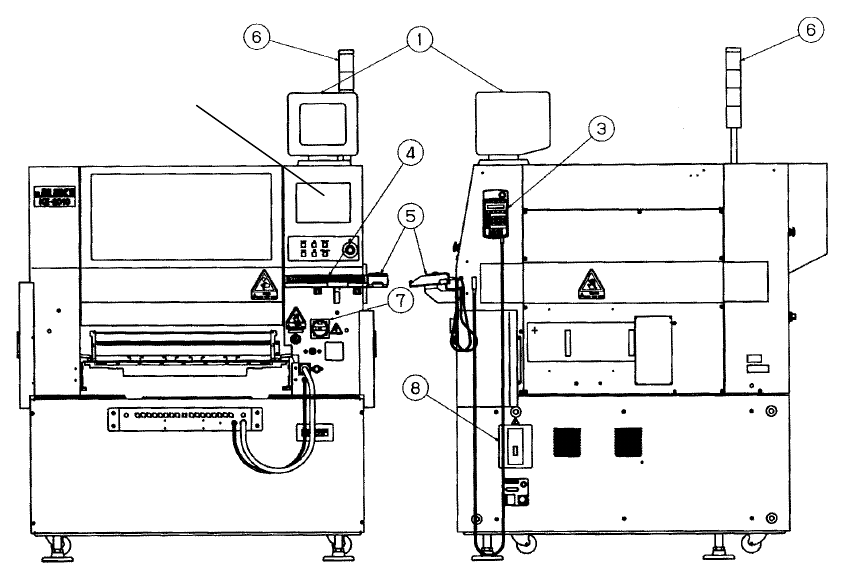
1.2.1 Entire system views
Figure 1.2.1.1 Front View Figure 1.2.1.2 Right Side View
① Vision monitor ⑤ Track ball
② LCD display ⑥ Signal tower
③ HOD unit ⑦ Main switch
④ Keyboard ⑧ No-fuse breaker
②
1 − 23
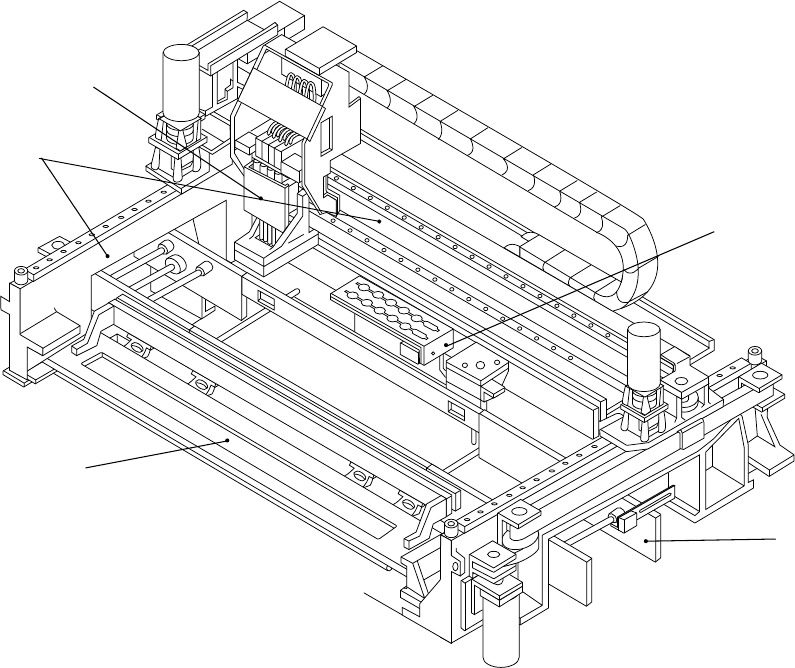
Figure 1.2.1.3
①
ATC unit
④
PWB transfer unit
②
Head unit
⑤
Feeder bank unit
③
X-Y unit
①
④
⑤
③
②