KE2010.Instruction Manual.Ver.2.01,Rev.08.pdf - 第396页
6 − 20 ② Items to be set No. Item Description 1 Initial Set the number of components supplied as packed and before they are used. The number of remained components displayed in the "Remain" field also changes w…

6 − 19
⑦ Starting pos. (Position)
This setting is effective for the board which put in production halt after some
components are already placed.
Or, if necessary, a new number can be entered to start newly the production
at a specific sequence. This setting is effective, however, only for the first
board if the "Prod. PWB" is set to two or more.
For the "Ckt. No" field, the number of circuits of the production board is
displayed.
For a single pattern board, "1" is displayed at the "Ckt. No" field, and any
circuit number other than 1 cannot be set in the "Circuit" field.
6.2.1.2 Setting the number of components
After setting components to the component feeder unit specified in Pick data (Tape
feeder, Stick feeder, Bulk feeder), set the number of the components to be supplied to
the main body.
When the number of remaining components becomes below a certain level, it is
possible to flash the yellow signal light for warning. This can be done by setting the
number of components.
If a pick up retry over error occurs at a feeder, the feeder is regarded as faulty, and is
skipped over to continue production. To continue the production after adjusting the
machine for correct pick up of the components, this error status must be reset. The
reset operation can also be performed by setting the number of components.
(1) Setting items
① Items being displayed when called
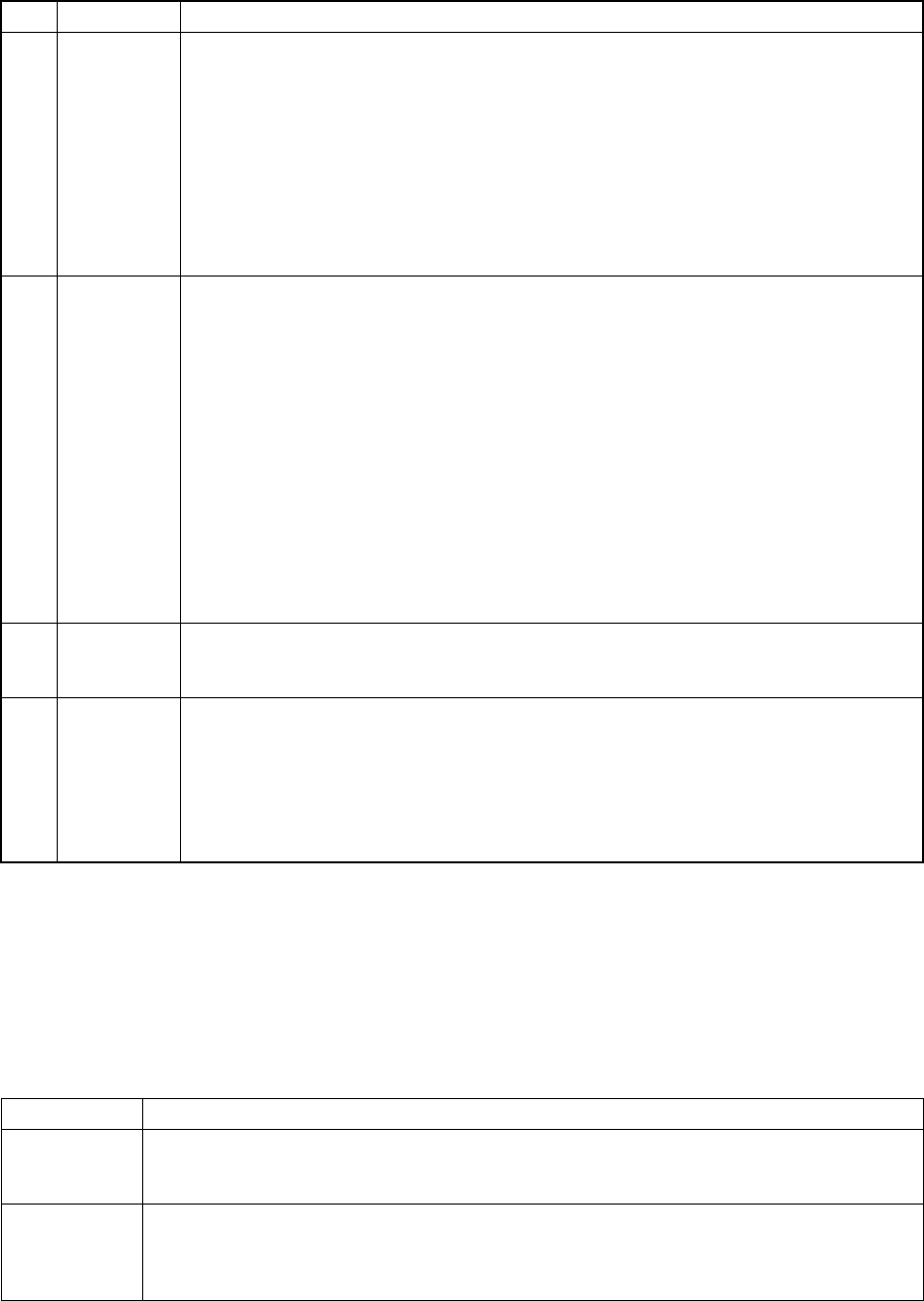
No. Item Description
1 Sply (Supply) Shows the component supplied position. (LF: left front, LR: left rear, RF: right front,
RR: right rear)
2 L Shows the lane for a stick feeder.
3 Pkg. (Package) Shows the package of components. (Tape, stick, bulk, etc.)
4 Component name Shows the name of components.
6 − 20
② Items to be set
No. Item Description
1 Initial Set the number of components supplied as packed and before they are used. The
number of remained components displayed in the "Remain" field also changes when the
initial setting is changed or a new value is entered.
・
When "0" is set for a feeder component
The subtraction of the remained number is not performed, and the machine continues
placing components on a board until a retry over error occurs.
・
When a number other than "0" is set
This value is entered for as remaining number also when the [Replenish component]
command is used. The remaining number is counted down, and when it becomes
below the specified value, the signal light flashes to warn the operator.
2 Remain
・
Displays the number of remaining components when the number of components is
referred to.
The number is counted down every time a component is picked during production.
・
No subtraction is made when the value set in the "Initial" field is 0.
・
When the initial value is changed, the number of remaining components changes
accordingly.
Only the number of remaining components can be changed depending on the supplied
components.
・
When the number of components becomes below the specified value, the signal light
flashes to warn the operator.
・
For a tape, stick, or bulk feeder, if the number of remaining components becomes 0,
subtraction stops. In this case, however, the components are picked up until a retry
over error occurs.
When a retry error over occurrs, the machine is put in error status.
3 Level When the number of remaining components becomes below the specified value in the
“Level” field, the yellow signal light flashes to warn the operator. This is not effective
when the initial value is set to 0. When a initial value is set, this field is initialized.
4 Warning Displays a component feeding error.
*: This indicates that the number of components is below the specified value.
E: This indicates that a pick up retry over occurred, and pick up action from that feeder is
stopped.
To exit from this status, enter newly the number of remaining components or use the
reset command.
• For a tray component, an error is set when the "Remain" item shows zero.
• When two or more trays are provided, the signal light flashes in yellow only by
checking the number of remaining components on the last tray.
(2) Flashing the yellow signal light
In the following status, the signal light flashes in yellow to warn the operator.
Feeder type Conditions under which the yellow signal flashes
Tape feeder
Stick feeder
Bulk feeder
For each feeder:
- When the number of remaining components becomes below the specified value.
- When a pick up retry over occurred.
Tray holder
MTC
MTS
For each feeder:
- When the number of remaining components becomes below the specified value.
- When a pick up retry over occurred.
- When components whose number was set are all used..
6 − 21
(3) Operation
① Invocation
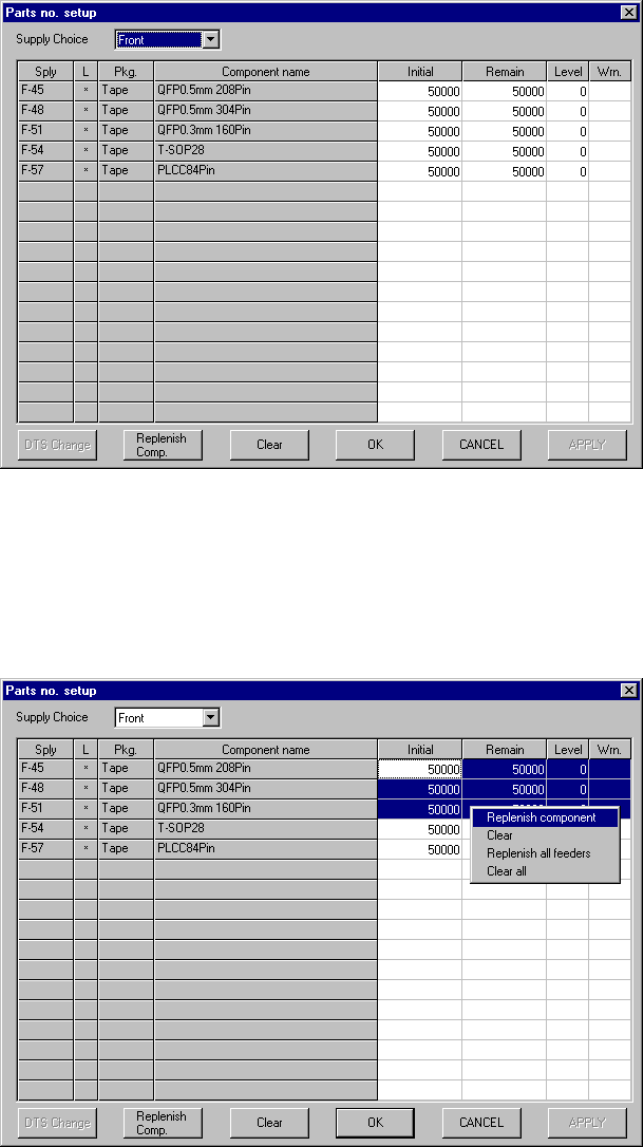
Select the [Tool] command in the menu bar of the PWB production screen,
then the [Parts no. setup] command. Figure 6.2.1.2.1 shows the "Parts no.
setup" screen.
Figure 6.2.1.2.1 Component number setup screen
② Operation
Figure 6.2.1.2.2 shows the "Parts no. setup" screen when "Front" is selected
as the "Supply Choice".
Figure 6.2.1.2.2 Parts no. setup screen for components set on the front side