KE2010.Instruction Manual.Ver.2.01,Rev.08.pdf - 第397页
6 − 21 (3) Oper ation ① Invocati on Select the [ Tool] com mand in the menu bar of t he PW B production screen, then the [Par ts no. setup] command. Figure 6.2. 1.2.1 shows the "Part s no. setup" screen. Figure…
6 − 20
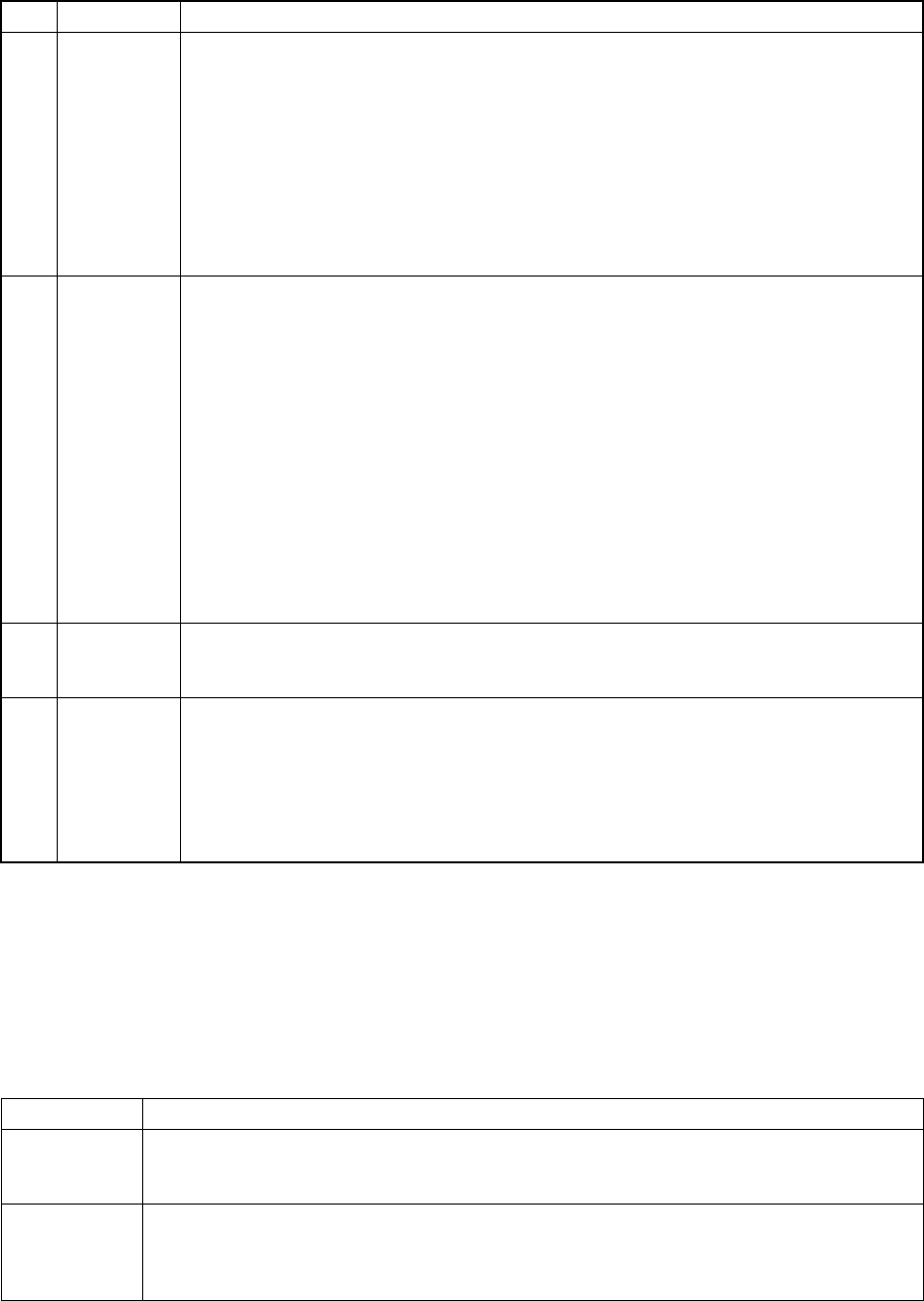
② Items to be set
No. Item Description
1 Initial Set the number of components supplied as packed and before they are used. The
number of remained components displayed in the "Remain" field also changes when the
initial setting is changed or a new value is entered.
・
When "0" is set for a feeder component
The subtraction of the remained number is not performed, and the machine continues
placing components on a board until a retry over error occurs.
・
When a number other than "0" is set
This value is entered for as remaining number also when the [Replenish component]
command is used. The remaining number is counted down, and when it becomes
below the specified value, the signal light flashes to warn the operator.
2 Remain
・
Displays the number of remaining components when the number of components is
referred to.
The number is counted down every time a component is picked during production.
・
No subtraction is made when the value set in the "Initial" field is 0.
・
When the initial value is changed, the number of remaining components changes
accordingly.
Only the number of remaining components can be changed depending on the supplied
components.
・
When the number of components becomes below the specified value, the signal light
flashes to warn the operator.
・
For a tape, stick, or bulk feeder, if the number of remaining components becomes 0,
subtraction stops. In this case, however, the components are picked up until a retry
over error occurs.
When a retry error over occurrs, the machine is put in error status.
3 Level When the number of remaining components becomes below the specified value in the
“Level” field, the yellow signal light flashes to warn the operator. This is not effective
when the initial value is set to 0. When a initial value is set, this field is initialized.
4 Warning Displays a component feeding error.
*: This indicates that the number of components is below the specified value.
E: This indicates that a pick up retry over occurred, and pick up action from that feeder is
stopped.
To exit from this status, enter newly the number of remaining components or use the
reset command.
• For a tray component, an error is set when the "Remain" item shows zero.
• When two or more trays are provided, the signal light flashes in yellow only by
checking the number of remaining components on the last tray.
(2) Flashing the yellow signal light
In the following status, the signal light flashes in yellow to warn the operator.
Feeder type Conditions under which the yellow signal flashes
Tape feeder
Stick feeder
Bulk feeder
For each feeder:
- When the number of remaining components becomes below the specified value.
- When a pick up retry over occurred.
Tray holder
MTC
MTS
For each feeder:
- When the number of remaining components becomes below the specified value.
- When a pick up retry over occurred.
- When components whose number was set are all used..
6 − 21
(3) Operation
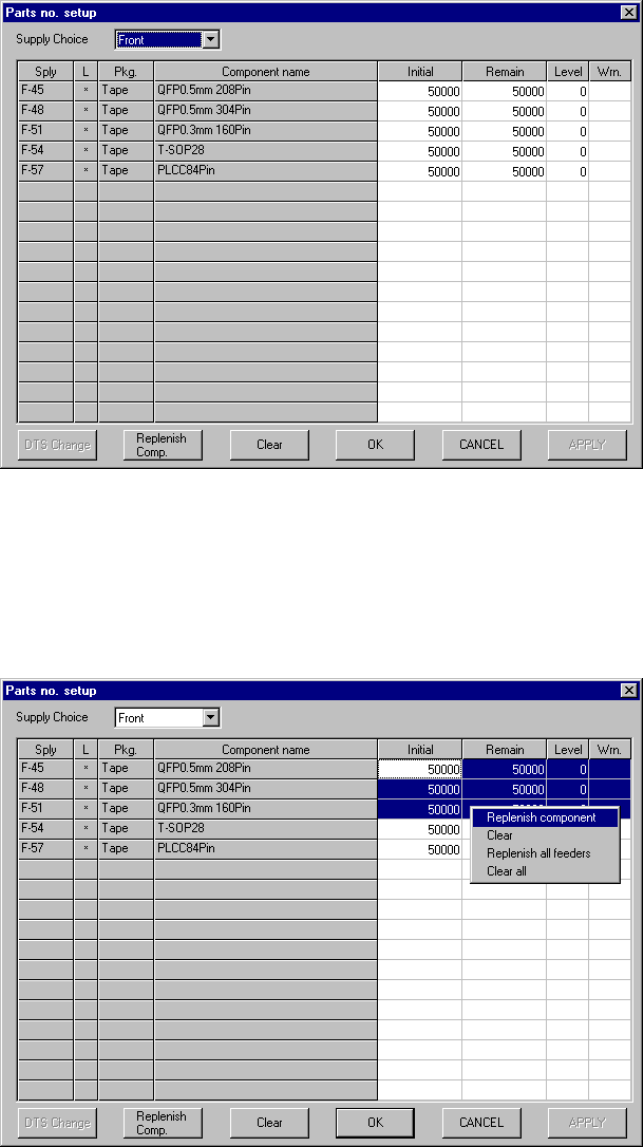
① Invocation
Select the [Tool] command in the menu bar of the PWB production screen,
then the [Parts no. setup] command. Figure 6.2.1.2.1 shows the "Parts no.
setup" screen.
Figure 6.2.1.2.1 Component number setup screen
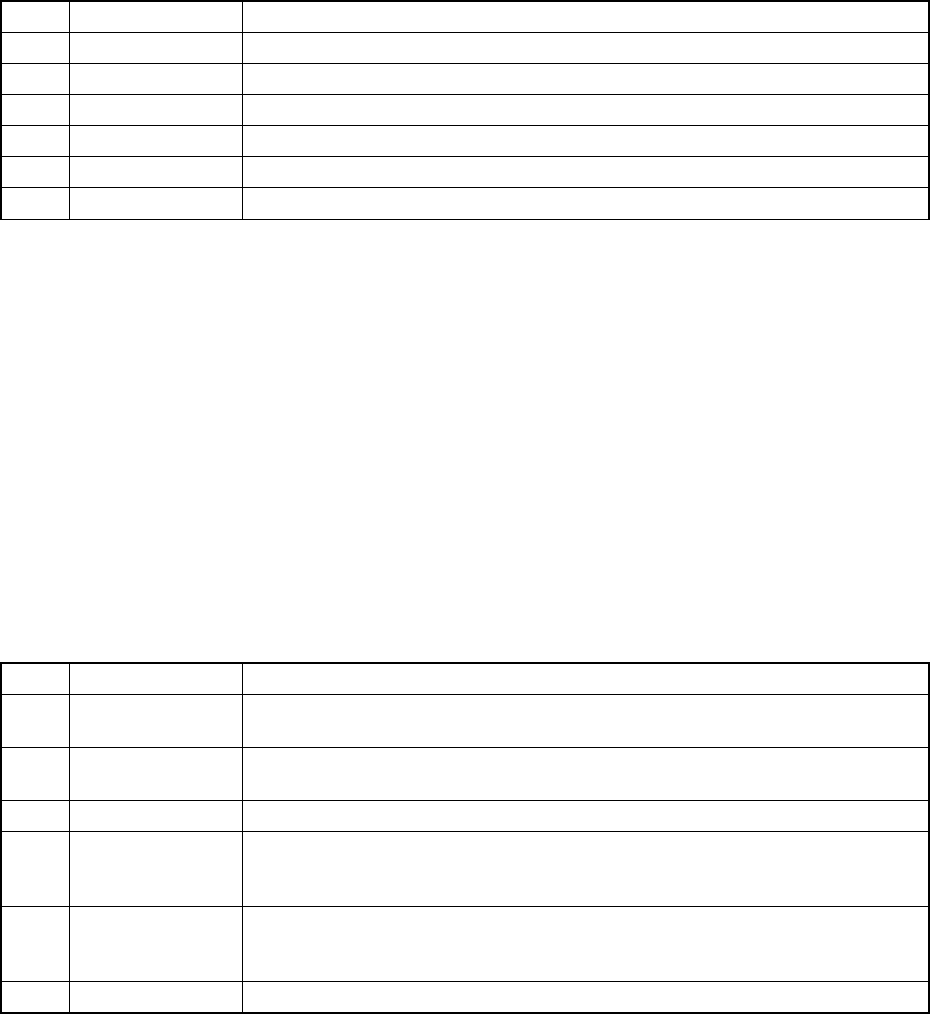
② Operation
Figure 6.2.1.2.2 shows the "Parts no. setup" screen when "Front" is selected
as the "Supply Choice".
Figure 6.2.1.2.2 Parts no. setup screen for components set on the front side
6 − 22
Supply Choice:
This combo box is used for switching the Parts no. setup screen:
screen for components set on the front side or that for rear side.
No. Item Description
1 Front Displays the components set on the front side only.
2 Rear Displays the components set on the rear side only.
3 Holder Displays the components set on the holder.
4 DTS Displays the components set on the DTS.
5 MTC Displays the components set on the MTC.
6 MTS Displays the components set on the MTS.
Initial: Enter an initial number of components at the field at which the
input focus is located.
Remain: Enter the number of remaining components at the field at which
the input focus is located.
Level: At the field at which the input focus is located, enter the level of
the number of remaining components at which a warning is
output.
Warning: The input focus does not move to this item. The indication
disappears when the number of remaining components is
validated or when the component replenishing command is
executed.
③ Descriptions of the buttons displayed on the screen
No. Button Description
1 DTS change Replaces a tray of the DTS with another one. You cannot select this button if any
DTS component is not specified with the production program.
2 Replenish Comp Enters the value set in the "Initial" field into the "Remain" field of the line at which
the input focus is located, and clears all warnings.
3 Clear Set a value in the “Initial” field to the “Remain” field, and clears all warnings.
4 OK Validates the settings in the displayed "Parts no. setup" screen, quits this screen,
then returns to the screen form which you called this command, the "Production
conditions" or "Production status" screen.
5 Cancel Quits the "Parts no. setup" screen without validating the settings on this screen,
then returns to the screen from which you called this command, the "Production
conditions" or "Production status" screen.
6 APPLY Validates the settings on the "Parts no. setup" screen.