KE2010.Instruction Manual.Ver.2.01,Rev.08.pdf - 第403页
6 − 27 Display ed message Description PW B transferring A board is being transported. IC mark recognizing The machine is processing the recognized IC mark data. BOC mark recognizing The machine is recognizing a BO C mark…

6 − 26
① Prod. Rest number
Prod. Number : The total number of PWBs to be processed, which
has been set in the "Production condition"s
screen.
Result number : The number of PWB that have been already
processed.
* When the item "Accumulate planned number of boards produced" is
selected on the Production (Display) tag of the Operation option menu
(Figure 11.4.2), counting starts from the "Prod" value (See Chapter 11).
When the item "Count down the number of boards produced" is selected on
the Production (Display) tag of the Operation option menu, this field
displays the number of PWBs that have not been produced yet.
② Production mode
Shows the current production mode (Parallel, Sequential or Mixed). (This is
available only when your model is a KE-2030.)
③ Ckt. No.
Shows the number of a circuit on which a component is to be picked, then
placed by the heads.
④ Step No.
Shows the number when created with the placement data of the component
to be picked, then placed by the heads.
⑤ Total No.
Shows the number of components to be placed on a board (Maximum :
"number of placed components" multiplied by the "number of circuits".)
⑥ Pick Pos. (Position)
Shows the feeder number from which the heads pick up components.
Note: Since an MTC itself searches a level to supply components when the
stocked components run out, the level displayed may be different from the
actual one in case of components supplied from an MTC.
⑦ Nozzle No.
Shows the number of the nozzle which is attached on the heads.
⑧ Compo (Component) Name
Shows the name of components which are picked up with the heads.
⑨ Compo. (Component) ID
Shows the component ID of a component to be picked, then placed by the
heads.
⑩ Sequence
Shows the component placement sequence being currently performed.
⑪ Production status
Displays the current production status of the machine as follows:
6 − 27
Displayed message Description
PWB transferring A board is being transported.
IC mark recognizing The machine is processing the recognized IC mark data.
BOC mark recognizing The machine is recognizing a BOC mark.
Bad mark detecting The machine is detecting a bad mark.
Placement position The machine is placing a component or moving to the component placement
position.
Pick-up position The machine is picking up a component or moving to the component pick-up
position.
COPLA recognizing The machine is recognizing a COPLA
Attaching a nozzle The machine is mounting a nozzle or moving to the nozzle mounting position.
Returning a nozzle The machine is returning a nozzle or moving to the nozzle return position.
Discarding a component The machine is discarding a component or moving to the component discarding
position.
Bank mark reading The machine is reading a bank mark.
Other positions The machine is performing an operation not described above.
⑫ All Placed
Shows the total number of components placed on a board.
(2) Pause
To temporarily stop board production, press the <STOP> switch on the operator
panel.
When the <STOP> switch is pressed in the Continuous execution mode, or when
the production in the Step execution mode stops at a step position, the machine
enters the pause status.
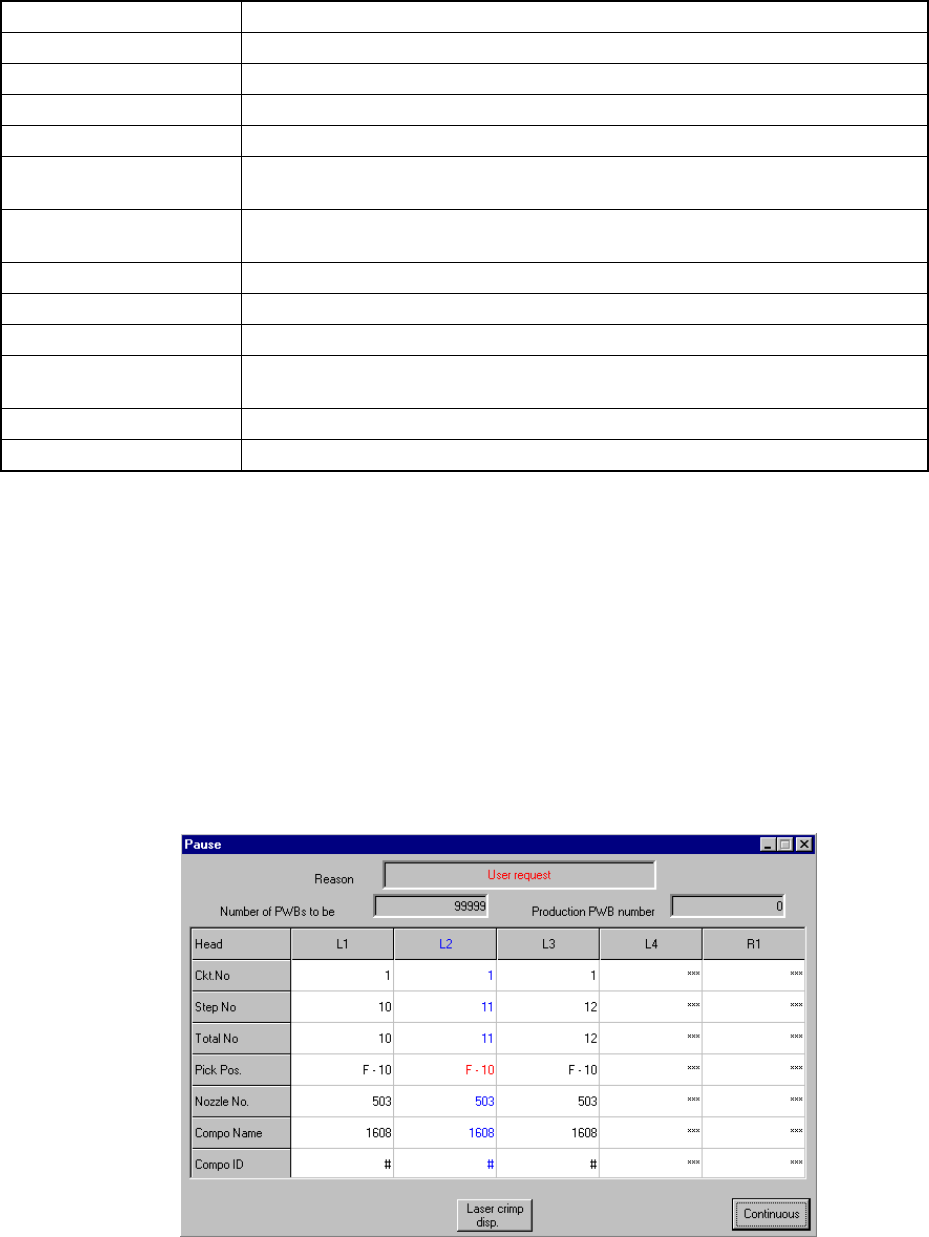
Figure 6.2.2.3 shows the Pause dialog box.
Figure 6.2.2.3 Pause status screen
When the <START> switch is pressed, the Pause dialog box disappears and the
machine exits from the pause status. When the <STOP> switch is pressed, the
machine goes to production interrupt processing.
6 − 28
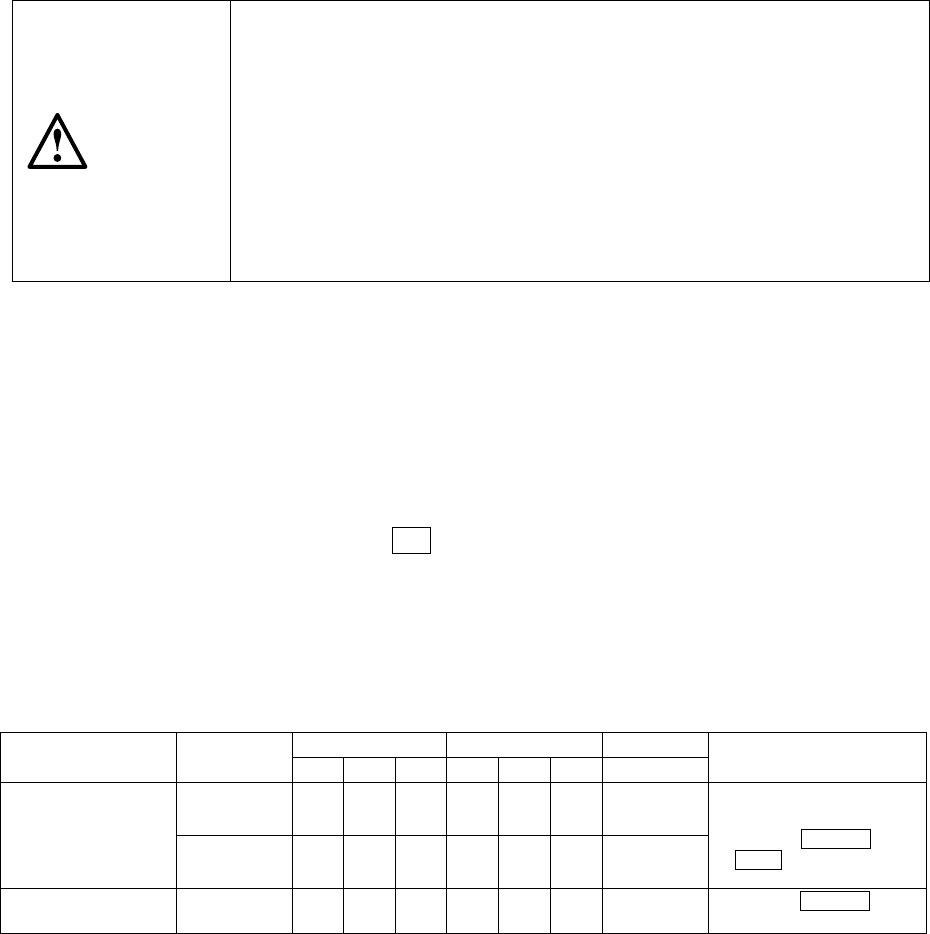
CAUTION
The head starts to move immediately after the <START> switch is
pressed, and then the machine starts PWB production.
To avoid a risk of injury, do not place your hand in the machine, nor
move your face or head close to the machine during operation.
Before pressing the <START> switch, check that there is no one who is
working in the machine.
Before pressing the <START> switch, check that there is no one who
can be injured when the head starts to move.
Before pressing the <START> switch, check that there are no obstacles
(tools and jigs) attached or left in the machine.
In the pause status, it is possible to change the pickup position, position of
placement, and vacuum pressure by teaching.
When "Step" is checked as the Exec. mode on the "Production conditions" screen,
the "Pause" dialog box (Figure 6.2.2.3) appears too without displaying the
Production status screen when the <START> switch on the operation panel is
pressed to start production.
When the system stops in Step production mode, or when it pauses in Continuous
production mode, press the F8 key to change the execution mode to
Continuous/Step and vice versa. Clicking the <Continuous> or <Step> button
change Execution mode also. The <Continuous> or <Step> button displayed on
the dialog box switches Production mode also.
When the machine is put in the pause mode during production, the following data
can be taught according to the cause and position of the pause.
Pick data Placement data Mark data
Cause Position
X,Y Z Vac X,Y Z Vac X, Y
Remarks
Pick point ○ ○ ○
User request by a key
Cover opened
Feeder bank lifted
down
Feeder rise detected
Placement
point
○ ○
- Starts from XY teaching
- Effective HOD device
keys are CAMERA and
HEAD
Mark recognition
error
Mark position ○
- Only the CAMERA key is
effective.
1. Teaching of pick points is set in the order of input, and only possible for
sequential pickup.
2. Teaching of placement points is possible only during reference circuit pattern
placement, and is not possible for the boards with which a bad mark of
reference circuit pattern is detected.
3. Teaching of vacuum pressure at the pick point can be performed in the
following steps with the HOD manually.
Picking a component by moving down the Z axis
→
Teaching the vacuum
the pressure
→
Discarding the component
4. Teaching of the vacuum pressure at the placement point is performed as it is
to be and vacuum cannot be set to ON/OFF.
5. Teaching of the vacuum pressure is set for the component data which is
referred to by the placement data or the pick data being taught.