KE2010.Instruction Manual.Ver.2.01,Rev.08.pdf - 第409页
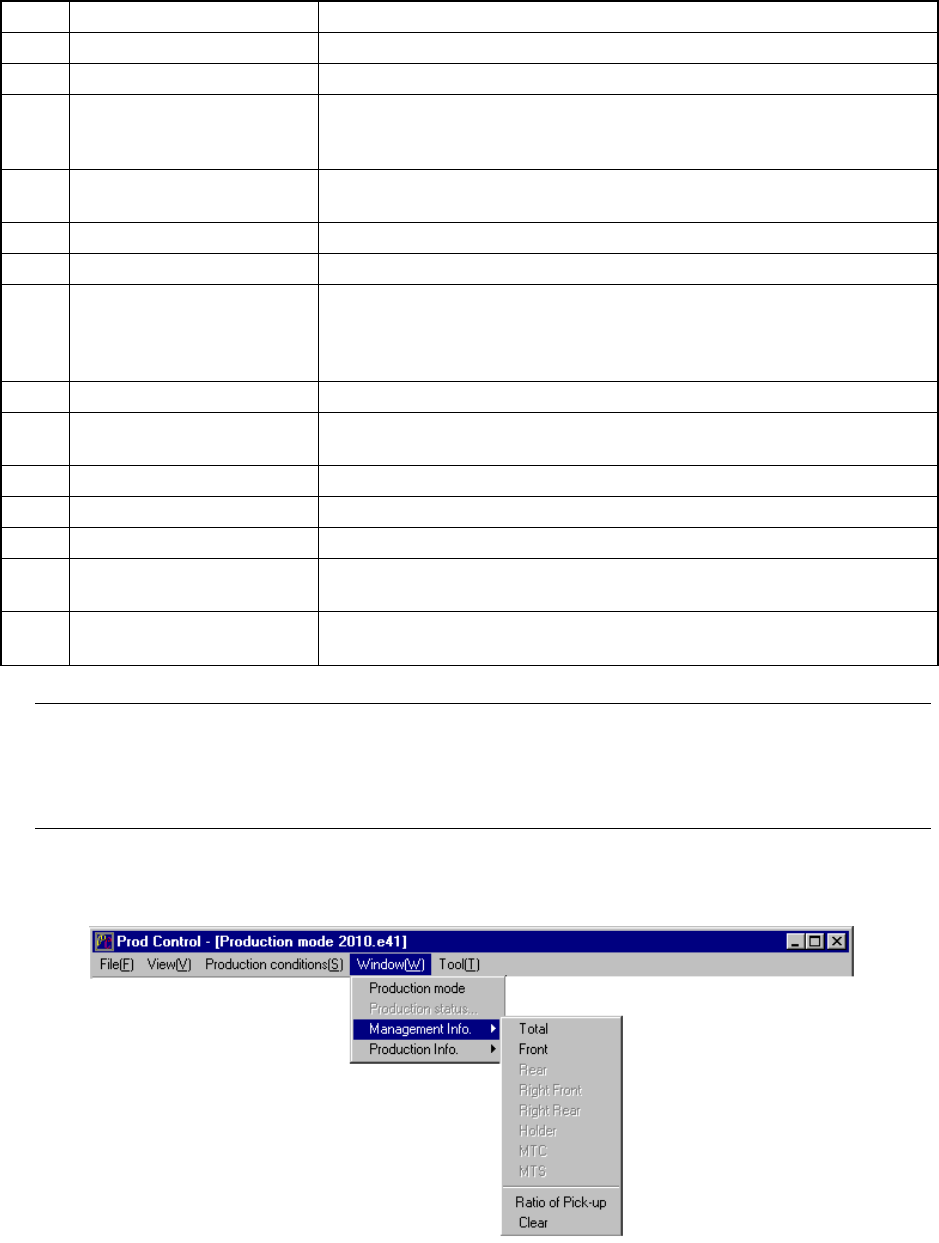
6 − 33 ① Total T o display the production manag ement inf orm ation, select t he [W indow] command f rom t he menu bar, t he [Management I nfo. ] command on t he displayed menu af ter you select the [ W indow ] comm and,…
6 − 32
②
Management information per feeder
No. Item Description
1 Total Picked The number of pick-up operations from the feeder.
2 Picked The number of components successfully picked from the feeder.
3 Total Miss The number of components that are lost from the feeder.
(“Total Picked” – “Retry” × (“Retry” of Component data + 1) – “Placed”)
<For an MTC only, (Total Picked” – “Placed”)
4 Placed The number of components successfully picked , then placed from the
feeder.
5 Pick Err. The number of pickup errors occurred at the feeder.
6 Empty Comp. How many times the stocked components run out at the feeder.
7 Retry The number of retry over errors occurred at the feeder.
(The machine picks up a component the number of times set at the menu
item “Retry” on the Component data screen, and increases the counter by
“1” if it cannot pick up a component.)
8 LA Recog The number of laser recognition retry over errors occurred at the feeder.
9 Vrecog The number of VCS recognition errors which occurred at the feeder
(available with a KE-2020/2040 only.)
10 Lead The number of components whose bent lead(s) was (were) detected.
11 Dimension The number of components whose dimensions were incorrect.
12 Vrfy The number of components which causes a verify errors.
13 Chip The number of components that are picked from the feeder and cause a
chip rise error.
14 Cpla The number of components whose floating lead(s) was (were) detected
with the coplanarity check.
Note: For a component fed by a feeder, the retry error means that the stocked
components run out. For a component fed by a tray, when the number of
remaining components reaches zero, it is regarded as “Empty Comp.” error, and the
retry over error is detected according to the number of retries already performed.
6.2.3.1 Basic operation to display production management information
6 − 33
① Total
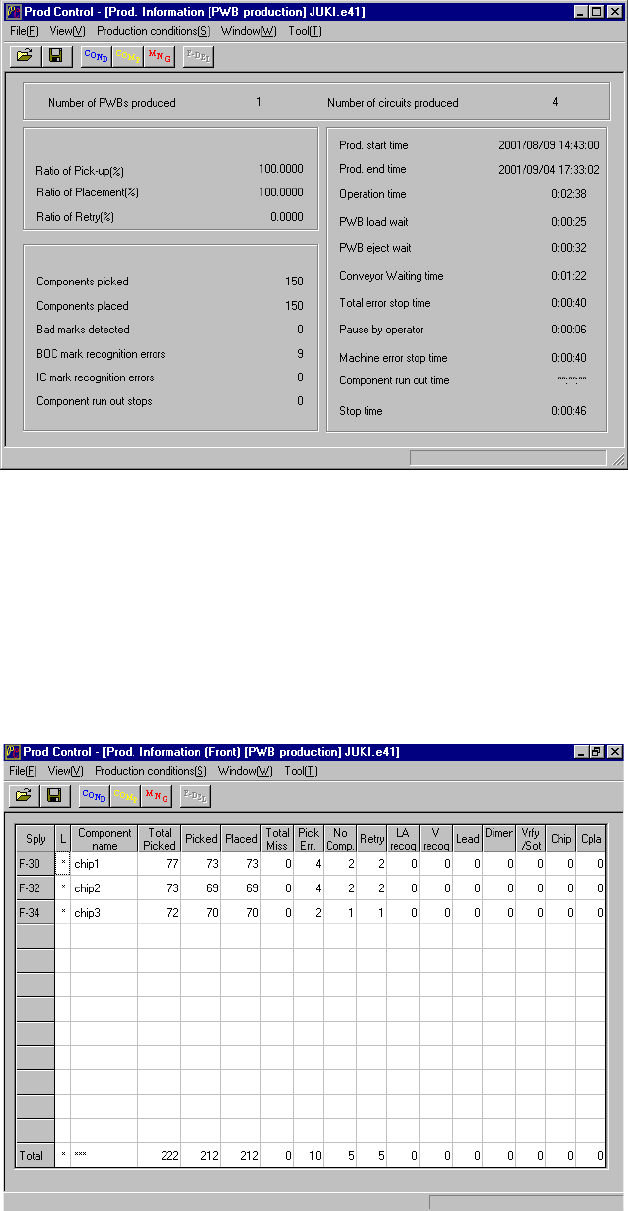
To display the production management information, select the [Window]
command from the menu bar, the [Management Info.] command on the displayed
menu after you select the [Window] command, then the [Total] command. The
screen shown in Figure 6.2.3.1.1 appears.
Figure 6.2.3.1.1 Prod. Information (Total)
② Front
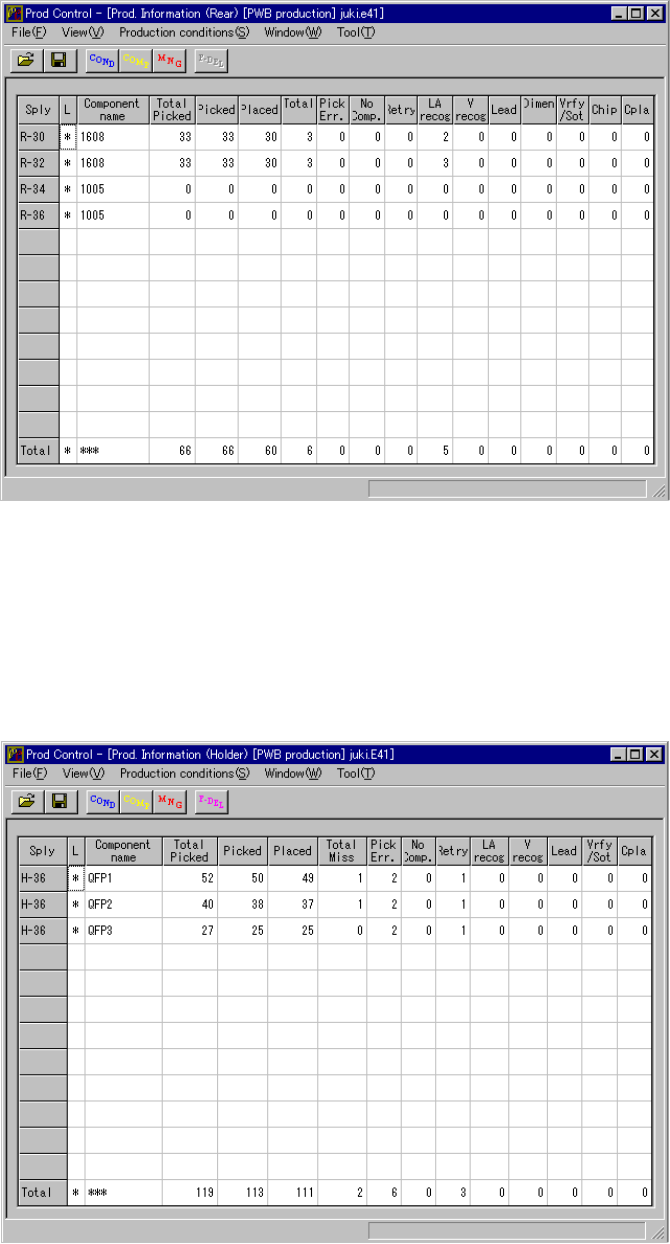
When you select the [Window] command from the menu bar, the [Management
Info.] command on the displayed menu, then the [Left Front] command, the
screen shown in Figure 6.2.3.1.2 appears.
Figure 6.2.3.1.2 Prod. Information (Front)
6 − 34
③ Rear
When you select the [Window] command from the menu bar, the [Management
Info.] command on the displayed menu, then the [Rear] command, the screen
shown in Figure 6.2.3.1.3 appears.
Figure 6.2.3.1.3 Prod. Information (Rear)
④ Holder
When you select the [Window] command from the menu bar, the [Management
Info.] command on the displayed menu, then the [Holder] command, the screen
shown in Figure 6.2.3.1.4 appears.
Figure 6.2.3.1.4 Prod. Information (Holder)