KE2010.Instruction Manual.Ver.2.01,Rev.08.pdf - 第410页
6 − 34 ③ Rear W hen you select the [W indow] command from the menu bar , the [Management Inf o.] comm and on the displayed menu, then t he [Rear] com mand, the scr een shown in Figure 6.2.3. 1.3 appears. Figure 6.2.3.1. …
6 − 33
① Total
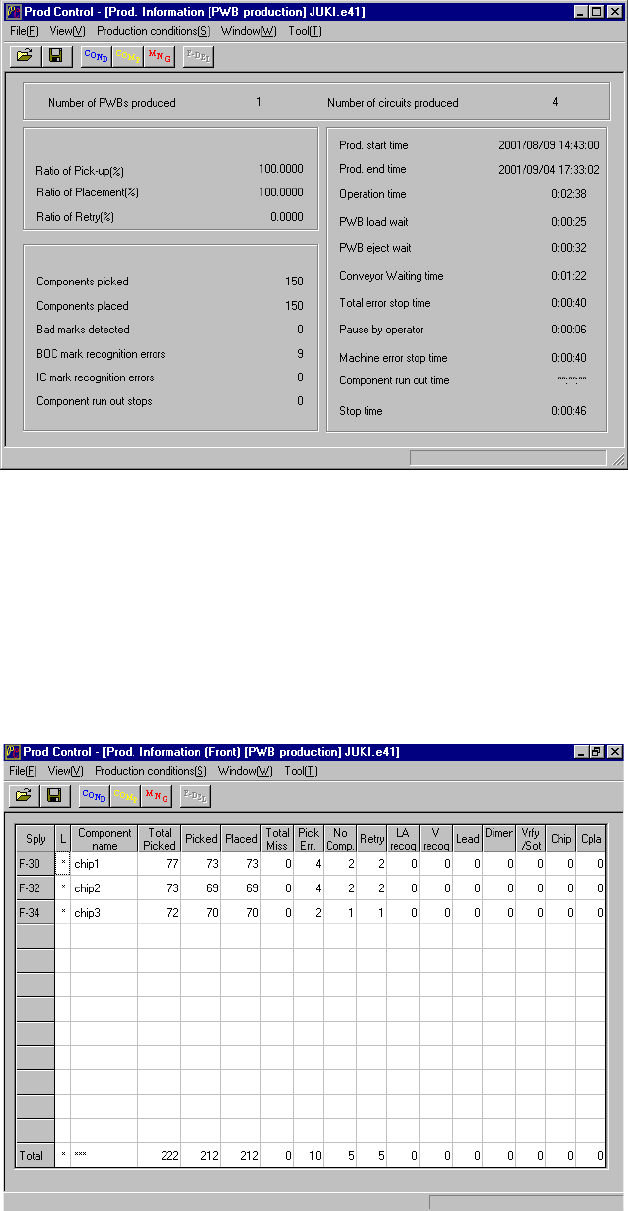
To display the production management information, select the [Window]
command from the menu bar, the [Management Info.] command on the displayed
menu after you select the [Window] command, then the [Total] command. The
screen shown in Figure 6.2.3.1.1 appears.
Figure 6.2.3.1.1 Prod. Information (Total)
② Front
When you select the [Window] command from the menu bar, the [Management
Info.] command on the displayed menu, then the [Left Front] command, the
screen shown in Figure 6.2.3.1.2 appears.
Figure 6.2.3.1.2 Prod. Information (Front)
6 − 34
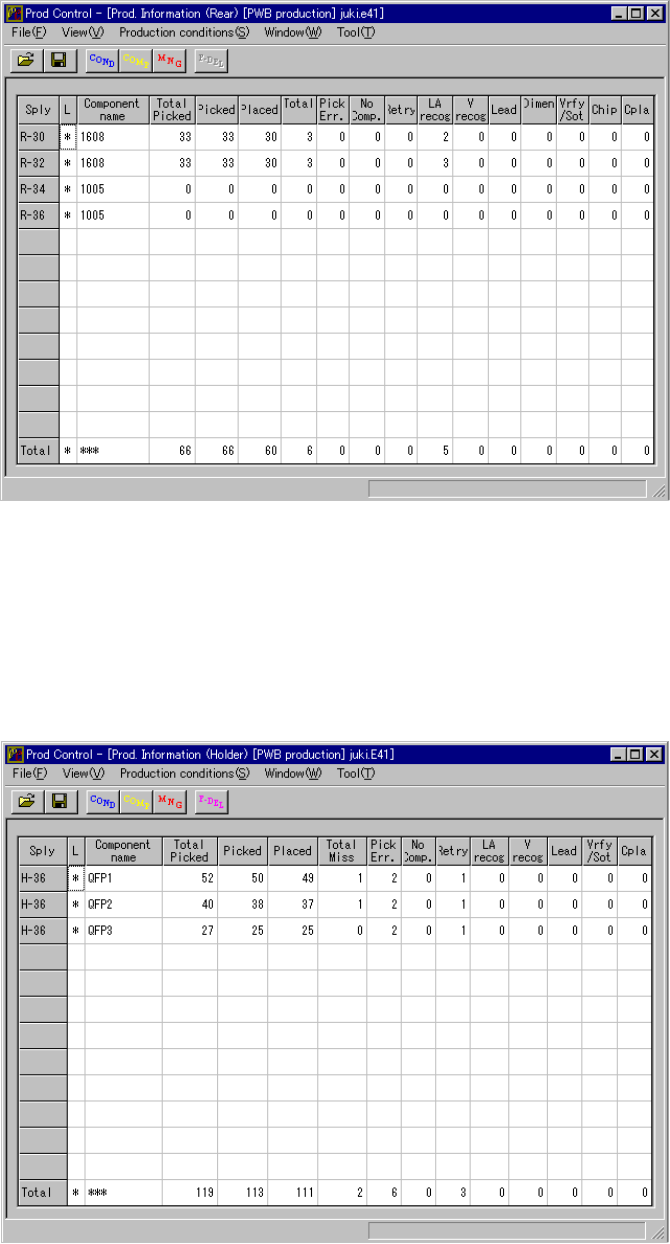
③ Rear
When you select the [Window] command from the menu bar, the [Management
Info.] command on the displayed menu, then the [Rear] command, the screen
shown in Figure 6.2.3.1.3 appears.
Figure 6.2.3.1.3 Prod. Information (Rear)
④ Holder
When you select the [Window] command from the menu bar, the [Management
Info.] command on the displayed menu, then the [Holder] command, the screen
shown in Figure 6.2.3.1.4 appears.
Figure 6.2.3.1.4 Prod. Information (Holder)
6 − 35
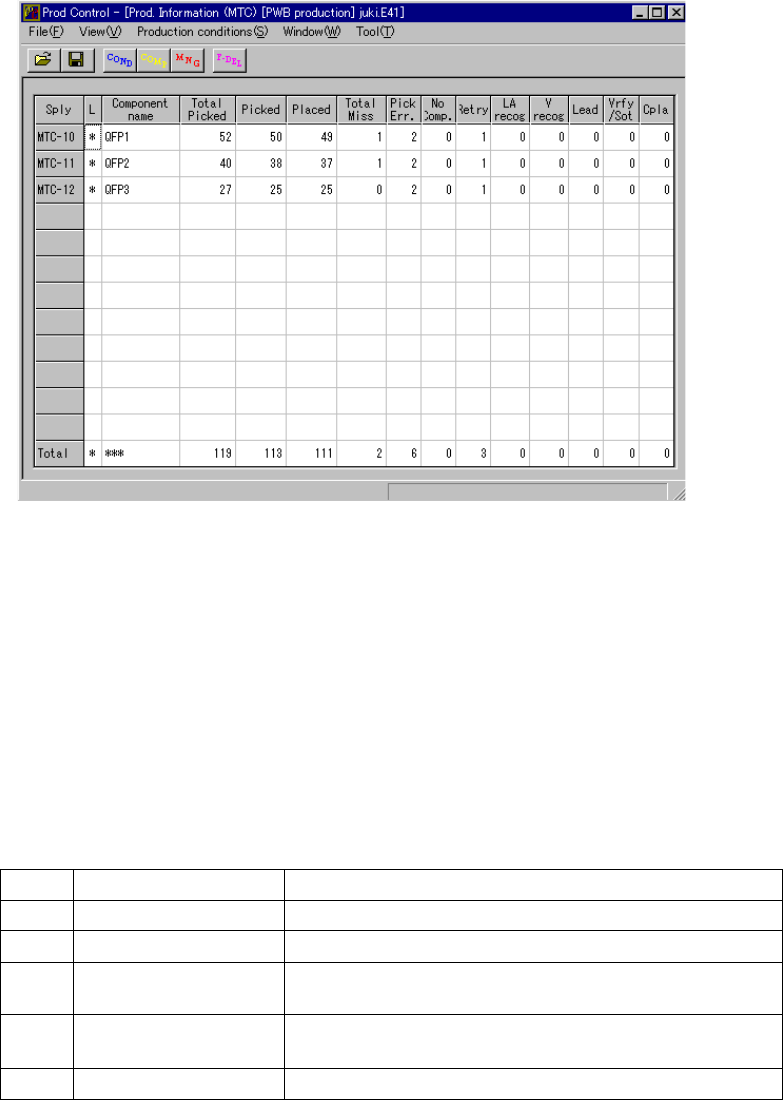
⑤ MTS
When you select the [Window] command from the menu bar, the [Management
Info.] command on the displayed menu, then the [MTS] command, the screen
shown in Figure 6.2.3.1.5 appears.
Figure 6.2.3.1.5 Prod. Information (MTS)
⑥ Ratio of Pick-up
When you select the [Window] command on the menu bar, and then select the
[Management Info.] command and the [Ratio of Pick-up] command on the
displayed menu in this order, the system displays the “component pick-up ratio of
each feeder (Ratio of Pick-up = Picked / (Picked + Pick Err.)).
(1) Menu items
Display of “Ratio of Pick-up”
No. Item Description
1 Sply Position of each feeder
2 Component name Displays the component name.
3 Picked Number of components successfully picked up from the
specified feeder
4 Pick Err. Number of components that failed to be picked up with the
specified feeder
5 Ratio of Pick-up (%) Ratio of Pick-up = Picked / (Picked + Pick Err.)