KE2010.Instruction Manual.Ver.2.01,Rev.08.pdf - 第450页
6 − 74 6.4.6 Detect feeder sensor W hen the feeder f loat sensor is detect ing a f eeder f loat stat e, pressing the <START > key causes an error and cannot start/ restart production. If the f eeder f loat state is…
6 − 73
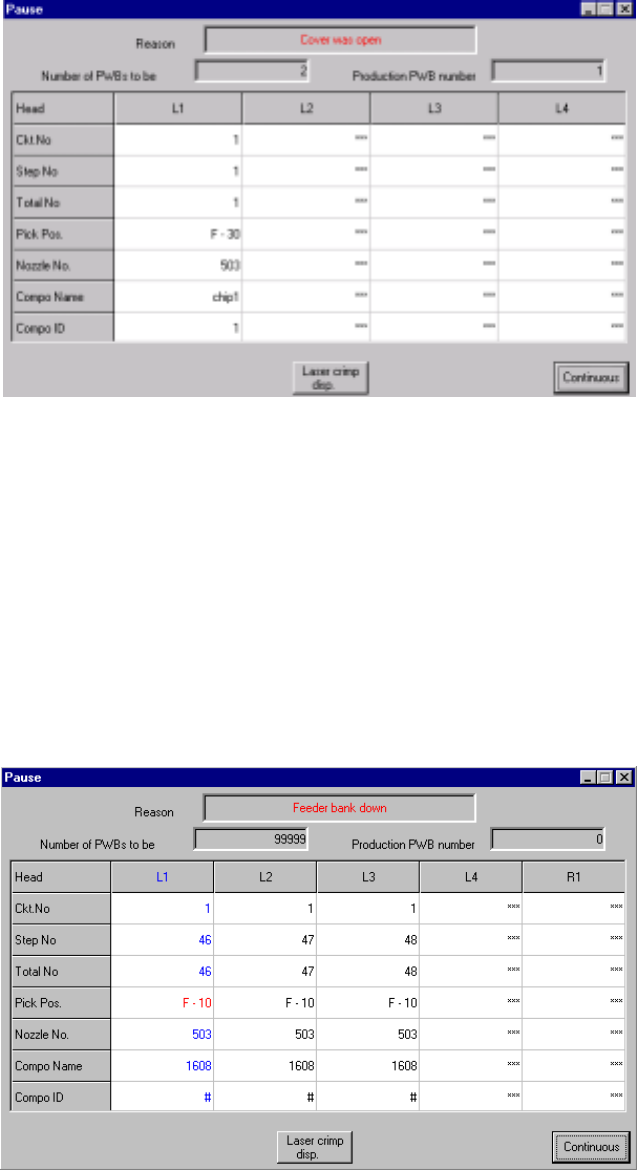
6.4.4 Cover was open
When the protective cover is opened during production, the dialog box appears as
shown in Figure 6.4.4.1 and the machine is put in the pause state.
Figure 6.4.4.1 "Cover was open" dialog box
Pressing the <START> switch on the panel of the main unit restarts the production,
and pressing the <STOP> switch stops the production while displaying the production
stop dialog box. If the <START> switch is pressed to restart the production when the
cover is opened, the production starts at the low speed.
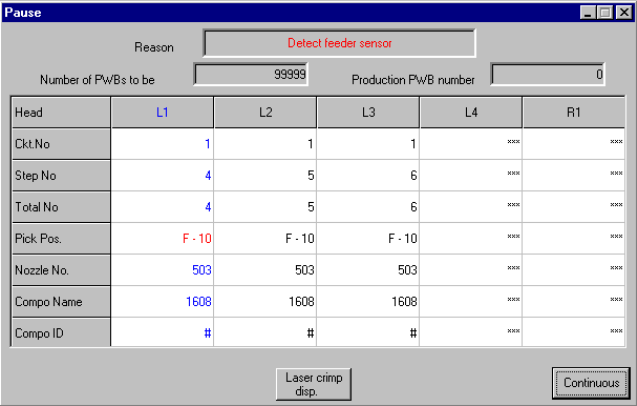
6.4.5 Feeder bank down
When the feeder bank is being moved down, pressing the <START> switch on the
operation panel causes an error and cannot start/restart production.
If the feeder bank is moved down during production, the dialog box appears as shown
in Figure 6.4.5.1 and the machine is put in the pause state.
Figure 6.4.5.1 "Feeder bank down" dialog box
To start/restart the production, set correctly the feeder overall changer and move up
the feeder bank. Then, press the <START> switch on the operation panel. When the
<STOP> switch is pressed with this dialog box displayed, the production stop dialog
box appears on the screen and the production stops.
6 − 74
6.4.6 Detect feeder sensor
When the feeder float sensor is detecting a feeder float state, pressing the <START>
key causes an error and cannot start/restart production.
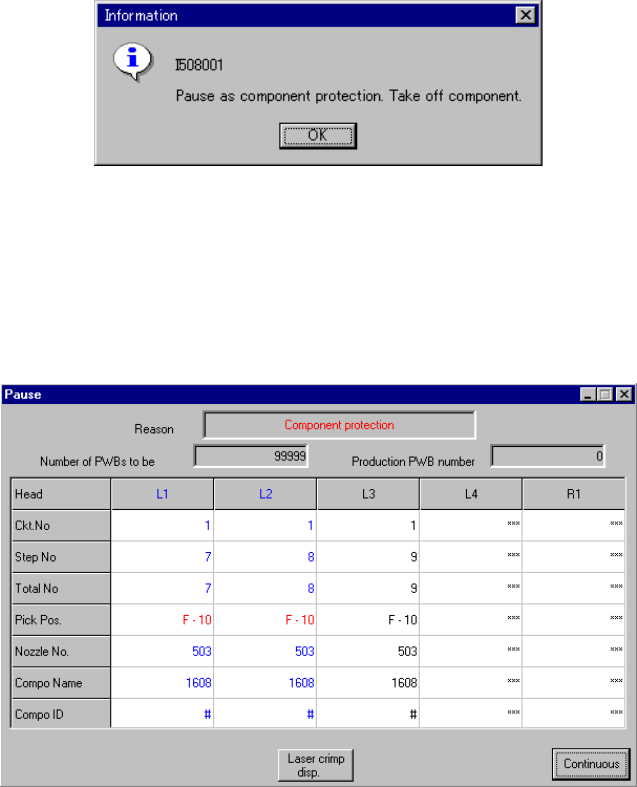
If the feeder float state is detected during production (when the XY axes are moving),
the dialog box appears as shown in Figure 6.4.6.1 and the machine is put in the
pause state. However, when the menu item "Pauses immediately when the feeder
floats." is checked on the Setup menu, the current production is terminated due to an
error, and this dialog box does not appear on the screen.
Figure 6.4.6.1 "Detect feeder sensor" dialog box
To start/restart the production, set correctly the feeder and press the <START> switch
on the operation panel. When the <STOP> switch is pressed with this dialog box
displayed, the production stop dialog box appears and the production stops.
6 − 75
6.4.7 Pause as component protection
If a recognition error occurs at a component designated as a protective component
specified in the component data of production program (on the Expanded window),
the machine is put in the pause state and the message box appears as shown in
Figure 6.4.7.1.
Figure 6.4.7.1 "Pause as component protection" dialog box
Remove the component being picked by the nozzle with your hand, and select the
<OK> button. Then, the machine is put in the pause state with the dialog box
displayed as shown in Figure 6.4.7.2.
Figure 6.4.7.2 Pause dialog box due to component protection
Pressing the <START> switch on the panel of the main unit scraps the component,
and then restarts the production. Pressing the <STOP> switch puts the machine in the
pause state with the production stop dialog box displayed.