KE2010.Instruction Manual.Ver.2.01,Rev.08.pdf - 第453页
6 − 77 * W hen you click this <Laser comp disp. > button, the system displays the result of the edge check on the screen. Figure 6.4.8. 2 “Edge Check display ” dialog box (Screen example when you use a KE-2020) − W…
6 − 76
6.4.8 Checking to see if a laser head is stained
When you check the check box “Check dirty of Laser sensor.” of the “Production
(Function 2)” tab that is invoked from the Operation Option screen, the system checks
to see if laser heads are stained when a board is sent into the machine. If the
system detects any stain stuck to the laser head(s), the system pauses.
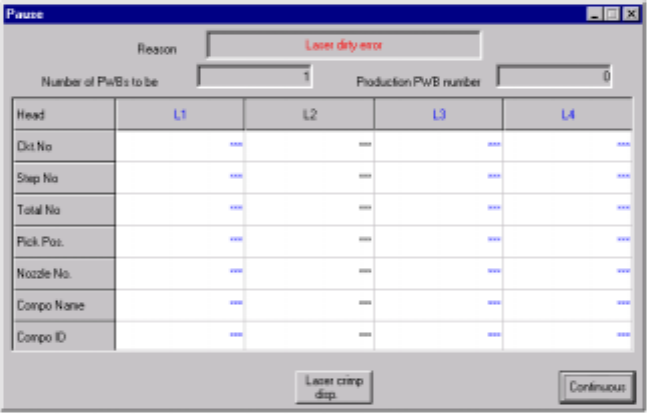
− The laser head(s) that is (are) found to be stained is displayed in blue on the
screen.
− The stained head stops temporarily after moving to the front side. Clean the
laser head.
Figure 6.4.8.1 Pause dialog box
− The <Laser Waveform Display> button appears on the “Pause” or “Retry List”
screen. Note that the head moves up and down to check to see if a laser head is
stained when you click the <Laser Waveform Display> button.
6 − 77
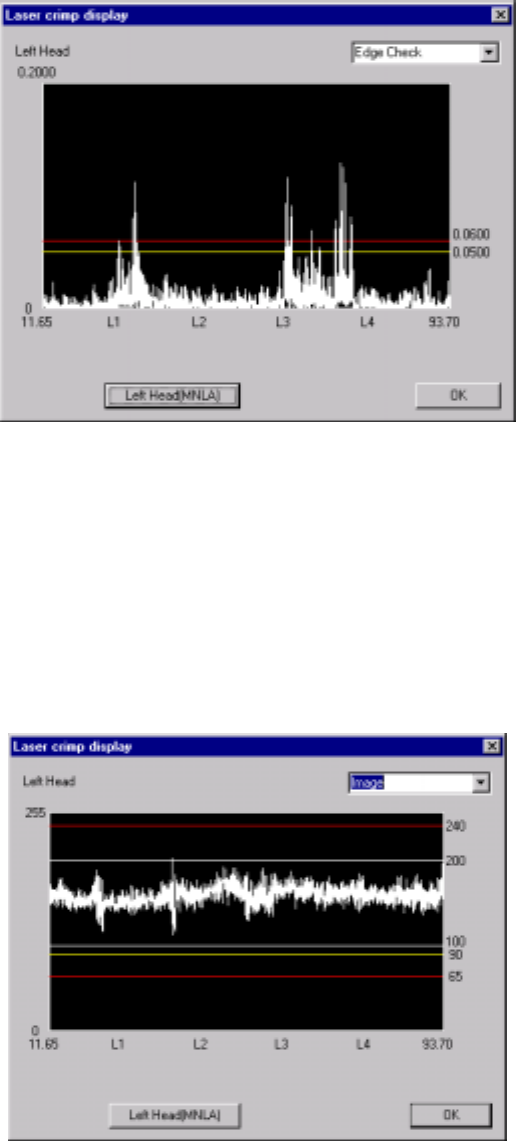
* When you click this <Laser comp disp.> button, the system displays the result of
the edge check on the screen.
Figure 6.4.8.2 “Edge Check display” dialog box
(Screen example when you use a KE-2020)
− When you click the <Left Head (MNLA)> button, the machine displays the
edge check result of the left head.
− When you click the <Right Head (FMLA)> button, the machine displays the
edge check result of the right head.
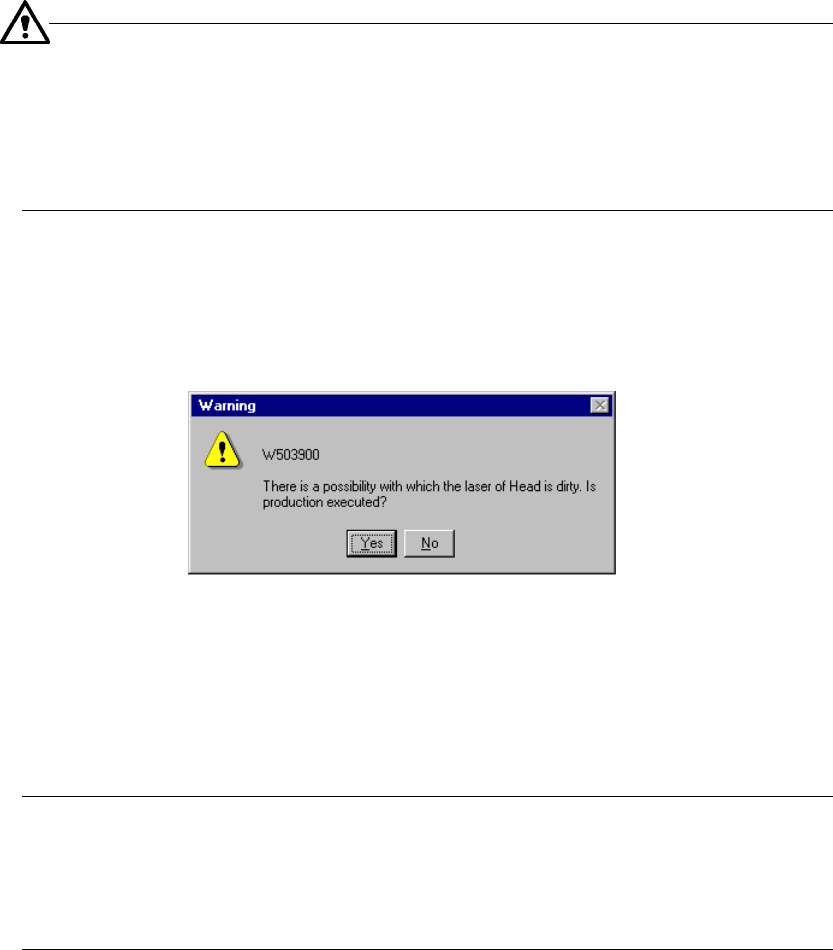
* When you select <Image> from the combo box, the system displays the waveform
of the image.
Figure 6.4.8.3 “Image” display dialog box (Screen example: KE-2020)
− When you click the <Left Head> button, the system displays the image
waveform of the left head.
− When you click the <Right Head> button, the system displays the image
waveform of the right head.
6 − 78
−
The actually displayed screen varies depending on the model of the
machine you use:
KE-2010: Left Head (FMLA), Right Head (no display)
KE-2020: Left Head (MNLA), Right Head (FMLA)
KE-2030: Left Head (MNLA), Right Head (MNLA)
KE-2040: Left Head (FMLA), Right Head (FMLA)
− When you press the <START> switch, the system checks to see if the laser
heads are stained again. When it does not detect any stain on the laser heads, it
restarts production. Otherwise, the following message appears on the screen.
Figure 6.4.8.4 Dirty laser head message
− When you click the <Yes> button: the system starts production.
− When you click the <No> button: the “Pause” dialog box reappears on the
screen.
−
The system checks to see if the laser heads are stained again. The
stained laser head(s) is (are) displayed in blue. Clean the laser head(s)
displayed in blue. When you press the <STOP> button on the “Pause”
dialog box, the system displays the “Abort” dialog box to abort the current
production.