KE2010.Instruction Manual.Ver.2.01,Rev.08.pdf - 第523页
6 − 147 3) <MEAS.> butt on This butt on measures the laser height. (See Section 6.7. 2.5.4 "Measuring laser height ".) 4) Pickup position The pick -up position of a component is displayed here. You can ch…
6 − 146
(1) Setting check conditions
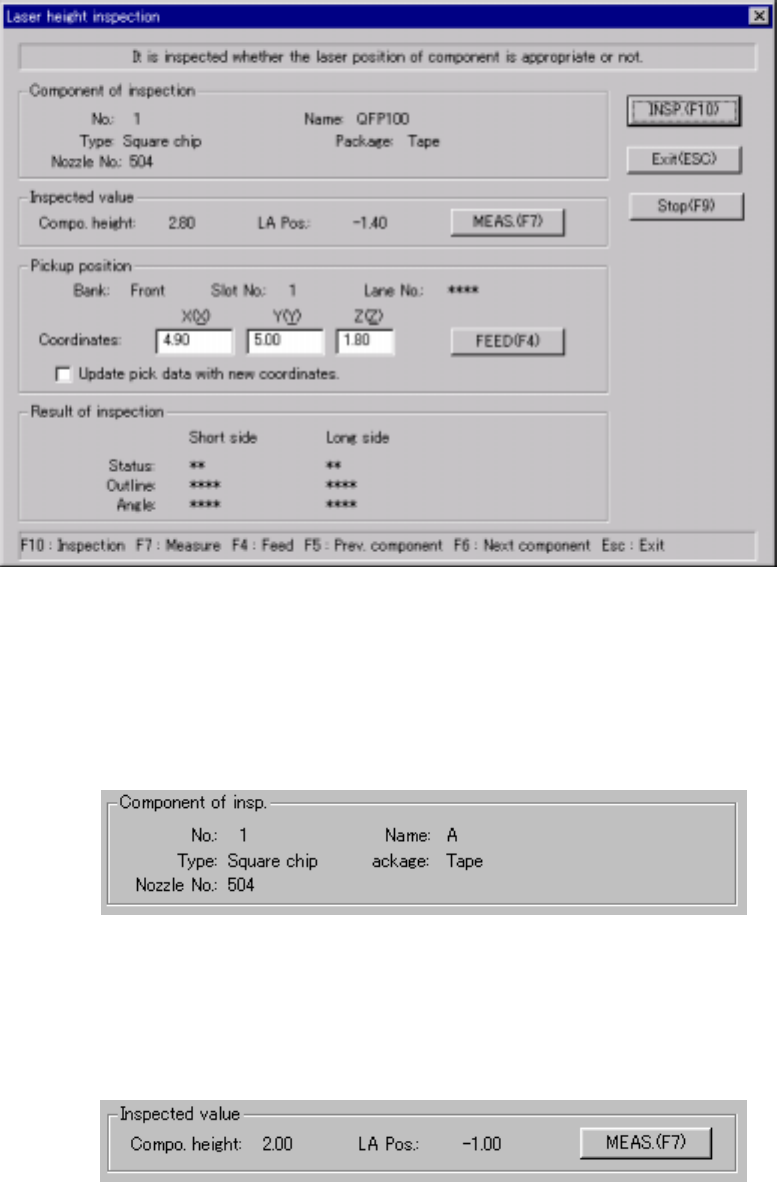
If you enter Single check mode when a continuous check error occurs, the
following "Inspection" dialog box appears on the screen.
Inspection dialog box
1) Component of insp. (inspection)
The description of a component to be inspected and its pick-up position
are displayed here.
2) Inspected value
The laser height of a component to be inspected ("LA Pos") and its height
(Compo. height) are displayed here.
6 − 147
3) <MEAS.> button
This button measures the laser height.
(See Section 6.7.2.5.4 "Measuring laser height".)
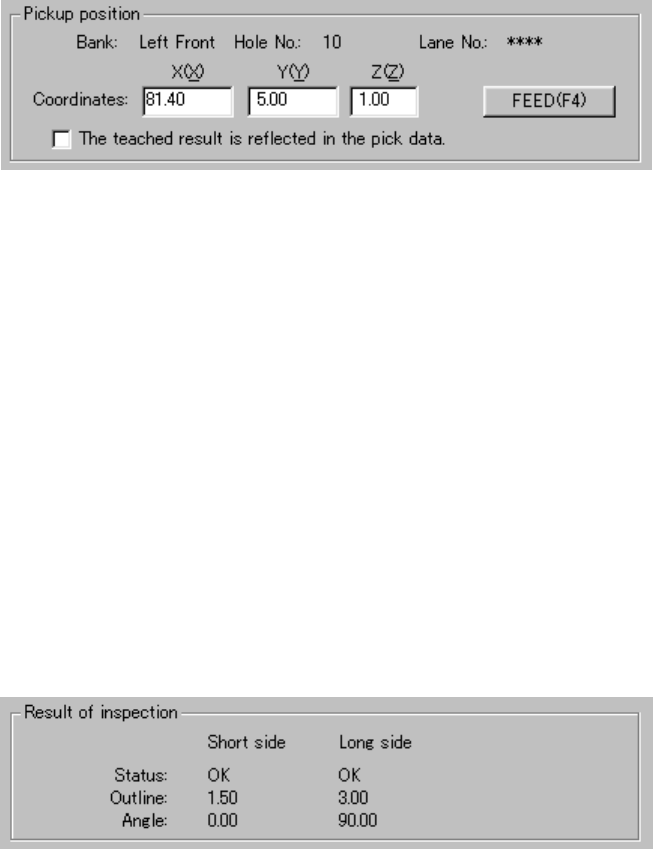
4) Pickup position
The pick-up position of a component is displayed here. You can change
the pick-up position to the previous alternative component or next one.
① <FEED> button
This button knocks a feeder (other than a 32-mm paper tape feeder)
once to feed a component.
② "The taught results reflected in the pick data."
Check this check box if you want to store the result taught by the
HOD device into Pick data. When unchecked, only the coordinates
of the current pick-up position are applied to Pick data.
5) Result of inspection
After checking laser height, the result is displayed in this "Result of
inspection" column. The "Short side" and the "Log side" indicate the data
obtained when the system detects the minimum width of a component for
the first time and second time respectively. These values are effective
only when each status of the "Short side" and "Long side" is "OK".
① Status
OK: Centering is done successfully.
Number: Centering failed. (Each number indicates the error code
number of the laser status.)
② Outline
The width of a component which is detected with laser when the
component is centered successfully is displayed here.
③ Angle
The angle obtained when a component is centered is displayed here.
6 − 148
6) Short-cut keys
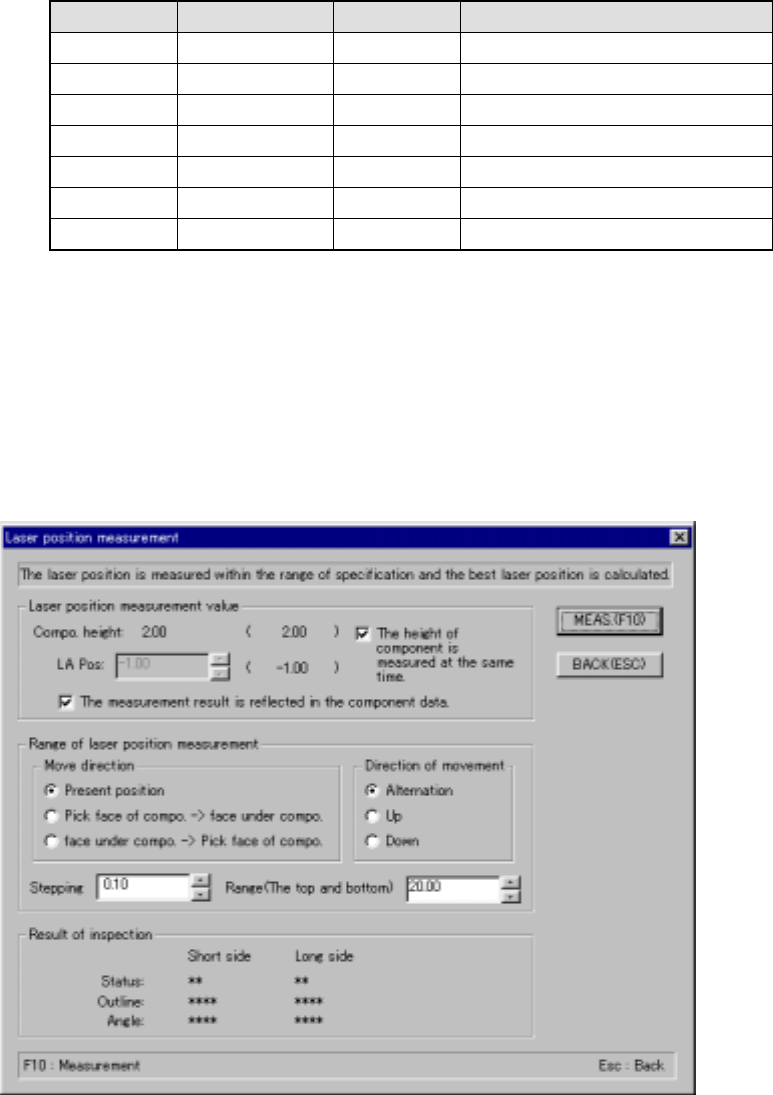
On the "Inspection" screen, the following short-cut keys are provided.
Keyboard Operation panel HOD key Action
F10 ENTER Performs a "independent inspection”.
F9 Cancels an “independent inspection”.
F7 Measures the checked value.
F4 Knocks a feeder.
F5 PREVIOUS Previous alternative component.
F6 NEXT Next alternative component.
ESC CANCEL Returns to the previous screen.
6.7.2.5.4 Measuring laser height
(1) Measuring laser height
When you select the <MEAS.> button on the “Inspection” screen, a screen
shown below appears:
“Laser position measurement” dialog box