KE2010.Instruction Manual.Ver.2.01,Rev.08.pdf - 第563页
7 − 26 7.2.2.6 M TS position off set W hen y ou select t he [MTS position of fset ] comm and, the "MTS position of f set set ting" dialog box appears on the screen as shown in Figur e 7.2.2.6. 1. Figure 7.2. 2.…
7 − 25
CAUTION
To avoid a risk of injury, do not place your hand in the machine, nor
move your face or head close to the machine during operation of the
HOD.
Notes:
* The same pick-up position, which is indicated with "X" and "Y" and obtained by
teaching, is entered to all of the menu items displayed: "Large", "Small", "Clamp
L" and "Clamp S".
* If you use a twin-shuttle, you have to enter the coordinates to both of the "Pad #1"
and "Pad #2".
7 − 26
7.2.2.6 MTS position offset
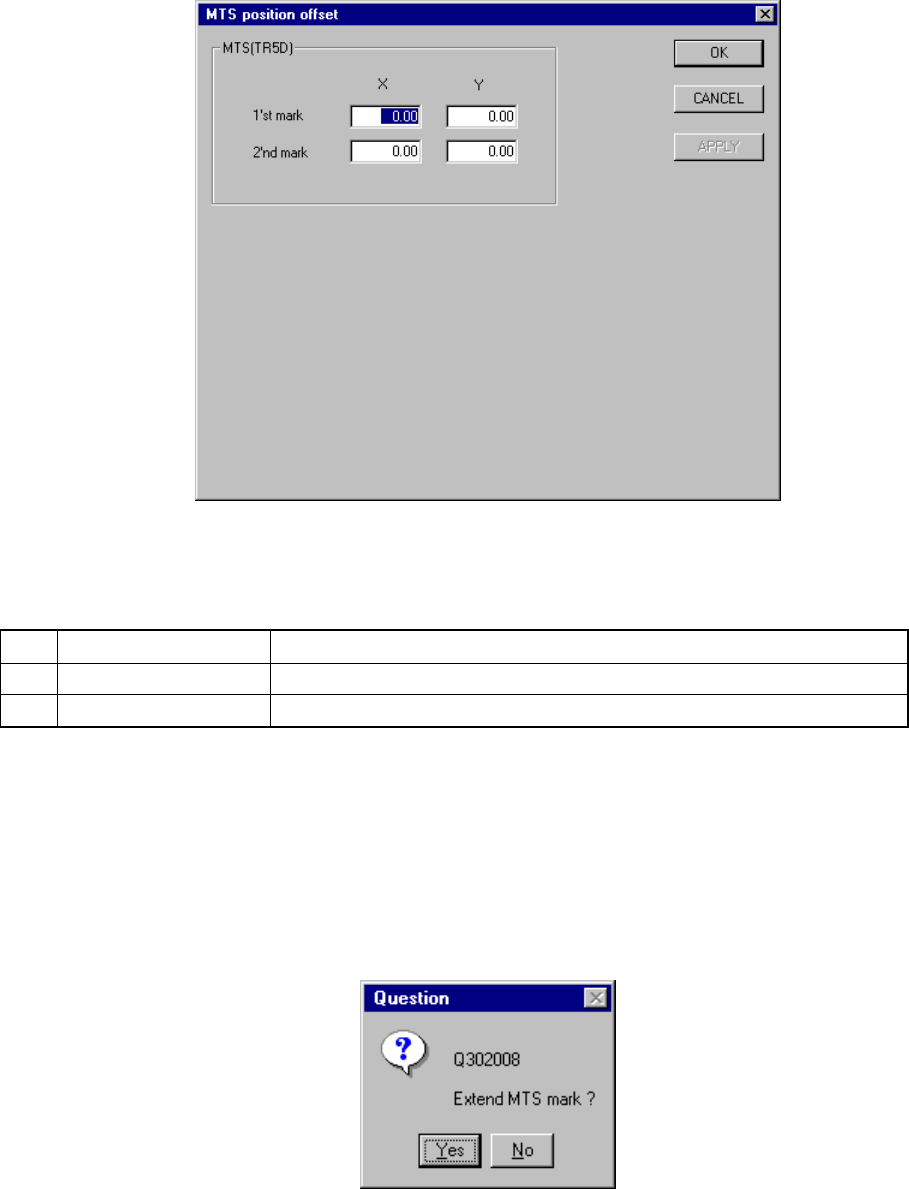
When you select the [MTS position offset] command, the "MTS position offset setting"
dialog box appears on the screen as shown in Figure 7.2.2.6.1.
Figure 7.2.2.6.1 MTS position offset setting dialog box
(1) Setting items
No. Item Description
1 1'st mark (X,Y) First mark position of the MTS
2 2'nd mark (X, Y) Second mark position of the MTS
(2) Setting the position
− Key in X and Y coordinate values directly from the keyboard.
− Use the HOD to teach and enter the coordinates. In this case, if either X or
Y is in focus, both values are taught, then entered.
− When you select the device key of the HOD, the following message appears
on the screen. When you click the <Yes> button, the MTS bank mark is
found out.
Figure 7.2.2.6.2 Question dialog box
7 − 27
7.2.2.7 Component scrap position
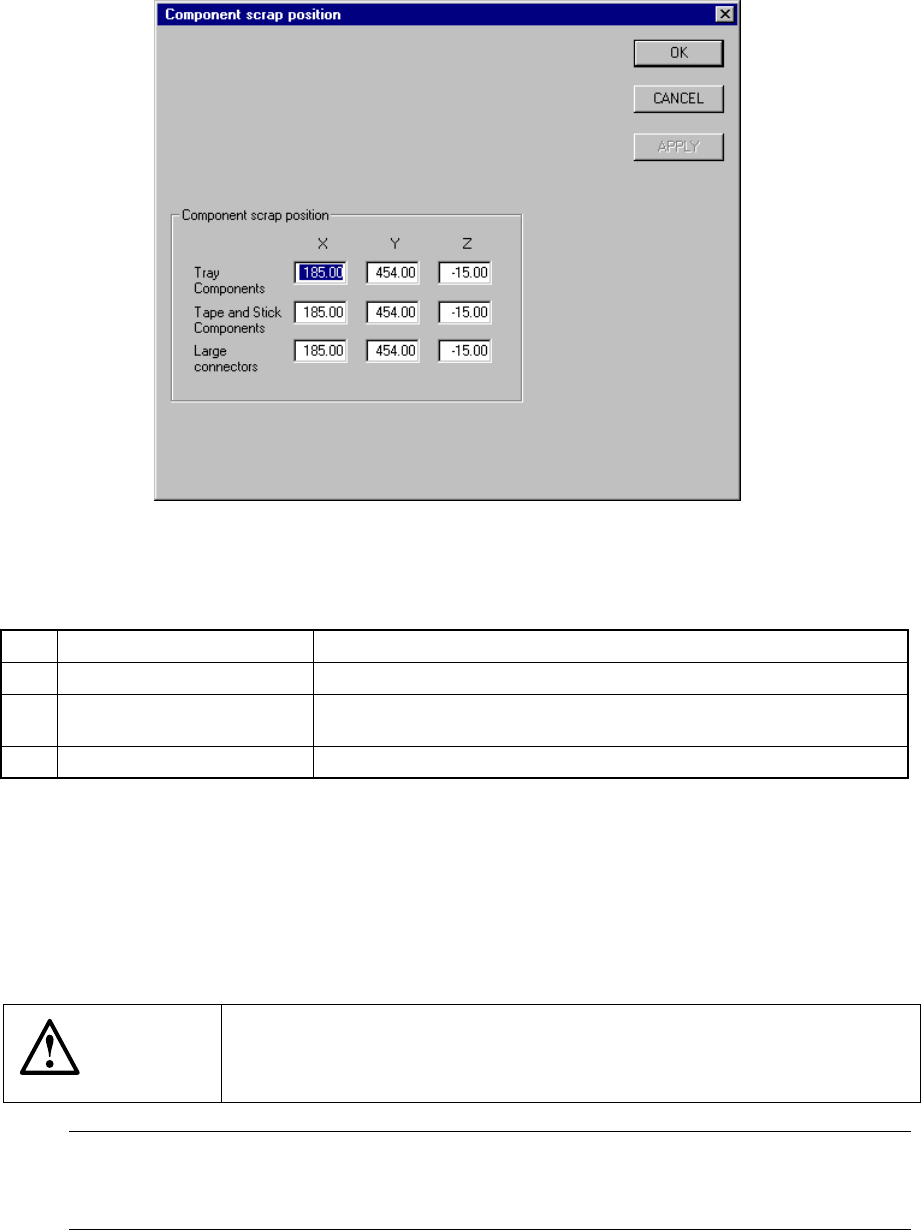
A screen appears as shown in Figure 7.2.2.7.1 “Component scrap position setting
dialog box” when [Component scrap position] is selected from the [Setting Group]
menu.
Figure 7.2.2.7.1 Component scrap position setting dialog box
(1) Setting items
No. Item Description
1 Tray Components (X, Y, Z) The scrap position for IC components
2 Tape & Stick Components
(X, Y, Z)
The scrap position for chip components
3 Large Connectors (X, Y, Z) The scrap position for large components
(2) Setting the position
− Key in X, Y, and Z coordinate values directly from the keyboard.
− Use the HOD to teach and enter the coordinates. In this case, if either X or
Y is in focus, both values are taught, then entered.
− Z must be in focus to teach the Z coordinate.
CAUTION
To avoid a risk of injury, do not place your hand in the machine, nor
move your face or head close to the machine during operation of the
HOD.
Note: The left head cannot be as the component scrap position on the right side.
The right head cannot be set to the component scrap position on the left side
either.