KE2010.Instruction Manual.Ver.2.01,Rev.08.pdf - 第586页
7 − 49 (2) How to set ① Num ber of Retry − Specify a value in the range f rom 0 to 10 (def ault: 0). ② Measure plane − W it h using the r adio button, select either “ three-Point problem” or “least squares m ethod” (def …
7 − 48
7.2.2.16 Coplanarity
−
You have to set the following menu item on the “Option Device enable” tab
shown in Figure 7.2.2.10.2.
−
Check to see if you check the check box “Coplanarity” in the “Others”
column.
Select the [Setup] command from the menu bar, and the [Machine setup] command.
Next, select the [Setting Group] command on the “Machine setup” menu, then the
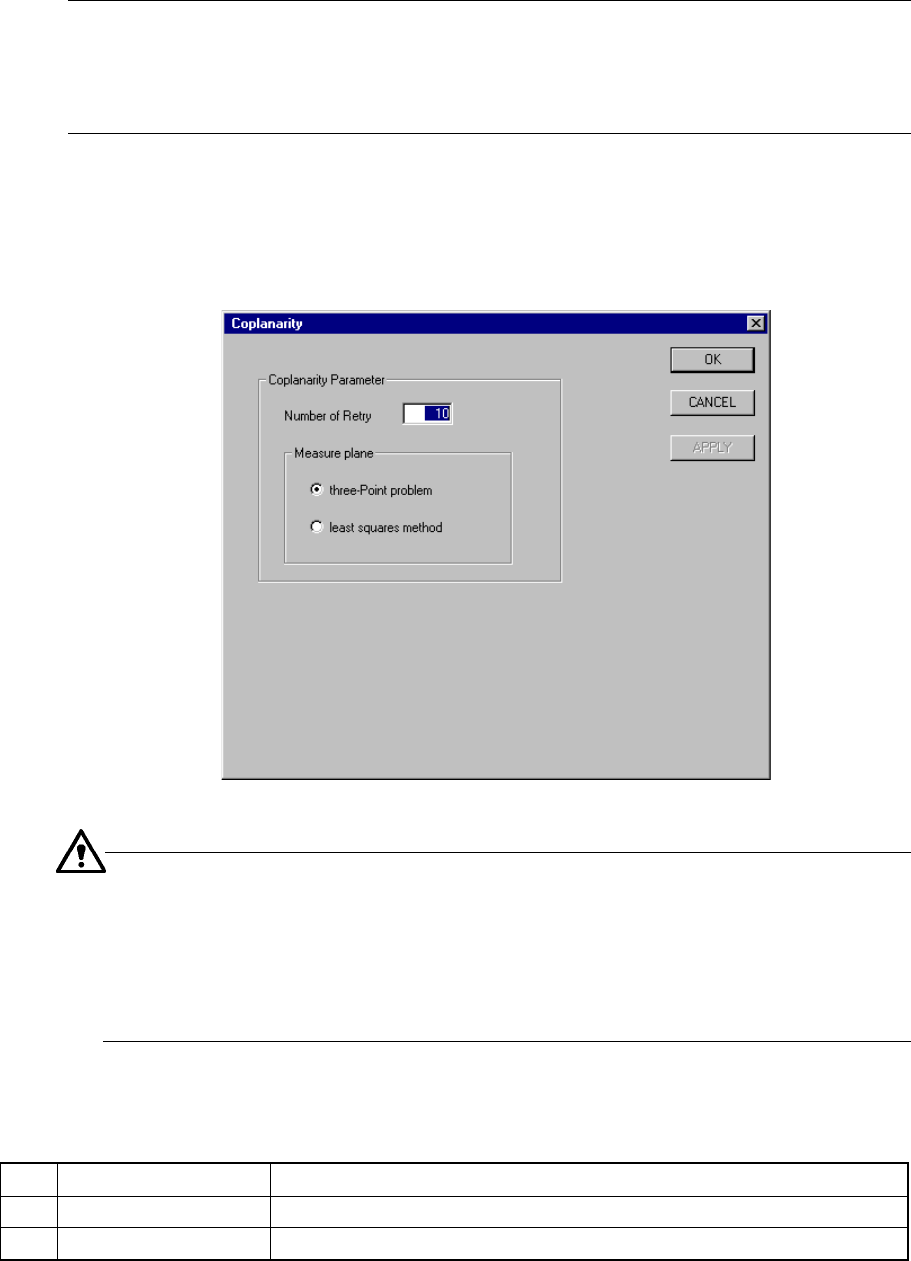
[Coplanarity] command. The “Coplanarity” setting dialog box appears on the
screen as shown in Figure 7.2.2.16 (available to a KE-2020/KE-2040 only).
Figure 7.2.2.16 “Coplanarity” setting dialog box
−
For a ball component: the system measures this type of component in the
least squares method regardless of the setting of the menu item “Measure
plane.”
−
For a unidirectional lead connector: the system measures only colinearity
of this type of component in the least squares method regardless of the
setting of the menu item “Measure plane.”
(1) Setting items
No. Item Description
1 Number of Retry Sets the number of a retry operation to be done for a coplanarity check.
2 Measure plane Sets the reference plane used for a coplanarity check.
7 − 49
(2) How to set
① Number of Retry
− Specify a value in the range from 0 to 10 (default: 0).
② Measure plane
− With using the radio button, select either “three-Point problem” or “least
squares method” (default: “three-Point problem”).
7.2.3 Disp (Display)
This command allows you to select whether to display the tool bar/status bar on the
screen or not.
7 − 50
7.3 Mechanical Setup
If you have to drive a mechanical device while setting the menu items on the Machine
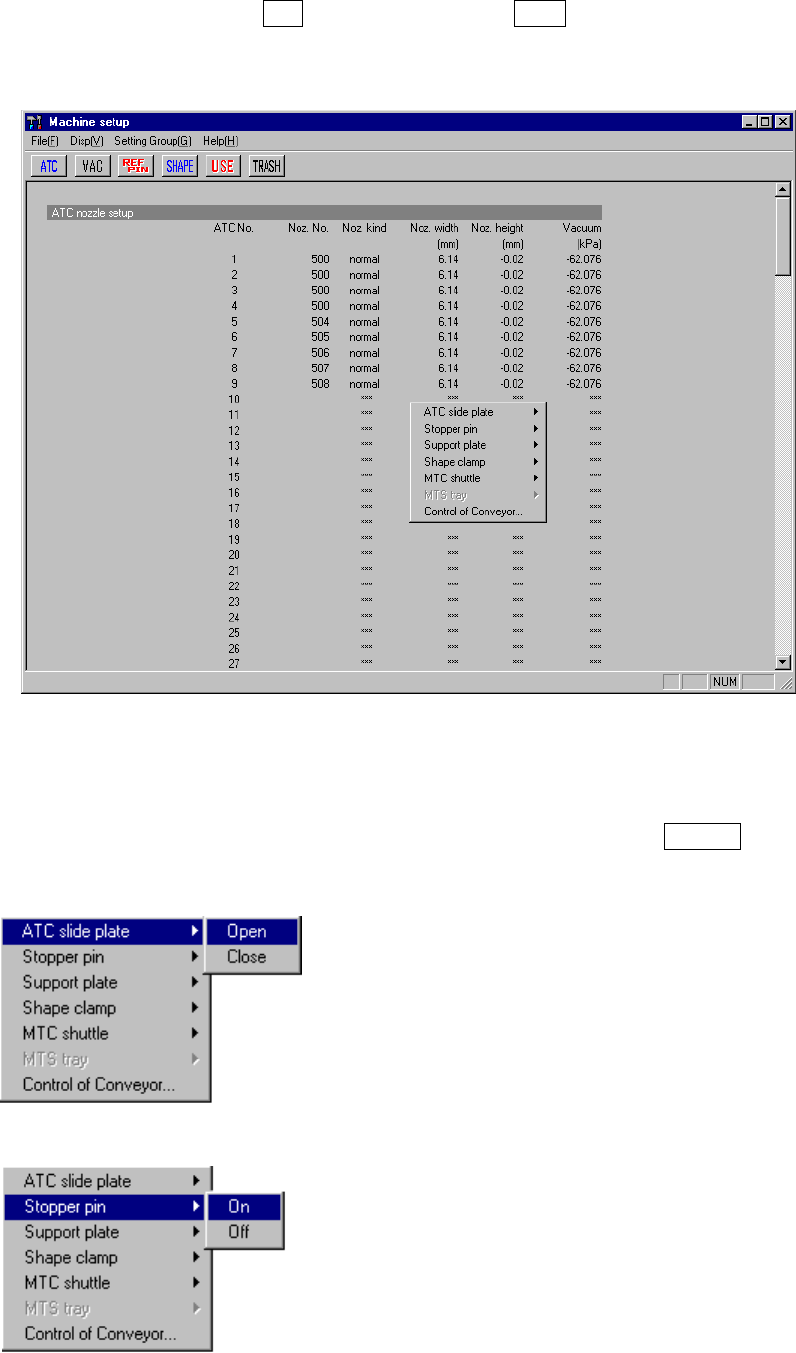
Setup menu, display the pop-up menu for mechanical devices. Press the right button
of the trackball, or press the F10 key while holding the Shift key. A pop-up menu
shown in Figure 7.3.1 starts up.
Figure 7.3.1 Machine setup pop-up menu
When you select each menu item on the pop-up menu above, the corresponding
extended menu appears as shown below. Select a desired item on this extended
menu with a trackball, or select it with the cursor keys, then press the ENTER key to
drive the corresponding mechanical device.
* ATC slide plate
* Stopper pin