KE2010.Instruction Manual.Ver.2.01,Rev.08.pdf - 第593页
8 − 4 − Others Figure 8.1. 6 Others pull -down menu During selection of a manual cont rol command, the comm and summary is not displayed on the message line. Selection of each command opens the cor responding dialog box.…
8 − 3
2) Ctrl
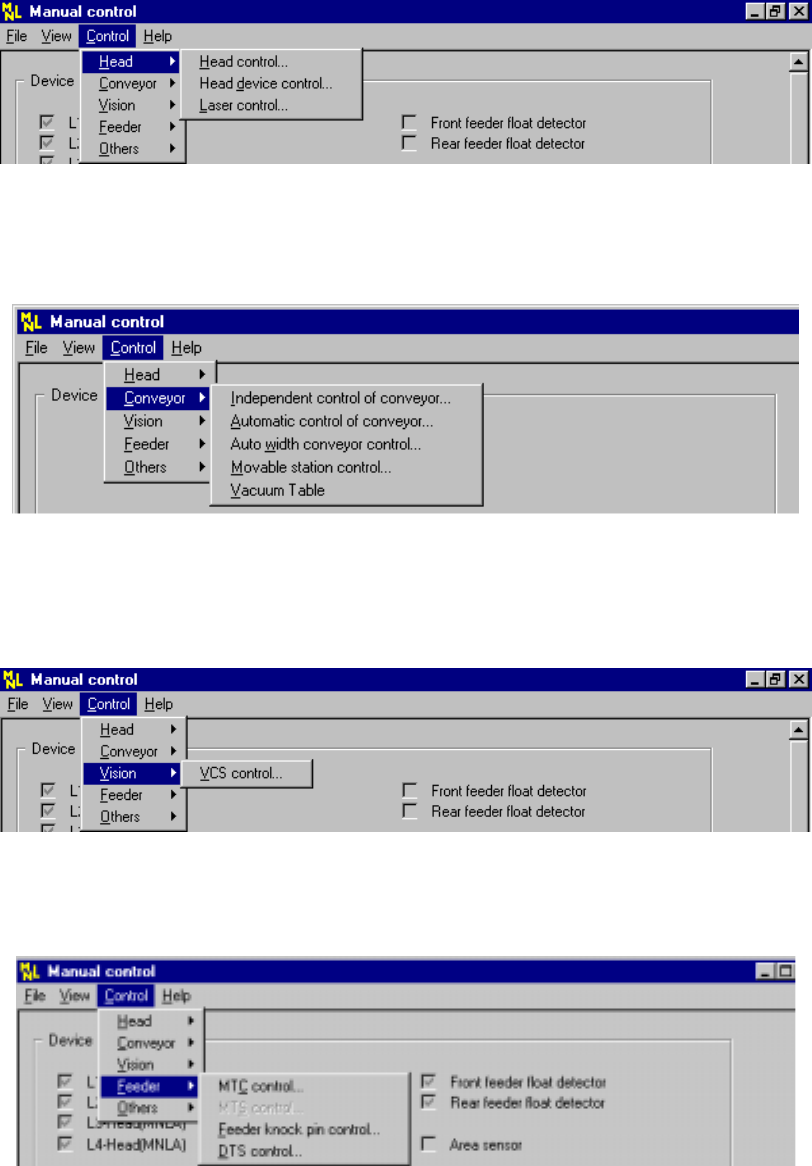
− Head
Figure 8.1.2 Head pull-down menu
− Conveyor
Figure 8.1.3 Conveyor pull-down menu
− Vision
Figure 8.1.4 Vision pull-down menu
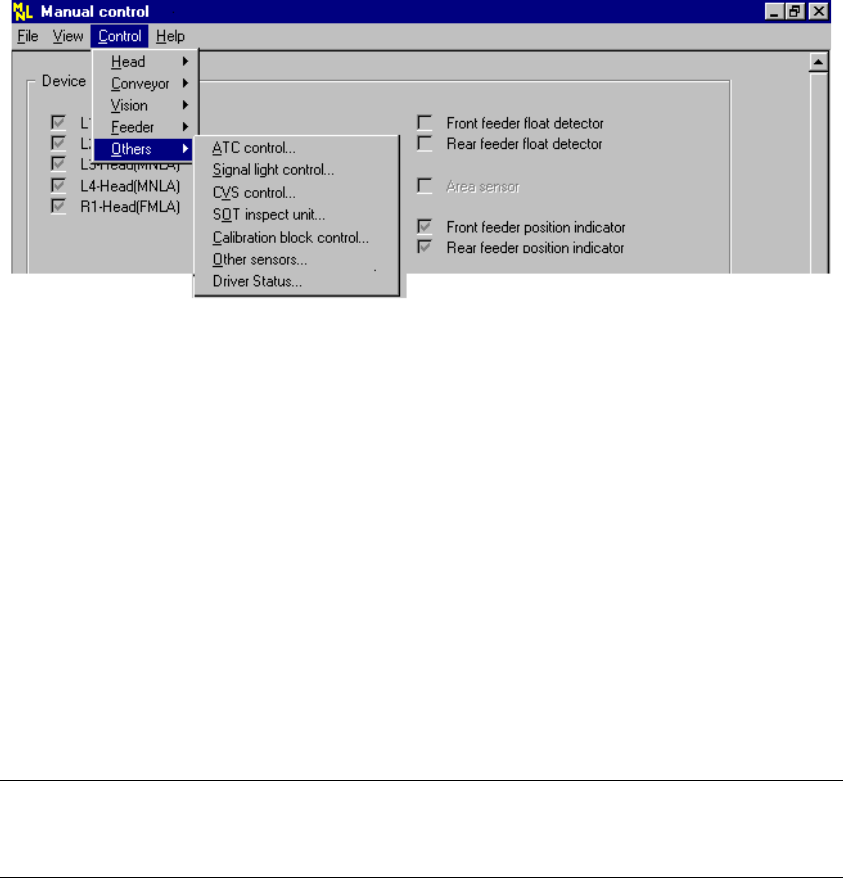
− Feeder
Figure 8.1.5 Feeder pull-down menu
8 − 4
− Others
Figure 8.1.6 Others pull-down menu
During selection of a manual control command, the command summary is not
displayed on the message line.
Selection of each command opens the corresponding dialog box.
Select or set the parameters on each dialog box as necessary and execute the
command.
The unit without a check mark for “Option” setting of MS parameters (not installed)
cannot be selected.
This setting does not affect the “Device enable” setting on the Machine Setup menu.
(This means that the units without a check mark can be selected.)
Note: For an MTC or MTS, any unit which is not checked (not installed) on the
“Device enable” menu invoked from the Machine Setup menu cannot be
selected.
− Help
See Section 3.3 “Basic Operations” for the basic help operations.
8 − 5
(3) Head control menu
① How to start
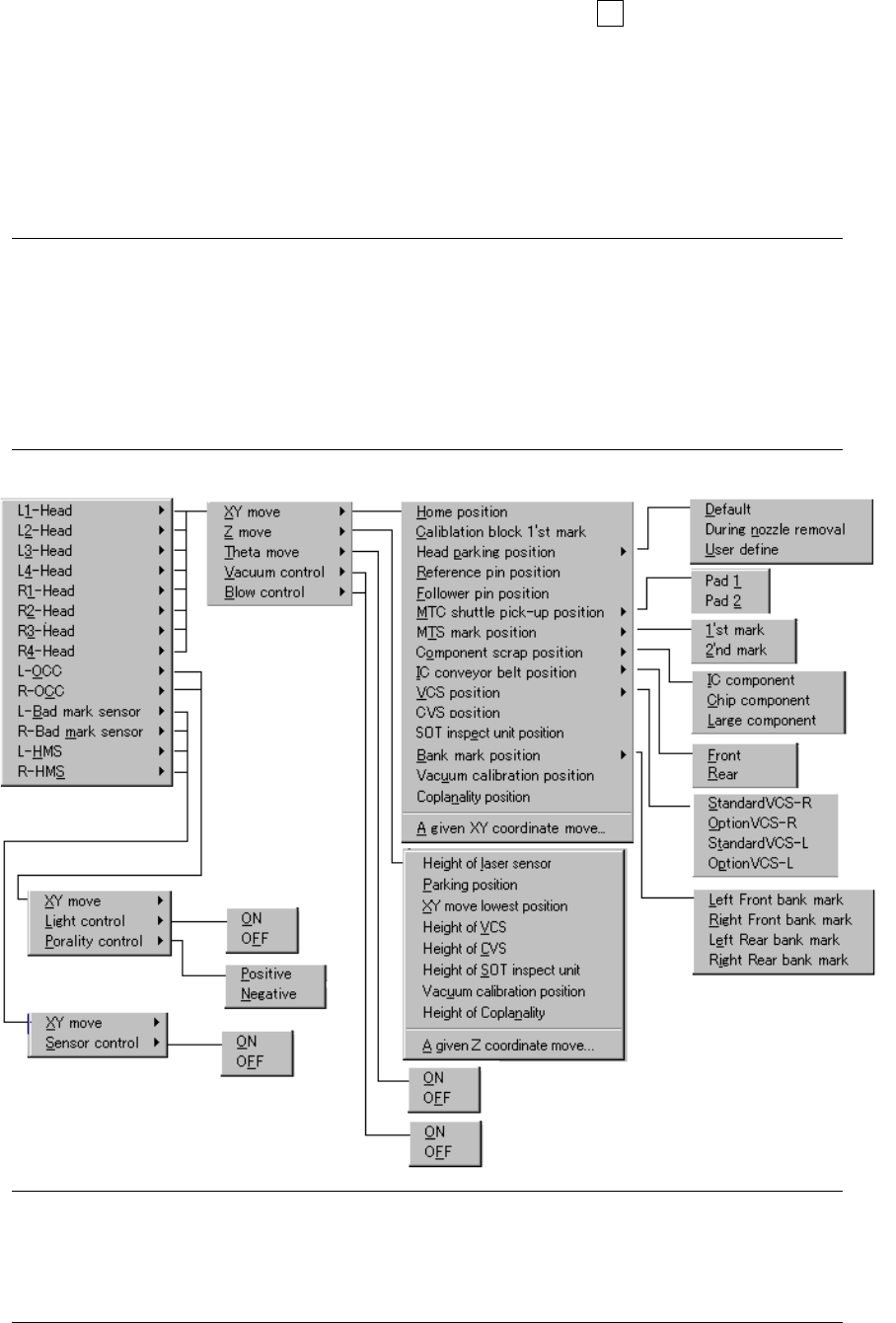
When you click the right button of a trackball or the F9 key, the pop-up menu
appears. Select the desired item from the menu.
The unit which is not checked (not installed) at the “Option” setting of MS
parameters does not have any corresponding menu to be displayed.
This setting does not affect that of the “Device enable” menu invoked from
the Machine Setup menu: that is, not-checked (not used) units are
displayed also.
Note: 1)
Any MTC, MTS or IC conveyor belt is not displayed on the menu if its model
name is set (installed) on the “Device enable” menu invoked from the
Machine Setup menu.
2) While the pop-up menu is being displayed, the HOD keys operation is
invalid.
3) When the selected unit to be controlled is positioned where it cannot
move, you cannot select it (the unit is dimmed on the screen.)
② Menus
Notes: *1 The menu actually displayed varies depending on the model you use.
(See Figure 8.1.7.1 “List of the units that can be controlled by each model” on
the next page.)
*2 The menu actually displayed varies depending on the units installed at the
factory or setting of the Machine Setup menu.
*1
*2
*2