KE2010.Instruction Manual.Ver.2.01,Rev.08.pdf - 第621页
8 − 32 (4) Contr ol position W ith the corresponding r adio button, select the position t o be used when the transport system is automat ically controlled. This item is not available when you select “Initialization” as t…
8 − 31
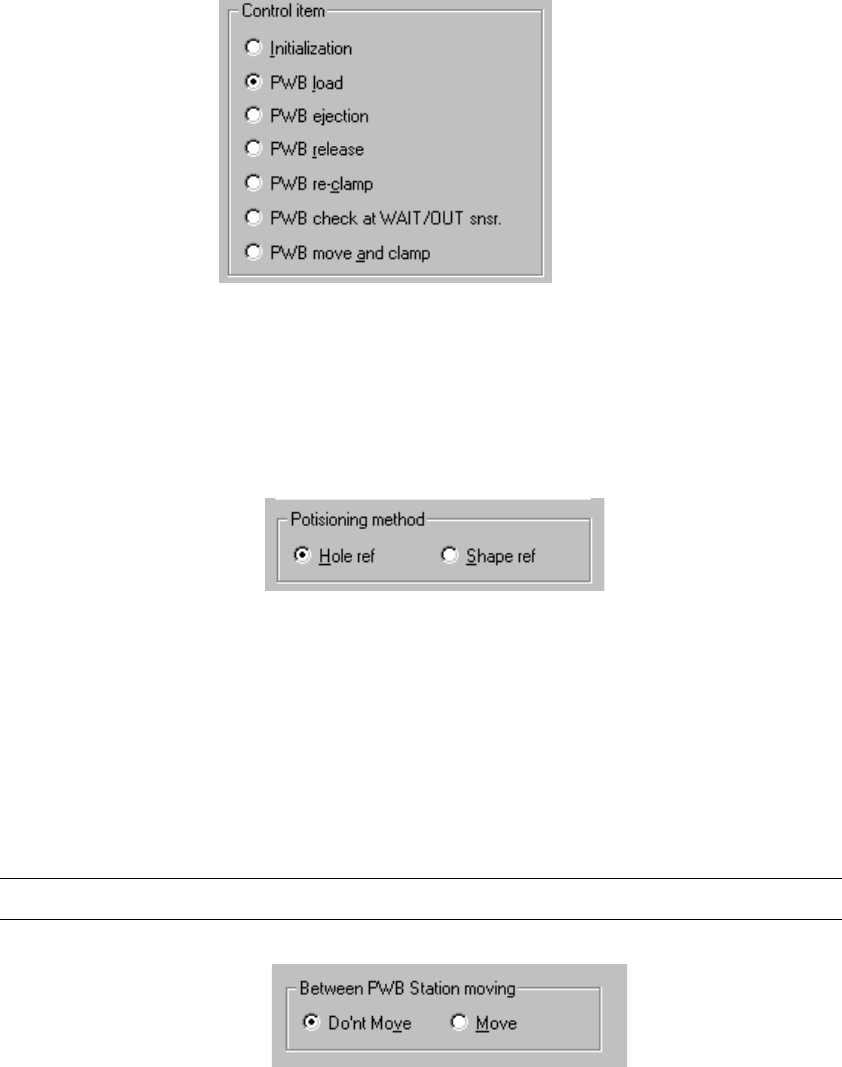
(1) Control item
Select a control item with the corresponding radio button.
(2) Control position
With the radio button select the position when the conveyor is automatically
controlled.
You cannot select the control position if the control item, “Initialization”, “PWB
ejection”, “PWB release” or “PWB check at WAIT/OUT snsr.” is selected.
(3) Between PWB Station moving
Select either of the two radio buttons: whether to move the conveyor between
the PWB stations or not.
You cannot select this menu item if the control item “Initialization”, “PWB
ejection” or “PWB release” is selected.
Note: You cannot select this menu item for models other than a KE-2030.
8 − 32
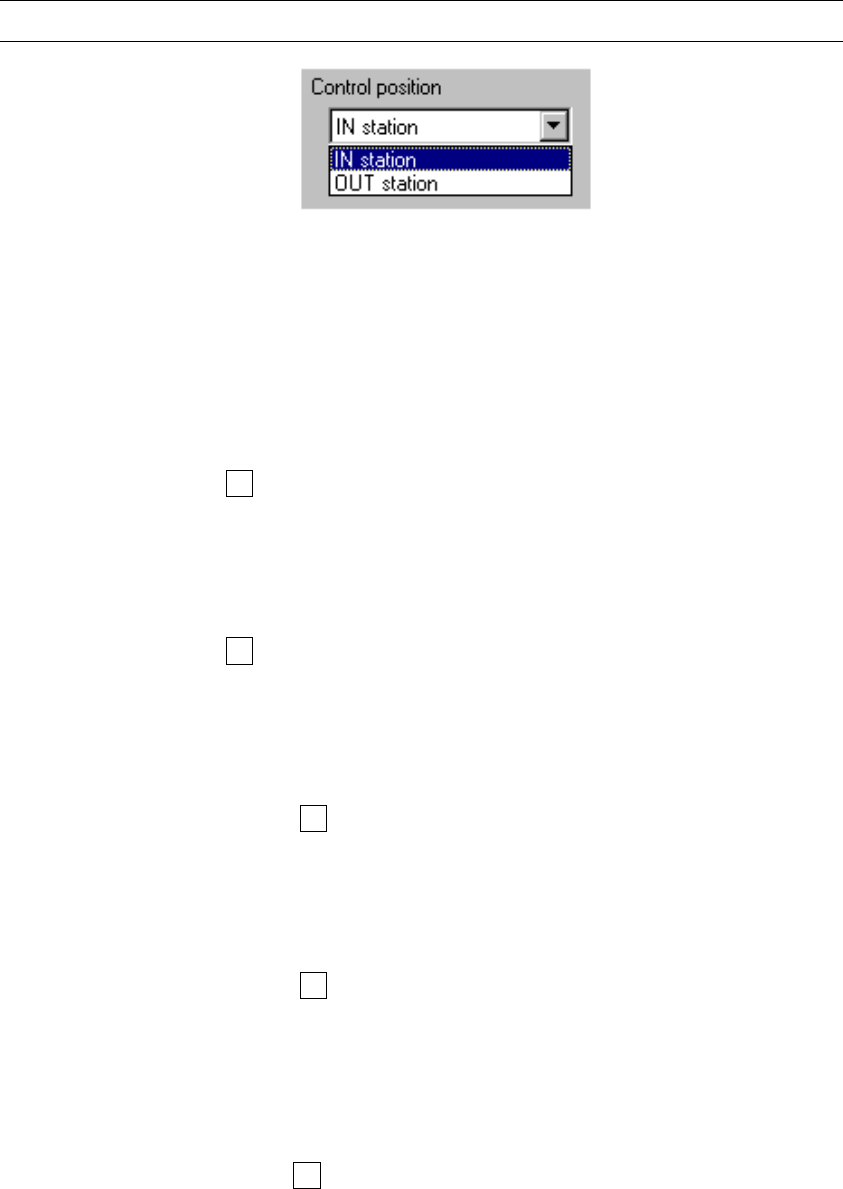
(4) Control position
With the corresponding radio button, select the position to be used when the
transport system is automatically controlled.
This item is not available when you select “Initialization” as the control item.
Note: "2 station" cannot be set with a model other than a KE-2030.
(5) Control button
Each control button executes the associated control item.
1) Initialization
This item initializes the PWB transport operation operation.
When the control item “Initialization” is checked, select the <EXEC> button,
or press the F3 key to control the initialization.
2) PWB load
This item loads a PWB according to the setting of "Positioning method".
When the control item “PWB load” is checked, select the <EXEC> button,
or press the F3 key to control the PWB loading.
3) PWB ejection
This item ejects a PWB.
When the control item “PWB ejection” is checked, select the <EXEC>
button, or press the F3 key to control the PWB ejection.
4) PWB release
This item releases a clamped PWB.
When the control item “PWB release” is checked, select the <EXEC>
button, or press the F3 key to control the PWB release.
5) PWB re-clamp
This item re-clamps a board located on the PWB transport path according
to the “Positioning method” selected.
When the control item “PWB re-clamp” is checked, select the <EXEC>
button or press the F3 key to control the PWB re-clamping function.
8 − 33
6) PWB check at WAIT/OUT snsr.
This item moves a board that is located between the IN sensor and WAIT
sensor of the IN buffer to a position where the WAIT sensor is activated.
Or, it moves a board that is located so that it cannot activate the OUT
sensor of the OUT buffer to a position where the OUT sensor is activated.
◇ When the control item “PWB check at WAIT/OUT snsr.” is checked,
select the <EXEC> button or press the F3 key to move a board to the
regulated position.
7) PWB move and clamp
This item moves a board located on the IN station to the OUT station, then
clamps it according to the method specified with the menu item “Positioning
method”.
When the control item “PWB move and clamp” is checked, select the
<EXEC> button or press the F3 key to move and clamp a board.
Note: This menu item is available only when you use a KE-2030.
(6) State display
The state items to be always monitored are that of:
− Machine operation
− Each sensor
− Each signal
− Each unit
■
■■
■Description of the machine status indicated when the conveyor moves between the
PWB stations
- How a PWB is loaded (hole reference or shape reference) varies depending on the
status of the machine before a PWB is loaded.
A PWB is loaded in various ways according to the machine (whose version number is
1.12 or later) status as shown below.