KE2010.Instruction Manual.Ver.2.01,Rev.08.pdf - 第625页
8 − 36 8.3.3 A utomatic PWB width adjustment control W hen y ou select the [ Conveyor] command on the [Ct rl] menu, then the [ Auto width conveyor control], the f ollowing “AW C control” dialog box appears on the screen.…
8 − 35
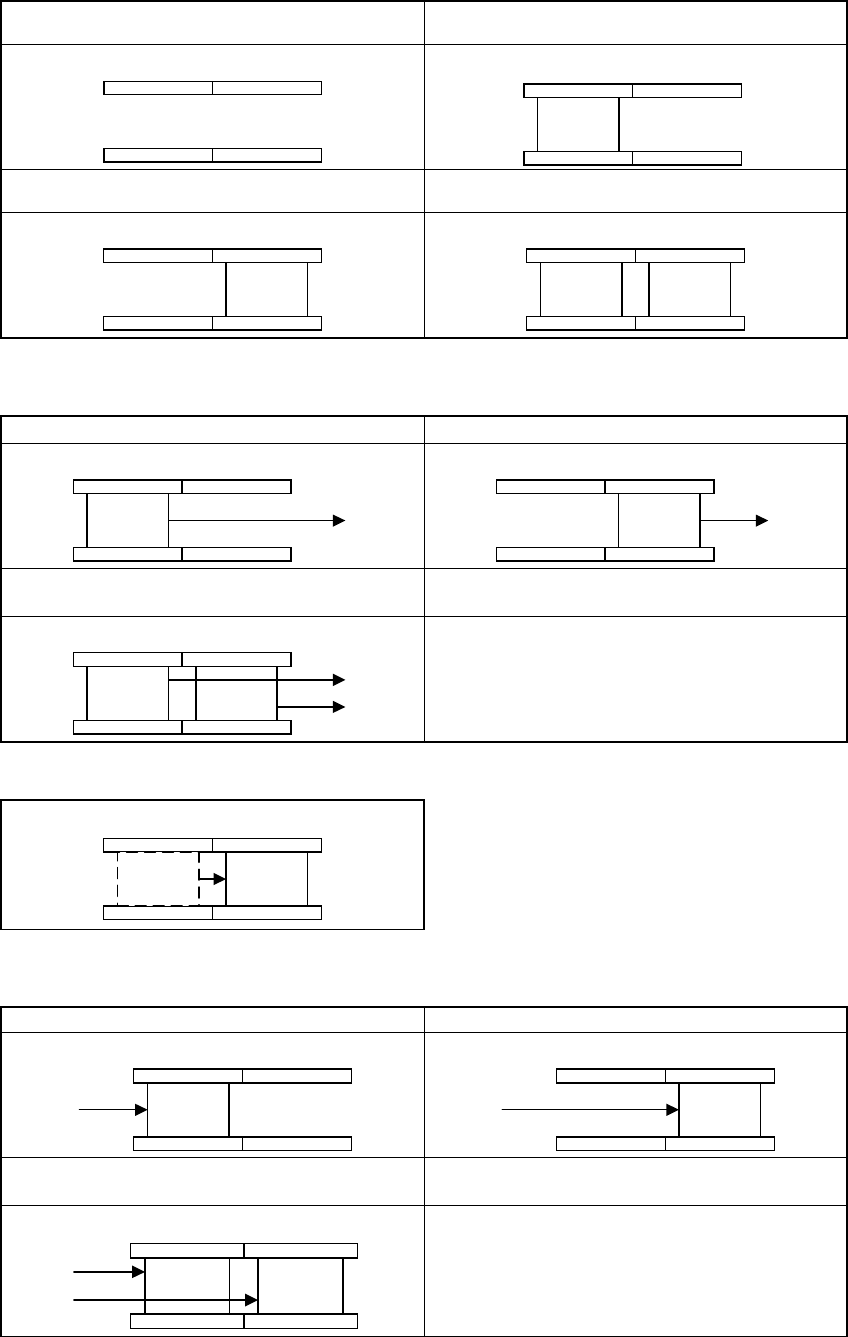
① The following four kinds of station status are assumed when the machine transports a
board from left to right.
1. There is no board on both the IN station and
OUT station.
2. A board is loaded onto the IN station.
①
3. A board is loaded onto the OUT station. 4. Boards are loaded onto both the IN station
and OUT station.
①
② ①
② A board is ejected in the following three ways when the machine transports a board from
left to right.
I. A board is ejected from the IN station. II. A board is ejected from the OUT station.
①
①
III. Boards are ejected from both the IN station
and OUT station.
② ①
③ A board is transported between two stations as shown below (from left to right):
① ①
A board is transported from the IN station to the
OUT station.
④ A board is sent into the machine in the following three ways when the machine
transports it from left to right:
A. A board is loaded onto the IN station. B. A board is loaded onto the OUT station.
①
①
C. Boards are loaded onto both the IN station
and OUT station.
② ①
IN station OUT station IN station OUT station
IN station OUT station IN station OUT station
IN station OUT station IN station OUT station
IN station OUT station
IN station OUT station
IN station OUT station IN station OUT station
IN station OUT station
8 − 36
8.3.3 Automatic PWB width adjustment control
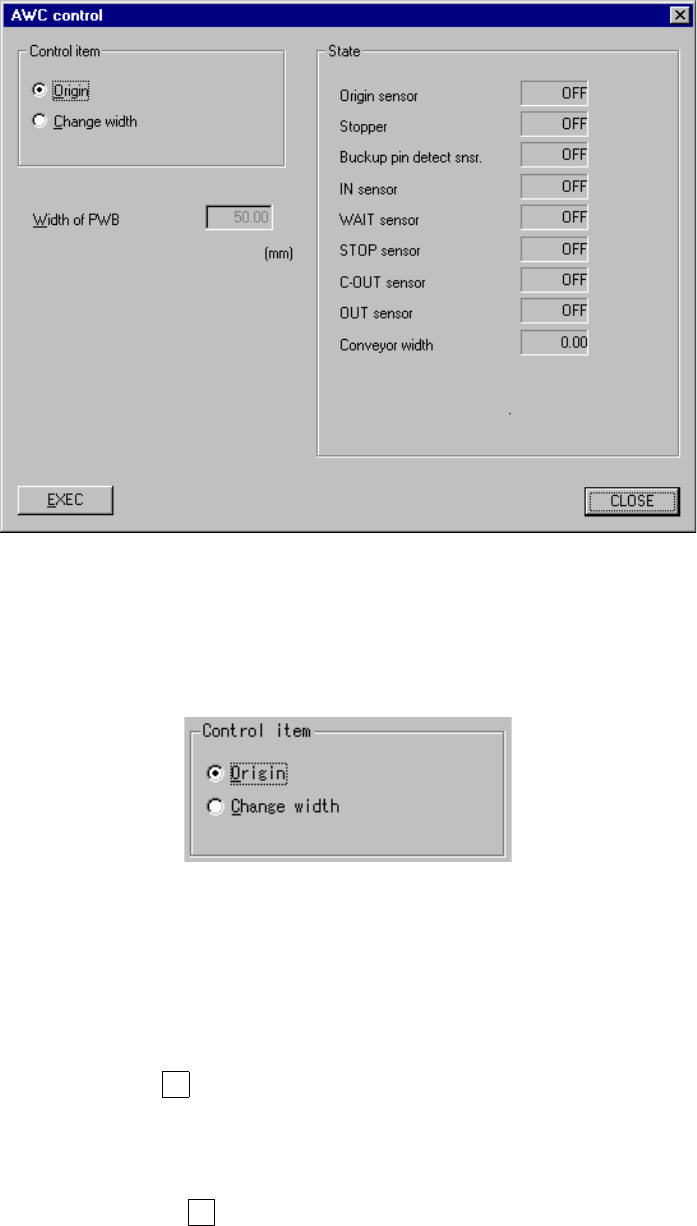
When you select the [Conveyor] command on the [Ctrl] menu, then the [Auto width
conveyor control], the following “AWC control” dialog box appears on the screen.
Figure 8.3.3 “AWC control” dialog box
(1) Control item
Select a control item with the corresponding radio button.
(2) Control button
With the control button, execute the control item you selected.
1) Origin
This item returns the automatic PWB width adjustment unit to its home
position.
When the control item “Origin” is checked, click the <EXEC> button or
press the F3 key.
2) Change width
This item changes the PWB transport width.
When the control item “Change width” is checked, click the <EXEC> button
or press the F3 key.
(3) State display
The state of each sensor and each unit is always displayed on the screen.
8 − 37
8.3.4 Movable station control (Supported by a KE-2030)
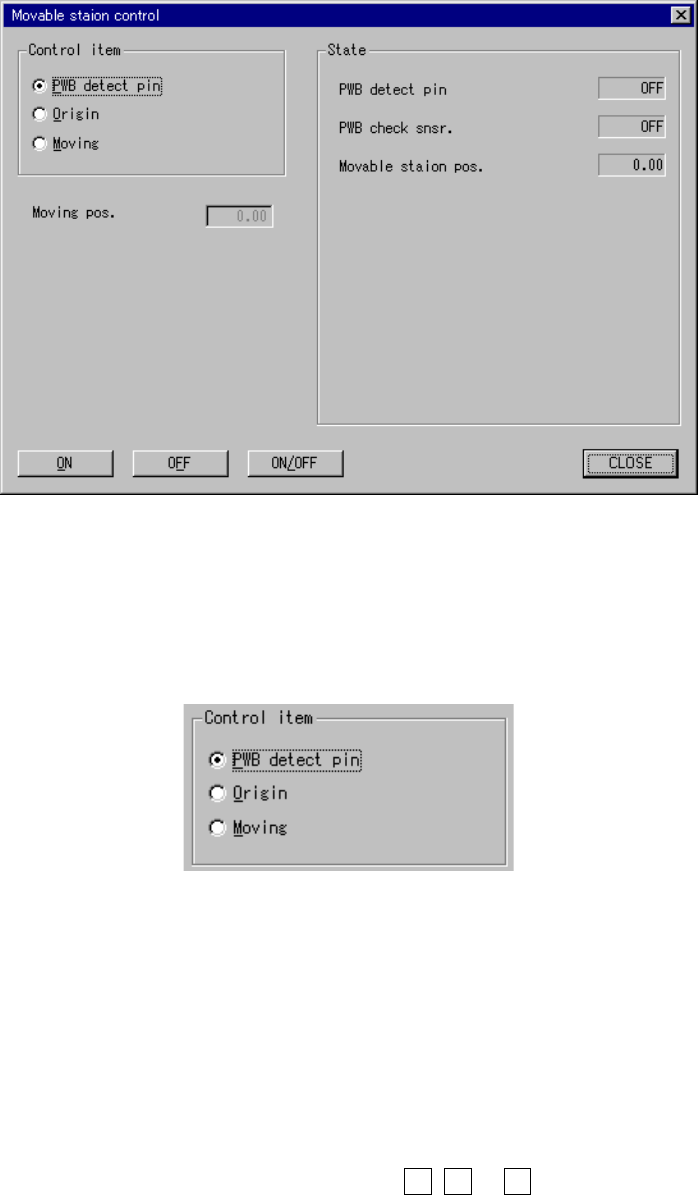
When you select the [Conveyor] command on the [Ctrl] menu, then the [Movable
station control] command, the following “Movable station control” dialog box appears
on the screen.
Figure 8.3.4 “Movable station control” dialog box
(1) Control item
Select a control item with the corresponding radio button.
(2) Control button
With the control button, execute the control item you selected.
The control buttons displayed vary depending on the control item you selected.
1) PWB detect pin
This item turns on and/or off the PWB detecting cylinder valve.
When the control item “PWB detect pin” is checked, click the <ON>, <ON>
or <ON/OFF> button, or press the F3, F4 or F5 key.
The state display is updated when the cylinder is controlled completely.