KE2010.Instruction Manual.Ver.2.01,Rev.08.pdf - 第662页
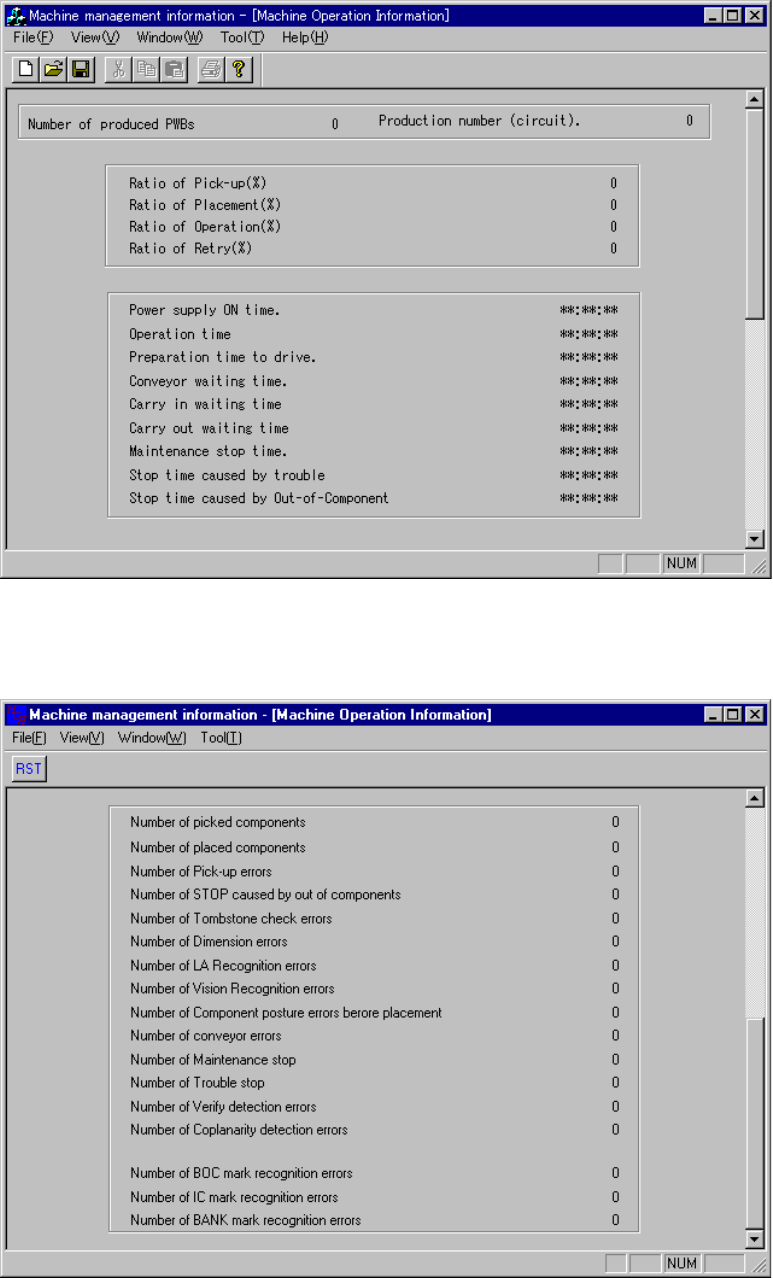
9 − 8 Figure 9.4.1.1 M achine Operation Information (1/2) Figure 9.4.1.2 M achine Operation Information (2/2)

9 − 7
No. Item Description
19
Number of STOP
caused by out of
components
Total number of times the machine paused because the stocked components
run out.
When the menu item <Pause due to run-out> is not enabled, this number is
not counted.
20
Number of Tombstone
check errors
Total number of component rise errors detected
When the menu item <Tombstone detection> is not enabled, this number is
not counted.
21
Number of Dimension
errors
Total number of times an odd-shaped component error occurred
22
Number of LA
recognition error
Total number of times an LA recognition error occurred
23
Number of Component
posture errors before
placement
Total number of times a placement posture check error occurred
24
Number of conveyor
errors
Total number of errors which occurred during PWB transportation
This number does not include any interruption of PWB transportation.
25
Number of Maintenance
stop
Total number of times the machine paused in response to user request
26 Number of Trouble stop Total number of times the machine paused due to an error
27
Number of Verify
detection errors
Total number of times a verify error occurred
28
Number of Coplanarity
detection errors
Total number of times a coplanarity error occurred
29
Number of BOC mark
recognition errors
Total number of BOC mark recognition errors
30
Number of IC mark
recognition errors
Total number of an IC mark recognition error occurred
31
Number of Bank mark
recognition errors
Total number of times a bank mark error occurred
9 − 8
Figure 9.4.1.1 Machine Operation Information (1/2)
Figure 9.4.1.2 Machine Operation Information (2/2)
9 − 9
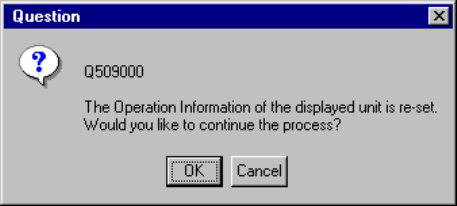
When you select the [Tool] command on the menu bar, then the [Reset] command on
the Tool menu while the window above is being displayed on the screen, the following
dialog box appears on the screen.
Figure 9.4.1.3 "Operation Information of the desired unit
is reset" Question dialog box
− When you click the <OK> button on the dialog box above, the system resets all of
the machine operation information data.
When you click the <Cancel> button, the system continues displaying the current
data without resetting it.