KE2010.Instruction Manual.Ver.2.01,Rev.08.pdf - 第686页
10 − 2 (2) Comm ands W hen you select one of the it ems displayed above, the corresponding dialog box appears on the screen. − Set-up group If a unit is not check ed on the "O ption" menu pr ovided by the M S p…
10 − 1
CHAPTER 10 SELF CALIBRATION
10.1 Overview
The items set for self-calibration are shown in Table below:
Note that a person who can set the following items is restricted as described under
Section 11.2 "User Group Setting".
Before you register the user group, be sure to contact our Technical Service
department.
Table 10.1.1 Self-calibration Items
No. Self-calibration group Description
1 Correct coefficient of XY axis Correction parameter for the XY axes stop accuracy
2 Laser sensor height Height of the laser sensor viewed from the top of a board
3 Rotation center of noz. Center of the nozzle rotation detected with the laser sensor
4 Head offset Assembling position of each head relative to the OCC
Assembling angle of the laser alignment unit relative to the main
unit
5 VCS offset VCS camera assembling position
6 VCS binary-coded threshold
level
Binary-coded threshold when recognized by the VCS (threshold
level)
7 Vacuum calibration Vacuum calibration value
(1) Screen displayed immediately after start-up
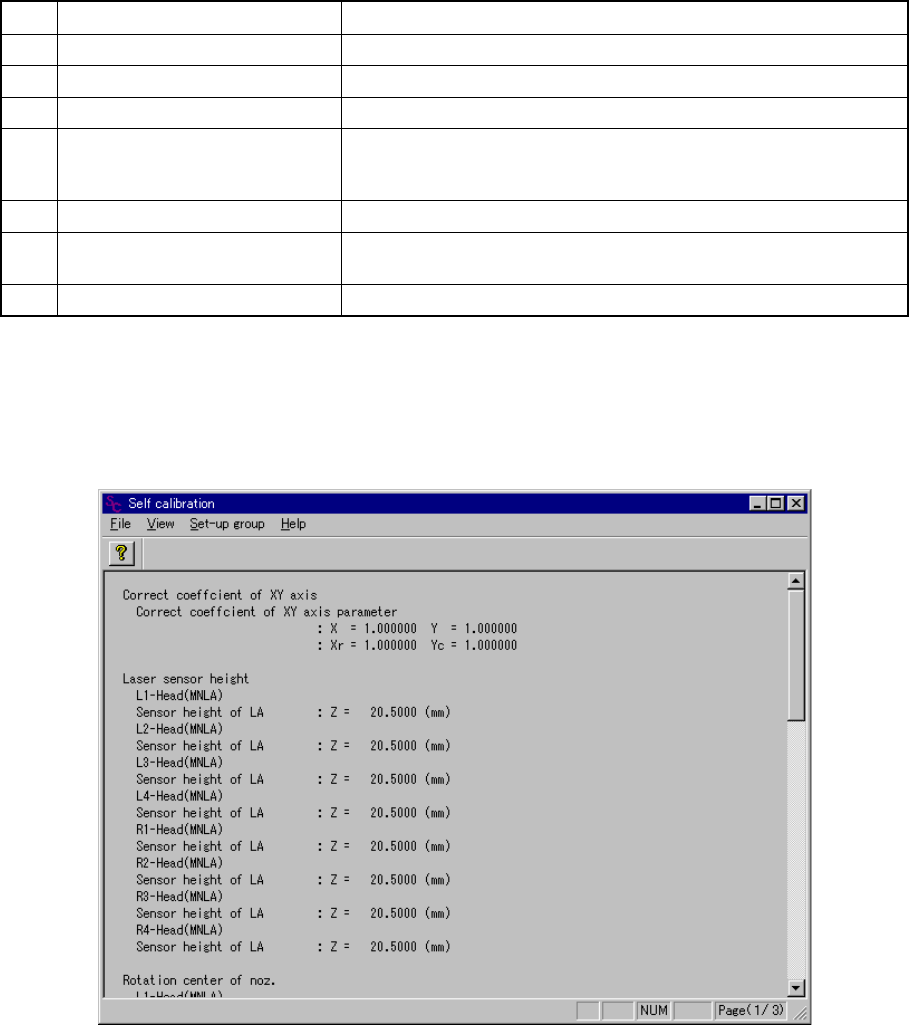
When you select the [Self-calibration] command on the [Setup] menu, the
following ”Self calibration” initial screen appears.
Figure 10.1.1 Self calibration initial screen
(Screen example when a KE-2030 is used)
10 − 2
(2) Commands
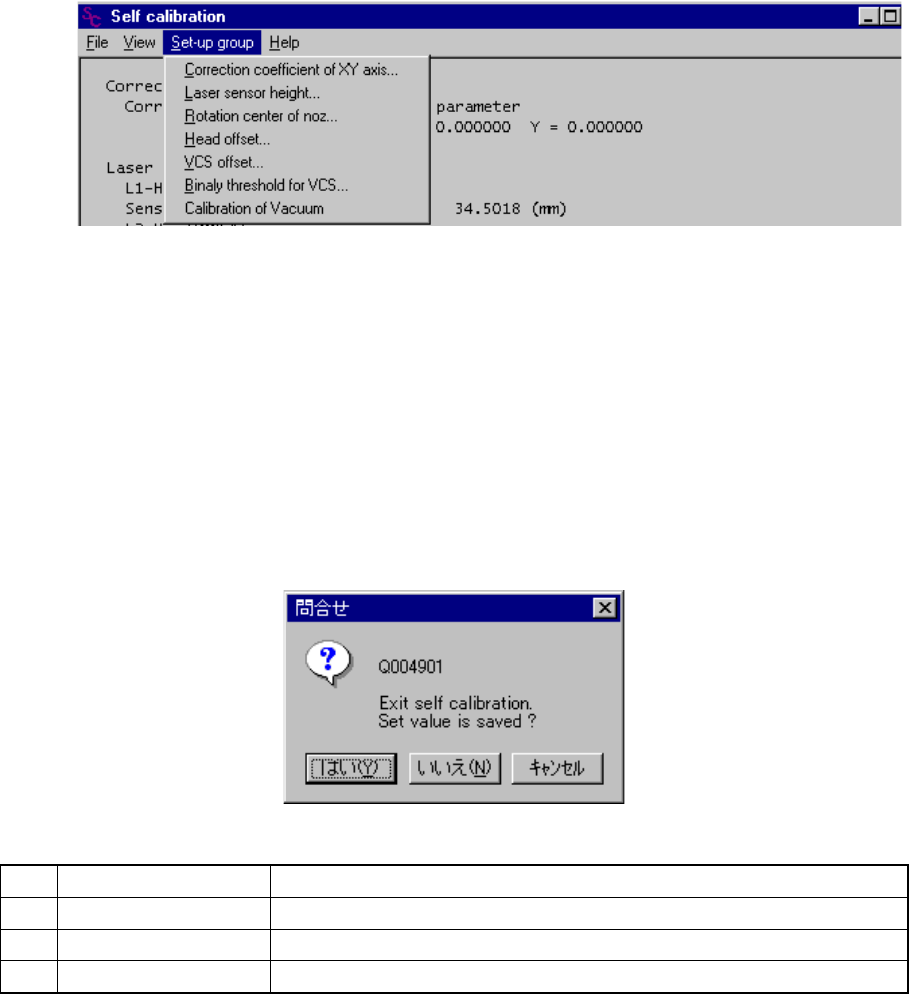
When you select one of the items displayed above, the corresponding dialog box
appears on the screen.
− Set-up group
If a unit is not checked on the "Option" menu provided by the MS parameters
(that is, not installed), you cannot select it.
Figure 10.1.2 Set-up group items
(3) Saving the settings
The <OK> button and the <CANCEL> button are provided on each dialog box.
Even though you click the <OK> button, your setting is not at this point.
When you select the [File] command on the menu bar, then the [Exiting
Application] command on the File menu, the Save confirmation dialog box
appears on the screen. When you click the <Yes> button on this dialog box,
your setting is saved.
No. Button you can click Action
1 Yes Saves the settings, then exits from Self-calibration mode.
2 No Cancels your settings, then exits from Self-calibration mode.
3 Cancel Cancels the [Exiting Application] command.
10 − 3
10.2 XY Axis Correction Coefficients
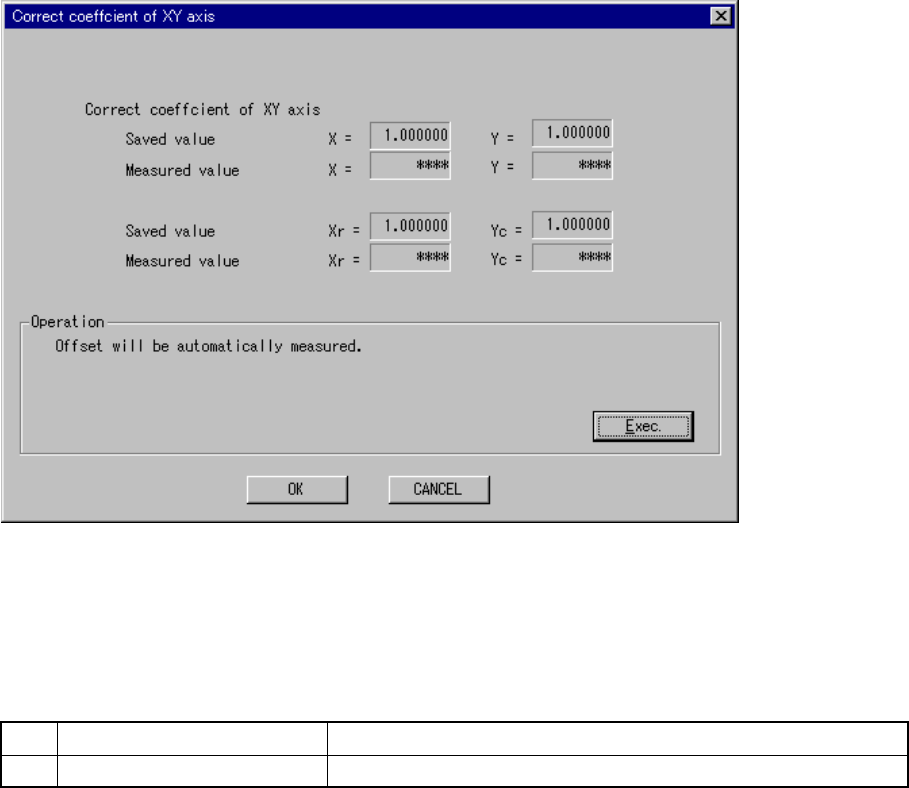
When you select the [Set-up group] on the menu bar, then the [Correct coefficient of
XY axis] on the displayed menu, the following ”Correct coefficient of XY axis” dialog
box appears.
Figure 10.2.1 “Correct coefficient of XY axis” dialog box
(Screen example when a KE-2030 is used)
(1) Setting items
No. Item Description
1 Correct coefficient of XY axis Sets the XY stop accuracy correction parameter
(2) How to set
− Set each parameter with following the instructions displayed on the dialog box
above.
− When you click the <OK> button, your settings become valid (but, are not
saved at this point).
− When you click the <CANCEL> button, your settings become invalid.
(Corrective coefficient
already set)
(Corrective coefficient
measured)
* Displayed with a
KE-2030 only.
(Xr, Yc)