KE2010.Instruction Manual.Ver.2.01,Rev.08.pdf - 第72页
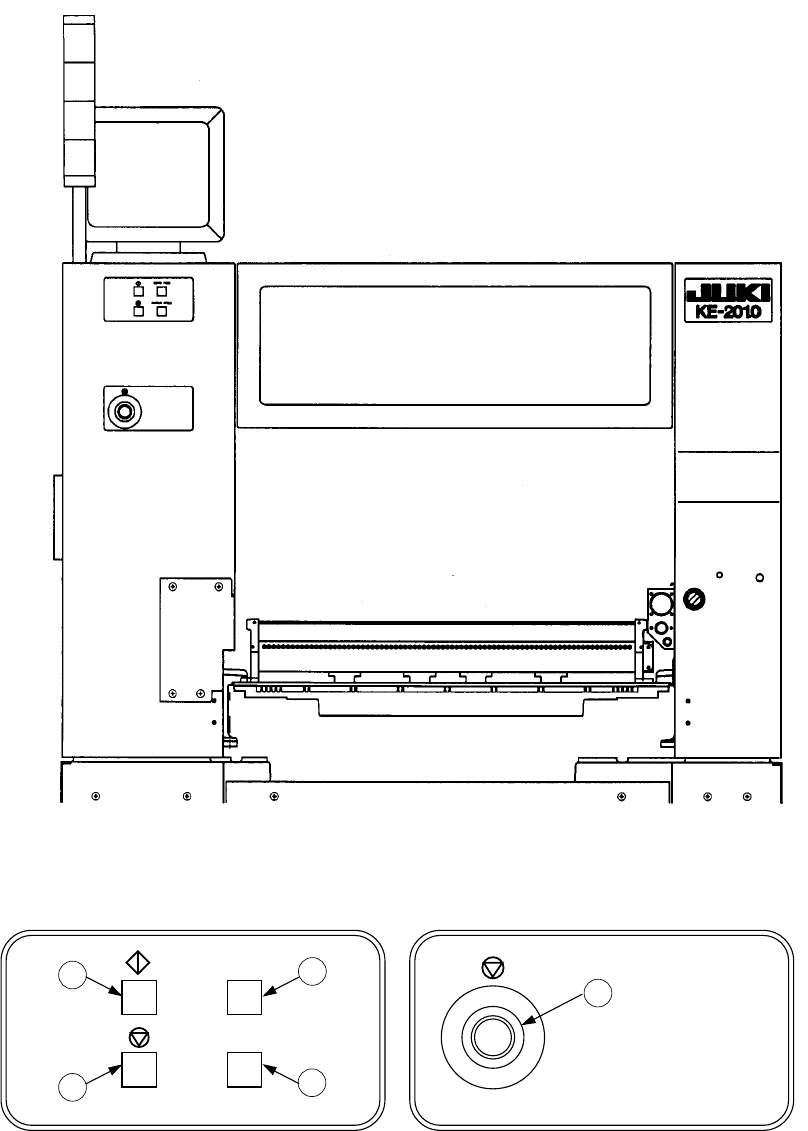
2 − 9 Table 2.1.6. 1 No. Switch Function 1 ONLIN E Use to allow the machine to connect to the HLC (enter the online status). The sw itch lights up when the machine enters Online mode. 2 ORIGIN Use to zero all the ax es…
2 − 8
<Rear view>
Figure 2.1.6.3
SINGLE CYCLE
SERVO FREE
3
4
5
6
7
Figure 2.1.6.4 Figure 2.1.6.5
2 − 9
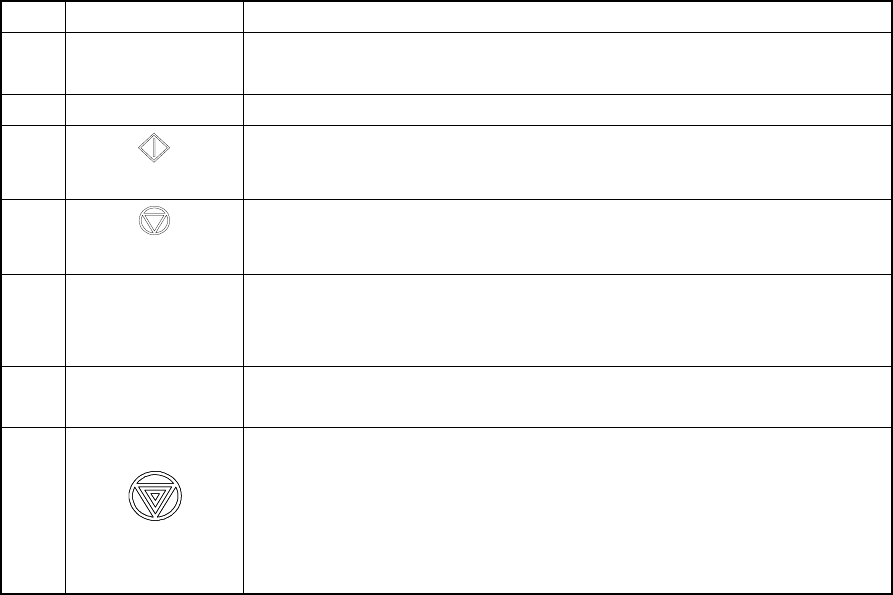
Table 2.1.6.1
No. Switch Function
1 ONLINE Use to allow the machine to connect to the HLC (enter the online status).
The switch lights up when the machine enters Online mode.
2 ORIGIN Use to zero all the axes.
3
START
Use to start an actual or false production run
4
(PAUSE, STOP)
Use to stop an actual or false production run. Press the switch once to put
the production run in a pause status. Press the switch the second time to
stop the production run.
5 SERVO FREE Use to free the servo motor (X-axis, Y-axis, Z-axis, and q-axis).
The switch lights up when servo motor is set into the free state.
The motor is energized again when the switch is pressed the second time.
6 SINGLE CYCLE Use to stop the production run when one board has been produced.
Press the switch a second time to exit from this status.
7 Emergency
Use to bring the machine to an immediate stop if the machine malfunctions
or there could be an imminent personal injury.
When the switch is pressed, it brings the motor and other drive mechanisms
to an immediate stop and turns ON the red lamp of the signal tower.
To reset the switch, turn it in the direction of the arrow.
Do not use this switch for the purposes other than emergency stops.
2 − 10
2.2 Rotary Beacon Tower (Signal Lights)
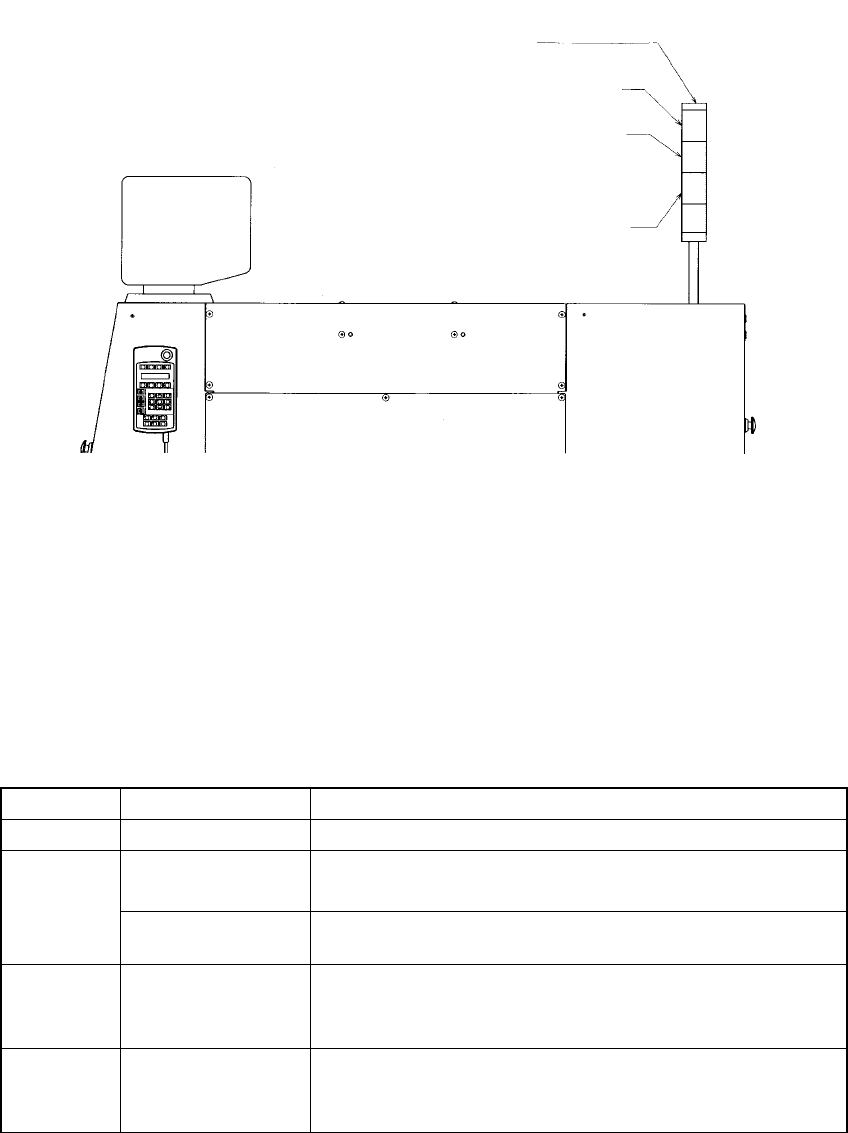
Figure 2.2.1 Upper right side of the main body
The following table lists the functions (factory-settings) of the three colored lamps of
the rotary beacon tower q. At the machine setup, however, these can be changed as
you desire (See Section 7.2.2.13 "Signal lights").
Table 2.2.1
Color Condition Function
Green Lit Production in progress
Lit • In Manual mode, program data is being created.
• The machine pauses during production.
Yellow
Flashing • Components running out during production (Production can
continue.)
Red Lit • Emergency stop or an error occurs.
• The machine cannot continue producing a board due to no
component available.
All lamps Lit • Waiting for the production START key to be pressed in
Production mode.
• Production completed normally, in Idle or other mode
Signal lights
Red
Yellow
Green