KE2010.Instruction Manual.Ver.2.01,Rev.08.pdf - 第754页
12 − 25 ④ Notes on component dimension check W hen you specify the “Dimension check” items, be caref ul to enter the “Std. Siz e” (reference si ze). − The “St d. Size” means the size of the molded par t on which laser be…
12 − 24
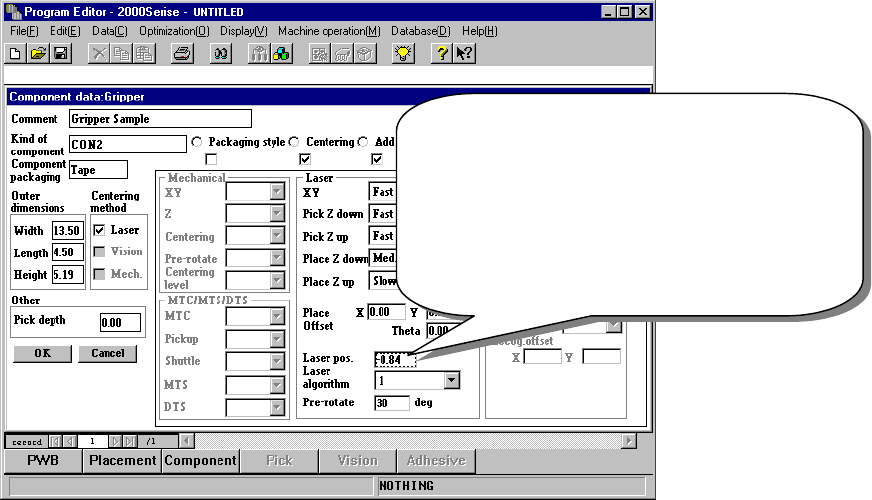
③ Laser pos. (position)
Be careful to enter this setting item when you use a gripper nozzle.
Normally, enter the distance from the top of a component to the surface on
which laser beam impinges in the “Laser pos.” field of a nozzle. However,
when you use a gripper nozzle, enter the distance laser is beamed by
regarding the tip of the nozzle that is located at the fixed arm as a reference
position.
Figure 12.12.6 Setting the laser height
Specify the distance from the tip of a nozzle to the
surface on which laser beam impinges.
Setting guide: - (component height – 3.5 mm) / 2
Make trivial adjustments of this
value according to a lead position.
Example shown on this screen: - (5.19 – 3.5) / 2
= - 0.84
12 − 25
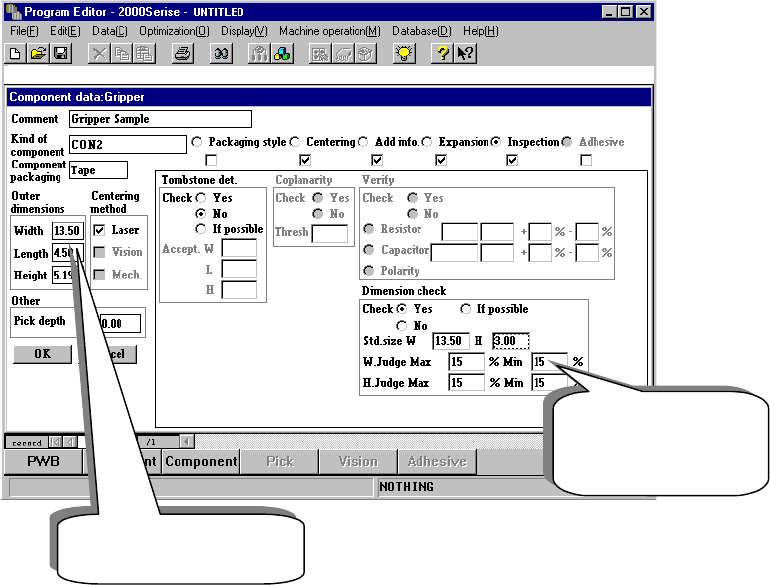
④ Notes on component dimension check
When you specify the “Dimension check” items, be careful to enter the “Std.
Size” (reference size).
− The “Std. Size” means the size of the molded part on which laser beam is
to impinge, and it is different from the dimensions of a component
including a lead.
Figure 12.12.7 Setting the “Dimension check” items
Length of a component
including a lead
Length of the molded
part on which laser
beam impinges.
12 − 26
3.3 Pick Data
Pick data to be created when you use a gripper nozzle is the same as that for
a standard nozzle. Therefore, you do not have to perform teaching
operation for the gripper arm position and the height of the nozzle section
against which the component topside should be pushed.
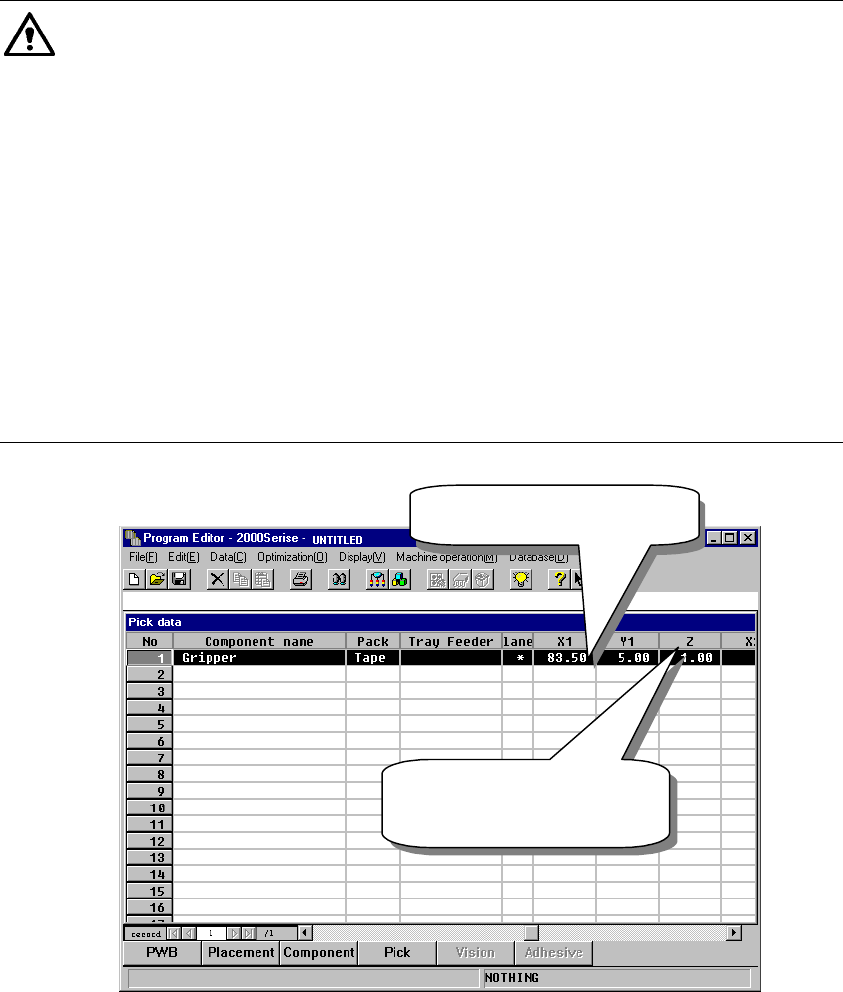
① X and Y coordinates: the center of a component is used as the reference
position.
② Z coordinate: the tip of the nozzle (Height of an edge of the fixed arm =
Height of the normal nozzle) is used as a reference position.
Caution
Note that how to set data with a KE-750/760 is different from that with the
KE-2000 series of products when you use a gripper nozzle. To use a gripper
nozzle with a KE-750/760, you have to teach a component pick-up position.
Teaching operation is required for making fine adjustments of a component
pick-up position; set the Y coordinate far from the fixed arm by about 1 mm
by checking it with your eyes, and set the Z coordinate so that the middle
section of a gripper nozzle against which the top of a component is to be
pushed can be just in contact with the top of a component located on the
feeder. However, the KE-2000 series of products allow you to use a gripper
nozzle without teaching a component pick-up position. The system makes
fine adjustments of a component pick-up position according to the nozzle
information (loaded from a floppy disk) or allow you to set the position in
Component data if a component is very unique.
Figure 12.12.8 Setting Pick data
XY: Center of a
component
Z: set based on the tip of
a nozzle as the
reference position.