KE2010.Instruction Manual.Ver.2.01,Rev.08.pdf - 第780页
13 − 24 13.3.11 OCC (Polarizing filter) Check to see if ther e is no dust and/or for eign subst ance on the polarizing f ilter of t he OCC. If there is any, rem ove it with an air gun or like. 1 ① Polarizing f ilter WA R…
13 − 23
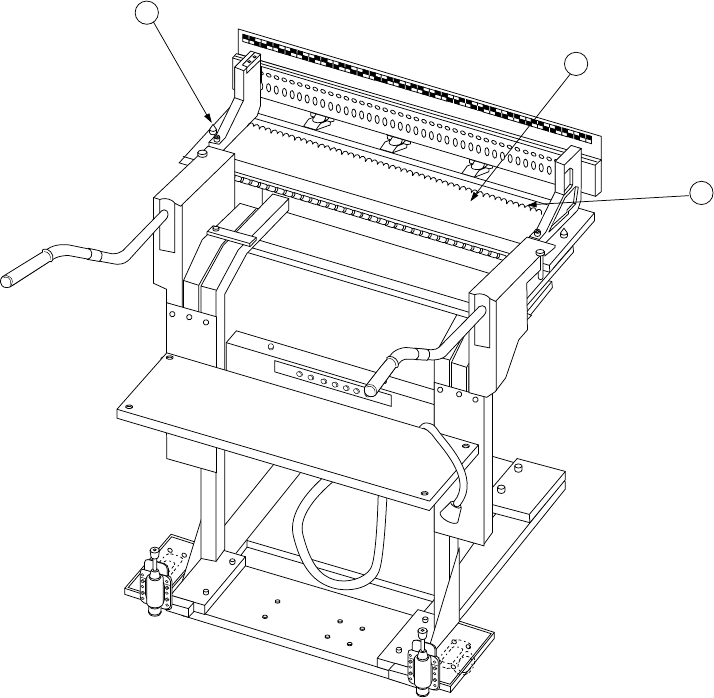
13.3.10 Overall feeder exchange trolley (optional)
Clean any dust and/or foreign substance from the table before attaching a tape
feeder or any other feeder on the feeder bank.
Check to see if there is no foreign substance under the fixing plate B ②.
Check to see if there is no foreign substance such as a chip component around the
bank locating pins ③ (on both sides).
If there is any foreign substance such as a chip component, remove it with a vacuum
cleaner.
1
2
3
① Feeder bank
② Fixing plate B
③ Bank locating pin
13 − 24
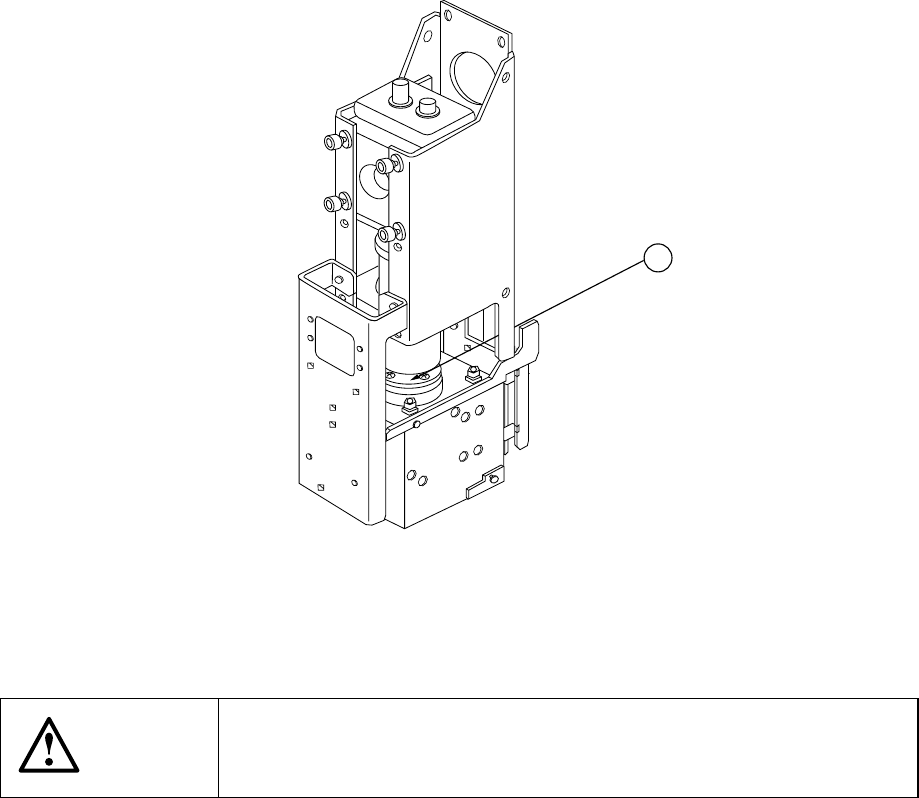
13.3.11 OCC (Polarizing filter)
Check to see if there is no dust and/or foreign substance on the polarizing filter of the
OCC.
If there is any, remove it with an air gun or like.
1
① Polarizing filter
WARNING
To prevent the body from injury which can be caused by accidental
activation of the machine, cut off the power to the machine before
starting to work.
13 − 25
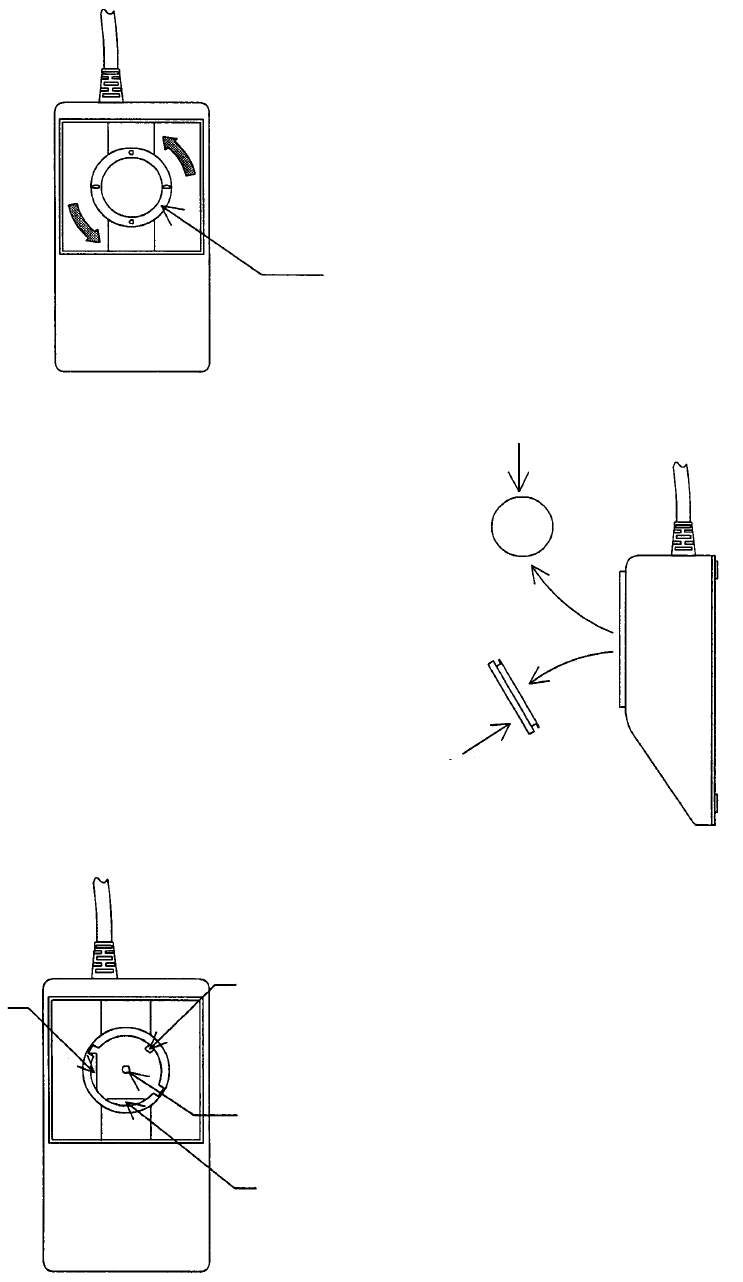
13.3.12 Trackball
Remove dust and/or foreign substance stuck to the inside of a trackball.
① Turn the ring anti-clockwise (in the arrow
direction).
② Remove the ring and ball.
Place the ball on soft material such as
soft cloth so that it cannot rotate.
③ Use soft cloth to clean the section
which is in contact with the ball as
shown in the left figure.
Clean the ball also (No moisture).
Ring
Ring
Ball
X detecting axis
45-degree axis
Ball holder
Y detecting axis