KE2010.Instruction Manual.Ver.2.01,Rev.08.pdf - 第787页
13 − 31 13.5 Replacing the UPS Battery w ith a New One 13.5.1 Remov ing the UPS WA RNING To avoid a risk of serious injury caused by elect ric shock hazard, turn off the main power switch of the house current. Be sure to…
13 − 30
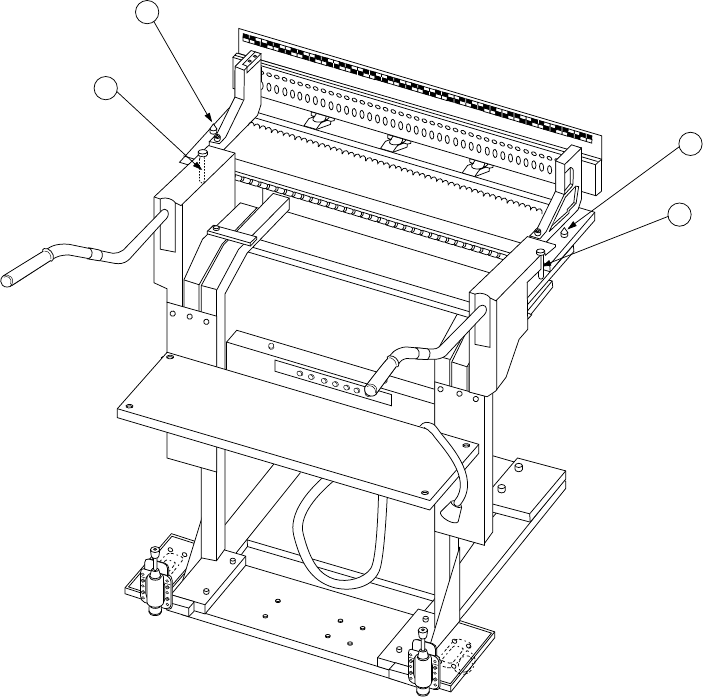
13.4.8 Overall feeder exchange trolley (optional)
Apply grease to the bank locating pin ① and guide shaft ②.
1
1
2
2
① Bank locating pin
② Guide shaft

13 − 31
13.5 Replacing the UPS Battery with a New One
13.5.1 Removing the UPS
WARNING
To avoid a risk of serious injury caused by electric shock hazard, turn
off the main power switch of the house current. Be sure to turn off the
main breaker and main power switch of the main unit also.
The main power switch of the house current is installed in the building
where the main unit is used. Note that it is not the main power switch
of the machine.
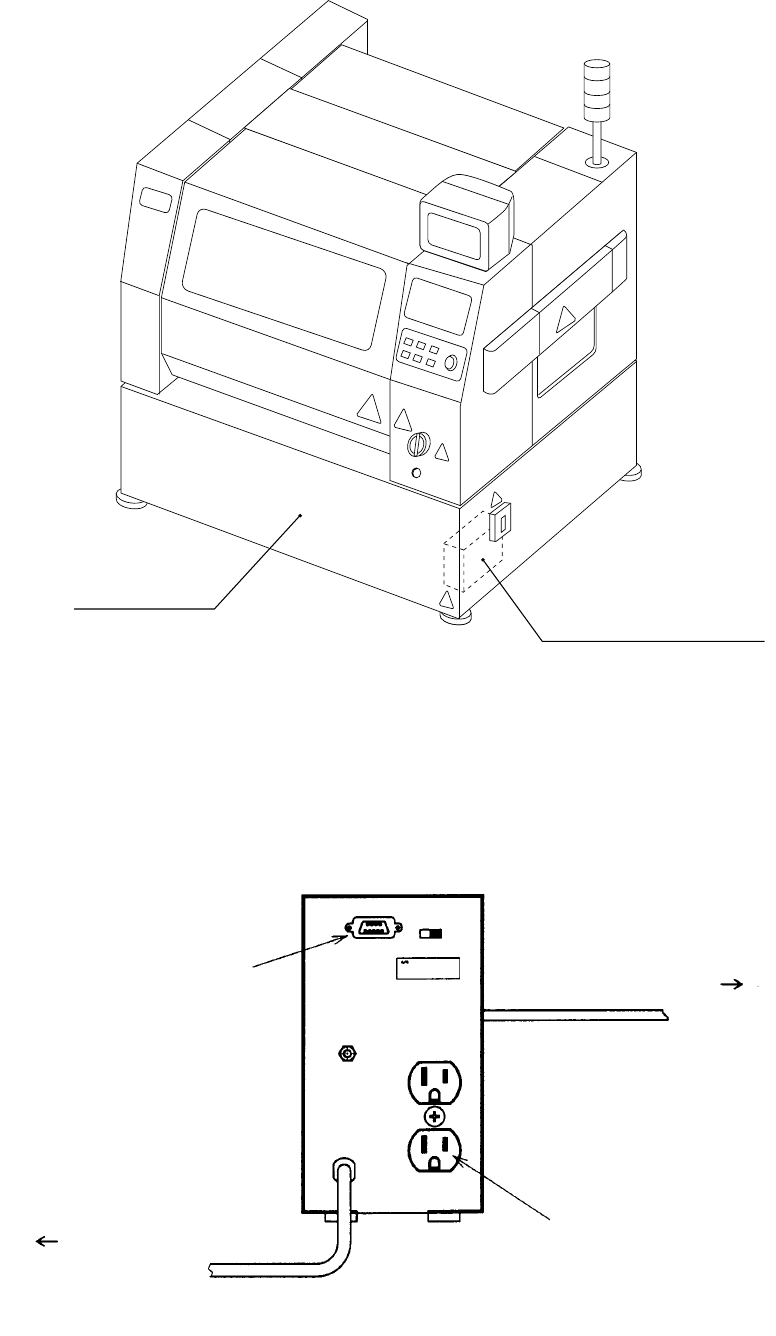
1. Figure 13.5.1.1 shows where the UPS is attached. Remove the cover FB so that
you can see the USP with your eyes.
2. As shown in Figure 13.5.1.2, disconnect the UPS communication connector and
the relay connector of the cable that extends from the UPS.
3. As shown in Figure 13.5.1.3, remove the screws from the terminal plate located
on the front of the UPS and the screw from the metal plate fixing the UPS onto
the main unit. Pull out the UPS from the main unit.
4. As shown in Figure 13.5.1.4, remove four screws to remove the metal plate that
fixes the UPS onto the main unit. Push down the power switch of the UPS to set
the UPS to “OFF”.
5. After replacing the battery, follow the Steps 1 to 4 above in the reverse order.
Before fixing the USP onto the main unit, make sure that the power switch of the
UPS is turned on.
13 − 32
Figure 13.5.1.1
Figure 13.5.1.2
FB cover
UPS attaching position
Disconnect the
communication
connector.
Disconnect the
relay connector.
Disconnect the
relay connector.
Disconnect the power
plug from the AC